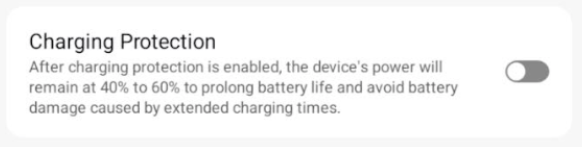
Lots of discussion on web about “battery protect” which limits charging to 80/85/90% to conserve battery life.
If you find one that has that option, you could leave it plugged in.
Just a thought.
another idea, in the 8in android tablet space i went for super cheap ($15) android go devices and bought a few spares. Given the price point i give about the battery.
If they last 3 yrs, that will be awesome and there will be new super cheap android devices to consider. If not $15 is $15 and i have spares.
From my experence only more expensive android devices have a built in battery charger limiter like samsung or google pixel, unless youre game to root your device… then you’ll have more options.
I would rather not have the battery at all since overtime they could swell from overcharging, etc...
The stop at 80% option is okay and I might consider that as I currently have a phone with that feature when updating to newer model might wind up as a wall mounted unit in its future
I think you will have a hard time finding a tablet that has no battery by design. Tablets, as a class of devices, are generally intended for mobile/wirefree usage.
It might be higher yield to restrict your search to models that are known to be easy enough to disassemble so you can remove the battery or at least disconnect it internally.
If you’re unwilling to use a software-based solution to tend the battery while the tablet remains plugged in all the time.
I can honestly say I have had 5 Samsung and 2 Fire 10" tablets in service for 5 years and not a single issue with batteries.
It's also nice, but not often, the power blips and the tablets just hum away.
Found a local cellphone repair shop that will do the disassembly and reassembly on a tablet for me so I can modify and remove battery then install a battery elimination device.
I am comfortable with the modifications just not the disassembly and reassembly as I have a bad record of cracking the screen on previous attempts at phone battery repairs
So any suggestions on easily modifiable tablets welcome
If youre going to do all that, wouldn’t it be better to get guidance from the repair shop? They would have WAY more experence with what models are even compatible with a battery elimination device and what models are easier than others.
I don't have suggestions, but there are some on Aliexpress, search for "android poe tablet"
I'm always a bit surprised the Home Assistant people haven't had one built. If it were up to me, I'd have a couple different sizes with a speaker and several controllable LEDs on/near the bezel. POE and mains for power.
I was just going to post a warning that the battery acts to absorb voltage fluctuations, and helps to protect the electronics.
So building a custom regulated power supply with good filtering would certainly be recommended over using a standard USB charger.
I understand your reasoning for doing this, but I have never seen a recent device, equipped with the charge limiting feature, have battery issues.
Personally I would prefer to leave the battery in to eliminate reboots after power fluctuations (would require manual intervention), as well as protect the circuitry during those power fluctuations. If I notice battery problems developing, then I could always remove the battery when the problem occurs.
There may also be limitations due to the communication between the battery and the device. This article might be worth looking at.
While not exactly the request of the original post, the 40-60% charging range is probably viable for most people seeking an off-the-shelf mitigation to battery concerns. It is also my approach using a different Lenovo tablet. The charge supply that I am using is also limited, so it has a rather mild life.
I can also appreciate that the OP is having a mix of fun and practicality. A project can be good for the soul.