Hello, I have tried various ways to do this and can't seem to accomplish it. I understand if this may just be how it is due to Google Home but I figure perhaps someone here has done it successfully before I declare defeat . Essentially, I have 2 Nest Protects (fully migrated over to Google Home). Meanwhile on the Hubitat, I created a set of Virtual devices (Smoke Detector, CO Detector, Presence, and Motion) and exposed them via GHC. For the virtual Smoke Detector, I have setup Google automations to have the smoke alarm Nest Protect be the trigger and open/close of the Virtual Smoke (as the action) and it works just fine. However, I cannot seem to do the same pattern with the Virtual CO (Google indicates that device as greyed out and "Support coming soon"). I have tried various ways to configure it in GHC and to no avail. Any suggestions? Currently, in GHC, I have that Virtual CO configured as Device Type=CO Detector; Google Home device type=Carbon Monoxide Sensor; Traits=Open/Close, SensorState. Previously, I tried removing the SensorState trait and it still didn't change matters as I know that the actual field doesn't exist in Hubitat's virtual CO detector driver.
PS> I know that the Presence and Motion of the Protects aren't exposed in Google Home, but I like to be thorough and represent my devices as accurately as possible and with wishful thinking perhaps there would be a way that I later figure out how to get those working too :D.
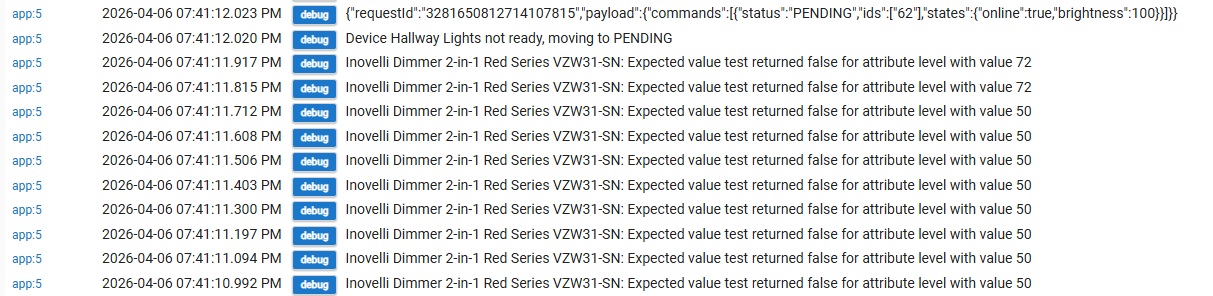
That message just means that the app is waiting for the device to reach the desired state before reporting to Google that the action was successful. I assume you have a fade time on that dimmer so it takes a few seconds to reach full brightness.
I have migrated to a C8 Pro hub. I can't get Google Home to connect. I have tried everything that Gemini and Chat GPT has suggested. When I try to update my hub ID in the Developer tool I keep getting this error.
Error creating account linking for project(hubitat--community-82d74) due to (INVALID_ARGUMENT: com.google.identity.accountlinking.error.AccountLinkingException: generic::INVALID_ARGUMENT: privacy_policy_url cannot be empty [type.googleapis.com/util.MessageSetPayload='[google.rpc.error_details_ext] { message: "privacy_policy_url cannot be empty" }']).Please try saving again.
Does anyone have any suggestions?
I get than message in google developer when I try to update
The OAuth Client ID
The OAuth Client Secret
The Cloud Fulfillment URL.
It is something in Google I think. However I didn't update the Client ID or the Secret. I used what I found in the app code in Hubitat. I tried to make a new project and I also got the same error. I tried to make a privacy policy and hosted it on Github and entered that into the Google Cloud site. I am far from an expert and I am at a total loss. I am in the process of moving all my devices back to the Hubitat Google home for now so at least my Google Home/Hubitat automations will work.
Ah, I get the same error as well if I try to edit my action. I don't see anywhere to enter a privacy policy other than the company profile, and even doing that didn't help. I'm not sure what exactly it wants.
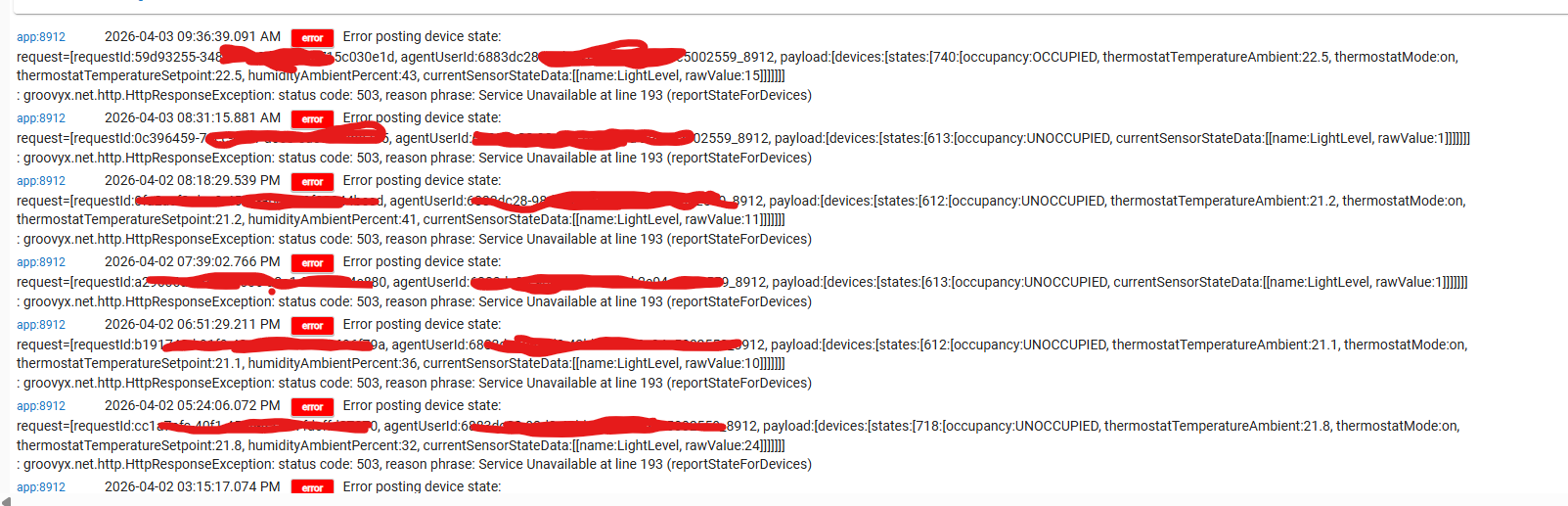
Out of interest has anybody found various devices taking ages to update in Google home recently? I find that Hubitat shows the correct status of the lights but Google doesn't and despite dragging down from Google it doesn't change. Maybe 10m later it finally shows correctly.
I'm not sure if Google home is just "having a moment", more often than it used to, or whether there is something funky going on with my integration and I need to reinstall it or something?
Found this integration after not being able to use the OOB integration anymore and just won't connect. I tried following the steps from the github project and it looks like google had retired the actions and now pushes everyone to the Google Home developer screen. Any updated steps on how to tackle this. I am working through it and some of it seems to be similiar but I am stuck on linking my action to my account to test.
Edit: I realized I missed the step to go into the home app and find the [test] App name to link it but once doing that I am getting the same problem that I see with the OOB one. I sign in and it doesn't appear to list any of the 2 devices that I setup.
Edit 2: Devices now show up and are pre-selected based on what I configured in the app but it but still get this "Could not reach [test] App Name error" which is the same problem I was having with the OOB one.
@kpfredette I just tried again, and was able to edit my integration, so try again.
If it still doesn't work for you, try filling out your "company profile" with a bunch of dummy info. I did that, and it got rejected, of course, but maybe just having it submitted is required now.
@womackj Enable debug logging in the Google Home Community app in Hubitat, then watch the Hubitat logs wile you try to use one of your devices in Google Home. Paste any errors you get here (or DM them to me, if you don't want to post them publicly, but they shouldn't have anything sensitive in them).
If you don't see any messages being logged, then the problem is with either your Google Developer project (possibly the fulfillment URL or OAuth parameters) or with the way it's linked.
So the integration into google home never takes so I don't actually see any of my devices. I think the OAuth settings are working because when I start the integration in google home, I login to the hubitat cloud, I see my hub, I see the device integrations available, but then after click authorize it comes back to google home and just says "Can't connect". My hubitat is on a IoT network that is different from my phone which I don't know if that has anything do with it since I thought this would a cloud to cloud integration. I am not sure where I could find logs on to find out more about this "cannot" connect error. Its the same step that fails with the OOB integration.
Debugging OAuth issues is a bit of a pain. The first thing to do is to double check the info you entered into the Google Developer Console. Pay special attention to the OAuth secret. It doesn't copy/paste properly in some browsers, and it can be hard to notice since it's obscured in the Google Developer Console. Paste it into notepad or something first to make sure you've copied the correct value.
If all of the info matches, and it still doesn't work then the best way to debug further that I've found is to go through the flow manually using Google's OAuth Playground: OAuth 2.0 Playground
Click the gear in the top right, switch "OAuth endpoints" to "Custom" and enter the same Authentication endpoint, Token endpoint, Client ID, and Client secret that you entered in the Google Developer Console
On the left, under "Step 1 Select & authorize APIs", enter app in the "Input your own scopes" box at the bottom and click "Authorize APIs"
You should be taken to the Hubitat login flow. Log in and select your hub and devices
"Step 2 Exchange authorization code for tokens" should open with the Authorization code filled in. Click "Exchange authorization code for tokens" and the Access token should get populated
Click "Step 3 Configure request to API", select "POST" for the HTTP Method, enter the Cloud fulfillment URL you entered in the Google Developer Console, click "Enter request body", paste in the following: {"inputs": [{"intent": "action.devices.SYNC"}]}, and click close at the bottom.
Click "Send the request", and you should get a list of all of the devices you have configured in the Google Home Community app
 . Essentially, I have 2 Nest Protects (fully migrated over to Google Home). Meanwhile on the Hubitat, I created a set of Virtual devices (Smoke Detector, CO Detector, Presence, and Motion) and exposed them via GHC. For the virtual Smoke Detector, I have setup Google automations to have the smoke alarm Nest Protect be the trigger and open/close of the Virtual Smoke (as the action) and it works just fine. However, I cannot seem to do the same pattern with the Virtual CO (Google indicates that device as greyed out and "Support coming soon"). I have tried various ways to configure it in GHC and to no avail. Any suggestions? Currently, in GHC, I have that Virtual CO configured as Device Type=CO Detector; Google Home device type=Carbon Monoxide Sensor; Traits=Open/Close, SensorState. Previously, I tried removing the SensorState trait and it still didn't change matters as I know that the actual field doesn't exist in Hubitat's virtual CO detector driver.