Can you enable debug logging in the Hubitat app and post the log that the app generates when you try to lock or unlock your lock?
That's the thing - once I move the lock to a home in GH, it immediately changes to a status where I can't control the lock any longer.
After moving the lock to home, the icon looks like this:
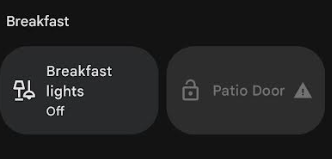
When I click on it, there are no controls available:
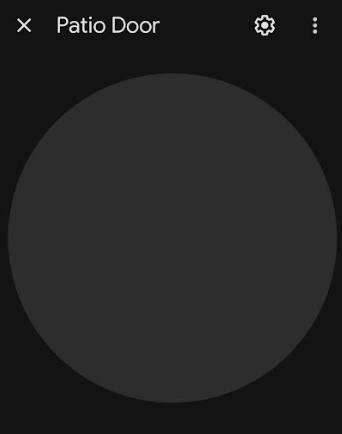
When I pull down in GH to refresh, this is what I see in the logs:

I tried creating a fresh project in the updated Developer Console and it didn't help. Garage Doors, Contact Sensors, and Temp Sensors all continue to work fine, even when deleted and re-added then moved to a home in GH. It's just the lock that stopped working.
I'm sorry if this has already been addressed, but I haven't been able to find any discussions on it...
I'm trying to install the Google Home Community app, and Google is being difficult.  When I follow the instructions for "Creating the Google smart home Action" on the github page, under #2, "Start Building" is greyed out. I can "go to developer's console", the Google Actions Console says "Conversational Actions have been sunset" and it isn't allowing me to do anything - everything is greyed out. Is there something I need to activate/reset in my account, or is there a new way to do things in Google?
Yeah, Google shut the old Actions Console down a little while ago, and I haven't gotten around to updating the setup instructions.
Everything is now done in the Google Home Developer Console. The basic flow is to go to "Cloud to Cloud -> Develop -> Add Integration -> Next -> Next". All of the account linking and fulfillment URL options are there. The biggest change is that you have to select all of the supported device types, but you can just select all of them (ctrl+a in the dropdown will select everything).
4 Likes
Anyone else having issues when your google home was switched to incorporate Gemini? I've lost all my devices in the google home app the same day I was notified of the switch to Gemini.
Maybe it is coincidental? I get this error when I try and sync devices.
groovyx.net.http.HttpResponseException: status code: 404, reason phrase: Not Found on line 218 (method updated)
Line 218 is where the app makes its "Request Sync" request to Google when you save the settings in the Hubitat app, and Google will return a "404 Not Found" error if it's never encountered that particular app instance before.
Try doing a manual sync from the Google Home app (just swipe down when you're at the top of the home page until the little circular refresh arrow appears) to inform Google that your instance exists. That should make the automatic sync request start working again.
1 Like
Thanks that worked! Not sure why I didn't try that first before posting.
I'm trying to use the new Google Home app (w/Gemini now integrated) to create some new automations started by virtual switches I've added to GH using this integration.
The trouble is that while the devices brought in via this integration do show up in the list of devices on the GH app home page, and are properly assigned to my home to and a room, they do not show up in the list of potential starter devices when I'm trying to add them as starters for automations. Devices from other "Works w/Google" services do show up (e.g., eWeLink plugs).
I've tried removing and re-adding the devices to GH (via this GH integration), I've "refreshed" by pulling down on the Devices page in the GH mobile app, and am using simple device names like "Music 70s" to avoid any odd format requirements, but nothing is helping. Devices show up on the GH app device page, but are absent on the Starters>Devices selection list.
I've had this integration set up for a really long time and the only thing that has changed is the GH app and integration of Gemini.
Something even weirder just noticed...above steps I described were trying to update an existing automation I created w/out a starter a few days ago.
Just now I tried to create a new automation in the GH app and selected Starters>Device and the device list is entirely empty...no devices appear.
I used the option to switch back to the old editor ("Use the previous Household Editor") and that gives me the same results as I reported above when editing an existing automation,
Anyone else seeing anything like this? One of the "benefits" of the new app/Gemini?
Do you have the Home Graph integration set up and the "Push device events to Google" toggle turned on? That is required for devices to work as automation starters.
Thanks for the quick reply.
Been five years since I set this up so I frankly don't remember anything about the Home Graph stuff, but devices used to work as starters, so not sure why that would have stopped working. I will go look at the Home Graph info, thanks for the pointer. It seems odd that I used to be able to use devices as starters. I'm just now looking at an automation I created some time back using an HE virtual switch. Weird...
Just so you won't think I'm totally crazy... 
This is empty, so clearly not set up (off to work on that): 
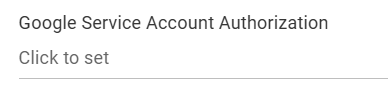
But I have an automation that is using a virtual switch from HE as its starter:
In HE:
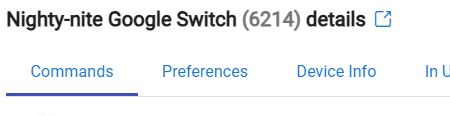

Used in Google Home app as a starter:
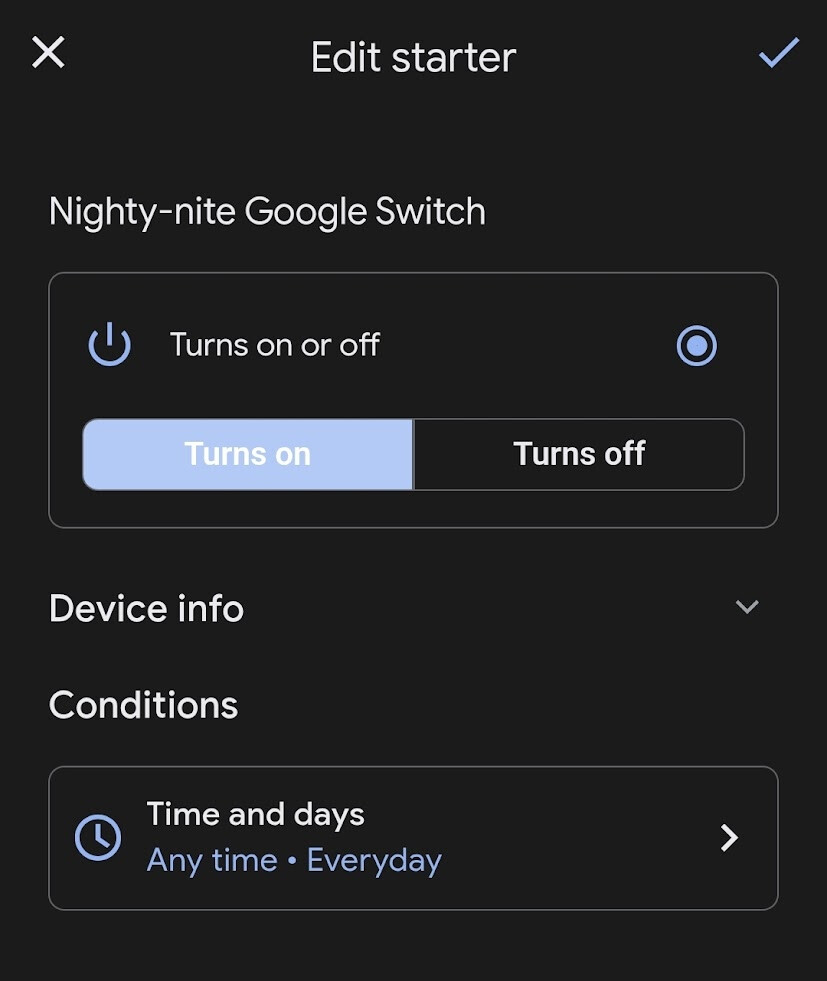
EDIT:
I am seeing a problem where the status of a device doesn't update in the GH app until I view it by long-pressing to open the device and see it's status. If I just view the switch on the GH home screen the switch shows off and automation doesn't run.
Maybe a short-term cloud issue...I'll monitor and hopefully things will sort themselves out.
Original:
OK, enabled Home Graph integration and added key to your app and enabled Push device events.
And now all of my devices are belong to me! They all show up in the automation Starter device list). 
Still no idea how I got it to work w/the one of my virtual switches previously, but now I'm locked and loaded for bear. Thanks very much for your help!

