Really struggling with diagnosing what the issue is with my current motion lighting setup. Basically, my setup is as such:
Hubitat C8-Pro
Hue lights being controlled by the v2 hub with the built-in Hubitat integration
Room Lighting setup effectively per room (some caveats but not important for this conversation)
A single Adaptive Lighting instance set to basically all my lights + a variable to store the current CT
Based on @JB10‘s great suggestion on how to setup Adaptive Lighting + Room Lighting in another forum post basically the CT in room lighting is set to the variable that Adaptive Lighting sets whenever it trigger
All lights for both Room lighting and Adaptive lighting are controlled via hue groups that mostly align to rooms
My struggle is that it SEEMS that Room lighting will turn a group off when motion is not detected (or whatever other turn off condition is set) but then Adaptive lighting will turn the lights back on to change the color temperature. This SEEMS to happen only within a minute or so of the lights turning off, which leads me to believe it has something to do with Adaptive lighting thinking the lights are still on after Room Lighting turns them off. My guess again is it has something to do with the Hue integration and how it’s reporting on/off state but not sure.
I’ve tried a number of things that seems to reduce:
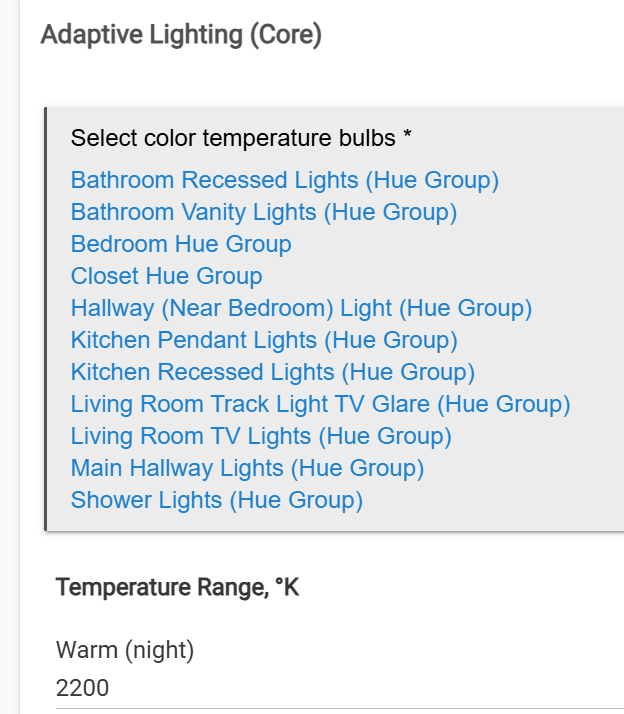
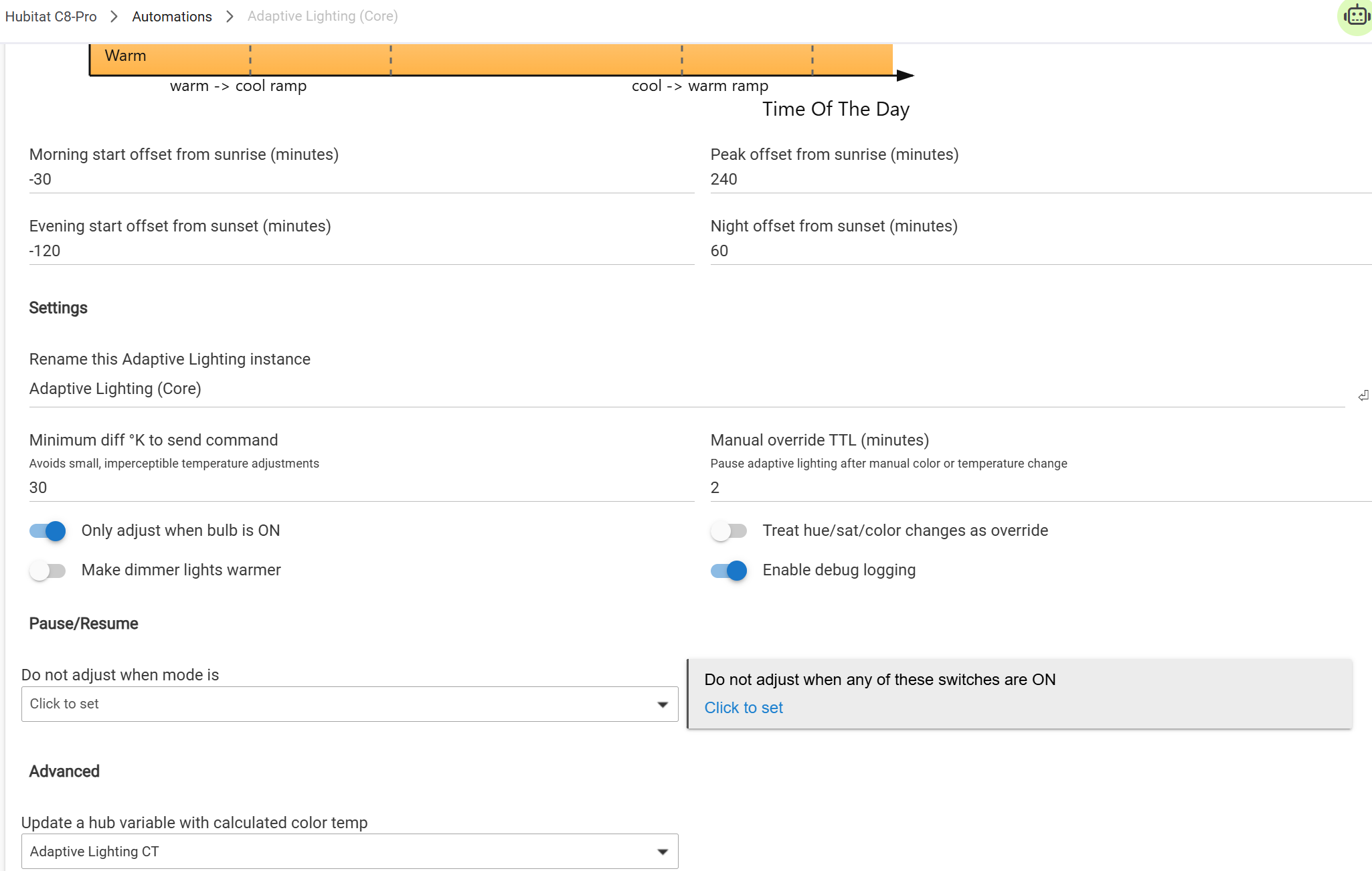
but not eliminate the issue. Initially I had Adaptive lighting set to act on bulbs individually vs groups, changing to groups has helped a lot. Below is how my Adaptive lighting is currently setup
I’ve also played with the override timings for adaptive lighting and individual settings in room lightings. Below is my living room room lighting, which is the one I’ve had most issues with:
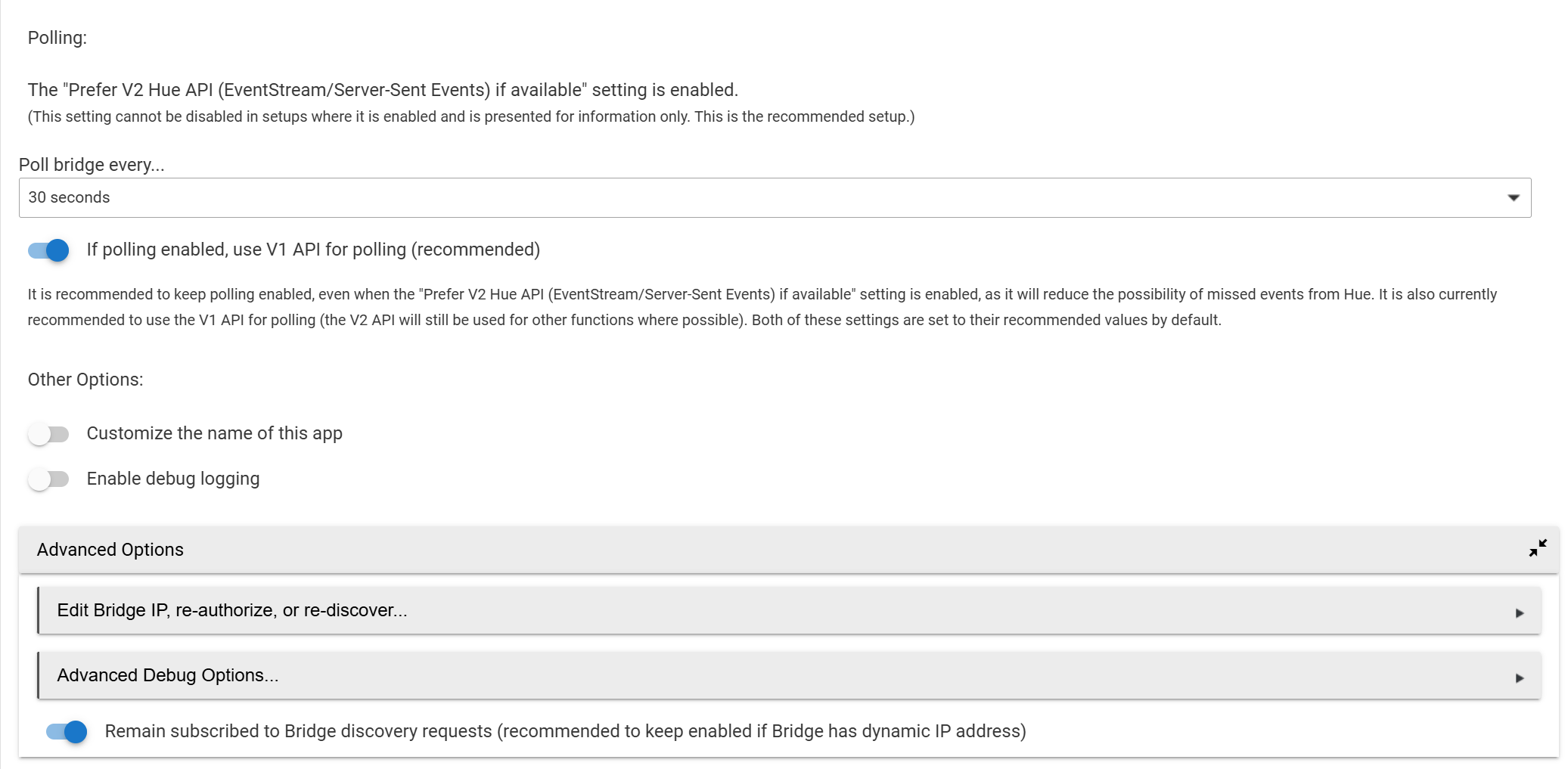
I also set Hue Bridge v1 polling from 1 minute to 30 seconds. This is the one i’m most curious about - would setting to 15 help? And despite not being recommended would using v2 for polling help?
I also captured the following logs when this happened earlier today. I saw the lights turn off due to lack of motion, then turn back on despite motion still not being detected:
My ask is - does anyone know how to fix this for good? Any help would be VERY appreciated. I’d really prefer to solve this vs just turning off adaptive lighting.
Apologies for the lengthy post and thanks in advance,
I don’t have time right now to figure out what is going wrong, but wanted to let you know that there is a solution because I’m running 55 Hue lights on multiple adaptive lighting instances and have never seen a light turn back on from AL. I am only polling the bridge every 2 minutes using the V1 for polling. I only use individual hue lights in AL, not groups. I’m using a Hue bridge pro, but pretty sure I started with the V2 and didn’t have any issues with that either.
This caught my eye as I had a similar situation with my Room Lights and Adaptive Lighting with my WiZ lights… but as I was typing it I saw something that is worth looking at first.
In your screenshot, the room lights app for “Living Room Lights” has no “Indicator For” setting.
I’ve found that Room Lights gets very weird as to the state of activation for the ‘device’ if there is no selection here. I have thought this should actually be a required field with a default value, because I’ve had nothing but problems with any Room Lights app that didn’t have this option set. (I don’t mean specifically ‘for Scene Set’… ‘all on’ and ‘any on’ also work where appropriate).
Edit: Ok, I just needed to check the docs for Room Lighting. From the docs:
By default, the state of the activator device will show the state resulting from the last command sent to the activator device — e.g., "switch: on" (under "Current States") if the last command sent to the activator was an on() command. (By default, this will not be affected by commands sent to devices used in this Room Lighting instance by other means.) This ability of the activator device to show something representing some aspect of the current state is referred to as its "Indicator" functionality.
But this is under the ‘activator device’ section and seems to refer to the state of that device, not the RL app. Since it doesn’t look like you have an activator device set up, I’m not sure how to apply this.
So unless someone else has a better idea, maybe try:
Create an activator device (“Living Room Lights Activator”)
Ignore what I said above and don’t make a selection for ‘indicator for’ - that way the state of the indicator will be the last command that it was sent from this RL app… regardless of the state the underlying device is reporting.
But… that won’t work if you sometimes turn these lights off from somewhere other than this RL app. If you do, you’ll need to make a selection to avoid a mis-match between the device state and the activator state when they’ve been turned on/off elsewhere.
Have Adaptive Lighting control that activator device, not the Hue Group directly.
That would be my guess as well. It must be something to do with room lighting as that is an app I’m not using. I’m still using motion lighting for all of my motion sensing set ups.
How often does your mmWave switch report its Lux values? I wonder if Room Lighting is consistently reactivating itself in the evenings due to low illuminance and that is causing the issues. If I’m seeing your setup correctly, the lights will: (1) Turn on when it gets dark, (2) stay on until a motion inactive and stays 1 minute, (3) turn off the lights, and (4) turn back on again at the next Lux value below 50. I have a feeling that your Room Lighting is competing with itself based on lux and motion in the evenings. Does this only happen when it is dark?
Rather than using an Activator device, just put the Hue Group turning off as a Means to Turn Off. This way if someone turned off the Group via the Hue app (for instance), it would also turn off the Room Lighting instance. I do this for all of my Room Lighting instances that control Hue Groups.