Recently migrated my Ecobee thermostats from the built-in integration "Ecobee Integration" (cloud) to the built-in "HomeKit Controller Integration" (homekit), and noticed some incompatible behavior in basic automation.
One of my automations uses setThermostatMode to turn the thermostat "off", and to restore the prior mode (rn, "cool"), when Windows are opened/closed.
In the migration from the [cloud API] Ecobee Integration to the HomeKit Controller Integration, there's a change in behavior of this API.
In the cloud-integration
It sets the HE Device State, and the Thermostat physically switches to "off" or "cool" ( )
)
In the homekit-integration
In addition to setting the HE Device State, when switching to "cool", it also establishes a temporary override/hold of the temperature of the Thermostat.
I wasn't expecting this change in behaviour in the migration, esp since Hold-Setpoints seem to be being created during the cut-back to "Cool" Mode.
To reproduce
a) Have both the built-in Ecobee integrations installed (for comparison)
In HE, the Device UI will look something like:
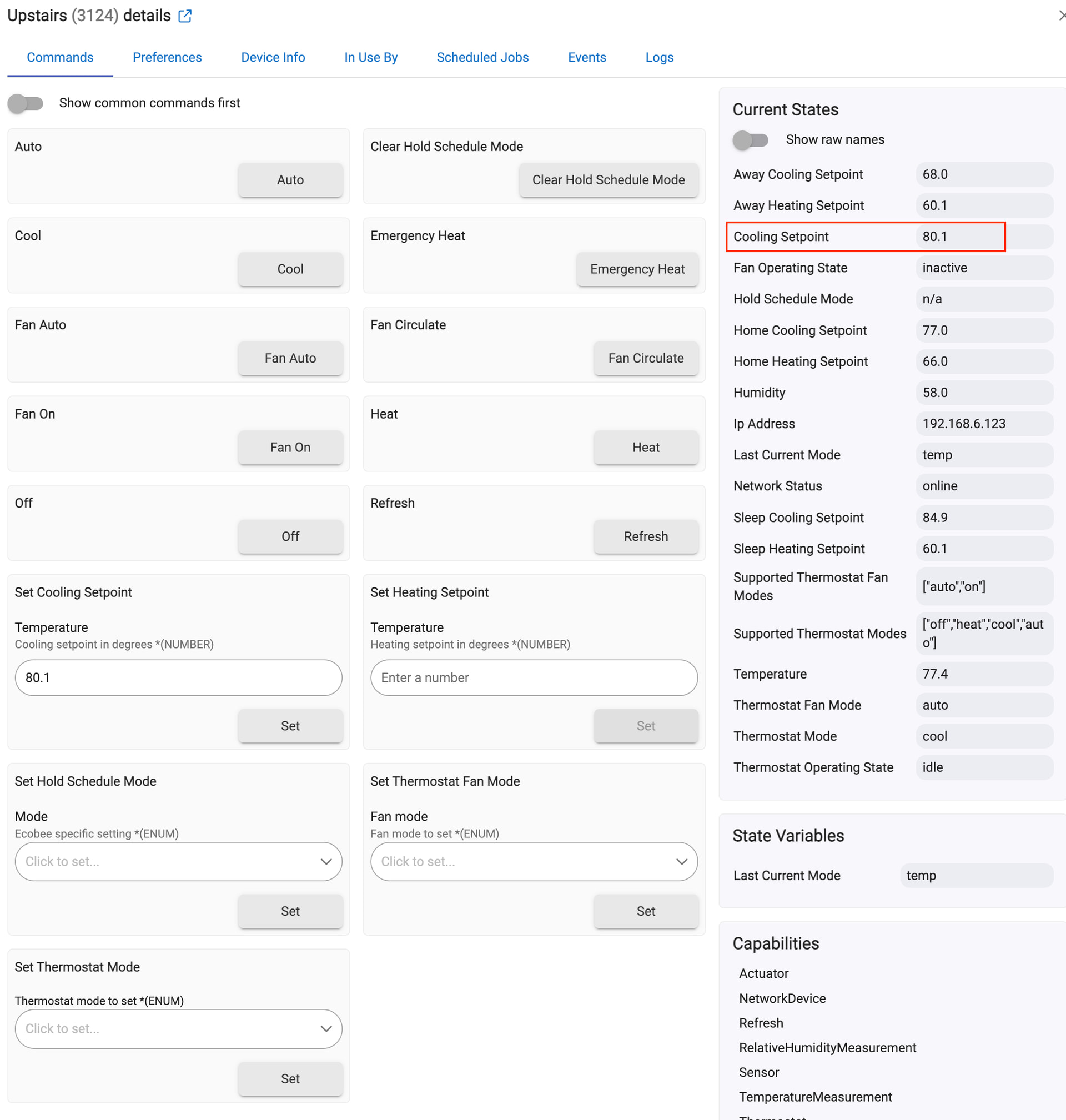
b) Have the Physical Ecobee thermostats initially setup to "Cool"
c) On the Hubitat Device UI for the cloud-integration:
- press the [Off] Button and watch the thermostat change to "OFF"
- press the [Cool] Button and watch the thermostat change to "Cool" (snowflake)
No other changes will be observed on any of the Physical Ecobee thermostat, the Ecobee iOS App or the Hubitat Device UI.
d) Repeat the above on the Hubitat Device UI for the homekit-integration
Observe the other things that get changed by using setThermostatMode(cool):
-
the Physical Ecobee Thermostat will now show a local temperature override (eg. until the next Scheduled comfort setting change)
-
the Ecobee iOS App UI will also show the local temperature override (changes to Cooling Setpoint, until the next Scheduled comfort setting change)
-
and the Hubitat Device UI will show different setpoints (and Cooling is actually triggered, given the change in Cooling Setpoint)
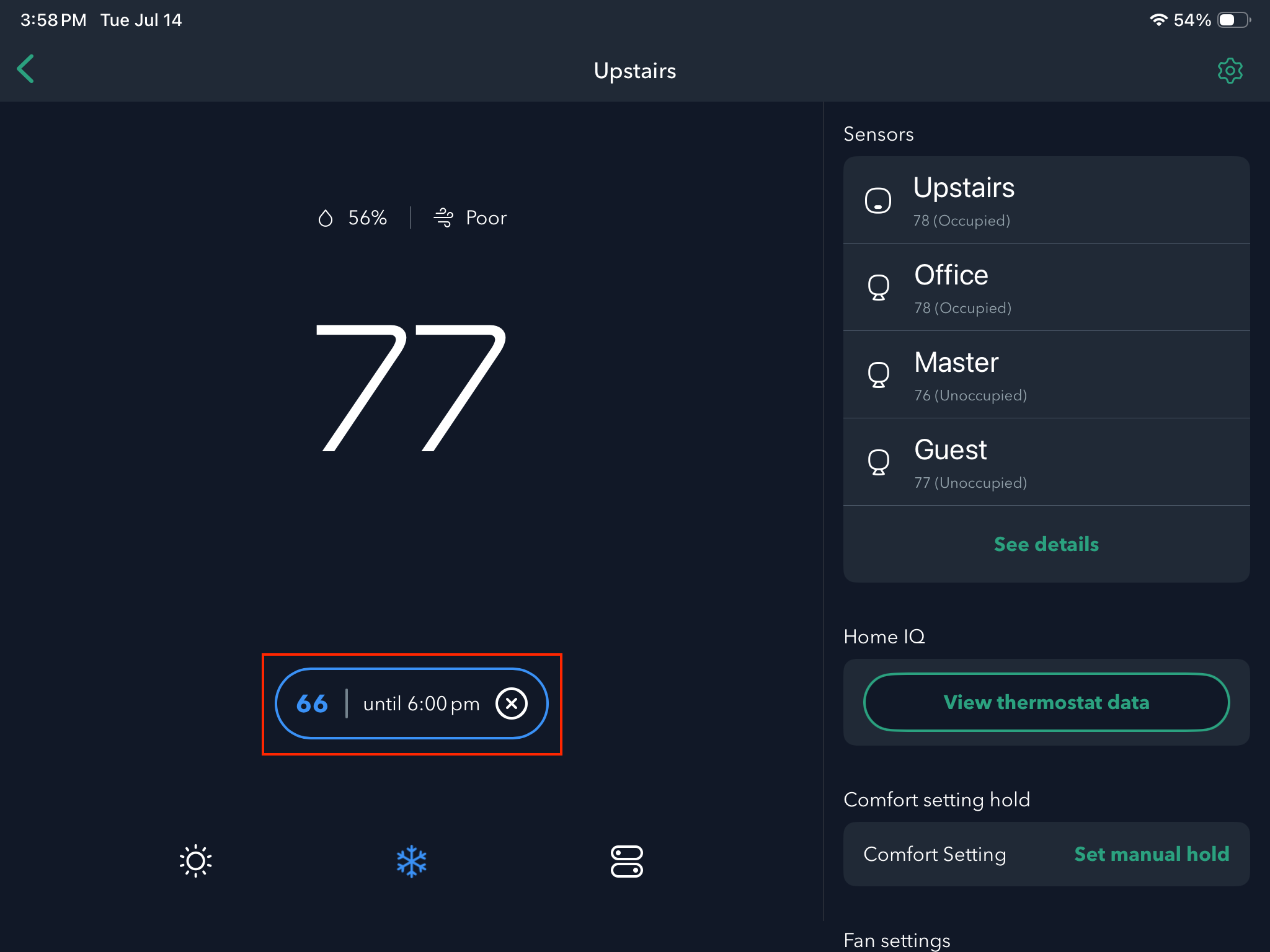
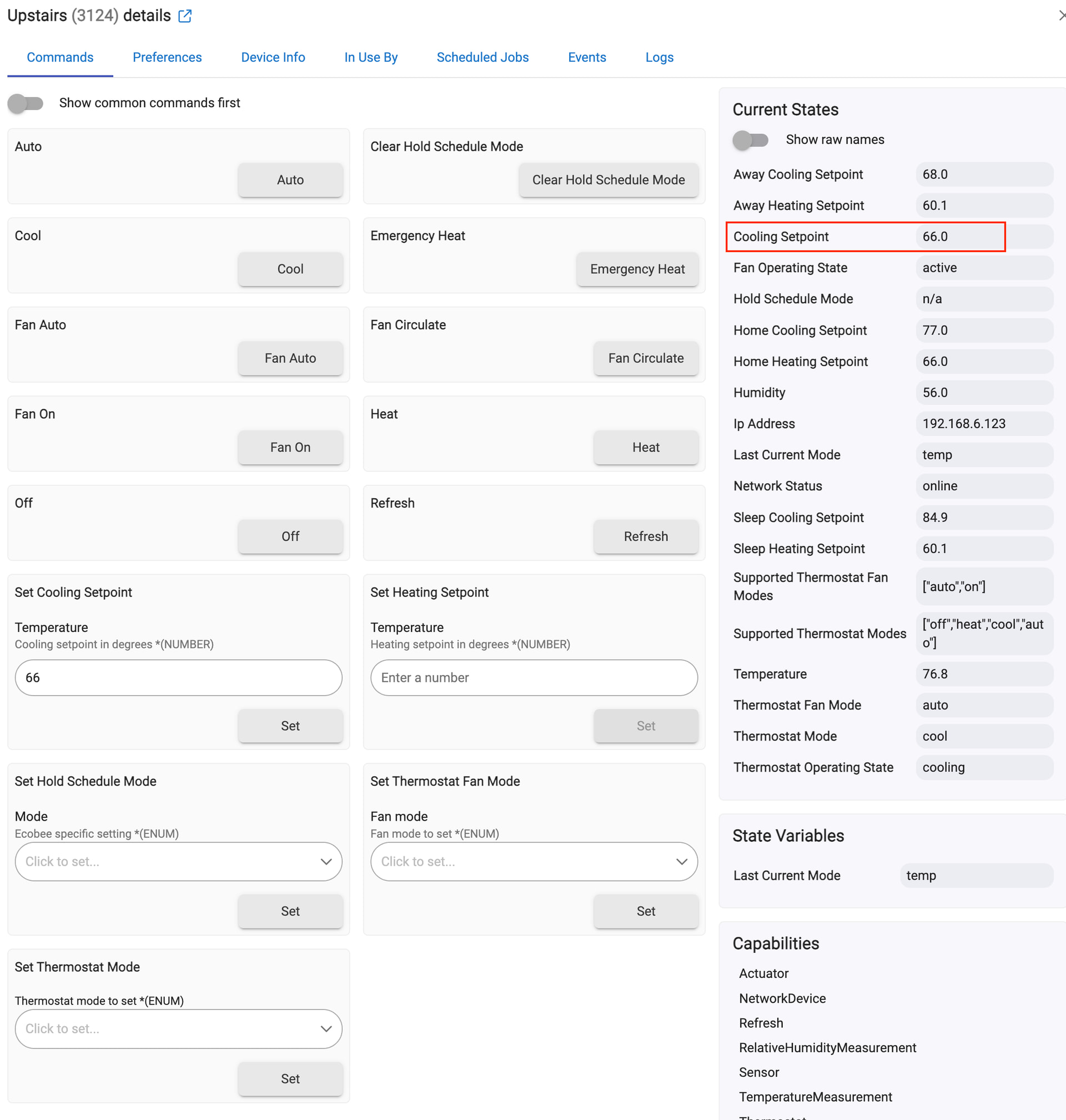
)
Both my thermostats are Ecobee Smart Thermostat Premium models, Firmware version 4.10.7.44