While trying to help another user, discovered that there is an issue when setting a Thermostat Scheduler's EcoMode offset from Rule Machine.
The problem happens when the Thermostat Scheduler has EcoMode already set to on and the offset is changed via Rule Machine. It looks like the new offset is applied before first removing the previous offset currently applied to scheduled setpoints.
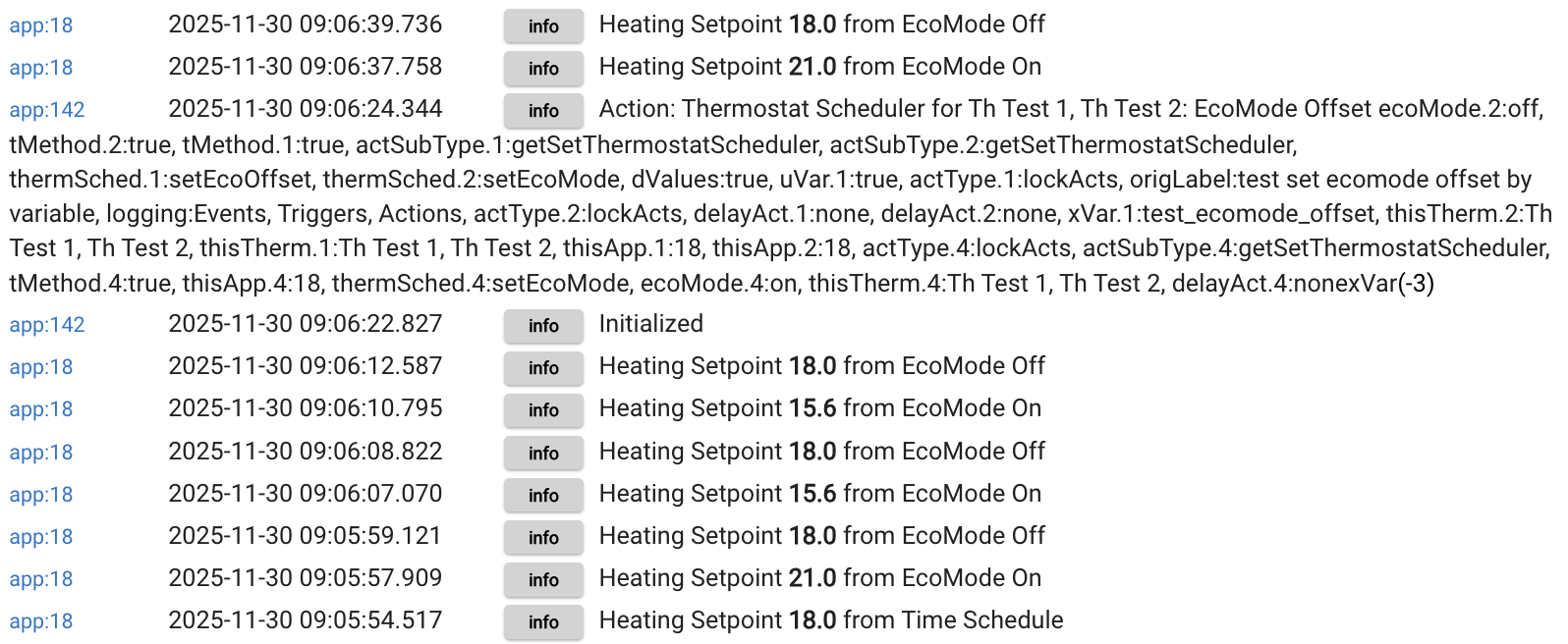
In the examples below, the offset is manually set to 2.4 in the TS config page and the RM rule sets it to -3.
Here is a sequence with EcoMode set to OFF (set in the TS config page) then changing the offset via RM (also note the RM action label for "Set EcoMode Offset" is completely weird):
Here is the same sequence, this time turning EcoMode ON from the TS config page, then changing the offset via RM (note that the "Set EcoMode Offset" RM action also appears to turn on EcoMode as a side effect... which isn't great IMO):
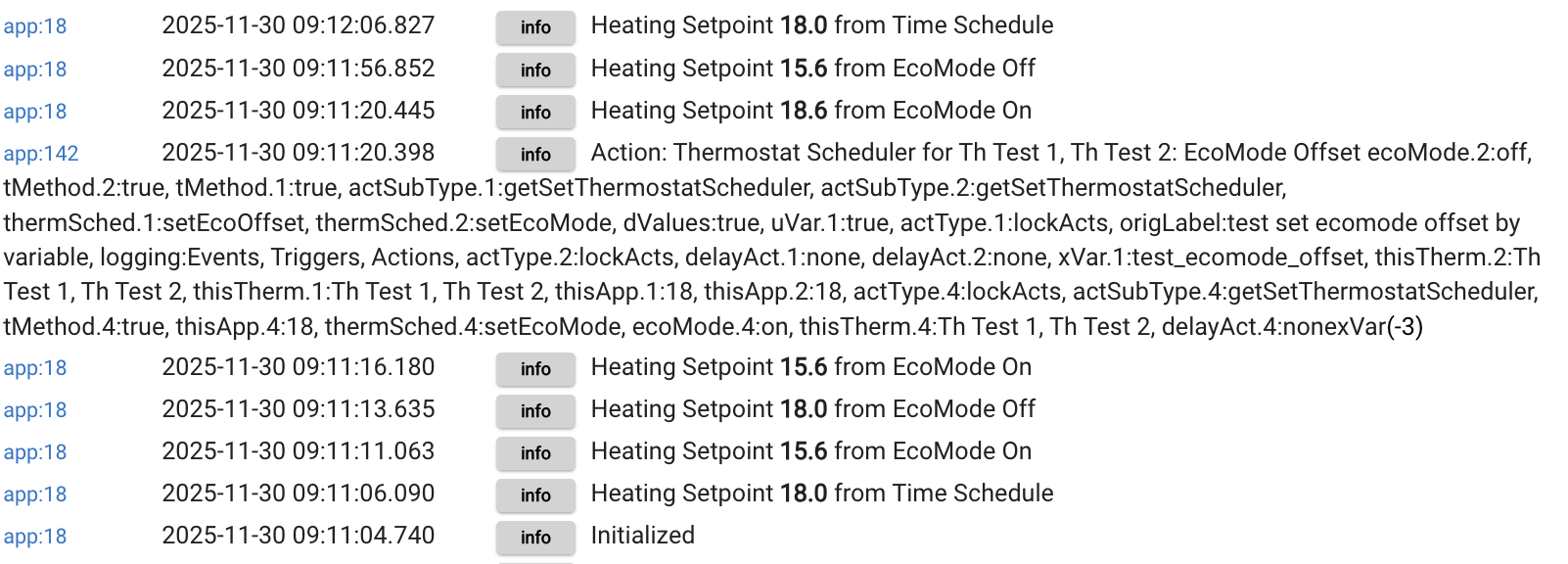
We see that the new offset (-3) gets applied on top of the already-offset setpoint. The last two logs are from controlling via the TS config page (where the EcoMode offset has been properly updated to -3). Turning EcoMode off returns the setpoint to... 15.6, which is not the scheduled setpoint, it corresponds to the previous EcoMode offset scheduled temperature. Pressing "Set Scheduled Temperatures" returns the setpoint to its correct scheduled temp.
Workaround: always set EcoMode to off before changing the offset.
I believe this is @bravenel's app but we haven't seen them here in months... @bertabcd1234 any ideas?