If you turn on debug logging in the app what is the "kind" of this device?
You can turn on debugging on the API device and then get the sensor wet and freeze it. Then send me the events that happen when those events happen. There will probably be something in the "state" section of the JSON to indicate wet, not-wet, frozen, not-frozen. Or somebody send me one.
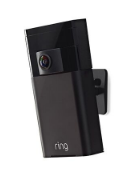
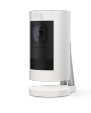
We don't have that one yet. As an aside, your Stickup Cam isn't the original. There was a version before that (stickup_cam) and apparently an uncommon model (stickup_cam_v2) if I had to guess. Maybe the lunar stickup cam is actually v2.
I wondered about this before and this is the most I can piece together because I only have an elite and a lunar Stickup Cam.
I do have a solar panel for it though, so it is probably another version. lol
I would send you a freeze sensor but the wife has cut me down for now since the migration to hubitat costed a few more dollars than expected. I'll look out for a sale though
Since you seemed to have ruled yourself out that you wouldn't be able to provide debug information (even before you knew what was involved) and nobody else owns one of these things that's pretty much what it looks like.
@codahq Is it possible to get readings for both batteries in a spotlight cam? It seems to be showing the lower two, which is preferred if it's the only option. Just curious, thanks for the awesome work on this!
That's a good start. I'll get you an empty template driver for the flood-freeze sensor that you will install, turn on trace and debug logging and then do the same thing over again.
@mike.maxwell Is there a driver capability for a freeze sensor? I don't see one on the list. It looks like Ring differentiates between the two. I'll do the water alert under "WaterSensor" but I don't see one that matches to freezing. I guess I could just do it as a contact sensor for now unless you guys want to add a capability for freeze sensor.
Yeah, I do this already as well. There is an attribute on the API device to show if it's connected or not. In fact, I've already done this for the test driver I've given @drew1 via PM.
I'm just giving the HE group a chance to add this trait (for what I think is a legitimate reason) if they want to. That way if they ever add freeze sensors to HSM or something they can do a pick list based on capability for it.
I made a handful of changes to most of the files in the integration. Here is an abbreviated change log.
App:
started to comment out session code for deletion since Ring does not seem to use it any longer
handled malformed user JSON coming from IFTTT gracefully
fixed mapping for original Stick Up Cam
added some snapshot image calls (these won't work until HE changes their async methods to support images)
API Device:
support for tilt sensors (using the contact sensor driver)
support for the Ring Flood & Freeze Sensor (new driver)
updated to the documented location of the websocket client
added an informational log when the websocket timeout is received
cleaned up the disconnect error messages
All Battery Powered Devices:
fixed battery % to show correctly in dashboards
Smoke Alarm:
made some guesses on how the alarm component of this actually works (looking for non-professionally monitored volunteers I think to test it out. I'd also accept testers of the CO component of this alarm as well. I'm professionally monitored and I'm probably near my limit of false alarms.)
Beams/Security Lights:
removed ability to set brightness on the floodlight (type ring-beams-c5000)
took special care to not report battery on the floodlight (type ring-beams-c5000) (so battery won't be shown on dashboards). if you have a battery attribute you cannot get rid of unless you delete and re-add the device. this will keep it from being added to new devices
added the ability to turn on with a duration (60 seconds is default)
fixed an issue where hardware version was lost
Beams Group:
fixed odd behavior for when a group is added that has a member that isn't created
Flood & Freeze Sensor:
new driver
Ring Generic Light:
added preference to suppress battery level events (so battery won't be shown on dashboards). if you have a battery attribute you cannot get rid of unless you delete and re-add the device. this will keep it from being added to new devices
Updated everything, after going into Ring API and clicking on "Initialize". I see all devices updating, but not sure about Food & Freezer Sensor. Is there a step I still need to do?
(I also went back into Ring Alarm Hub and the Ring Beam Bridge and clicked on "createDevices".)
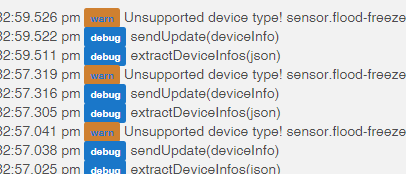
The screenshot happens when an initialize happens and the device isn't created yet.
I'm guessing you still haven't hit create devices on the alarm after you installed the flood/freeze sensor driver and updated the API device driver. Both of those drivers need to be updated first.