I was wondering how you get your cameras to show on the Apple TV while you are watching something? I have the same setup as you do and I could eventually figure it out but asking you is easier. I have a camera on my carport and have set it to trigger my garage lights when it senses motion. I just think it would be cool to have the Apple TV show me the camera feed when there is motion. Thanks
You’ll need to use HomeBridge or Scrypted running on a separate ‘always on server’ to bring the UniFi Protect Cameras into HomeKit. Once the cameras are in HomeKit, it is pretty easy to configure them on the Apple TV to pop up based on whatever triggers you desire. I use HomeKit Secure Video, which stores clips to iCloud, allowing them to be easily played wherever you are. It really works very well. I personally use Scrypted on a RPi 4, and it is very impressive how quickly live video from the UniFi Protect cameras can be brought up within HomeKit.
Note: To use HomeKit Secure Video, I do have a $3 per month iCloud storage subscription, which allows for up to 5 cameras of storage, IIRC.
Thanks, I will look into it.
in your AppleTV setting go to the homekit section and in there you will find a cameras section. just enable each camera and each notification type you want. I dont have apple Secure vid so only the motion type will work for me. you need to send your video to the cloud for the other options to work.
Thanks for the info. I have tried to get this to work but to no avail. I did just what you said but it did not work. But don't worry, I will figure out what's the issue. I checked the Homebridge for updates and found one for the Homebridge UI but everything else is up to date. I restarted the Apple TV and that did not help. I will keep working on it.
Still a noob here. I have a viewport and can change the views via the device settings in HE (in which the viewport is a sub from the controller. However, I can't figure out how to change the view based on an action... Any suggestions anyone? I don't see the viewport as a device when selecting one for an action... What I'm I missing?
I just started playing with this very cool app, got my new G4 Pro PoE doorbell installed today and for fun having my Hue office lights flashing white and red upon doorbell button press :D. Is there a trigger for a package detection event? I'd like to be able to create a rule for "upon package detection, do something", but looking through rules machine, I have zero clue where that might be if there even is such a thing.
You should look for events on the smartDetectType attribute.
It's a custom string attribute on the "-motion" child device, and you can use the *changed* trigger in Rule Machine and check for matches with values like person, vehicle, or package.
1 Like
I forgot to also mention you will need to go into your protect app and go to the camera settings. in the advanced section check the stream to enable it.
I have almost all of my devices named like this. Room name device name as you suggested but i found some problems with that in relation to integrating with HomeKit. If you noticed that when you put the room name in the name of the device HomeKit will hide the room name when the device is placed in the room of the same name. It doesn't matter if the room name is at the start or the end. Where it gets a little tricky is when you use HomeKit/Siri to issue a voice command.
For example i have a device named im in the kitchen. When i say im in the kitchen it locks the lights on at full dim so they don't go off when there is no motion. if the word kitchen is at the front Siri does not recognize the device.
For sorting purposes putting the room name at the start nicely groups everything by room. but in some cases can break the functionality of Siri.
1 Like
Hi tomw, I think I screwed up. I was using Hubitat to set when my cameras record. I have 4 in the house and they only are supposed to record when I am away. What I did was, I replaced 3 of my G3 flex with G 5's and moved the G3's to other locations. I use Homebridge with Unifi and Homekit and it seems that Homebridge found the new cameras and the old cameras and is working as expected. All cameras show up in the Home app. I did not think of the impact to HE when I did this. I can't get the cameras to change recording mode either in a rule or on the device page. I don't think HE sees the cameras anymore or does not link them to Unifi. I am not sure what is going on or know how to fix it. I was thinking of removing all cameras from rules and starting from scratch. But I am not sure how to do this either. HELP Please.
Press Initialize on the parent device page in Hubitat. Then press createChildDevices.
That should create new virtual devices in Hubitat for your new cameras, and then you can edit your existing rules to use the new virtual devices.
1 Like
I'll give that a try. Thanks
I have done what you said and I believe I am on the right track. Now when I setrecordingmode on the devices page it does change the setting in Unifi Protect. I have revamped all the rules with the camera-motion and we will see what happens. Thanks again.
1 Like
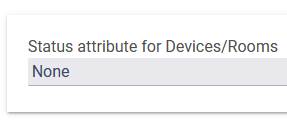
What does this Preference do?
I need my Protect camera to log motion changes.
That is the attribute you'd like to be displayed on the Devices and Rooms pages on the status column. It is a standard built-in feature.
2 Likes
@tomw Can you please add logging of motion events?
I created this Rule as a workaround:
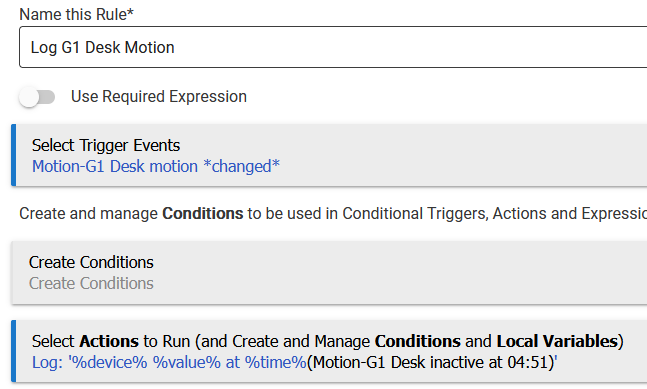
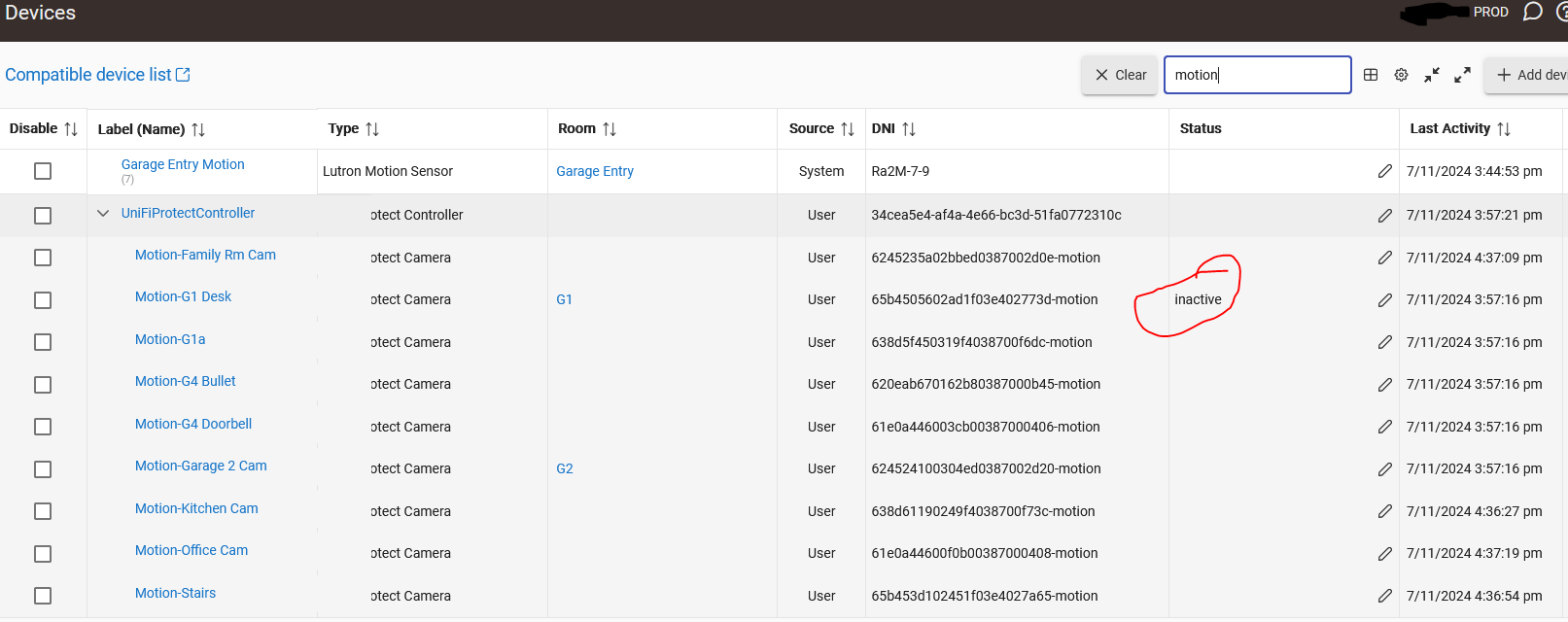
Also, why does only one camera populate the Status column on the Devices page?
Understand that this is a UniFi Protect question, but is there a way to reduce the frequency of motion events:
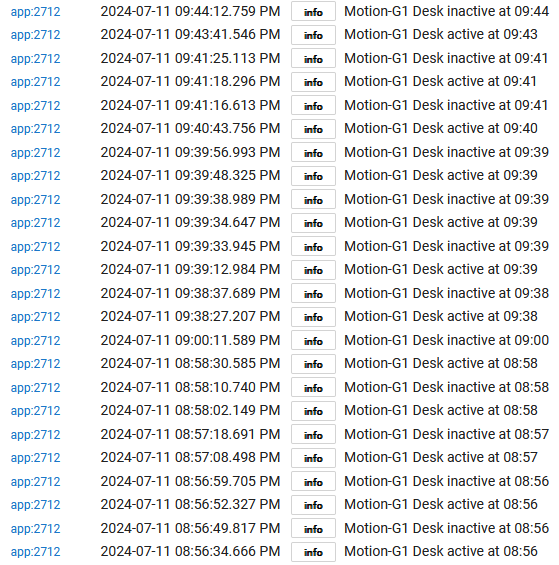
Just from the Unifi side... it appears not. I checked through my Protect app and could not find any type of setting to set some sort of delay between notices, ignore if within X seconds, etc...
@tomw So I noticed today the the "Take picture Main" is not working on my doorbell, the packgae one works but main does not.
I get this error in the log
2024-07-29 03:24:11.468 PM error groovy.lang.MissingMethodException: No signature of method: java.net.SocketTimeoutException.getResponse() is applicable for argument types: () values: [] Possible solutions: getMessage() on line 618 (method httpExecWithAuthCheck)
I should note I have removed and re added it with same issue.

