You don't have to set it on the same subnet but to save hair, Set your controller, AP and router up to the same subnet first. Once you are comfortable then move your controller wherever you want. As long as that controller IP could talk to the router, AP IPs. Unifi is a pain to to setup sometime.
Agree, before I got the UDM. I used a pi for my controller without any issue. I couldn't justify $100 for a cloudkey at that time. Infact, I have the controller, pihole and Pivpn on the same Pi 3b+.
2 Likes
Was just looking - I think maybe a free cloud subscription used to be provided with new hardware or maybe I'm confusing that with remote management - it now looks like you still have to install a local software version and then enable that on the Unifi site for remote access. I think I had a free sub included and used that before I got my local hardware UCK-G2 version.
Just checked and from my UK supplier all their products include this " .... & 3-Year Hosted Cloud Controller Service " so yes I guess I had a 3 year free hosted account. Early Access store probably doesn't include that. Pi it is then...
1 Like
@dman2306 I have a spare Cloud Key .. If you'd like I can send you that from the UK (for just postage cost) for all the great work you've done on HE. It's the original version, there is now a later version with more RAM that is faster but this would perform perfectly adequately. Let me know
2 Likes
I use the original cloud key still. Works great, so I see no need to "upgrade".
Once you have the basic setup done, you can move all of your management devices into a separate subnet, but you need to create the vlan first or nothing will know how to route to each other.
Fair enough. What made you choose the UXG over a UDM or USG? Failover WAN?
S.
From what I read, they can’t keep up with gigabit internet speeds. As I understand it, this device is their only one that supports full packet inspection at 1Gb/s
1 Like
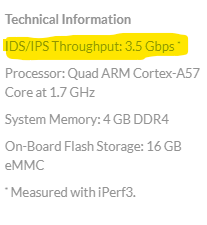
The UDM-PRO will support 3.5 Gbps with DPI and IPS enabled.
You made the right choice and not going with UDM Pro. I facepalmed myself everytime I try to lookup IP or configure something on the UDM Pro. It's such an awesome all-in-one product but buggy beta firmware.
Got it up and running, so far so good. I haven't done anything too fancy just yet other than enable IPS. Unfortunately, because everything is behind my Google Wifi I can't do any fun VLAN stuff or even the network map because I get a beautiful map that looks like this:
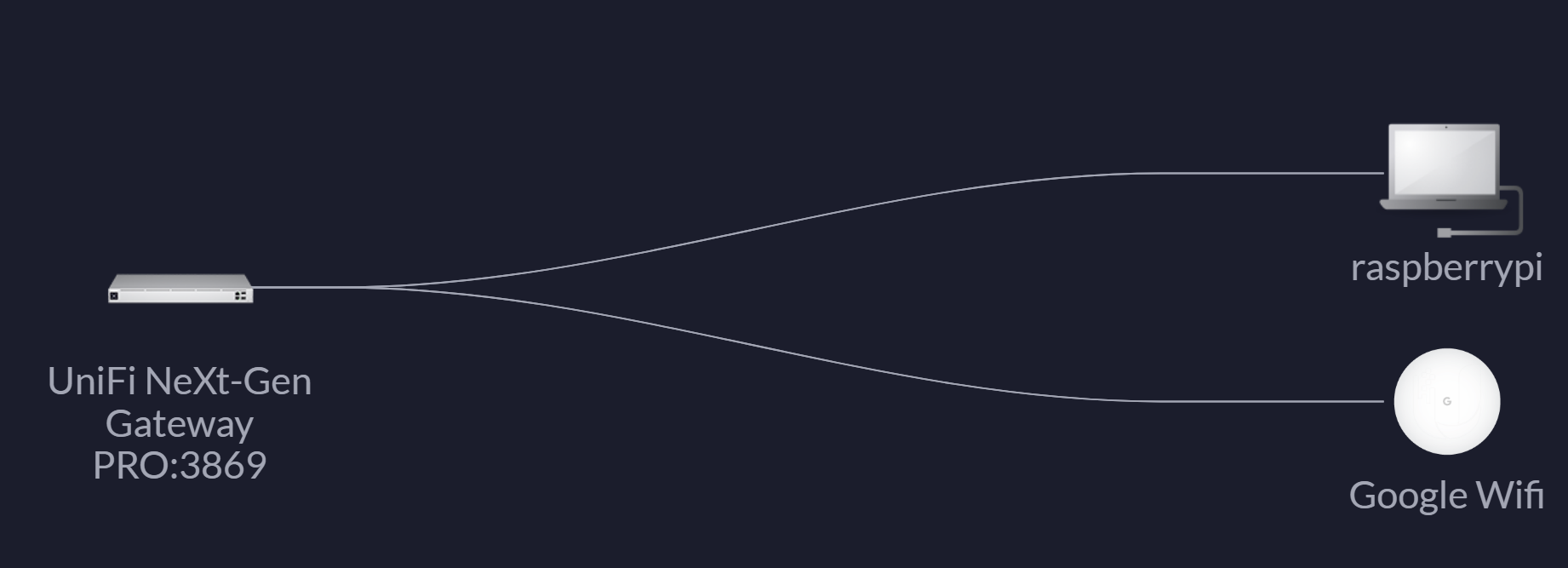
Yup, not super useful like that

3 Likes
i run a pretty high end router , but i have unique net concerns . I had public ips (13) and they way the routing works the gw is on the same subnet as the ip block (at leat for comcast and some others)
So in order to have a firewall I needed to implement a bridging fireway as it bridges not routes. Not many low end routers support that . Mostly high end like big cisco..
Anyway When my speed got over 200 meg the dd-wrt and other low end routers i was using (iptables firewall) could not keep up as it has to open and inspect every packet..
I have a couple of these routers now (one spare) you can sometimes pick up used cheap.\
Now i have a 1gig download link and it barely breaks a sweat inspecting every packet (5-9%) cpu usage under full load.
And the interface and iptables etc is very powerfull and advanced, plus they update the firmeare every month are so with new unix type bugs and security alerts coming out..
Yeah, I have about five of these sprinkled around my house.
....kidding. Man, and I thought I was a little nuts spending a little north of $400 on an ER12 and a NanoHD. 
@dman2306 - Love that map. You really need to post that over in the Unifi forum and ask them if they like your new network...I can just imagine the reactions.
Are you going to grab one or more of the new Unifi Wi-Fi 6 APs to completment your new toy? Then you'll be able to either ditch or repurpose Google, and isolate your IoT devices on their own VLAN.
Have to admit I'm a bit jealous, but I've only had my ER12 since earlier this year, so I'd have a really hard time justifying the upgrade.
1 Like
how does the firewall work on the ub12 i dont see anything in the docs regarding if it can do a bridging firewall. I imagine since it is unix it must be able to?
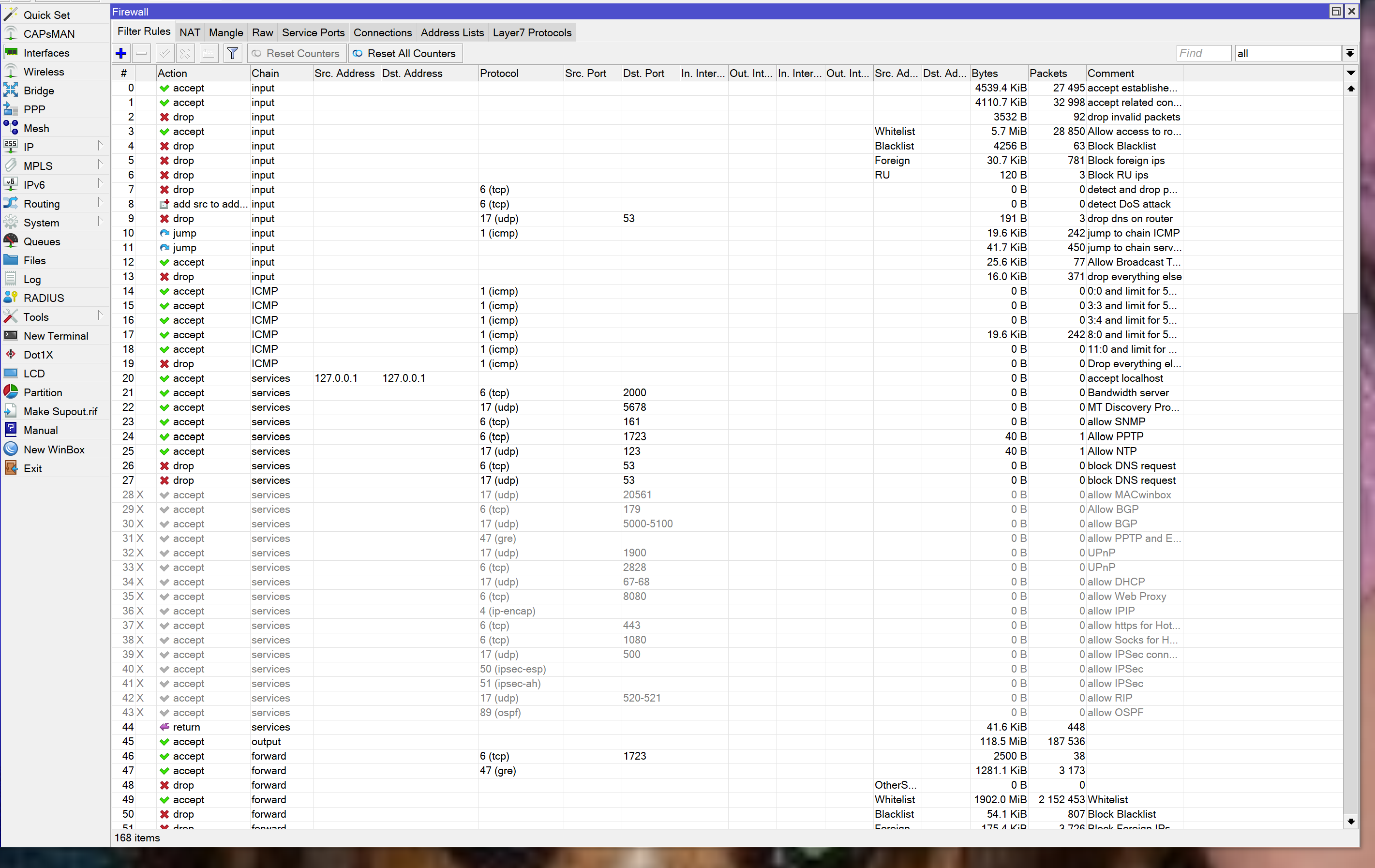
I just looked and my firewall file is 865 lines long.. these are the last few lines that load ip lists from china, kazakstan, russia and brazil and block all of them. I have 31K ip blocks tha i block.. Its pretty funny if i turn off the firewall within minutes people are trying to hack in.
Summary
/put "disallowing syn floods"
add chain=forward protocol=tcp tcp-flags=syn connection-state=new action=jump jump-target=SYN-Protect comment="SYN Flood protect" disabled=yes
add chain=SYN-Protect protocol=tcp tcp-flags=syn limit=400,5:packet connection-state=new action=accept comment="" disabled=no
add chain=SYN-Protect protocol=tcp tcp-flags=syn connection-state=new action=drop comment="" disabled=no
drop all else
add action=drop chain=forward comment="drop all else"
/put "get Foreign lists"
/put "get china list"
/tool fetch url=http://www.iwik.org/ipcountry/mikrotik/CN
/import file-name=CN
/put "get russia list"
/tool fetch url=http://www.iwik.org/ipcountry/mikrotik/RU
/import file-name=RU
/put "get kz list"
/tool fetch url=http://www.iwik.org/ipcountry/mikrotik/KZ
/import file-name=KZ
/put "get br list"
/tool fetch url=http://www.iwik.org/ipcountry/mikrotik/BR
/import file-name=BR
/put "delete duplicates in KZ and other foreign"
/ip firewall address-list remove [find where list="KZ" && address="93.157.176.0/21"]
/ip firewall address-list remove [find where list="KZ" && address="91.246.96.0/21"]
/ip firewall address-list remove [find where list="RU" && address="193.151.224.0/20"]
/ip firewall address-list remove [find where list="RU" && address="91.246.80.0/20"]
/ip firewall address-list remove [find where list="RU" && address="185.234.24.0/22"]
/ip firewall address-list remove [find where list="RU" && address="81.91.184.0/22"]
/ip firewall address-list remove [find where list="RU" && address="81.91.188.0/24"]
/ip firewall address-list remove [find where list="RU" && address="94.141.224.0/19"]
/ip firewall address-list remove [find where list="RU" && address="188.124.244.0/22"]
/put "combine lists for those we block"
/put "combining CN"
/ip firewall address-list
set list=Foreign [find list=CN]
/put "combining KZ"
/ip firewall address-list
set list=Foreign [find list=KZ]
/put "combining BR"
/ip firewall address-list
set list=Foreign [find list=BR]
/put "combining RU"
/ip firewall address-list
set list=Foreign [find list=RU]
/put "combine lists for those we block v6 - ignore RU for now it has its own rule"
/ipv6 firewall address-list
set list=Foreign [find list=CN]
set list=Foreign [find list=KZ]
set list=Foreign [find list=BR]
set list=Foreign [find list=RU]
1 Like
At some point. If I can find them. However I have to convince my wife. This will now be my third mesh variety in two years! Hoping I can resell the google wifi at least. I have a bunch of them. Does UniFi make any outdoor wifi6 APs? I didn’t see any. I have a bunch of outdoor wifi devices that I’d like to get better coverage for.
1 Like
My understanding is that it can, but I've never really looked into it, as not something I need. I tend to learn only what I need and then promptly take a nap.
1 Like
 .
.
1 Like
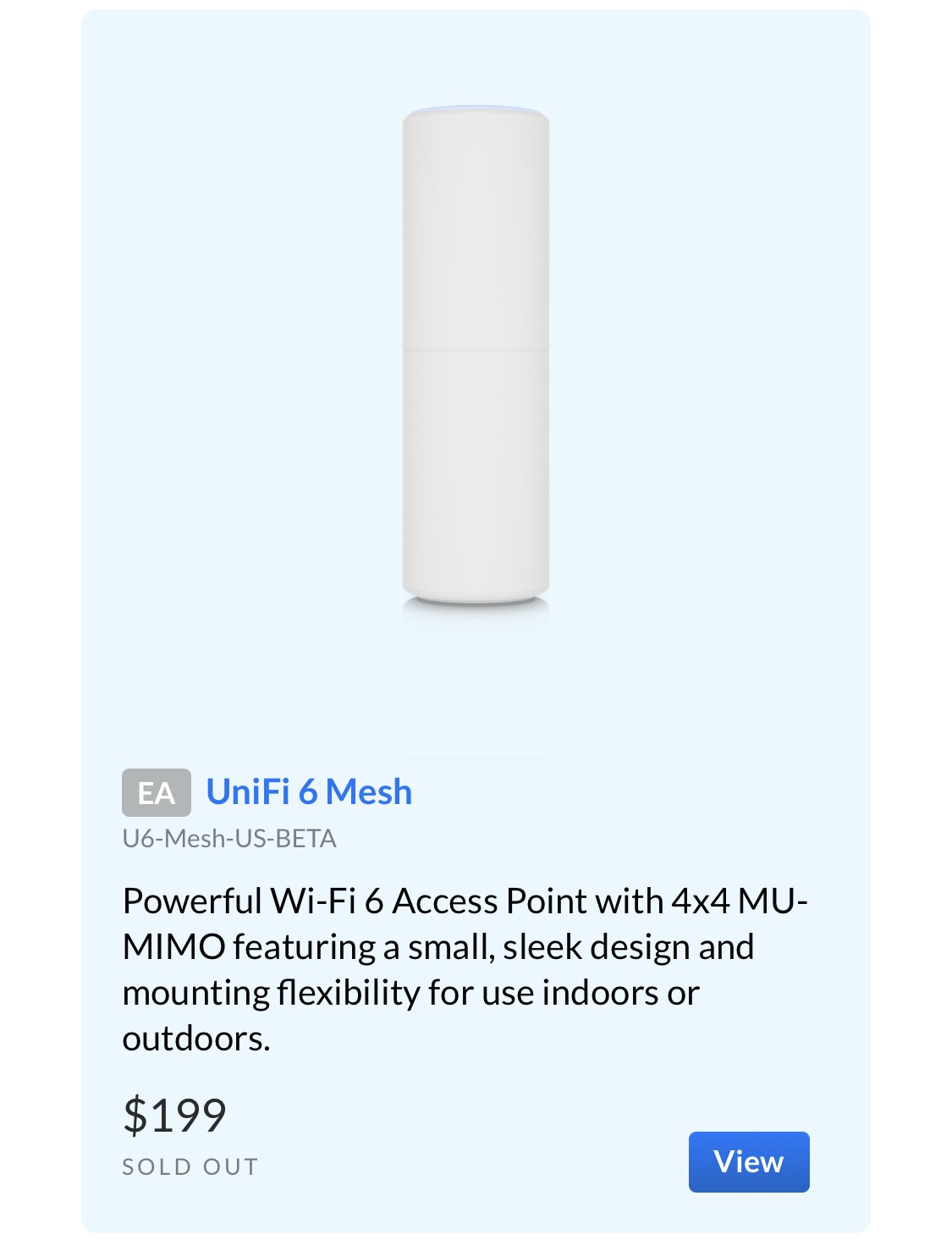
Yeah. I wasn’t sure how that fit in with their regular APs. I thought all their APs were “mesh”? What’s the diff between this and the long range wifi 6 AP for example?
That's the one I have. I use an AP AC PRO for outside, though.
As soon as they are available I'll replace my other indoor AP AC PRO with another 6 Mesh unit.
Antenna and radio spread pattern (designed for horizontal vs vertical mounting - and amount of signal that goes above/below the unit). Some of the models are also only 2x2 radios, but that doesn't apply to the unifi 6 mesh vs unifi 6 lr (but would apply to the unifi 6 "lite" model).
In terms of them being "mesh" - that's up to you. I don't run any of my 3 APs in wireless uplink/mesh mode as I have wired backhauls to all 3 of them. They all have the same SSIDs though, and roaming, so use as you walk around the house is seamless.
So maybe it depends on the definition of "mesh".  Personally I would like them to STOP calling it mesh until they add a 2nd 5GHz radio as a dedicated wireless back haul. But that's me, I'm a purist.
Oh I’ll do wired back haul too. After all their PoE so that will get them power too. Yeah agreed, “mesh” is meaningless these days. Same SSID and roaming is what I plan to do. If I can do that with the one outdoor and a couple indoor I think I’m set.

