I tried the one that says +7 / -7, and it was 12hrs off.
I've tried the named Regina.
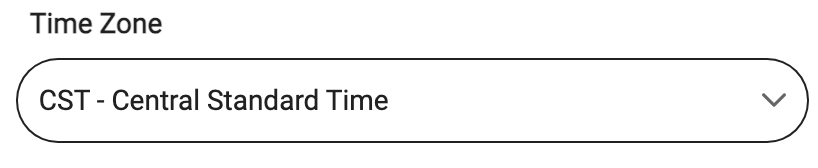
Currently just using the one that says "CST - Central Standard Time". And at least it's got the hubitat time set correctly.
I still had various things firing at +1/correct/-1hr times.
Thinking that maybe (!) there was an underlying variable being saved on some of the routines I'd had running untouched for years, I've gone through every single routine that I could find that had a fixed time in it... opened it, changed the time by 1 minute. Then saved, reopened, set the time back and saved. Guess I'll find out when the next thing was supposed to run around 9pm - if it runs at 8pm again.
I'd like to add some data to this discussion, as I had some oddities occur during the first few minutes of my transition from daylight savings to standard time (Atlantic timezone). I have the Hubitat remote syslogging to a Unix machine. The Unix machine both timestamps entries itself, and keeps the timestamp supplied by the Hubitat. Seeing the times side by side made it clear what the problem was at my site. The first timestamp is the Unix host's, and the second one, with the timezone, comes from the Hubitat:
Nov 1 00:59:31 192.168.77.7 [local1.info] 1[]: 2026-11-01T00:59:27.777-03:00 Hubby dev 57 - - Basement radon sensor: absHumidity: 8.17g/m3 Nov 1 01:00:45 192.168.77.7 [local1.info] 1[]: 2026-11-01T01:00:41.550-04:00 Hubby dev 27 - - Garage (hot water heater) water sensor is dry
The hub indicates a new timezone, but has not rolled back its time by one hour!
Then an hour later:
Nov 1 01:59:31 192.168.77.7 [local1.info] 1[]: 2026-11-01T01:59:27.864-04:00 Hubby dev 57 - - Basement radon sensor: absHumidity: 8.17g/m3 Nov 1 01:00:04 192.168.77.7 [local1.info] 1[]: 2026-11-01T01:00:00.864-04:00 Hubby app 337 - - MARK
... the hub finally rolls back its time to match the changed timezone (and the Unix machine performs its timezone change and rolls back its time). This is a bug in how the Hubitat implements the time change: the timezone change (-03:00 to -04:00) should have been matched with the rollback, and in fact, should have occurred one hour later, as it should be the hour between 01:00 and 01:59 that is "repeated".
Note that this is with the hub running 2.5.1.143 (beta); I am a few months behind on my updates, so I can't comment on whether this bug is fixed in a later release.
I'm in Alberta so Yukon doesn't work for me I'm on GMT -6. My hub time is correct but the thermostat schedule and basic rules still are 1 hour behind.
I have a workaround of changing the time in those apps to make them work but that does not seem to be the correct long term solution. I just need my system to behave.
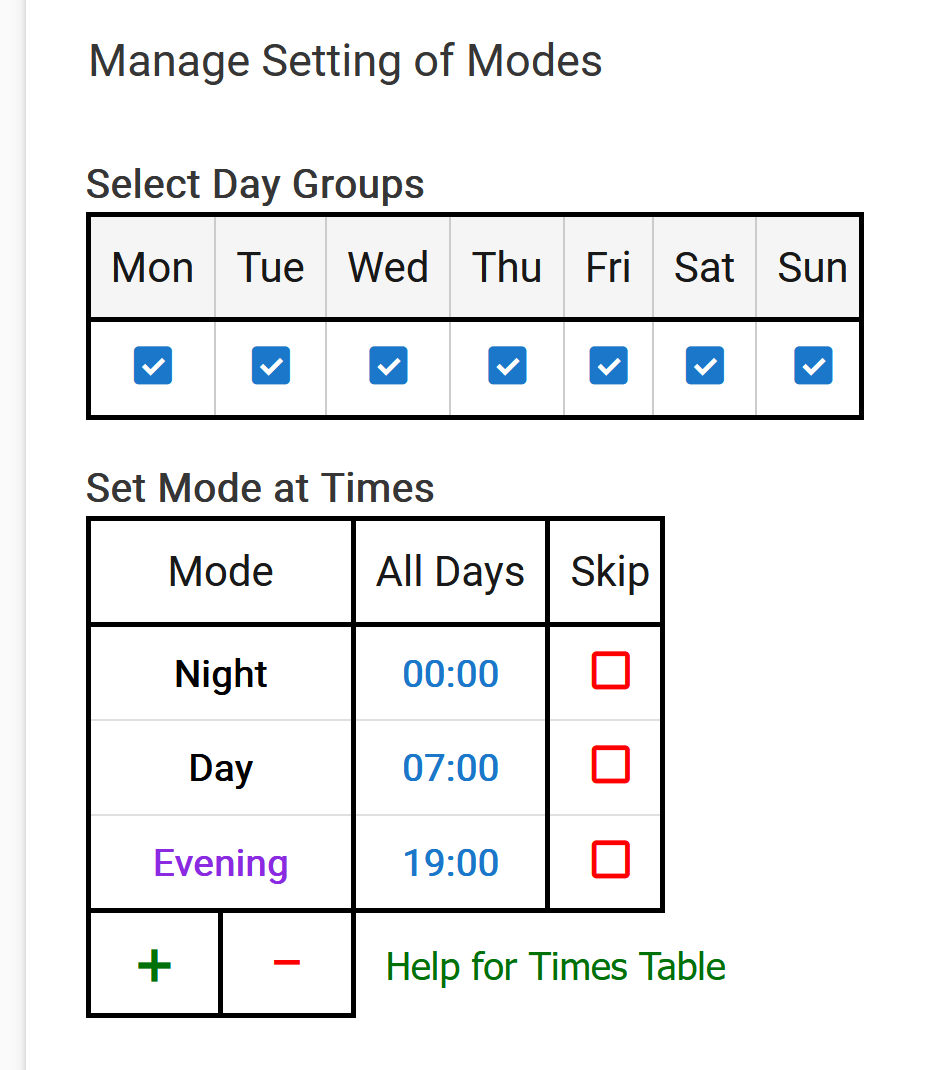
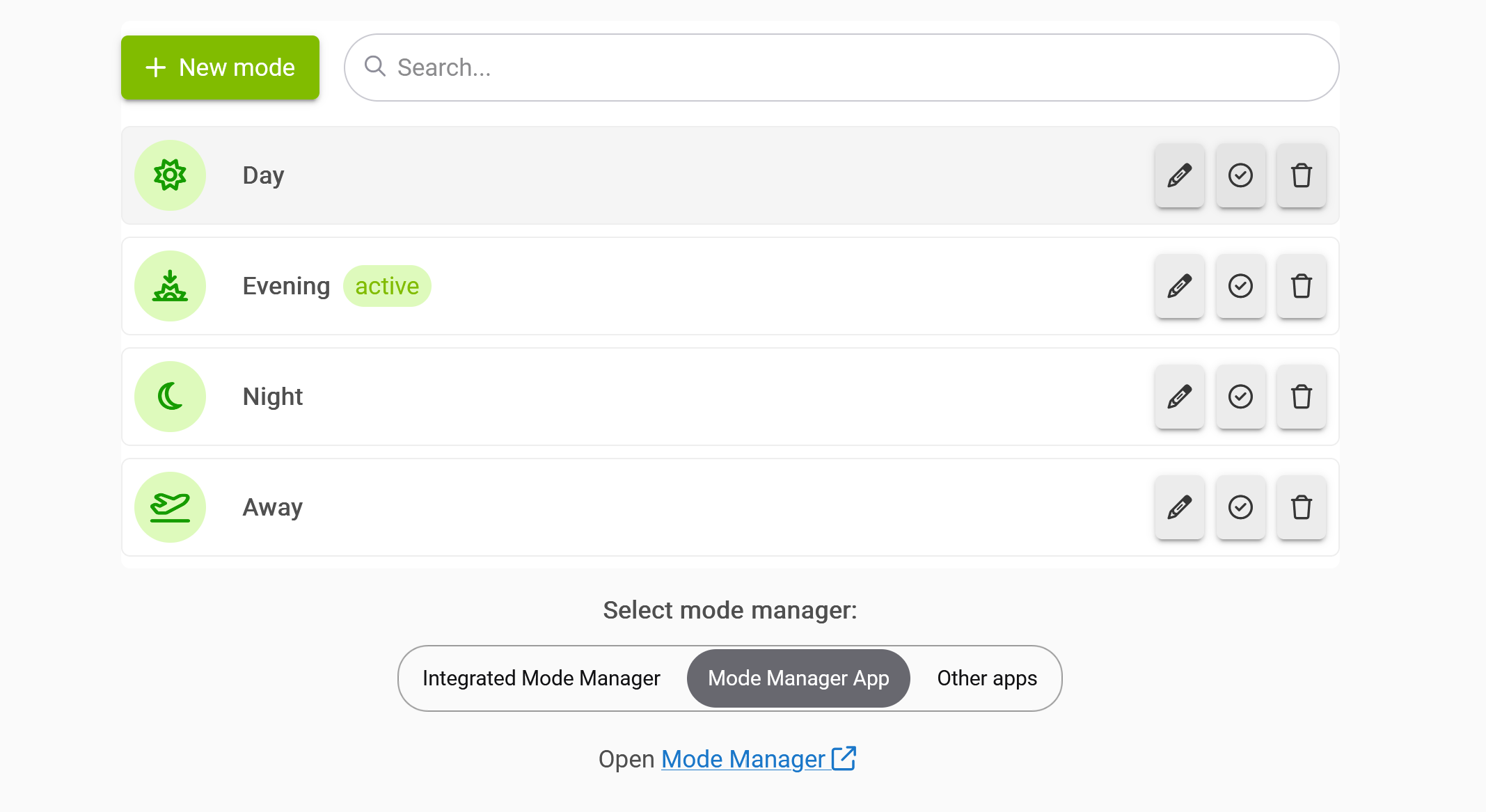
Mode manager is skewed and log times are off by 60-minutes. If I look at Hub Settings, my current time is correct and I have not made any changes to time zone, etc. When I look at mode manager, it shows that I'm still in Evening (checked shortly before 01:00). My system is set that Night mode begins at 00:00. This is what appears to be affecting my automations.
Alberta is now permanently UTC-06:00. I also have a ticket in with Ubiquiti because their console OS time for Edmonton still shows UTC-07:00 and I've had to change to Saskatchewan time as a temporary fix.
Resetting the time zone was not a fix for me. I changed the trigger times for affected routines back and forth (set to new time then set back to original time) it looks like this may have fixed the problem, time will tell.
Seem very strange, it was like some time was buried in the code and was not being reset.
Yep, sounds like what I was saying a couple days ago is/could be true then. The time offset was getting imbedded somewhere (or something like that!) in the routine/rule.
We believe it's a combination of particular time zones on the hub and how the time conversion is performaed. The issue should be fixed in the next 2.5.3 beta build. If you want me to add your hub to beta, please PM me.
Same here in BC. The hub time is correct, but Morning mode still fires an hour late
BUT...
I went to Settings > Hub Details and got "Internal error occurred"!
Anyone else? Do you have a fix?
Stephane I think all the apps on my system are now working. I decided that I would, as a a work around, reset the trigger time on those app out of time, when I did that they started working at the new trigger time so I set them back to the correct time and all seems to be OK. But it has only been a day.


 be fixed in the next 2.5.3 beta build. If you want me to add your hub to beta, please PM me.
