Yup I saw that page as well when I was hunting for more info before posting. What they don’t show you is cpu usage. If only one person (you) is pushing traffic then this shows that there is no impact to throughput. But my theory is the ER will become the bottleneck on other traffic in a multiuser scenario.
The ER12 probably had a beefier processor over my ER4. But when I was initially setting up my ER4, I was seeing up to 50% cpu usage before I enabled hardware offloading for standard traffic. If the processor is doing sw encoding/decoding for wireguard, I expect that to be a larger impact.
Good point - I forgot that you were talking more about CPU load than speed. We are a two person household most of the time (kids home w/GFs on the holidays), and when the kids are home we are home so the VPN isn't being used when we have the highest load.
From a quick look it appears the ER12 and ER4 are mostly the same, the ER12 is like an ER4 w/an 8 port managed switch added.
So not sure about the CPU load (whether it becomes in issue or not). There are a lot of users of it on the Ubiquiti forums (including people much smarter than I) and I don't remember seeing any posts about throughput/CPU load problems.
So I have to say . We need a bigger brain than mine.
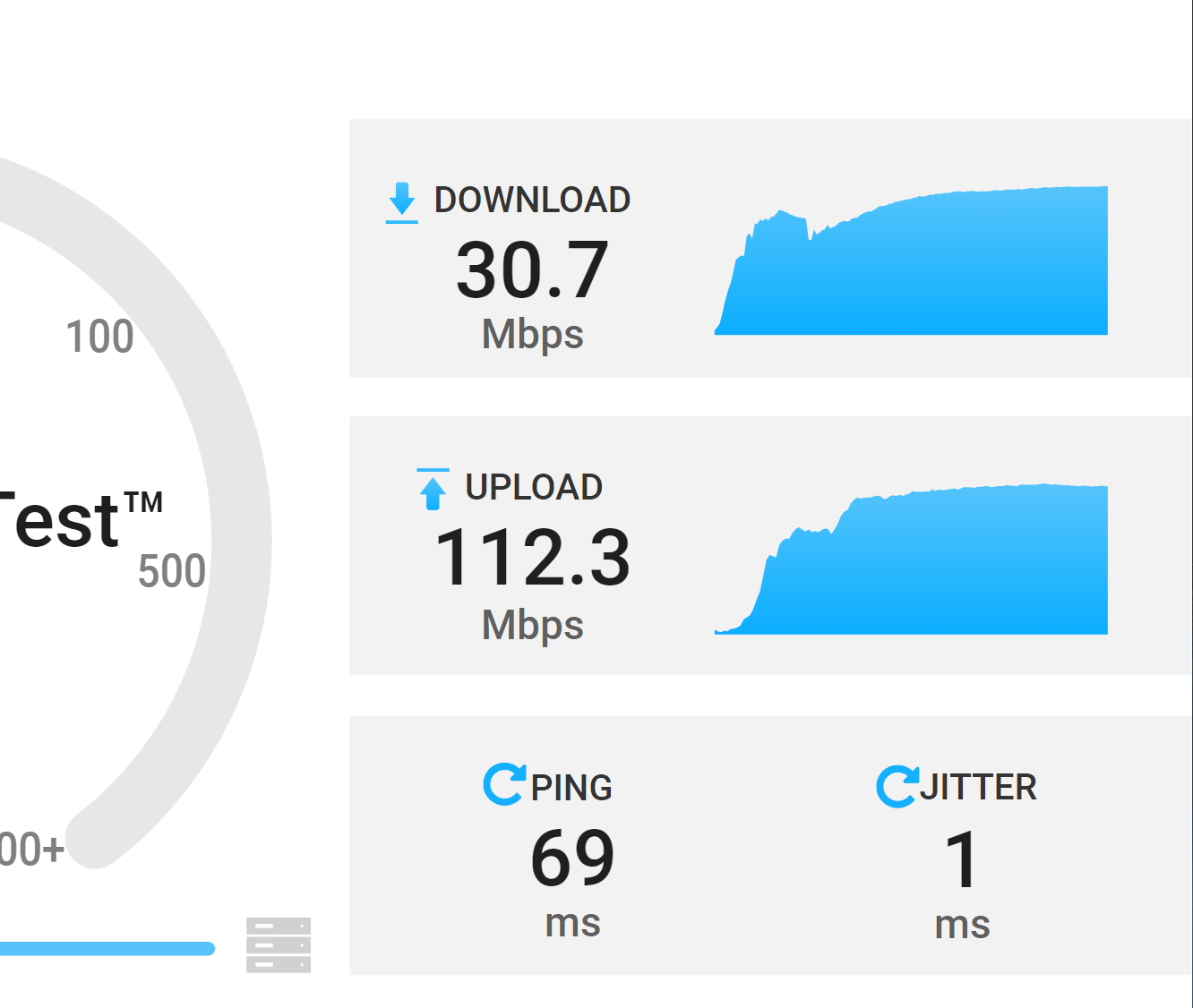
a bit off topic but this is my speed over an openvpn conduit to a local nas on the other side.. to a asus gtaxe16000 running merlin. the download is obvious limited by the only 32mbit per seg outgoing rate.
Thanks for checking - is was still on my to do list. I wish these guys made a 2.5gb version without jumping to 10g spf. I see the new dream machine finally has 2.5 but that is way more of an investment than I need.
come on... you know you want it... just go for it... buy yourself a present...
Kidding aside... I really do like my UDM SE. Having my gateway, network controller, Protect NVR, and 8 Port PoE switch all in one system is very convenient. And, it runs Wireguard really well! It is not exactly 'cheap', but it has been very reliable.
Over the Black Friday holiday Ubiquiti discounted the UDM Pro to $279, which is the lowest I have ever seen it sold for. Too bad the UDM SE did not go on sale.
+1 for setting up WireGuard for the second time... still very simple.... Not sure why I had so much trouble when trying to troubleshoot it in the past.... Removing it from my rpi and working through the pimylifeup steps again worked like a charm. Did have to tweak my setup on my mobile to use my Dynamic DNS name rather than IP to make it work consistently... but apart from that, all good.
I also use a ER605 (in an Omada setup). I wanted my laptop to be able to feel like it is connected to my home network, no matter where I am. Easy to set-up, works like a charm (Open VPN).
I have been using it on my Android phone for about a week now without issue. When I was setting this up I think the only change I made was to the endpoint, changing it from my public IP to my dynamic DNS address.
I setup a new configuration file for my laptop and copied the file to my laptop and imported that into the WG client. I also changed the endpoint like I did on my phone.
I will try restarting WG on my rpi to see if that makes a difference.
Wasn't sure if you were referring to setting up the updated conf file for your Win 11 using DDNS.
I guess my basic confusion is whether you've tested the same conf file on both your laptop and on your phone, and if it worked on both. I'm not sure if you're saying that the change to DDNS is failing on both phone and laptop.
Ah, sorry. When I setup WireGuard on my RPI and generated the configuration file for my phone, I changed the endpoint to be my DDNS name rather than my public IP Address.
My phone has been working fine, but has suddenly stopped working in the last hour or so. Very frustrating... I haven't tried the same configuration file on both devices, I might try that later this afternoon. Probably time to get some lunch and adjust the air conditioner (just hit 40C outside).
WTF!?! Are you in the 7th level of Hell or something? If you give me your address I will send some ice. Hang on, mate, we're going to find a way to save you!!
That was a good idea, but sadly I don't think the issue. I logged in and check my public IP according to ddns and it looks like it was updated about 2 hours ago, but that was after I started seeing issues. I tried changing the endpoint for wg on my phone to use the public IP address, but still no luck. Unfortunately I can't check my router ATM.... I do know there is an active Internet connection because data is getting to other cloud services, like my solar panel / battery and SensorPush temp/humidity data.
 . We need a bigger brain than mine.
 come on... you know you want it... just go for it... buy yourself a present...
  .
.