I have an automation in Webcore, that turns on eight devices in my office when I turn on the light switch on. When I turn this on the first thing in the morning there are always a few devices that get skipped. If I wait long enough they might eventually come on. The easiest solution is just to reboot the hub. Once I do that everything operates as it should. There are no errors in the log and only info that things have been turned off or on. I have tried doing this by group, by individual item, and a collective command to turn on objects. I have also tried to individually turn them on manually through a dashboard or by selecting individual devices, but alas no joy. Randomly, some devices work and some don't.
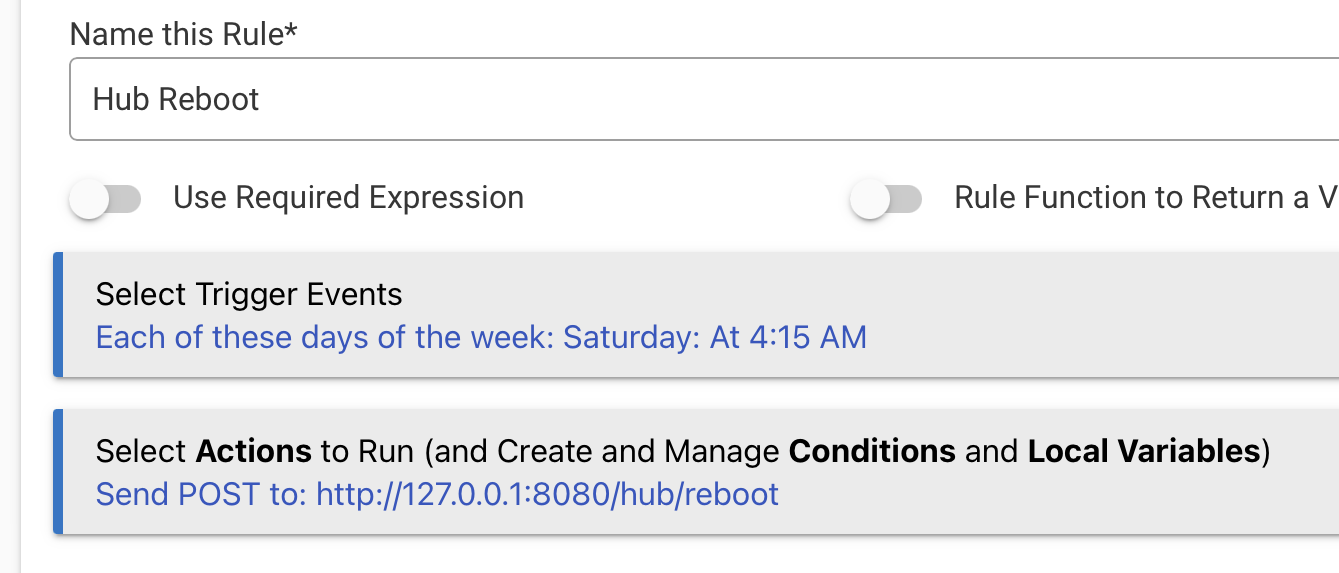
Is there any way to set up an auto reboot and say 5 AM, so that things are ready to go by the time I get into the office and I don't have to wait for a reboot once I'm trying to start work. Or better yet solve the problem.
Are they zigbee or z-wave? You can also do groups instead of individual or add pauses between each device turning on. Though start with what types they are.
All the devices are ZWave (ZooZ plugs and power strips), no pauses - have tried groups, individual command and list command within the piston. Testing a Basic Rule right now but will not know results for 24 hours.
You can use the room lighting app if they are lights within hubitat and use an activator on the group or use RM instead and add a pause. (Or try to add a pause in your piston between commands)
Yes, serveral. The easiest would be the hub info driver. you can use it w/ webcore to trigger a custom command to reboot the hub.
With zooz devices i would make sure they are running the latest firmware from zooz before scheduling a daily reboot. Also enabling command retry logic on the device MAY help.
I would try to get to the root cause of the issue instead of rebooting to fix whatever it is.
That is not normal behavior, but it could just be one device causing the others to have issues. I had an issue where my back door light Zwave switch was failing, and it would get hung up on that when sending commands for several devices after it. My bedroom ceiling lights Zwave switch would not turn off, because it was after the command to turn off back door light in the sequence, and it was hanging up on that light. The light that was not responding had no issues, it was the back door light causing the issue.
I would put all those devices on a dashboard, and when this is happening, and before rebooting, try turning them on/off in quick succession, and see which one is slow to respond, or which one causes the others to not respond after. You can also have the Zwave logging open in Settings->Zwave to see if anything is funky with at least one of those devices while switching them when the problem is present.