Hello ogiewon; I am looking to implement the RM you have shown here in the screenshot. I am a bit unclear about the details of the Action page. Is the "type" text? If so how did you structure the URL and POSt fields? Thanks for any additional info!
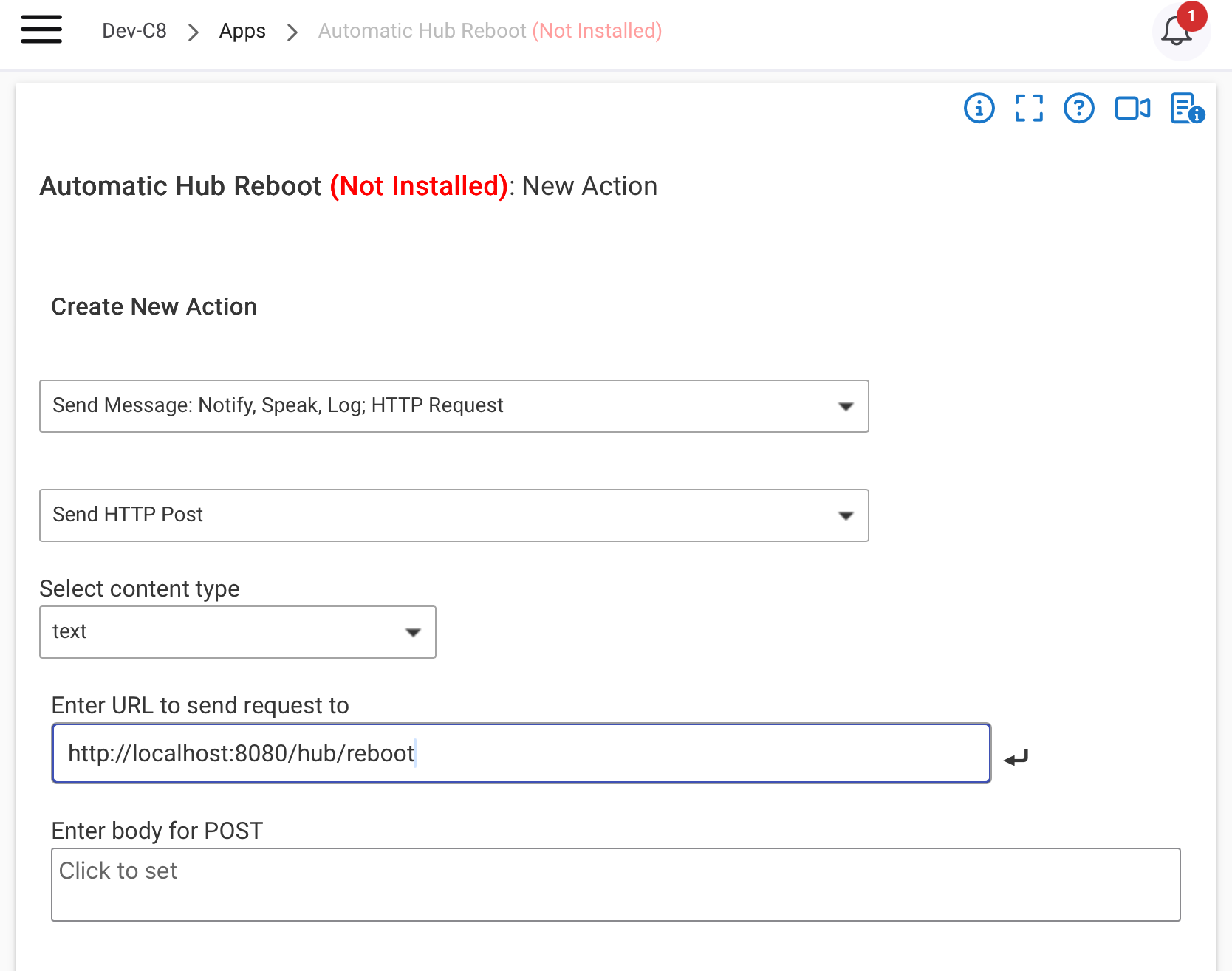
Perfect, thank you so much.
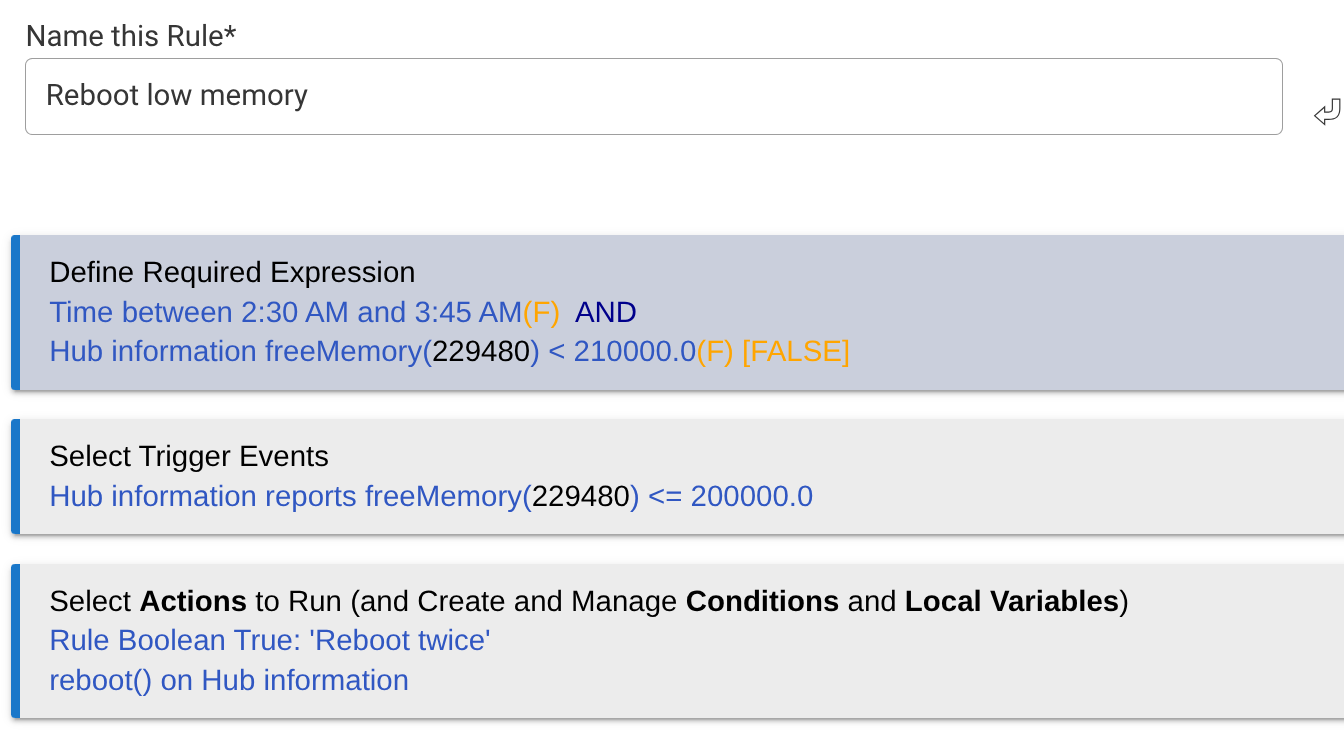
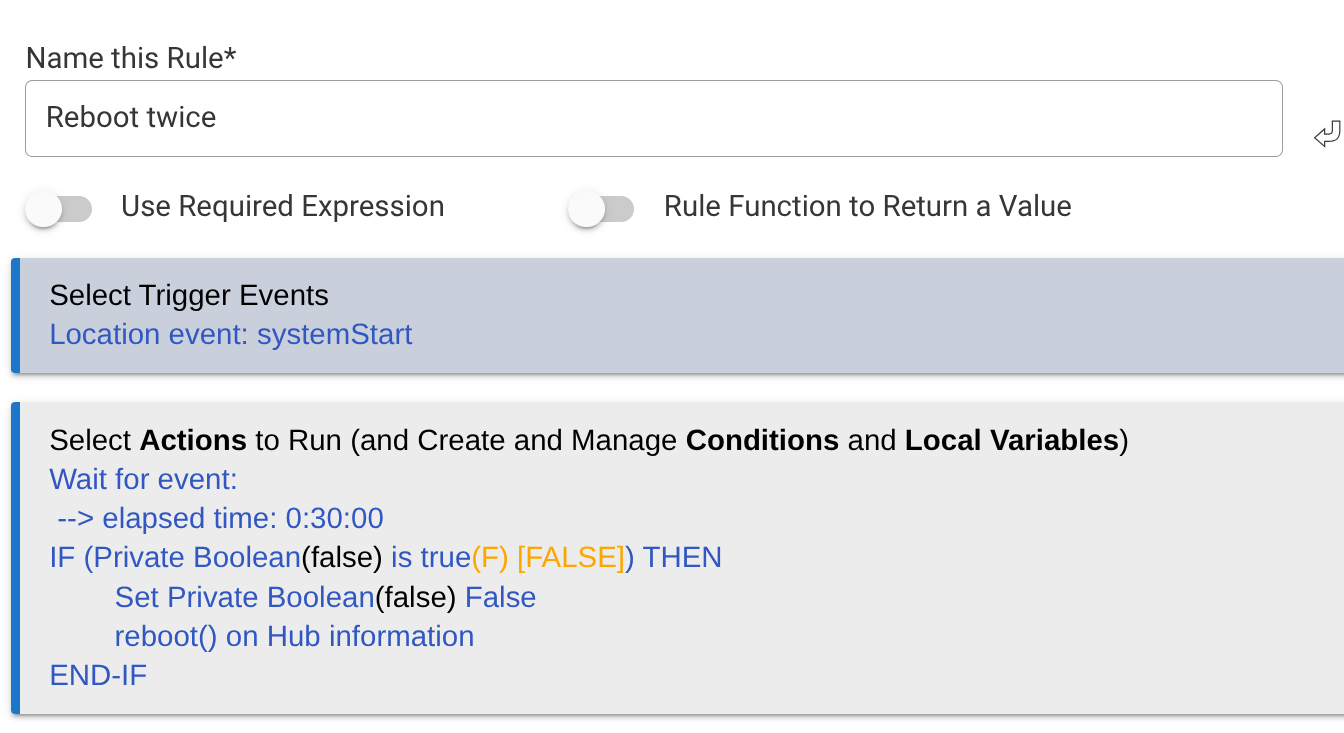
+1 for the @thebearmay Hub Information driver. Reboot plus lots of other great information. Reboot twice after a 30 min delay gives a nice bump to free memory.
3 Likes
I am going to chime in here.
While I agree in a perfect world reboots should not be necessary, unfortunately, we don't live in that place.
I was experiencing issues with Z-wave devices appearing to fail, and some Zigbee devices were misbehaving too requiring several retrys. One was in a somewhat critical place.
After software rebooting the hub (C7) all magically went back to OK. This has happened more then once.
While the OS in the hub may be 100% (and I seriously doubt that) the hardware/software interfaces and drivers between the processor and the various radios may not be. Weird interactions between multi tasking can be very hard to figure out. Not to mention third party drivers for specialized devices could have bugs too.
For these reasons, to maintein hi reliability, a reboot is needed perodically.
Unless there is a specific reason not to reboot (maybe flash memory gets written during a reboot and flash only has x number of writes before it fails,) I think rebooting regularly may be a good thing. Maybe once a week.
Anyway, my 2 cents.
Mark.
2 Likes
Not familiar w/this...do you use the same POST command, and how is the URL formed?
On most all networked computers, Hubitat included, 127.0.0.1 is treated as a special IP address that just “loops back”. So any URL that would use a standard ip address can have that ip address replaced by 127.0.0.1,
So reboot in a rule machine URL would look like
Send POST to: http://127.0.0.1:8080/hub/reboot -->(text) body: rebooting
No need to worry about DHCP giving you a new address.
1 Like
If you are referring to a Hubitat hub, this is 100% not true. My hub runs continuously without issue, unless I choose to do an update.
1 Like
I am generally of the opinion that it is best practice to reboot the hub as infrequently as possible. That said there are valid reasons one may need to do ao on a fairly frequent basis.
Depending on the size of the system, the types of devices and the hub version version itself there are a few reasons it could be a good idea. Probably the most common one would be lack of resources that in turn cause latency and general unexpected failures or misses. On all hubs but the C8 Pro this is possible to happen the problem is there is noway to know when thoug. You just need to monitor the resources.
As far as a network failure causing it to go offline and not reconnect, i don't remember that being a issue unless the hub was on wifi. If that is the case you may want to find a way to get it on ethernet. If it is on ethernet it may be a cable or switch you are using are flacky.