That is the problem it doesnt work reliably nor does rule machine
To get help troubleshooting your Room Lighting and Rule Machine lighting automations, you should start a new topic. Post screen caps of your Rule Machine or Room Lighting automations you need help with, and include screen shots of app and device logs from when your rules or room lighting automations run.
There are also other apps you can use aside from RL and RM that may be easier for you to use.
I and many many others here have hundreds of Room Lighting and Rule Machine lighting automations that run reliably day after day. Lots of folks here happy to help you. 
1 Like
Have you tried putting them all in a group and enabled metering like i alluded to above.
I want to thank @sburke781, @lairdknox, @bertabcd1234, @danabw, @JB10, @jtp10181, & @kahn-hubitat for their help over the past few days. This was productive and I’m going to mark it solved with one of @JB10’s posts, as it was a turning point for success. I will hopefully soon join the ranks of being able to help others through RL.
RL is extremely powerful. I seriously doubt the app is flawed. The answers are there but just not always readily apparent. It could benefit from better documentation; particularly, improved nomenclature, sequential explanations, and building-block examples.
A lot of space is given to mentioning the more powerful possibilities, but you really have to be familiar with the concepts to picture them in your mind, and that’s just not helpful for the uninitiated to have that mixed in with the fundamentals.
I’m not criticizing the effort of the developers, nor their decision to publish the app prior to having the documentation better written. Just pointing out what would make things easier and more useful.
While the developers will have to invest more time, the consumer of the tech is also responsible for investing the time to learn. It’s not acceptable to come here and bitch about it and then walk away without giving it the necessary effort.
5 Likes
Can someone take a look at this with me? This has cropped up numerous times. These devices run flawlessly outside of RL. Whatever happens here kills the automation and nothing executes.
And, this executes just fine when testing with the Activate and Turn Off buttons.
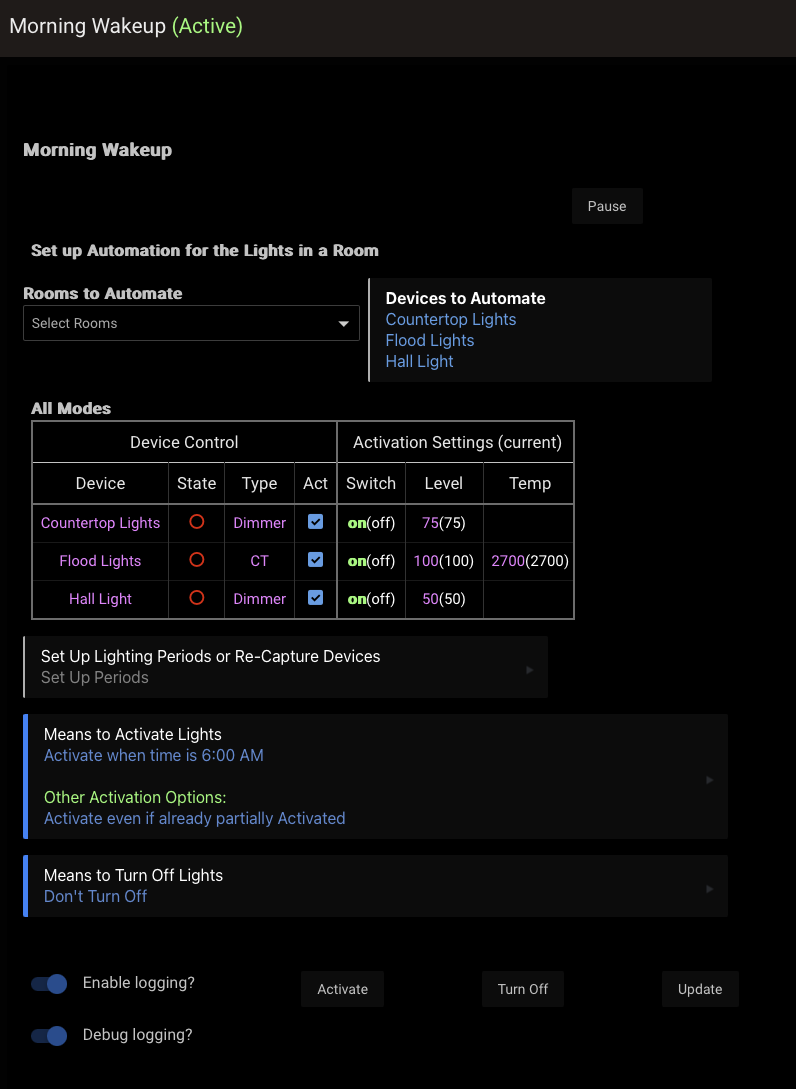
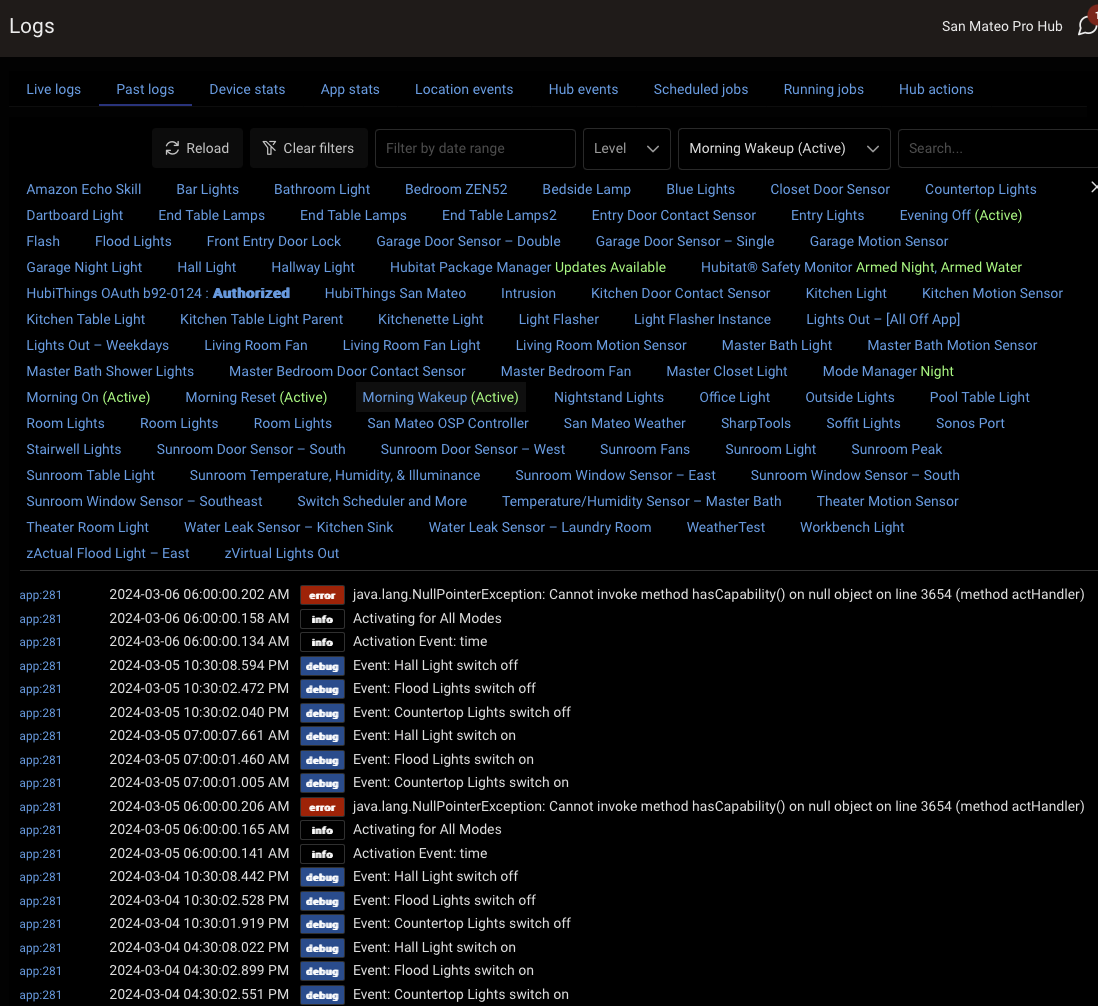
Usually an error like that means you had a device selected somewhere in a dropdown and then deleted that device from the hub. Now the app is trying to check on it, but getting a null object back.
Opening all the device selection menus and then pressing done at the bottom may clear it out, or just delete the RL and re-create it.
@bravenel code error in Room Lighting above if interested.
Yes, now that I think about it a little more, there was one other device in the list that is not there now. It was Group 2.1 device that got recreated. Thanks.
Is it possible the RL code could be changed so this wouldn't be terminal to the entire automation? Would be much better to discover one device not working instead of automation failed.
Yeah that's why I tagged Bruce, it is his app. HE staff usually says that you need to make sure the device is not attached to any apps before deleting it, which avoids this. But sometimes child devices get deleted by parent apps and you do not see the warning that pops up. Its up him if it is something he wants to null check in the app.
Protection against removed device will be in next release.
4 Likes
Excellent!
1 Like
This topic was automatically closed 365 days after the last reply. New replies are no longer allowed.