The purpose of this post is to demonstrate that the Zigbee Monitor Driver uses the exact same information as an XBee does and can be a budget way of examining\diagnosing your Zigbee network.
The image below show Repeater M1 as it displays within the XBee Network Assistant vs the information retrieved by the Zigbee Monitor Driver.
End Devices
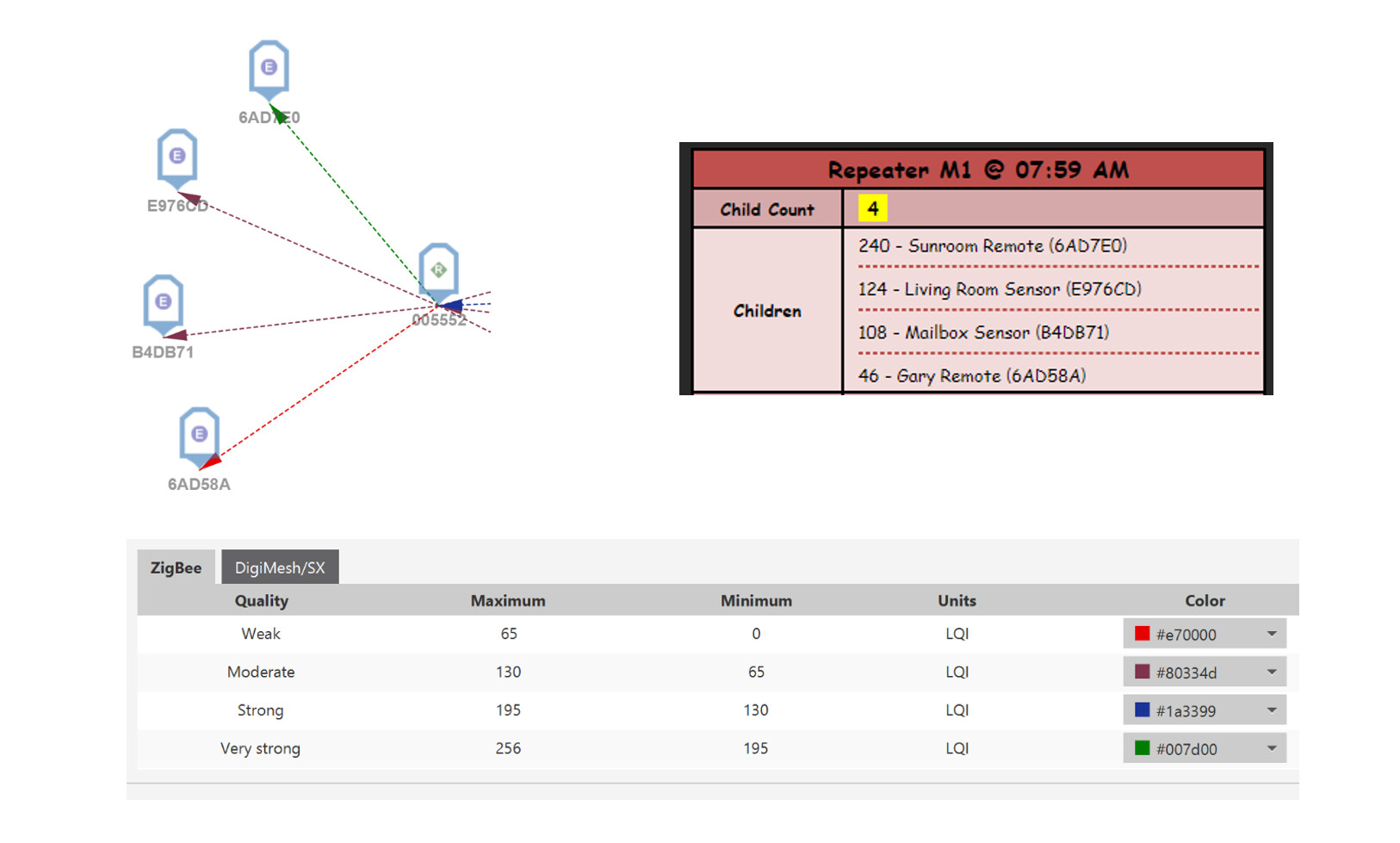
The devices are listed in the same order from top to bottom. As you can see the LQI values from the driver are 100% consistent with the color coding ranges defined in the app.
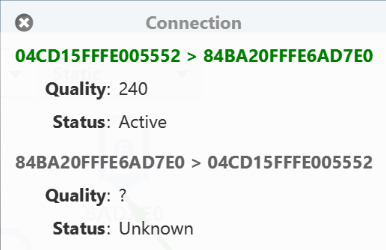
In XBee Network Assistant you can click on a link to get more information on the properties. This is the top device (Sunroom Remote) and you can see the LQI matches exactly in this case, although I would typically expect there a variance between them as they are sampled at different intervals.
Route Links
You can see in the image below that XBee shows repeater M1 having 4 connections (Hub, S2, M2, XBEE) to other repeaters. However the driver shows 7 repeaters in the neighbor table and 8 active routes. Why the discrepancy?
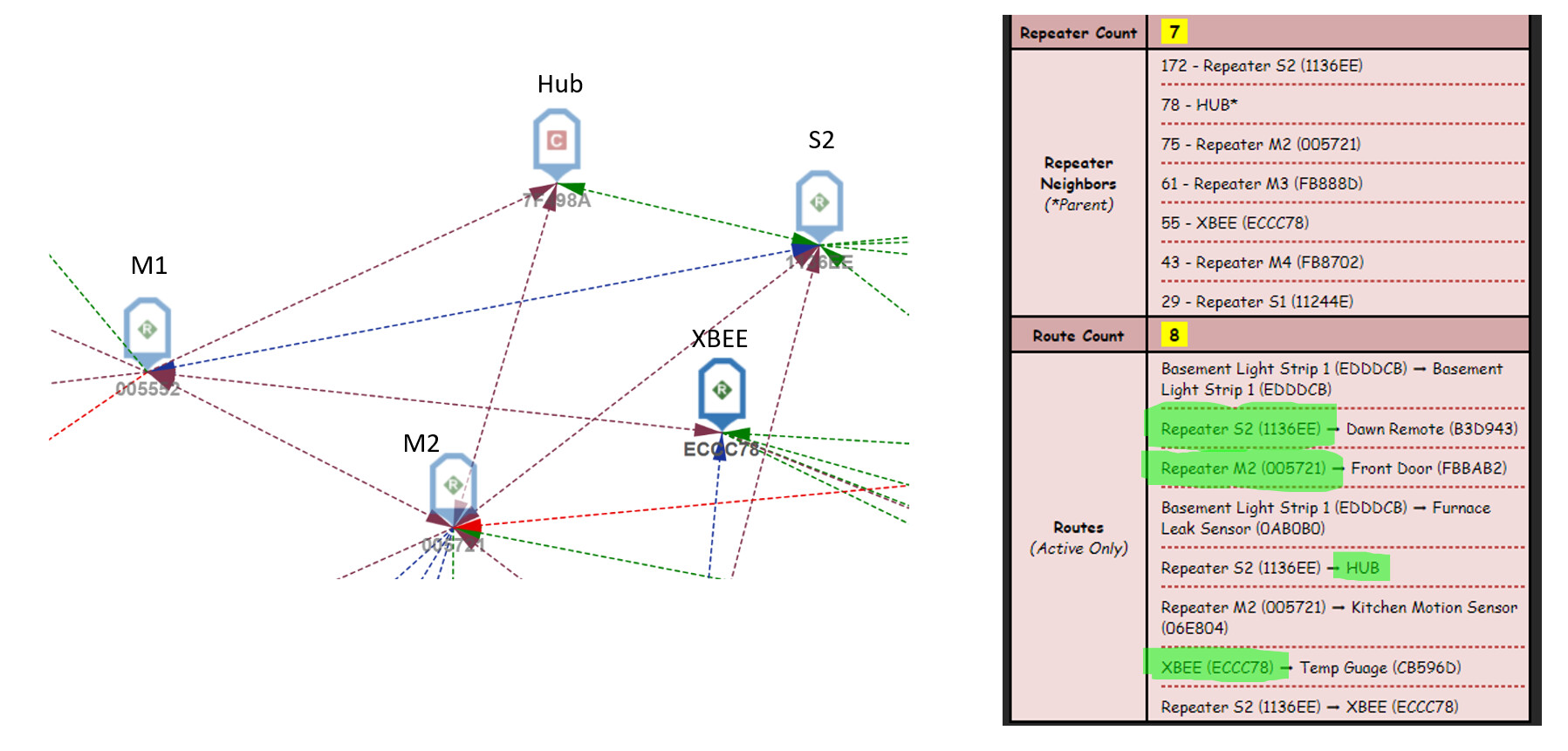
Neighbors are a list of devices that are only 1 hop away. Routes are a list of known paths to devices more than one hop away. What XBee displays is Repeater Neighbors with an entry in the Routes table. In this case the four repeaters marked in green in Routes are ALSO present in the neighbors list and are the 4 links displayed in the XBee image. Again you will see the route color codes between M1 and repeater partners are pretty consistent given they were taken 15 minutes apart.
I hope this helps people understand the information available and give an appreciation of its significance.