Is it possible to send custom text to the keypad input display? My intent was to coax a user having difficulty arming/disarming the system as to what was preventing them from success. Just checking before going down other proven paths. thank you.
I initially planned on that being available. But since the keypad can control and reset what is displayed when actions happen it could be problematic and I never completed that feature.
Understood. In lieu of using the InputDisplay to coax a user; is it conceivable/realistic to have a 'StatusDisplay' that is wholly separate that might offer this functionality?
Suggested code change to disallow rearming when "no pin code" arming option is set for arming in all modes, and HSM status is not 'disarmed'
In Virtual Basic Keypad routine checkInputCode line 133
Change
if(noCodeRequired.contains(action)) {
To
if(noCodeRequired.contains(action) && location.hsmStatus == 'disarmed') {
Background: Using Fully Kiosk Controller app and RM, the virtual keypad dashboard displays when HSM Alert changes to intrusion delay. Rather than forcing a pin entry at this point, I was able to bypass the intrusion alert by arming in Night, Home, or rearming in Away mode without entering a pin.
@Arnb great find,
I use the virtual keypad not the basic one and the corresponding line of code is 262
change it from
if(state.noCodeRequired.any{btn.contains(it)}) {
to
if(state.noCodeRequired.any{btn.contains(it)}&& location.hsmStatus == 'disarmed') {Virtual Keypad
V1.0.21: 2021-11-04
- fixed security issue found by @arnb and @scubamikejax904, and added an option to enable or disable.. enabled by default
Virtual Basic Keypad
V1.0.4: 2021-11-04
- fixed security issue found by @arnb and @scubamikejax904, and added an option to enable or disable.. enabled by default
Thanks for finding, and posting a fix for that bug @arnb and @scubamikejax904
I have updated both VK and VBK with the above solutions, with a new setting (enabled by default) to control whether hsm disarmed is a requirement.
For Virtual Basic Keypad, you will need to go into the device, and save the preferences.
For Virtual Keypad, you will need to go into the child app for each keypad and hit save to push the new setting to the keypad.
VBK 1.0.4 does not work for me. I could disarm without a pin when flag = true. Changed code as follows and it works for me.
original code
if(noCodeRequired.contains(action) && (!noCodeRequiredDisarmedOnly || noCodeRequiredDisarmedOnly && location.hsmStatus == 'disarmed'))
to
if(noCodeRequired.contains(action) && (noCodeRequiredDisarmedOnly==false || location.hsmStatus == 'disarmed'))
Update: after saving preferences in VBK the original code works.
@arnb thanks for the update.. i have updated this version's instructions to let people know to save the preferences after updating to this version.
1 Like
Hello. I found another issue maybe. I used your script for the keypad and my virtual alarm system but I also used your coding for my main menu items such as lights, audio.video, ect. All of a sudden, the code broke for my main home menu expect the actual keypad. I am inop completely at the moment. Any ideas on how this could be resolved? I even made a test dashboard and inputted the i frame code and it still wont display on the test dashboard. Its worked fine since i found VK.
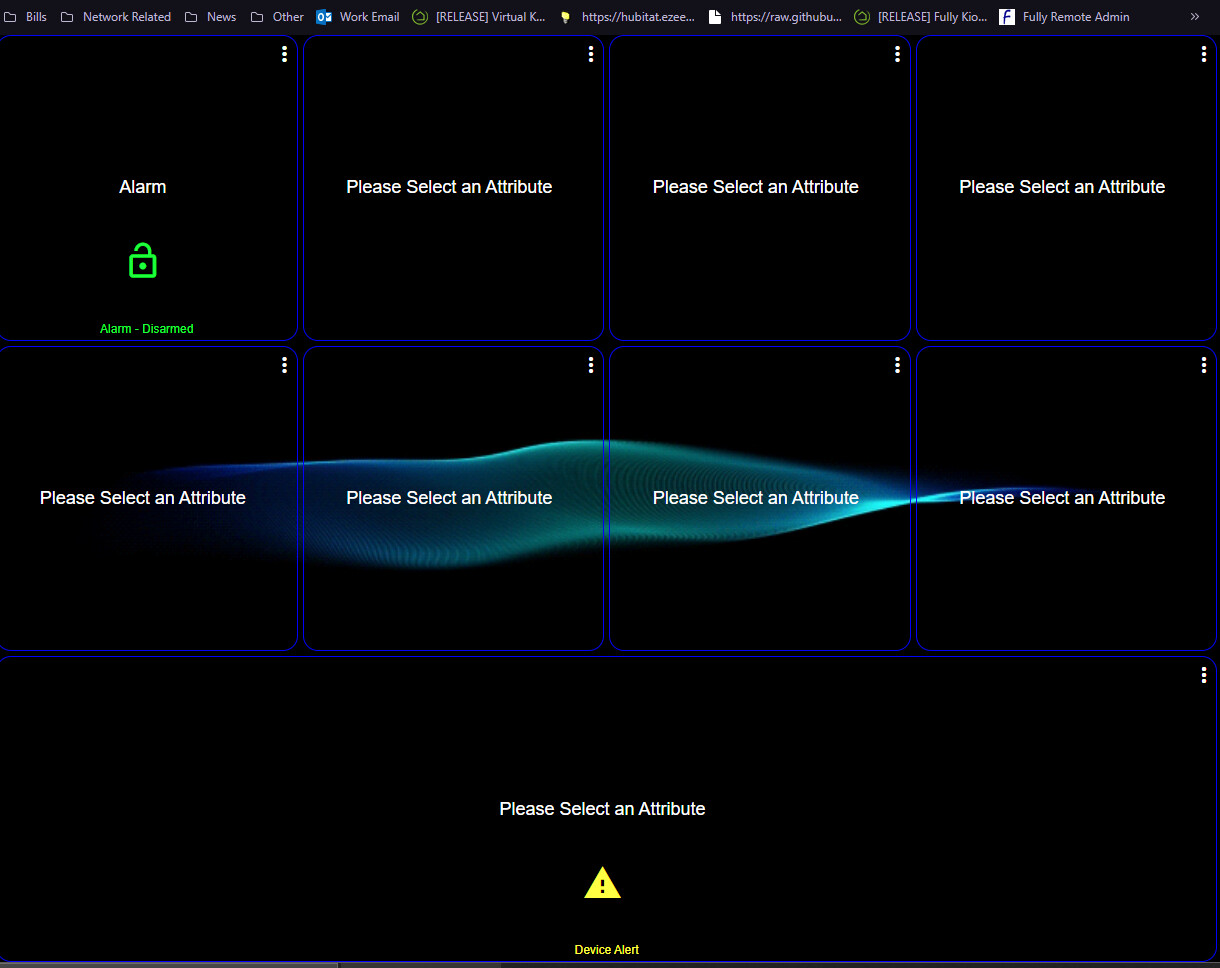
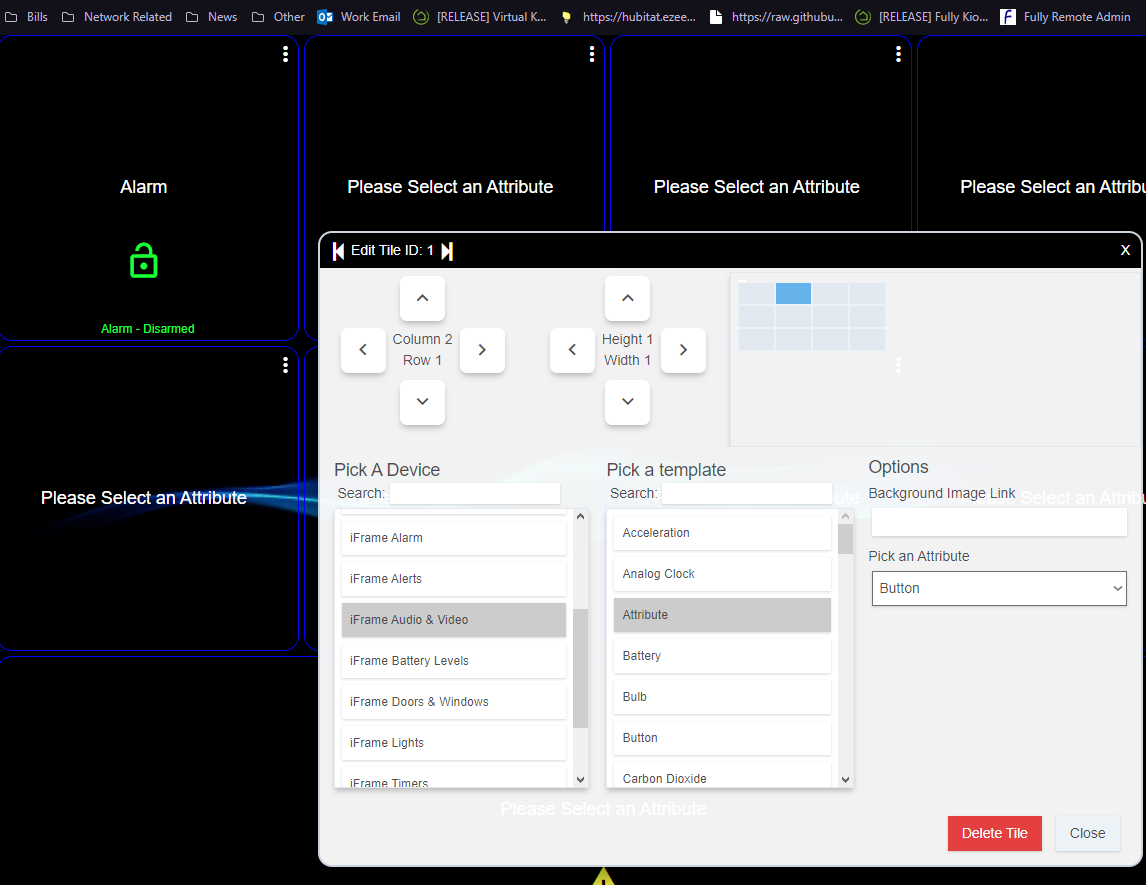
also, this broke right after i was messing with fully kiosk changing some screen of settings and such. I dont see how this would be related and really dont want to do a restore of my hub if possible...FYI.
Not sure how this would happen from the use of the virtual keypad, in the intended implementation described in post 1.
if you have copied the virtual keypad dashboard json into another dashboard, then you mileage may vary and I can't really provide support for those use cases.
You might want to try a restore and see if it fixes the issue.. also save a backup from today so you can restore back to today if you wanted/needed to.
thanks. ya its odd as only the button attribute broke. keypad and everything else attributes work. I guess I will have to restore.
Just thought I'd share what I'm doing this app.
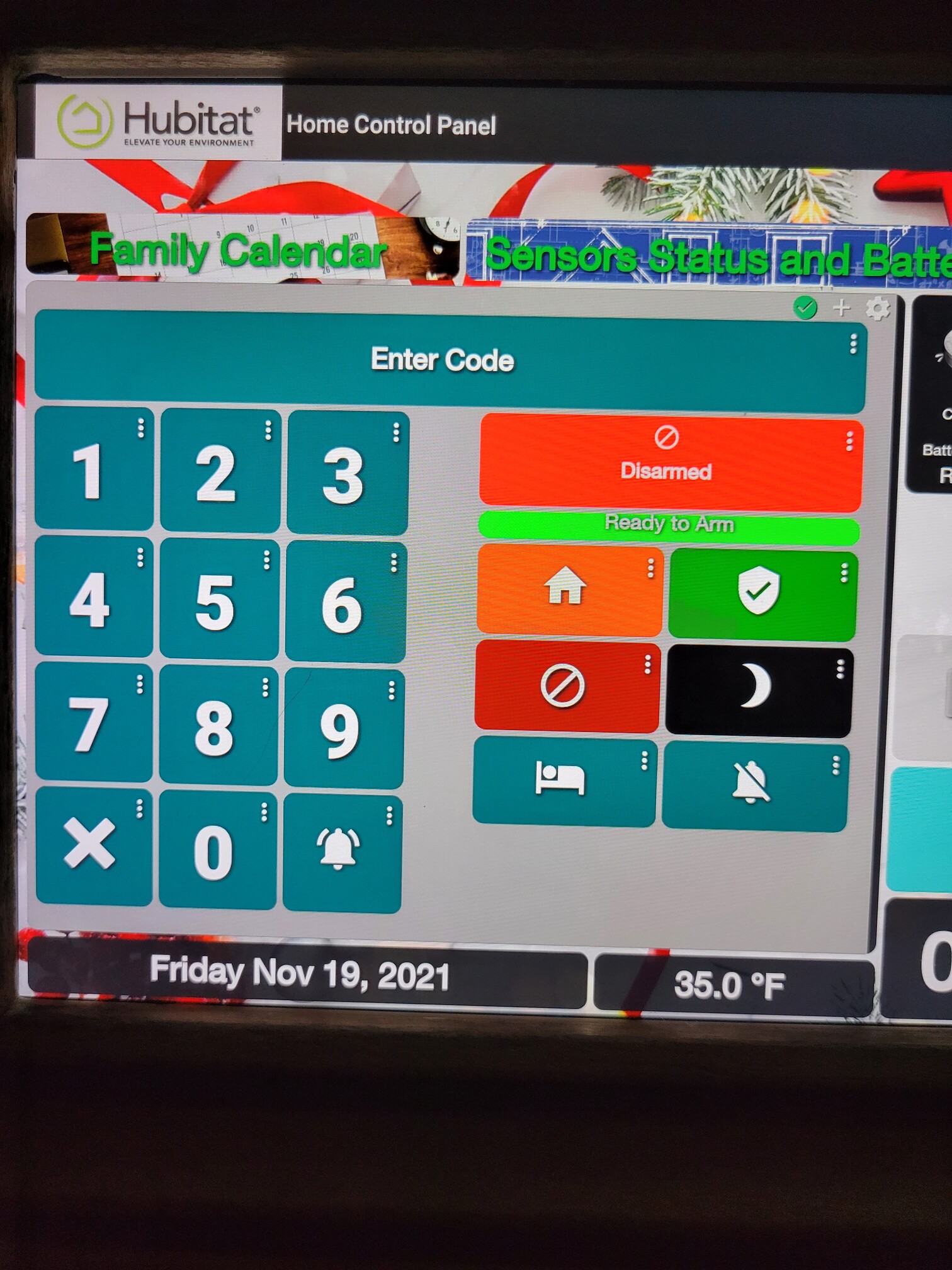
Each function button that is HSM related has the same icon that that status has and it's a dimmed down color of it also.
The HSM tile has a clear text tile over it to prevent interaction with it.
Just under that is a virtual contact sensor linked to open if any of the monitored sensors is open. I sent the open state background color to the same as the closed state text so it "turns off" when it's not ready.
The gap down the middle is the chime device. It goes green down the whole middle. I plan on playing around with adding a second one over it that flashes red during entry delay.
I'm also going to use the display at the top for other status stuff.
1 Like
@mbarone would there be a way to have specific lock codes only work on certain buttons?
This is not currently an option.
Depending on your usecase/need, a 2nd keypad dashboard could be made with a limited button/action set with its own codes. You would have to manage which keypad is available to the user though.
1 Like
While I think of it, the input display shows up as a notification device but I'm having trouble utilizing it.
My intention was to allow it to receive and display messages from other apps, but making this a smooth user experience was more difficult due to the way they keypad uses it in normal operation.
Adding a second virtual inputDisplay type device might work for this use case, provided it had the capabilities to support this. I don't have time to extend this functionality yet, so there may be another virtual device by someone else that you can use for now, and let us know if you find one.
1 Like
I plan on doing a lot of trial and tinkering on this so I will absolutely share what I find
This is such a great app and been finally getting it to work. I have seen a prior comment on the chime sound and would be curious if someone could assist in determining why the following RM does not work.
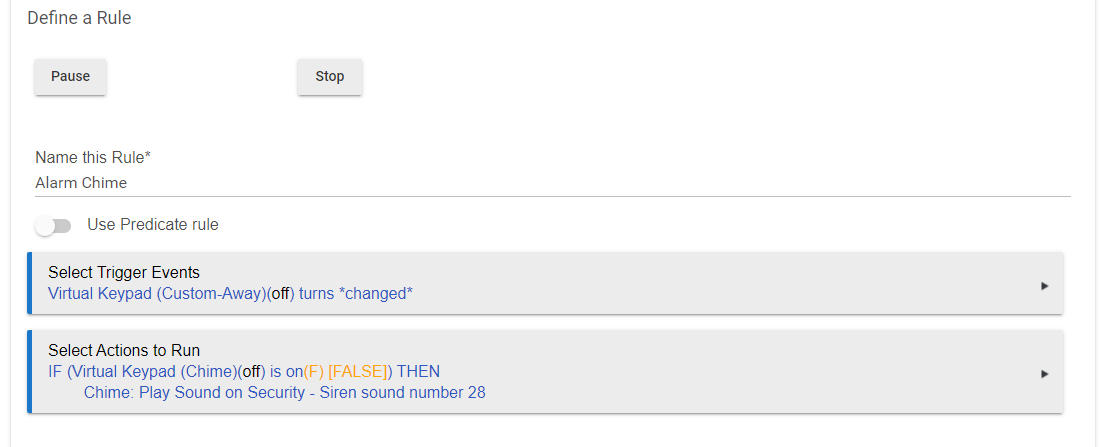
I can get the chime to work with a simple rule but it will activate the chime for Home, Away, and Night. I would like to have chime only for Away.

