Inside my version of the app I see
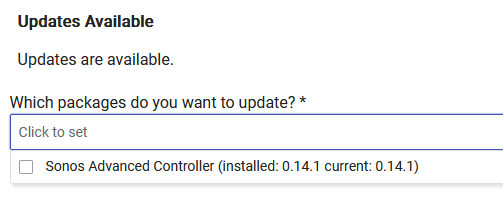
 Update Available
Version 0.13.3 is available!
Current version: 0.7.10
Install update, but clicking the button doesn't do anything.
Inside my version of the app I see
Update Available
Version 0.13.3 is available!
Current version: 0.7.10
Install update, but clicking the button doesn't do anything.
I'd check to see if HPM will update. If not, I've found and fixed a few bugs in the update code, but the issue is those fixes are in a newer version than you're on. You could copy/paste the app code in from GitHub, then use what's built-in on Sonos Advanced to reconcile the version of the other drivers and libraries (I think), or copy/paste them in from GitHub as well.
I mostly added the various update bits in to work around the bugs HPM has when it comes to updating "apps" that use app code + driver code + library code, but I think most/all of those have been resolved.
If HPM doesn't work, let me know, I can give more detailed instructions on how to update via copy/paste from GitHub if you need. If you're copy/pasting, you'll probably want to open on of the various "releases" on GitHub, download it as a Zip file and copy/paste from there. What's presently on 'main' branch is ahead of the latest release and not fully tested.
Version 0.14.1 released...
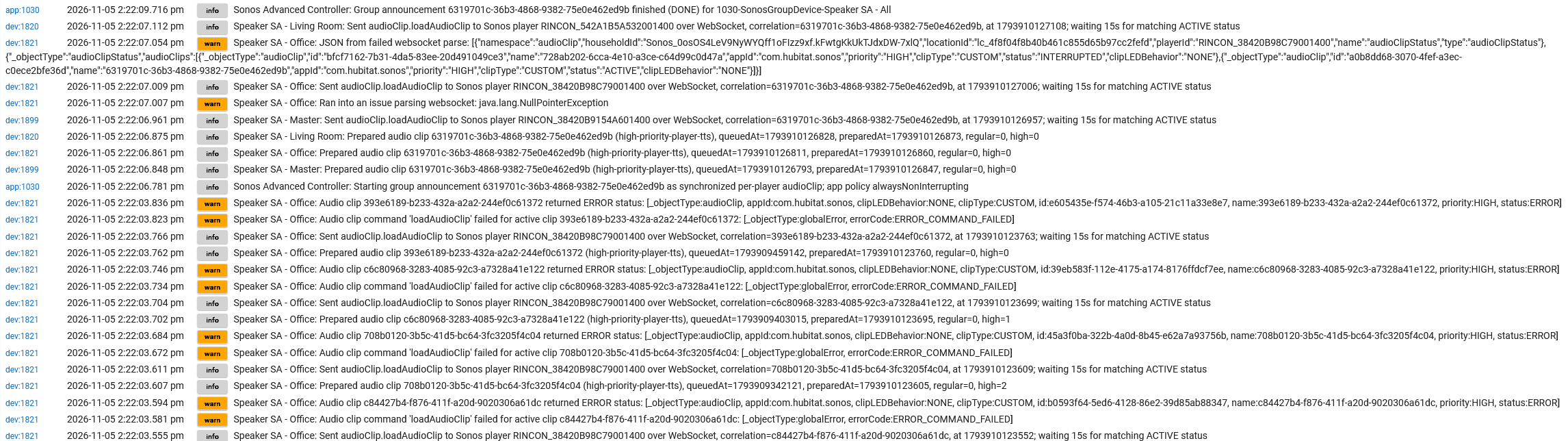
So I've built out a custom MCP that supplements the one Hubitat added, adding a few things it was missing (like being able to review logs). Sonos also has an MCP, which lets me set up Codex with quite a bit of insight into my Hubitat system as well as giving it a secondary source for verification of the current state of my Sonos system. And with all that power, I've managed to not only find and squash a whole bunch more bugs, I implemented something I've been wanting to add for a while, but just didn't have the energy to spend the time knocking out the Groovy to get implemented: "automatic" mode for TTS.
For quite a while I've wanted to have this app intelligently use the "audioClip()" API when the system is in-use and just send a standard playback stream when it's not. There's quite a few times in my household where a TTS is sent to a couple speakers that are idle, but since I can't know for sure they'll be idle, and I didn't want my music to possibly get interrupted, I've always opted for using the "non-interrupting" TTS method. This is ideal when the speakers are in use, but when they're idle, doing this means echoing speech for no reason.
Automatic mode is VERY automatic, too. It'll group the speakers together temporarily for the TTS if they're not already grouped, assuming they're idle. It'll pull "followers" out of other groups that they happen to be in, if they're part of the group the TTS is sent to, and put them back after the TTS finishes. It'll even go so far as to transfer coordinator duties of speakers that are part of the TTS group, if that speaker is in another group that's active.
So for example if you have a group set up with A B and C speakers, and C is in a group with D, and C is the coordinator and that group is active, it'll transfer coordinator from C to D, pull C into the group with A and B, play the TTS, put C back in the group with D and transfer coordinator back to C.
As I walked to work this morning I realized I can take that just one step further.  I realized that it should be possible to have a TTS sent to a group with speakers A B and C, and if C is stand-alone playing in a "group of 1", but D speaker exists on the household and is idle, I could mute D, pull it into a group with C, transfer coordinator to it, group C with A and B for the TTS, put C back in a group with D, transfer coordinator back to C, unmute D and drop D from that temporarily created group that was used to maintain the stream from being dropped. I'll add this last bit in another update in the near future.
Now, if the stream on C is being played via Sonos directly that's probably totally overkill since you could just snapshot and restore the playlist, but if C is being used by, say, Apple Music via AirPlay, then that hoop is needed since nothing Sonos nor Sonos Advanced can do will be able to make your iPhone restart its AirPlay stream if that stream is interrupted. That's literally the use-case/reason I made this whole darn thing in the first place... I use my Sonos quite frequently via AirPlay from Apple Music and only audioClip() TTS allows that without interrupting the music.
Right now, if you use automatic mode, when it sends a TTS it will replace whatever playlist/queue you had on that speaker. I'm working on fully capturing a snapshot of each coordinator's active playlist and restoring it after a "standard steam TTS" (the interrupting one), but for now at least, the automatic mode is opt-in, with the default value in the app setting being "always non-interrupting" since that's the safe option.
You'll want to pop in the Sonos Advanced App and make sure these settings are to your liking when updating.
I've also had Codex make a "how-to" guide page here: Sonos Advanced · Hubitat Guide I'll run through this and put some polish on it as I have time, but hopefully it's more helpful than nothing.
AI generated change log below:
This release improves group announcement routing and recovery, adds controls for queued TTS retention, and strengthens Sonos event subscription recovery.
Normal and high-priority announcements now have separate app-level method settings: Automatic, Always audioClip, or Always coordinator stream. The selected method is evaluated when each queued message is dispatched.
In Automatic mode:
Always audioClip does not change topology. Always coordinator stream replaces current playback and may force temporary regrouping; this can interrupt playback in another group.
Play Text And Restore and Play Text And Resume use audioClip whenever the player supports it, regardless of the selected announcement policy. Players without audioClip support fall back to streaming.
Group audioClip announcements are prepared before dispatch and sent to target players close together. Queue handling, priority behavior, takeover detection, topology restoration, timeouts, and duplicate-request handling have also been strengthened.
The app has separate announcement method settings for normal-priority and high-priority TTS. Each can be set to Automatic, Always audioClip, or Always coordinator stream. The selected method is evaluated when each queued message is dispatched, so changes to the settings can affect messages already waiting in the queue.
Automatic chooses a playback method based on the group’s current playback and topology:
Automatic topology changes apply to multi-player groups. In Automatic mode, the app avoids a topology change when it could disrupt an active stream in another group. For example, it can generally pull a non-coordinator player from an active group while leaving that group’s coordinator and stream in place. If a safe change is not possible, it falls back to audioClip.
The app tracks topology changes across queued messages and restores the topology that existed before the TTS queue, provided it does not detect an unexpected topology change in the meantime.
Play Text And Restore and Play Text And Resume are exceptions: they use audioClip whenever the player supports it, regardless of the selected announcement method. They fall back to streaming only when audioClip is unavailable.
For the least topology disruption, use Automatic with automatic topology changes enabled. Choose Always audioClip when announcements should never change grouping. Choose Always coordinator stream when replacing current playback is intentional.
The app now has a Maximum TTS retention setting, defaulting to one hour. Choose a limit from one minute to 24 hours, or Unlimited. Messages that exceed the selected age while waiting in the queue are discarded.
If a target speaker is offline, the app defers the announcement instead of trying to play it immediately. Eligible queued announcements resume when the speaker reconnects, subject to the retention limit.
Subscription recovery now retires stale WebSocket connections and resets subscription state before reconnecting. Recovery requests from initialization and secondary device configuration are coalesced, helping devices recover after hub restarts or driver updates when stored connection status no longer reflects the actual connection.
UPnP subscription watchdog logs now include the time since the last observed event, making missed events easier to diagnose. The watchdog also avoids retrying the GroupRenderingControl subscription when a player is no longer grouped.
The former per-player Always use non-interrupting methods preference has been replaced by app-level settings. Review the normal and high-priority methods and the Automatic TTS topology changes option.
Always coordinator stream can interrupt playback and force temporary topology changes. If automatic topology changes are disabled and the target group is ungrouped, a coordinator stream may play only on the coordinator and players already grouped with it. The app settings explain these combinations.
Hey Daniel,
Thanks for the update and for all the hard work you've put into this. Unfortunately, I'm still experiencing issues with groupings. I had my MCP server perform as thorough an investigation as possible, and here are its findings:
I'm experiencing a repeatable grouping failure with Sonos Advanced Controller. The Downstairs group does not form when triggered through webCoRE or when manually executing groupPlayers() in Hubitat.
App: Sonos Advanced Controller (app ID 381)
Group device: Sonos Group: Downstairs (device ID 419)
Coordinator: Living Room (Sonos Port, device ID 316)
Followers:
Dining Room (Sonos Play:1, device ID 317)
Kitchen (Sonos Play:1, device ID 346)
Automation: webCoRE piston "Sonos: Play Downstairs" (app ID 426)
Grouping mode: EXPLICIT
The Downstairs group receives the on() command, but the speakers remain ungrouped.
Manually executing groupPlayers() also fails.
The controller processes the grouping request and dispatches a topology operation, but eventually fails with TOPOLOGY_NOT_CONFIRMED.
Dining Room and Kitchen return fresh topology reports showing themselves as standalone groups. Living Room does not return a fresh topology report.
All three speakers are reachable over the network. Living Room reports its WebSocket connection as open, and a short ICMP test returned 0% packet loss.
10:36:11.206 AM — DEBUG
Processing group command on for 381-SonosGroupDevice-Downstairs (d74f9d8d-a0d0-4af6-80cb-0b536d694002)
10:36:14.523 AM — DEBUG
Dispatching topology step 01996d02-470e-4188-8de7-0d5a7f2fd29a for group operation 84f2bede-d00c-4392-a2c3-b67b2bd1de62
10:36:56.153 AM — WARN
Group operation 84f2bede-d00c-4392-a2c3-b67b2bd1de62 failed: TOPOLOGY_NOT_CONFIRMED
Full error detail, with hardware identifiers anonymized:
The group mutation was sent, but no fresh report
from configured coordinator LIVING_ROOM_ID
confirmed the topology:

LIVING_ROOM_ID:
fresh=false
group=LIVING_ROOM_ID:3226818064
coordinator=LIVING_ROOM_ID
members=LIVING_ROOM_ID

DINING_ROOM_ID:
fresh=true
group=DINING_ROOM_ID:2283807880
coordinator=DINING_ROOM_ID
members=DINING_ROOM_ID

KITCHEN_ID:
fresh=true
group=KITCHEN_ID:3095562765
coordinator=KITCHEN_ID
members=KITCHEN_ID
The controller registered the grouping operation on all three speakers at approximately 10:36:11 AM.
Dining Room and Kitchen continued returning standalone group reports at 10:36:30, 10:36:35, and 10:36:45 AM.
Living Room registered the operation but produced no corresponding fresh group report.
The issue reproduced across multiple attempts, including a separate test at 10:18 AM.
During the automated test, webCoRE also issued loadFavorite(381) and play() to Living Room. However, grouping also fails when tested directly, independently of those automation commands.
The controller appears to initiate the grouping operation but cannot confirm the requested topology. The logs do not establish whether Sonos rejected the grouping mutation or whether the coordinator's response was not received or processed.
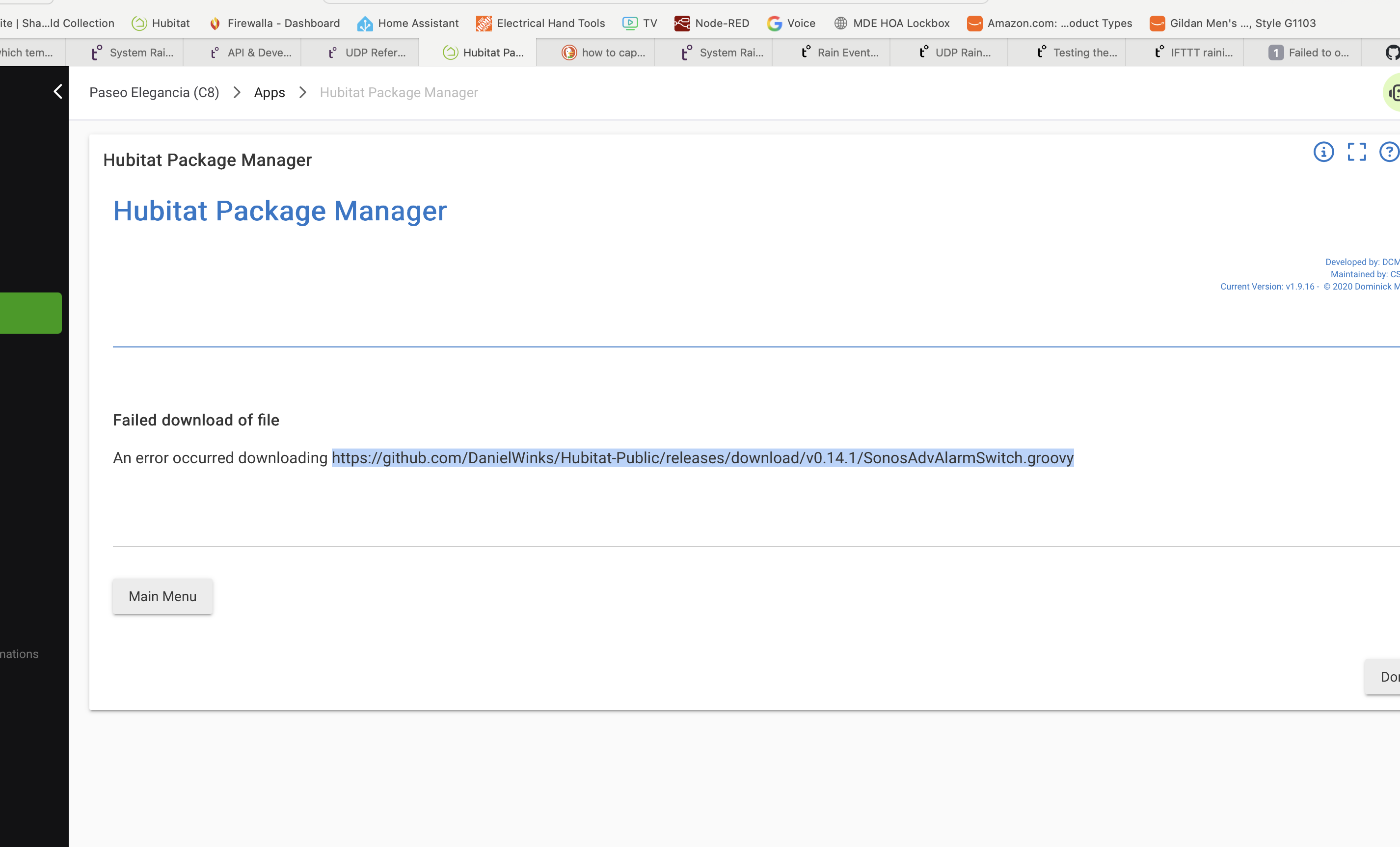
Try doing an HPM repair
That worked, thanks!
Hmm... that's part of my upcoming update... I forgot that HPM runs off "main" rather than the releases when it comes to the package json file.
I'll have this released fully here in a few. Just doing a wee bit more automated testing before it's good to go.
OK, latest version fully released.
This release addressed a few more bugs/reliability issues I found, but mostly it focused on bringing Sonos Advanced up to parity with Sonos integrations on other platforms, namely Home Assistant.
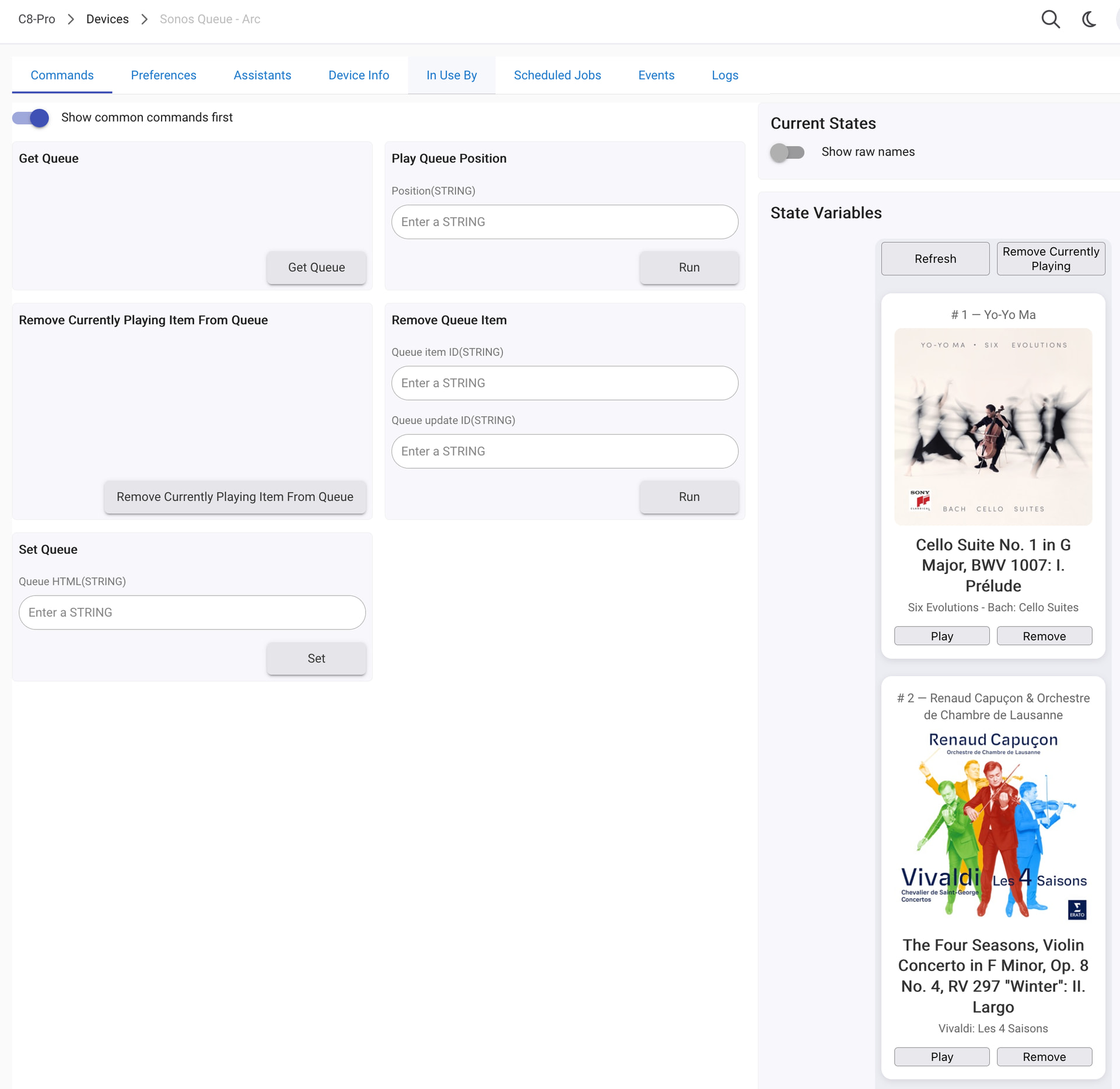
As such, this release allows for the management of the queue on each Sonos. You can now initiate playback at any queue position and remove items from the queue. There's a new "Queue" child device available on each player, created when you toggle on the preference option for whether or not to create it, similar to the Favorites and Playlist.
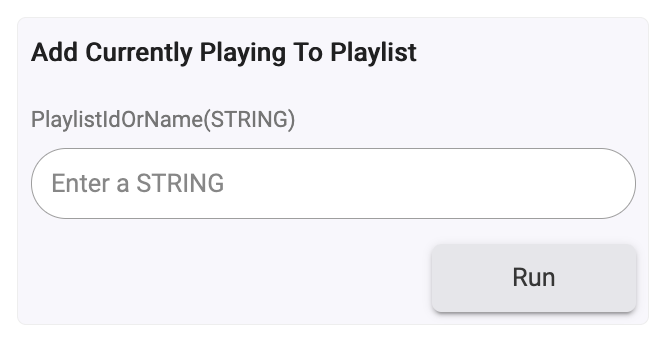
You can also add whatever track is playing to a playlist, via automation:
You'll find this new command on the Playlist child device.
So you can make a button that you can press to add songs to a playlist. You'll have to specify which playlist to add the track to, using a "run custom action" command on Rule Machine. I'll be using this one a lot to "heart" tracks as I'm playing the "auto DJ" type stations on Apple Music. It's only been tested so far with Apple Music, and since Sonos supports a TON of music providers, there's likely some that aren't compatible with being added to a playlist. If you run into one that Sonos Advanced can't add to a playlist but you CAN add it via the phone app, or desktop Sonos app, please let me know and I'll get it fixed.
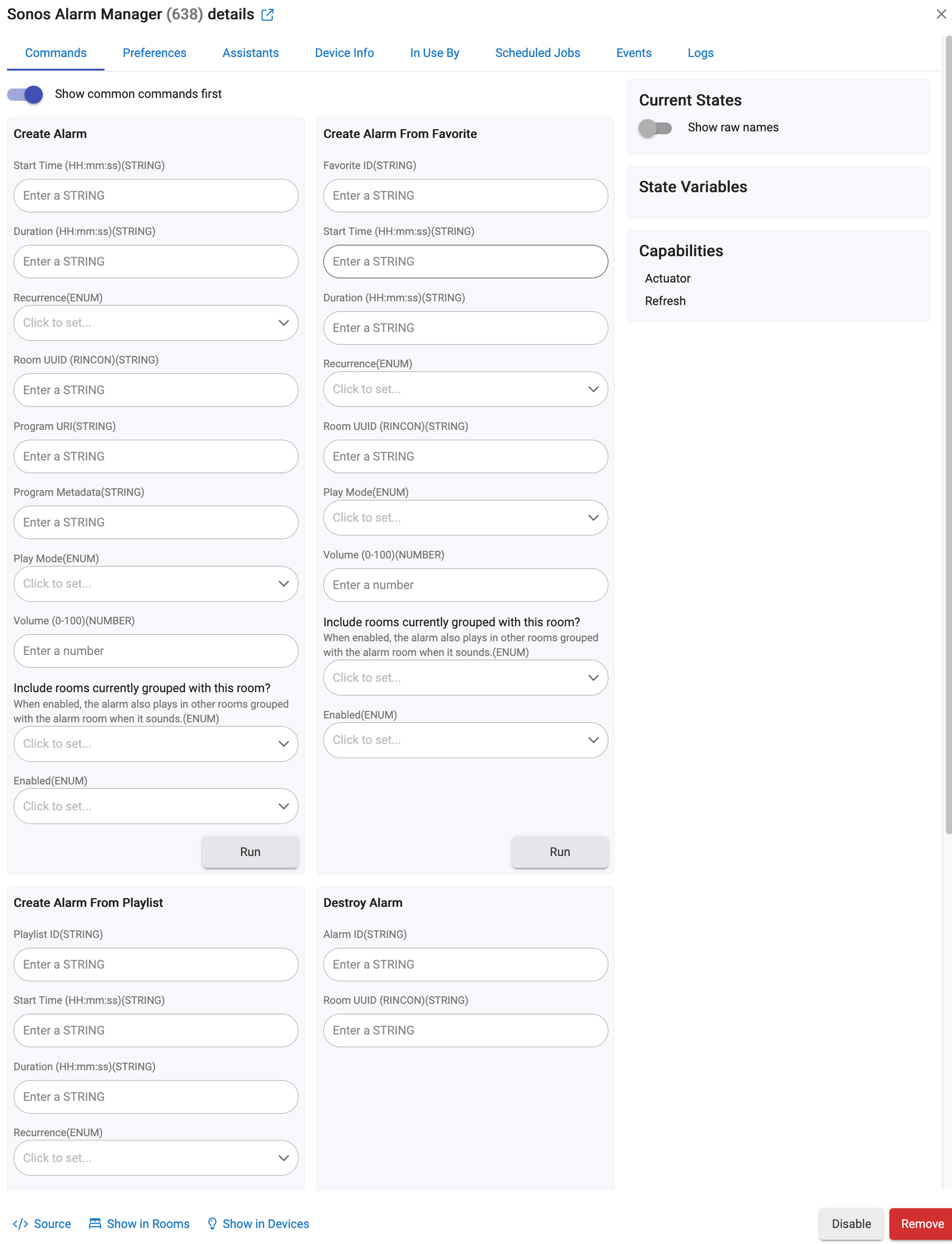
At the App level, there's a new toggle to enable/disable the creation of a Sonos Alarm Manager device:
This gives the ability to create and destroy Sonos Alarms from within Hubitat. There's a second toggle on the App that enables/disables the creation of "switch" children for each Alarm, as well.
Not sure how useful Alarms are on Sonos, I've honestly not used them. It's something that Home Assistant allows, so I wanted to bring this over here just in case it was something that someone missed from HA. I think there's nothing they provide that isn't likely better handled via Rule Machine, but I'd love to hear someone's use case that shows otherwise, in case I'm missing something about what they do and how they work.
Lastly, there's a new option at the App level that will pick a random Sonos in your system that's idle and use it as a "stream holder". So if you send a TTS to a speaker that's set to automatic mode for TTS, and you have this option enabled, it will pull that idle speaker into a group, transfer coordinator to it, drop it from the group while the stream continues to play. Then after the TTS, it pulls the stream holder back into the group, does another coordinator song and dance, and then drops the stream holder so the original group topology of the household is restored. While "holding" a stream, it automatically mutes this speaker so you wouldn't have music randomly playing audibly.
This setting defaults to off, and I'm not sure which is more reliable, passing the stream around if there's an idle speaker to do so, or doing the "official" method of capturing the stream uri and restoring that after. I'd put the stream holder stuff in to hopefully allow this to work with an AirPlay stream, but no amount of fiddling got it working. AirPlay just does not care about coordinators as far as Sonos does things. From what I can tell, AirPlay just sends its bits to the speaker you tell it to and if that speaker is pulled away from it, even if another was added to the group, it stops playing. I'm 99.99% sure that's a hard limitation of AirPlay.
I didn't see value to just deleting that feature, as it does work with everything other than AirPlay. But mostly this update is about adding queue management and the ability to set up a physical button for "love this" and having it add the currently playing track to a predefined playlist.
Hi @daniel.winks,
Overall a big improvement, thank you. There were a couple of things I noticed that I had my MCP Server try to diagnose and put together for you. Please see below feedback, thank you:
I'm testing v0.15.3 with webCoRE and encountered two grouping issues:
Both operations eventually produced the intended result. I've included the timelines and relevant app logs below.
webCoRE piston sequence:
on() → Activate Downstairs (Living Room, Kitchen, Dining Room).loadFavorite(1234) → Load and autoplay a saved Sonos Favorite.Living Room is the group coordinator.
Timings are based on the app logs and Hubitat device events.
| Elapsed | Time | Event |
|---|---|---|
| 0s | 10:37:37 | on and loadFavorite processed |
| +7s | 10:37:44 | Topology step dispatched |
| +9–11s | 10:37:46–48 | Speaker events show all three grouped |
| +20s | 10:37:57 | Favorite load request handed to Living Room |
| +27s | 10:38:04 | Living Room reported playing |
| +30s | 10:38:07 | All three speakers and the group reported playing |
| +61s | 10:38:38 | GROUP_OPERATION_TIMEOUT warning |
The initial webCoRE commands were issued around 10:37:35, making the total time to reported playback approximately 33 seconds.
10:37:37.255 AM | DEBUG
Sonos Advanced Controller: Processing group command on for 381-SonosGroupDevice-Downstairs (fe59d4c2-0489-436e-af7f-eb81eac46e6c)
10:37:37.827 AM | DEBUG
Sonos Advanced Controller: Processing group command loadFavorite for 381-SonosGroupDevice-Downstairs (1754c302-8839-4027-bb5a-db53d44abfe5)
10:37:44.569 AM | DEBUG
Sonos Advanced Controller: Dispatching topology step 71ee9ea5-a688-4a85-ab0d-2ac4eb5e0e7d for group operation b089624b-bb47-479e-95e2-0e3c60484dda
10:37:57.597 AM | DEBUG
Sonos Advanced Controller: Favorite load request 55411141-abde-4e2c-8c0d-92fac36c472d for operation b089624b-bb47-479e-95e2-0e3c60484dda was handed to player RINCON_48A6B8238A5C01400
10:38:38.916 AM | WARN
Sonos Advanced Controller: Group operation b089624b-bb47-479e-95e2-0e3c60484dda failed: GROUP_OPERATION_TIMEOUT (The live Sonos topology or playback confirmation did not stabilize before the deadline. Last topology: RINCON_48A6B8238A5C01400: fresh=true, group=RINCON_48A6B8238A5C01400:3226818065, coordinator=RINCON_48A6B8238A5C01400, members=RINCON_48A6B8238A5C01400,RINCON_B8E937EC904201400,RINCON_B8E937ED991401400; RINCON_B8E937EC904201400: fresh=true, group=RINCON_48A6B8238A5C01400:3226818065, coordinator=RINCON_48A6B8238A5C01400, members=RINCON_48A6B8238A5C01400,RINCON_B8E937EC904201400,RINCON_B8E937ED991401400; RINCON_B8E937ED991401400: fresh=true, group=RINCON_48A6B8238A5C01400:3226818065, coordinator=RINCON_48A6B8238A5C01400, members=RINCON_48A6B8238A5C01400,RINCON_B8E937EC904201400,RINCON_B8E937ED991401400)
Startup delay: The speaker events indicated that all three speakers were grouped around 10:37:46–48, but the Favorite load request wasn't handed to Living Room until 10:37:57. The group didn't report playing until 10:38:07.
Timeout: Playback succeeded, yet the controller reported GROUP_OPERATION_TIMEOUT approximately 31 seconds later. The warning shows all three speakers with fresh=true and matching group IDs, coordinator, and membership.
My questions are:
Starting state: Downstairs (Living Room, Kitchen, Dining Room) is already grouped and playing.
webCoRE piston sequence:
on() → Activate Downstairs + Master Bedroom.play() → Resume playback on the expanded group.Both saved groups use Living Room as the coordinator. The only intended membership change is adding Master Bedroom.
| Elapsed | Time | Event |
|---|---|---|
| 0s | 10:46:47 | on and play requested |
| +3s | 10:46:50 | play deferred pending grouping |
| +5s | 10:46:52 | Existing Downstairs subgroup split |
| +14s | 10:47:01 | Group reports only Living Room remaining |
| +17s | 10:47:04 | Second topology step dispatched |
| +30s | 10:47:17 | All four speakers reported grouped |
| +35s | 10:47:22 | Group operation completed successfully |
| +36s | 10:47:23 | Deferred play processed |
| +44s | 10:47:31 | Group reported playing |
10:46:49.867 AM | DEBUG
Sonos Advanced Controller: Processing group command on for 381-SonosGroupDevice-Downstairs + Master Bedroom (31de7687-a428-4970-b54e-bea3a08bc914)
10:46:50.180 AM | DEBUG
Sonos Advanced Controller: Processing group command play for 381-SonosGroupDevice-Downstairs + Master Bedroom (454ee7fb-4d46-4528-b36e-d5c366578a3f)
10:46:50.347 AM | INFO
Sonos Advanced Controller: Deferring group command play for 381-SonosGroupDevice-Downstairs + Master Bedroom until the current group operation completes
10:46:52.931 AM | DEBUG
Sonos Advanced Controller: Dispatching topology step d894a08e-5593-4afa-b254-35a1c1674a90 for group operation efb82091-10b9-402c-8fd4-cfe7a5de32b8
10:46:52.936 AM | INFO
Sonos Advanced Controller: Splitting existing target subgroup [RINCON_48A6B8238A5C01400, RINCON_B8E937EC904201400, RINCON_B8E937ED991401400] from coordinator RINCON_48A6B8238A5C01400 before creating the exact group with RINCON_48A6B8238A5C01400
10:47:04.486 AM | DEBUG
Sonos Advanced Controller: Dispatching topology step 5c59565c-65b0-4410-96e6-7d1fa8e67d35 for group operation efb82091-10b9-402c-8fd4-cfe7a5de32b8
10:47:22.270 AM | INFO
Sonos Advanced Controller: Group operation efb82091-10b9-402c-8fd4-cfe7a5de32b8 completed successfully
10:47:23.512 AM | DEBUG
Sonos Advanced Controller: Processing group command play for 381-SonosGroupDevice-Downstairs + Master Bedroom (454ee7fb-4d46-4528-b36e-d5c366578a3f)
The controller split the existing three-speaker group before creating the four-speaker group, even though Living Room was already the correct coordinator.
Living Room reported stopped during the transition. The operation took approximately 36 seconds before play was processed and 44 seconds before the group reported playing.
My questions are:
Thanks. The MCP helps with detailed reports for sure. I was able to replicate both of these and put in a few changes that should clear up a bit of the issue.
That said, Sonos just takes a bit to group/ungroup. It does this when you change groups from the Mac app and iPhone app, and presumable the Android and Windows apps too. I think it's just a few seconds, sometimes a bit longer, to get groups "moving" and get the speakers all joined together. It shouldn't take longer than about 10 seconds, 15 in worst case. So what you were seeing is a bit more than it should be, and the latest version should clear that up.
Give 0.15.4 a spin.
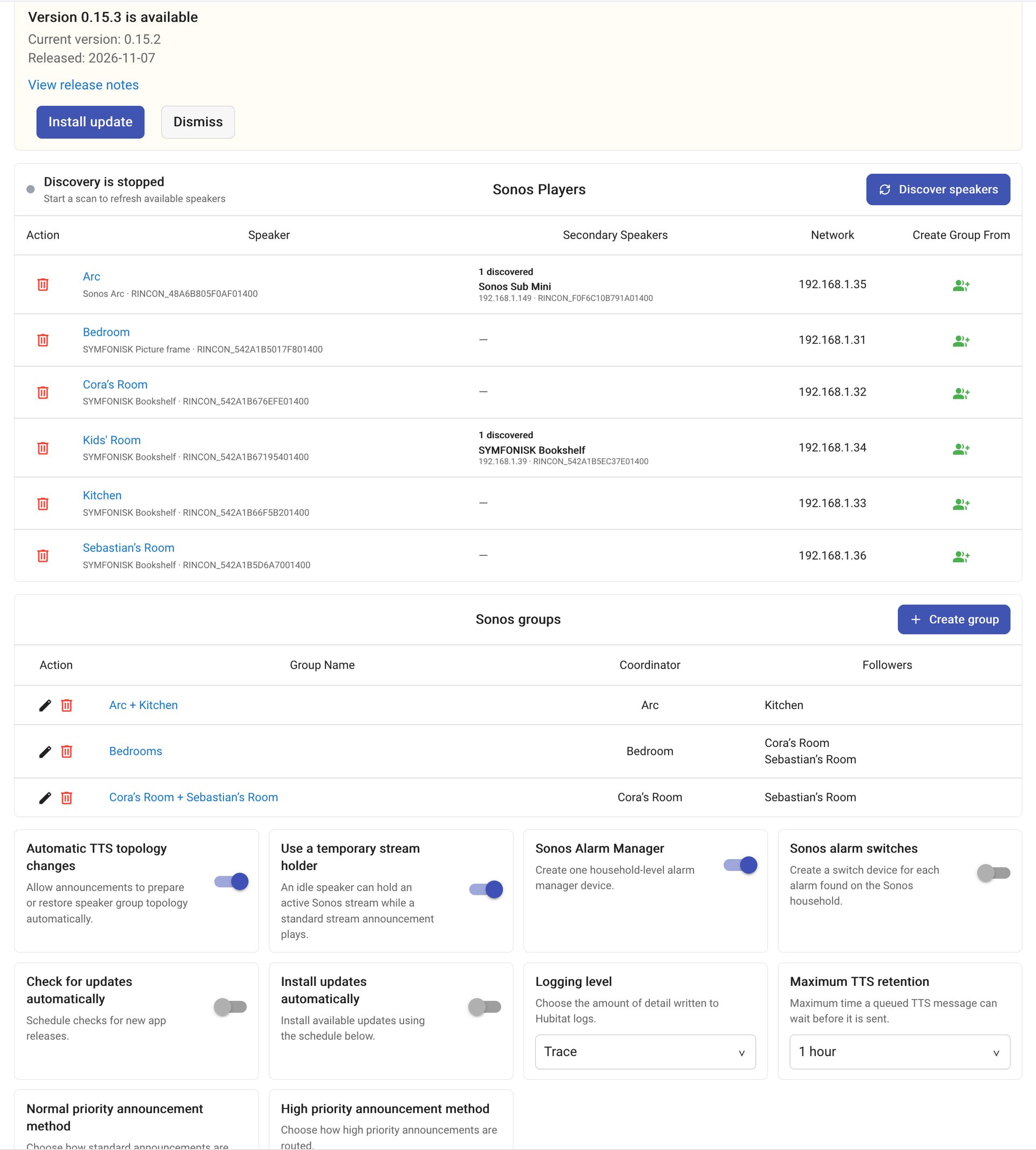
In addition to the fixes, it's also got a fair bit of polish on the App UI:
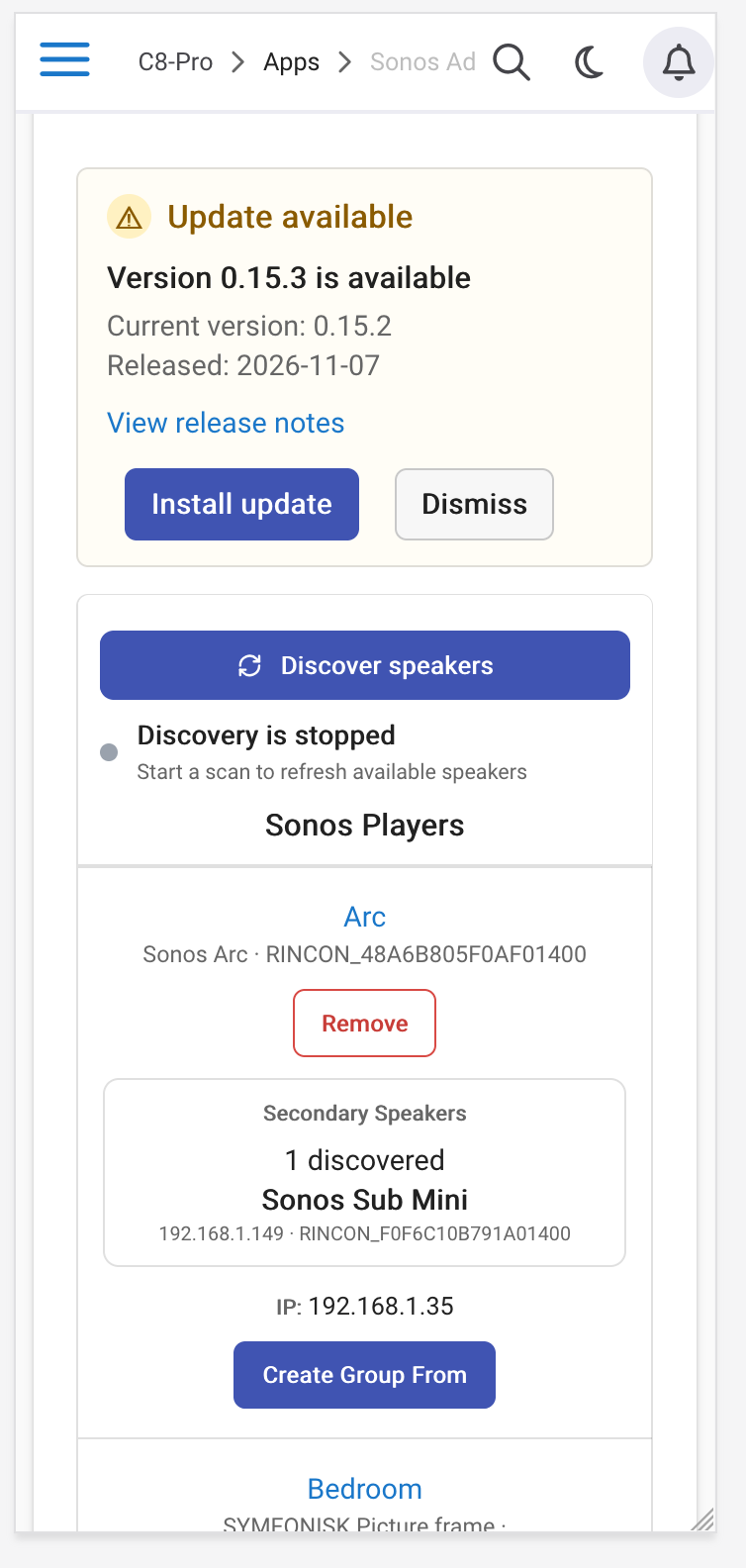
And it should look good on mobile as well:
Hi @daniel.winks,
Thanks for the update and fixes. I'm still experiencing an issue where Sonos stops playing, but Advanced Controller reports it as playing. Initialize temporarily resolves it, but the issue returns.
I cross-checked the Hubitat and official Sonos MCP integrations and included the diagnostic findings and timeline below. Hopefully this helps pinpoint the cause.
See below:
I'm experiencing a recurring issue where Sonos playback stops, but Hubitat's Sonos Advanced Controller continues reporting playing. Running Initialize restores accurate status reporting, but the problem has returned after previous initialization attempts.
I investigated the latest occurrence by comparing data from my Hubitat MCP server and Sonos MCP integration, including playback states, Hubitat event history, UPnP subscriptions, scheduled jobs, and driver code.
Environment:
At approximately 1:05 PM, the two MCP integrations reported:
| Source | Observed state |
|---|---|
| Sonos MCP (direct Sonos API) | All queried Sonos groups: PLAYBACK_STATE_IDLE |
| Hubitat: Living Room, Dining Room, Kitchen, Master Bedroom | status = playing |
| Hubitat: Downstairs group | status = playing |
| Hubitat driver internal state (Living Room and Master Bedroom) | playbackState = PLAYBACK_STATE_IDLE |
| Hubitat player WebSocket connections | open |
The affected Hubitat devices also retained transportStatus = playing.
The key discrepancy: Both the direct Sonos API and the Hubitat driver's internal WebSocket state indicated idle playback, while Hubitat's public playback attributes remained playing.
| Time | Event or observation |
|---|---|
| 9:13:09 AM | Living Room changed to playing. |
| 9:13:11 AM | Dining Room, Kitchen, and Downstairs group reported playing. |
| 11:00:12 AM | Master Bedroom changed to playing. |
| 12:02:23 PM | Downstairs group: switch = off, status = inactive. |
| 12:02:55 PM | Downstairs group: switch = on, status = playing. |
| ~1:05 PM | Sonos MCP confirmed idle playback; Hubitat still reported the affected devices as playing. |
| ~1:12 PM | Initialize was used during recovery. |
| 1:12:43 PM | Living Room changed to stopped. |
| 1:12:45 PM | Dining Room, Kitchen, and Downstairs group changed to stopped. |
| 1:13:49 PM | Master Bedroom changed to stopped. |
These timestamps establish when Hubitat recorded state changes, not necessarily when actual playback started or stopped. The exact time synchronization failed is unknown.
During the failure, Hubitat reported:
| Player | Stored UPnP subscription expiration | UPnP renewal jobs |
|---|---|---|
| Living Room | ~8:55 AM | None scheduled |
| Dining Room | ~8:55 AM | None scheduled |
| Kitchen | ~8:55 AM | None scheduled |
| Master Bedroom | AVTransport ~10:12 AM; other subscriptions earlier | None scheduled |
All four players still had websocketHealthCheck jobs scheduled, and their WebSocket connections remained open.
An important timing detail: Living Room's last playing event occurred at 9:13 AM, after its stored 8:55 AM subscription expiration. Master Bedroom similarly recorded playing at 11:00 AM, after its stored 10:12 AM AVTransport expiration.
I don't know whether those expiration timestamps accurately represented the active subscriptions at those times or how the subsequent playback events were generated.
Living Room:
status and transportStatus changed to stopped at 1:12:43 PM.resubscribeToAVTransport, resubscribeToMrRcEvents, resubscribeToMrGrcEvents, resubscribeToZgtEvents, and renewWebsocketConnection.Master Bedroom:
status and transportStatus changed to stopped at 1:13:49 PM.resubscribeToAVTransport, resubscribeToMrRcEvents, resubscribeToZgtEvents, and renewWebsocketConnection.Before Initialize, stored subscription expirations were in the past, renewal jobs were absent, and playback attributes were stale. After Initialize, subscription expiration times advanced, renewal jobs appeared, and playback attributes became correct.
These changes occurred together, but I cannot establish which operation corrected the playback status. The next automatic renewal cycle had not yet been verified.
Reviewing the installed Sonos Advanced Player 0.15.5 source, I found separate paths for playback-state updates:
playbackStatus handler updates internal state.playbackState.status and transportStatus, including through TransportState handling and setStatusTransportStatus.completeUpnpCurrent, updateSid, and scheduleResubscriptionToEvents.During the failure, Living Room and Master Bedroom showed:
state.playbackState = PLAYBACK_STATE_IDLE
status = playing
transportStatus = playing
websocketStatus = open
This establishes a discrepancy between the driver's internal and public playback states. It does not, by itself, establish why UPnP events or renewal scheduling were affected.
The playback timestamps above come from actual Hubitat device event history.
The Player drivers were configured at error logging level, so I don't have detailed logs of the last successful subscription renewal, a failed renewal attempt, or when renewal jobs became absent.
The original stop-command timestamp and exact onset of the synchronization failure are also unknown.
After playback status recovered, Sonos Group: Downstairs still showed:
switch = on
status = stopped
transportStatus = stopped
Its last switch = on event occurred at 12:02:55 PM.
The Group driver appears to treat switch as a grouping/membership attribute rather than a playback-state indicator. Is this expected behavior?
playing events recorded after the stored subscription expiration times be interpreted?PLAYBACK_STATE_IDLE and public status = playing can remain inconsistent?switch = on with status = stopped expected behavior for the Downstairs group?The central issue is the recurring divergence between Sonos playback state and Hubitat's public playback attributes. Initialize appears to restore synchronization, but the reason it subsequently fails again remains unknown.
Thanks for another detailed report. I was able to use this, and a bit of probing and testing on my end, and identify a location where there's a likely chance of losing a UPnP subscription.
0.15.6 patches that: Release Sonos Advanced Controller 0.15.6 · DanielWinks/Hubitat-Public · GitHub
Hi @daniel.winks,
Thanks for the update, did some more thorough testing and ran into this. Had my MCP server gather the details, hope this is helpful to hone in on the issue:
I found an issue where an inactive Sonos group device continues to report playing, even though its configured speakers are not grouped together. Manually refreshing the device does not correct the status.
Sonos confirms that the three Downstairs speakers are grouped and playing, while Master Bedroom is separate and stopped.
Hubitat reports:
| Attribute | Downstairs (419) | Downstairs + Master Bedroom (420) |
|---|---|---|
switch |
on |
off |
status |
playing |
playing |
transportStatus |
playing |
playing |
currentlyJoinedPlayers |
Living Room, Kitchen, Dining Room | Living Room, Kitchen, Dining Room |
Device 420 correctly identifies the group as inactive (switch: off), but incorrectly reports active playback.
Master Bedroom independently reports isGrouped: off, groupMemberCount: 1, and status: stopped.
Both onlyUpdateWhenActive and resetAttributesWhenInactive are enabled on device 420.
November 9, 2026
switch: off, status: inactive, and transportStatus: stopped.status and transportStatus changed to playing, while switch remained off.status and transportStatus remained playing.Relevant log entry:
12:27:08.928 DEBUG Sonos Advanced Controller: Processing group command refresh for 381-SonosGroupDevice-Downstairs + Master Bedroom (3ea71281-0f3b-49fa-abbe-c193ae3054d5)
I reviewed the installed application and driver code.
Application: refreshGroupDeviceState() copies playback attributes from the configured coordinator and calls:
groupDevice.applyRefreshedPlaybackState(JsonOutput.toJson(attributes))
Group driver: applyRefreshedPlaybackState() calls:
processBatchPlaybackState(jsonAttributes, true)
The resulting forcePlaybackUpdate branch applies playback attributes without checking onlyUpdateWhenActive:
if(forcePlaybackUpdate) {
  applyPlaybackAttributes(playbackAttrs)
  clearHeldState()
  return
}
The source comments describe this as legacy Refresh behavior, including for inactive groups.
The issue appears to be specific to playback-state updates when multiple configured groups share a coordinator:
playing, and subsequent manual Refresh commands leave that incorrect status in place.I found an easy way to reproduce the issue above.
I left music playing on the Downstairs group, with Master Bedroom separate and idle.
I clicked Refresh on Downstairs + Master Bedroom in Hubitat.
The switch stayed off, but both status and transportStatus changed to playing.
Both groups use Living Room as their coordinator, so I suspect Refresh is picking up Living Room’s playback status from the active Downstairs group.
Thanks for your work on this. I've been following along with your updates this weekend. Currently on v.0.15.6. Issues I'm seeing:
Tried Start/Stop, Group/Ungroup; Search for Devices; and Repair. Please let me know if there are any logs, etc. that would help you if you want more information.
Hi @daniel.winks,
While this isn't causing me any problems perse, I thought I would report anyway.
MCP Server:
Sonos Advanced Controller v0.15.6 reports FAVORITE_TOPOLOGY_NOT_CONFIRMED after Favorite playback starts
The Sonos Advanced Controller logged FAVORITE_TOPOLOGY_NOT_CONFIRMED twice when loading a Favorite through my Downstairs group. Both warnings listed the expected three-player group and marked Kitchen’s topology as stale. On November 10, both Downstairs and Kitchen reported playing before the warning.
381EXPLICIT| Player | Model | Sonos player ID |
|---|---|---|
| Living Room (coordinator) | Sonos Port | RINCON_48A6B8238A5C01400 |
| Dining Room | Sonos Play:1 | RINCON_B8E937EC904201400 |
| Kitchen | Sonos Play:1 | RINCON_B8E937ED991401400 |
| Date and time | Operation ID |
|---|---|
| Nov. 9, 2026, 6:15:05.420 p.m. | 5cd99a6e-354a-459d-bad2-330e5dd86d92 |
| Nov. 10, 2026, 7:10:54.368 a.m. | 4bf68e00-bc32-4bc3-9fdd-d36135b33d20 |
The controller marked both operations as failed with FAVORITE_TOPOLOGY_NOT_CONFIRMED and logged the same message for each.
Post-Favorite group topology was not observed from every required player
In both warnings, all three player records listed group ID RINCON_48A6B8238A5C01400:3226818069, Living Room as coordinator, and Living Room, Dining Room, and Kitchen as members. Living Room and Dining Room were marked fresh=true. Kitchen was marked fresh=false.
| Time | Event |
|---|---|
| 7:10:34 a.m. | Downstairs received loadFavorite(381). |
| 7:10:49 a.m. | Downstairs and Kitchen identified the requested Favorite. |
| 7:10:52 a.m. | Both devices reported playing. Kitchen recorded it at 7:10:52.307 a.m. |
| 7:10:54 a.m. | The controller logged FAVORITE_TOPOLOGY_NOT_CONFIRMED. |
groups, metadataConfirmed, metadataStatus, and playbackStatus events.groups events.registered event at 7:10:36 a.m. I found no subsequent groups event for this operation in the retrieved device history.When I checked later, Kitchen’s WebSocket status was open, and its stored group information showed the expected three-player group.
November 10, 2026 – 7:10:54 a.m.
app:381
2026-11-10 7:10:54.368 am
warn

Sonos Advanced Controller: Group operation
4bf68e00-bc32-4bc3-9fdd-d36135b33d20 failed:
FAVORITE_TOPOLOGY_NOT_CONFIRMED

(Post-Favorite group topology was not observed
from every required player:

RINCON_48A6B8238A5C01400:
  fresh=true
  group=RINCON_48A6B8238A5C01400:3226818069
  coordinator=RINCON_48A6B8238A5C01400
  members=RINCON_48A6B8238A5C01400,
          RINCON_B8E937EC904201400,
          RINCON_B8E937ED991401400

RINCON_B8E937EC904201400:
  fresh=true
  group=RINCON_48A6B8238A5C01400:3226818069
  coordinator=RINCON_48A6B8238A5C01400
  members=RINCON_48A6B8238A5C01400,
          RINCON_B8E937EC904201400,
          RINCON_B8E937ED991401400

RINCON_B8E937ED991401400:
  fresh=false
  group=RINCON_48A6B8238A5C01400:3226818069
  coordinator=RINCON_48A6B8238A5C01400
  members=RINCON_48A6B8238A5C01400,
          RINCON_B8E937EC904201400,
          RINCON_B8E937ED991401400)
November 9, 2026 – 6:15:05 p.m.
app:381
2026-11-09 6:15:05.420 pm
warn

Sonos Advanced Controller: Group operation
5cd99a6e-354a-459d-bad2-330e5dd86d92 failed:
FAVORITE_TOPOLOGY_NOT_CONFIRMED

(Post-Favorite group topology was not observed
from every required player:

RINCON_48A6B8238A5C01400:
  fresh=true
  group=RINCON_48A6B8238A5C01400:3226818069
  coordinator=RINCON_48A6B8238A5C01400
  members=RINCON_48A6B8238A5C01400,
          RINCON_B8E937EC904201400,
          RINCON_B8E937ED991401400

RINCON_B8E937EC904201400:
  fresh=true
  group=RINCON_48A6B8238A5C01400:3226818069
  coordinator=RINCON_48A6B8238A5C01400
  members=RINCON_48A6B8238A5C01400,
          RINCON_B8E937EC904201400,
          RINCON_B8E937ED991401400

RINCON_B8E937ED991401400:
  fresh=false
  group=RINCON_48A6B8238A5C01400:3226818069
  coordinator=RINCON_48A6B8238A5C01400
  members=RINCON_48A6B8238A5C01400,
          RINCON_B8E937EC904201400,
          RINCON_B8E937ED991401400)
Added some fixes for these issues on latest release: