NOTE: Upcoming platform release 2.5.3 will include built-in TV Remote integrations, including for Samsung TVs. This community integration may continue to be maintained if there is both value and interest.
Samsung TV Remote is a driver for Samsung Tizen TVs from 2016 on. It controls the TV over its local network API, with an optional SmartThings connection for what that API doesn't report. It is @djgutheinz 's Samsung TV Remote, carried on with his agreement now that he is retiring his own version. Existing devices on his driver keep working (see Moving from Dave's driver below).
Thank you, Dave, for writing this driver and supporting it for years.
- Finding the TV: leave the IP blank and the driver finds the TV on the network. If the TV's IP changes, the driver follows it. Find TVs searches again.
- Power:
onsends Wake-on-LAN and repeats it until the TV answers;offsends the power key.switchfollows the TV's power state; Refresh reads it at once. - Keys:
sendKeytakes any Samsung key name (KEY_HOMEisHOME), plus commands for the usual ones: arrows,enter,home,Return,exit,menu,guide, channel and volume keys,play,pause,stop. - Apps:
appOpenByNameandappClose, for apps whose codes the device knows (the Scan for App Codes preference finds them, or SmartThings reports the running app). - Presets: save a channel or an app and recall it with
presetExecute, or from a dashboard button. - Frame TVs:
artModeturns art mode on andartModeStatusreports it. - With SmartThings: volume, mute, channel, input source, picture and sound mode.
Status
NOTE: updated to RELEASE status 2026/11/07.
Tested TVs
Mock TV profiles (the driver is tested against each before a release):
- Built from tester reports on real TVs:
- 2020 TU7000 (UN50TU7000)
- 2022 QN88B (QN55QN88B): reports standby while still answering after power-off
- 2022 QN95B (QN75QN95B): takes over 6 s to accept the connection
- Frame TVs, modelled on known behaviour:
- 2024 Frame
- 2025 Frame: reports standby while showing art
- Made-up test cases:
- TV without
PowerState - TV without token authentication
- Allow prompt refused on the TV
- TV that answers the remote-control SSDP search
- TV without
Run the Samsung TV Remote Tester on your TV and post the report here: each new model becomes a profile.
Known limits:
- SmartThings personal access tokens expire after 24 hours; when one expires the driver stops SmartThings polling and falls back to remote keys for channels.
- Without SmartThings,
muteandunmuteboth send the mute key, which toggles. - Some TVs stopped reporting
PowerStateafter a firmware update. The driver then checks power through the TV's websocket on each poll.
Install
With Hubitat Package Manager: search for Samsung TV Remote (hubitrep).
By hand: in Drivers Code, choose New Driver, then Import, and paste https://raw.githubusercontent.com/hubitrep/SamsungTvRemote/main/SamsungTVRemote.groovy.
Setup
- On the TV, make sure AirPlay is enabled.
- On the TV, under Settings → General → Network → Expert Settings, turn on Power On with Mobile and IP Remote.
- Turn the TV on. Add a virtual device with the Samsung TV Remote driver, leave the IP blank and click Save Preferences. The driver finds the TV. With several TVs, pick one under TV and save again.
- Send a command such as Home. The TV asks whether to allow the connection; choose Allow.
Finding the TV needs a 2018 or later TV on the same subnet as the hub, with AirPlay on. Otherwise enter the TV's IP address, with a DHCP reservation in your router. After a power cut the hub may not find the TV again until the hub restarts; standby is fine.
Moving from Dave's driver
The driver keeps Dave's driver name and namespace, so existing devices, rules and dashboards keep working.
- Installed with HPM:
- Package Manager Settings → Un-Match a Package → Remove a Matched Package: pick Samsung TV Remote (Dave's package).
- Match Up: pick Samsung TV Remote (hubitrep).
- Repair: pick Samsung TV Remote (hubitrep) to download the code.
- Installed by hand: open the driver in Drivers Code, Import from the URL above and Save.
- Installed from Dave's bundle: import the driver as above. The
davegutlibraries the bundle added to Libraries Code are no longer used by this driver.
Each TV device updates itself at its next power poll and keeps its settings. To go back, import Dave's driver by hand.
Help wanted: test it on your TV
The package includes an optional app, Samsung TV Remote Tester, that runs the driver through a fixed set of tests and reports where your TV behaves differently from what the driver expects. Add it with HPM's Modify (it is an optional component of the package), or import https://raw.githubusercontent.com/hubitrep/SamsungTvRemote/main/tests/SamsungTVRemoteTester.groovy in Apps Code.
- Add the app, select your Samsung TV Remote device and click Run.
- The tests take 3 to 4 minutes and change what is on the screen: they press Home, open and close YouTube or Netflix if the device knows its code, switch a Frame to art mode, and turn the TV off and on.
- Copy the report from the app page into a reply here. It leaves out IP and MAC addresses, the TV's name and the connection token.
Reports from Frame TVs, from TVs that no longer report PowerState, and from 2018–2019 and 2024+ models would help the most.
Documentation: README · Dave's guides (installation, commands, apps and presets)
Questions, bugs and reports are welcome in this thread.

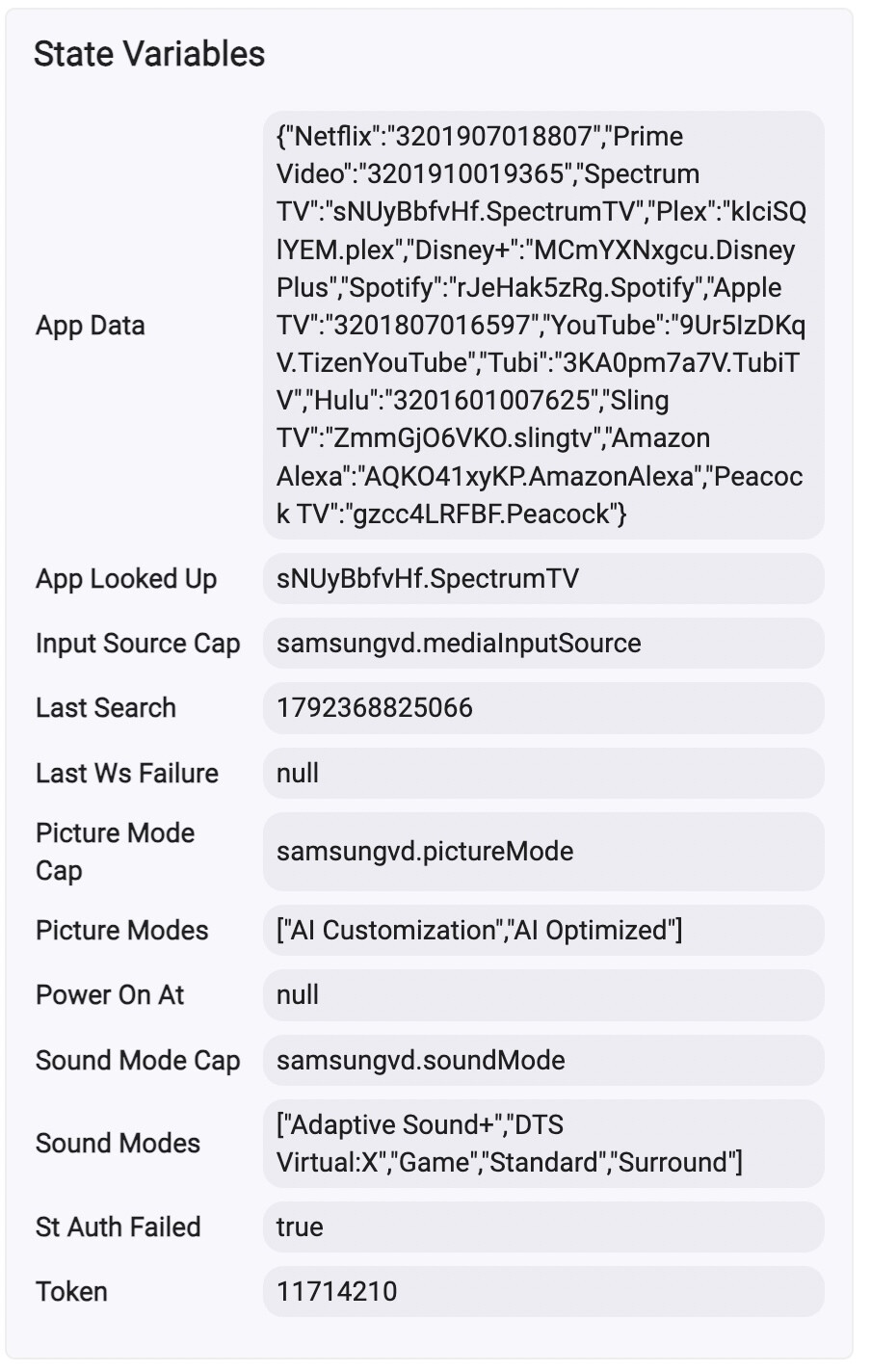
 I imported the new Samsung TV Remote Tester Apps Code (now 0.3.2), but I didn't see an updated 2.4.9 in HPM (still running 2.4.8).