If you enable Debug logging on the U400 child device and then unlock the door using the Apple Watch proximity / UWB hands-free unlock, do you see anything in the live logs?
These are the logs from the entire sequence of me unlocking, closing the door and the lock re-locking automatically, unlocking via Apple Watch UWB and the lock automatically re-locking again when the door closed.

Seems like it knows that it was unlocked by code #1, but is not able to fully identify the user.
1 Like
What about adding a command in the driver “rename Code#1” to “John” and then make it available on LCM and more importantly - in RM5?
Can you provide a bit more detail on how to do this in the driver?
And how would I make that available in LCM? Not sure that I want to add codes via LCM to overwrite any existing codes in Apple Home/Homekit, because at this point I’m not sure if that would do anything to affect UWB and how everything is already working.
I’m wondering If I can just create a rule in RM5 that looks for Code #1, etc. and then make announcements based on those, where it would say “John unlocked the front door” if code #1, “Mary unlocked the front door” for code #2, etc.
1 Like
Wait for a new update of this driver, I think I can simulate the scenario, adding codes from Apple Home. My U200 does not support UWB, but the events sent by using Apple home defined users and codes seems to be the same as in your screenshot coming from the UWB operations.
You will not need to do anything in LCM, it acts as a middleman between the lock driver and the RM5 rules.
1 Like
Understood, but doesn’t LCM need to be able to read/pull the codes from the lock? It doesn’t really install if you don’t do that or add codes manually. Unless, I am missing something with how it works.
Yes, the “Code #1” will be captured from the AMB driver at the time when it was first used. The driver will then push it automatically to LCM with an empty (or random digit) PIN code, but the end result will be that “Code #1” will be a valid lock user name in HE.
1 Like
Perfect! I’ll wait and look forward to your latest update. I truly appreciate the time and effort you are putting into this. Very much appreciated!!
1 Like
I will try to find a RFID card that works with my U200 lock, I think it is the same flow, just older technology.
Update:
Why did it take me several months to discover what Apple Home Key is — and that I can lock and unlock my Aqara U200 simply by tapping the keypad with my iPhone?

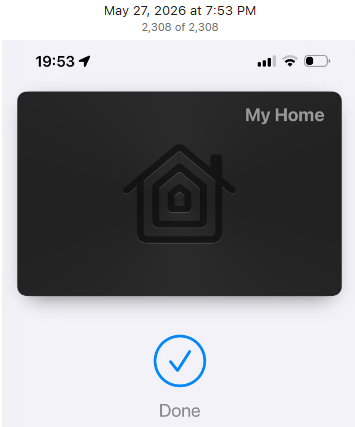

–
@jkudave when you have the chance, please test the new update - same version '1.8.8' '2026/05/27 11:42 PM'
-
added operation source 'Aliro' (UWB/Apple Watch);
-
added auto discovery for new lock codes reported by the lock;
3 Likes

1 Like
Am I correct that the driver needs to have each person unlock the lock via some method for the codes to register/be added?
Yes. The codes that are configured on other Matter controllers are registered in HE on their first use (this is the current workaround).
1 Like
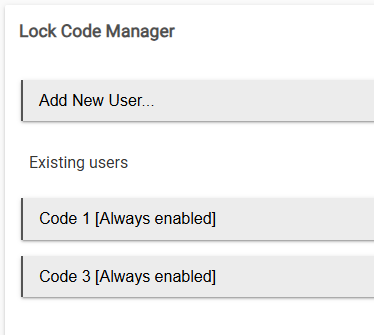

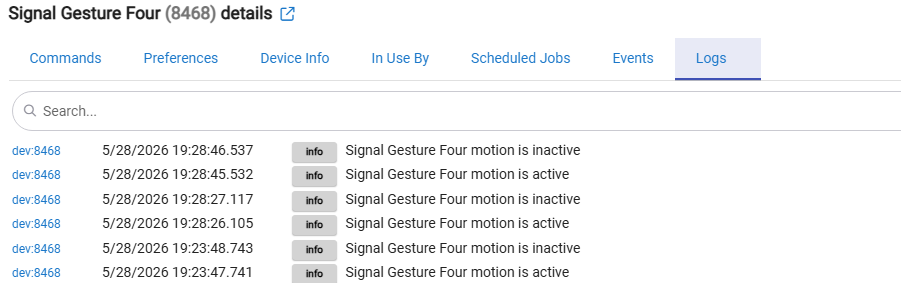
@kkossev All of my codes now appear in LCM. I’ve recreated my RM5 rule to announce who unlocked the door based on codes, and everything is working beautifully. Thanks again for taking time to add the code capability. Truly appreciate your work!
2 Likes
I have pushed the Matter Advanced Bridge version 1.8.8 (2026/05/29 07:01 AM) for updates via HPM. The accumulated changes in the last few months are :
- ver. 1.8.0 2026-02-21
- enforcing newParse:true;
- removing old custom parse code;
- Button driver improvements;
- added PressureMeasurement cluster 0x0403 support with 'Generic Component Pressure Sensor'
- ver. 1.8.1 2026-03-21 - merged ver. 1.7.8;
- ver. 1.8.2 2026-04-30
- bugfix: parsePowerSource() BatVoltage and BatPercentRemaining use safeHexToInt() to correctly parse hex string values from the old parse path;
- added subscribe + parse support for Matter cluster 0x0080 BooleanStateConfiguration): SensitivityLevel, SupportedSensitivityLevels, DefaultSensitivityLevel;
- added 'Matter Custom Component Contact Sensor' child driver with sensitivityLevel attribute; mapMatterCategory uses it when cluster 0x0080 is present;
- ver. 1.8.3 2026-05-08
- bugfix: componentSetHeatingSetpoint() was not converting °F to °C before sending to device (caused 95°F clamping bug);
- implemented componentSetCoolingSetpoint() (attr 0x0011 OccupiedCoolingSetpoint); added 0x0011 subscription and parse case for coolingSetpoint;
- bugfix: ThermostatRunningState (attr 0x0029) bitmap is now decoded to Hubitat thermostatOperatingState (heating/cooling/fan only/idle); Tnx @Murv82
- ver. 1.8.4 2026-05-08
- refresh() now reads attributes in chunks of 20 to stay within Matter Read Request PDU size limits (Thread MTU ~1280 bytes);
- setRefreshRequest() window is now scaled proportionally to the number of chunks;
- ver. 1.8.5 2026-05-08 kkossev merged dev. branch to main;
- ver. 1.8.6 2026-05-10 sbohrer
- adds support for Matter Fan control (0x0202). This was tested with an Altitude Boca II ceiling fan (SmartCeilingFan Eran).
- ver. 1.8.7 2026-05-25
- Matter Lock Codes - first TEST version;
- featureMap bug fix;
- 'ignored invalid illum/lux' warning for zero values is removed
- ver. 1.8.8 2026-05-29
- Matter Lock Codes - improvements;
- changed the default timeout to be x2;
- exception handling in setSwitch() fixed
4 Likes
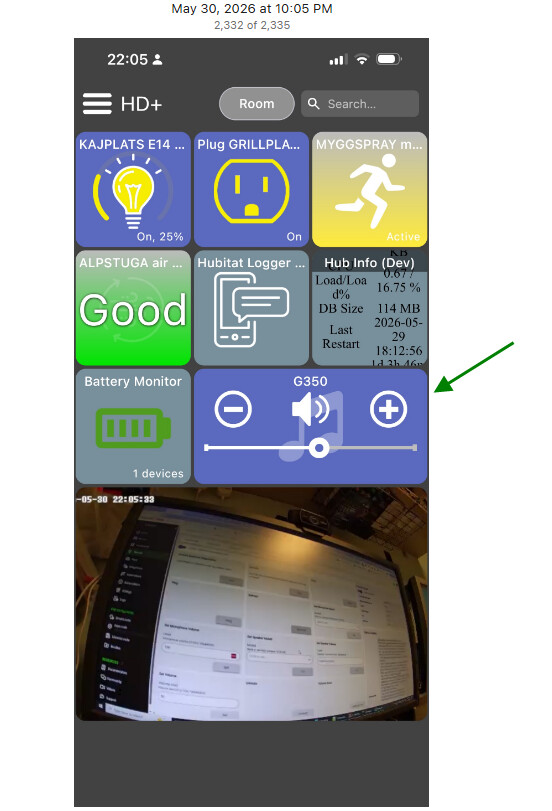
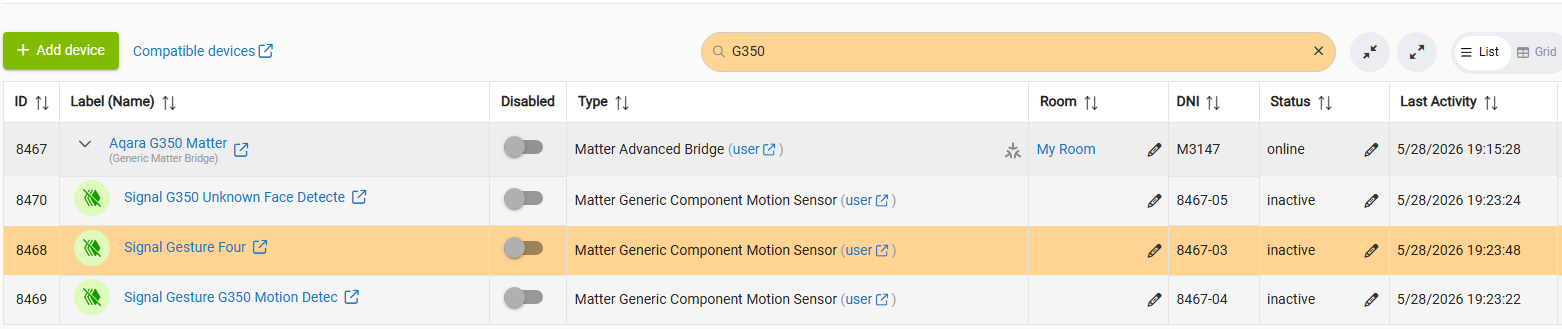
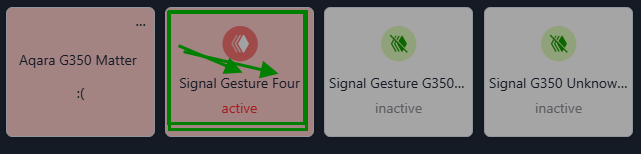
The first successful control of the Aqara G350 video camera via the Matter Advanced Bridge (just a simple speaker mute/unmute and volume control for now...)
Credits: @jpage4500 for the great HD+ Hubitat Dashboard for iOS, Mac, Windows & Linux
1 Like
I’m having some issues using MAB to get Ikea thread devices which are paired through their Dirigera hub. I’ve been using MAB to control older zigbee devices (shades and LED drivers) paired to that hub without problem. I recently bought a bunch of their newer thread devices to test out and they work fine with the ikea hub. I can connect them using matter to homekit just fine and they function as expected. However, none of them are visible after running discover_all in MAB. Specifically, I have a mix of battery and AC powered devices:
- Kajplats color bulb
- Grillplats outlet
- Bilresa dual button remote
- Bilresa scroll wheel
- Myggbett contact sensor
- Timmerflotte temperature humidity sensor
- Myggspray motion sensor
Any thoughts on what’s happening and how best to troubleshoot this?
Hi Pat,
These are 'true Matter' devices, so you can pair them to your Hubitat hub using the code generated from the Dirigera hub (same way as you paired the same Matter devices also to Apple Home).
The Dirigera hub, as a Matter Bridge, will expose only non-Matter devices.
These new Matter over Thread devices now have HE inbuilt drivers.
You can try also the community drivers here.
Thanks for the quick response and the clarification. This bridge and border router concepts have me a little confused. I now understand how MAB fits into the picture.
I have tried the direct method from HE to add a matter device without luck. iOS actually sees the devices and lets you select the one you want to add but it never connects and fails. Android app and the web interface both require you to enter the matter code but then fail to connect as well. Not sure what’s going on…