I am running Windows 11 with Arduino IDE 2.3.7 and OTA updates (network based ports) still show up fine for my ESP8266 and ESP32 based microcontrollers.
As for the proper code...
The ST_Anything Arduino code (sketches and libraries) is the code that gets copied into your local PC's Arduino folder.
The "HubDuino" code is all on your Hubitat hub, and thus changing your Windows PC has no impact on that code whatsoever.
I do appreciate the reminder that I need to finish/clean up the HubDuino side of things. I would still recommend using the hubduino-parent-ethernet-beta.groovy as your Parent Driver. It uses mostly built-in "Generic Component ..." drivers, instead of my old custom child drivers. For those child drivers that do not exist on the hub, I created new "hubduino-component...groovy" drivers that follow the same code style as Hubitat's built-in ones.
Here is the list of code I would use on your HE hub.
Please remind me how to install Hubduino libraries to Arduino IDE.
If I am right, I should create "Hubduino" folder under:
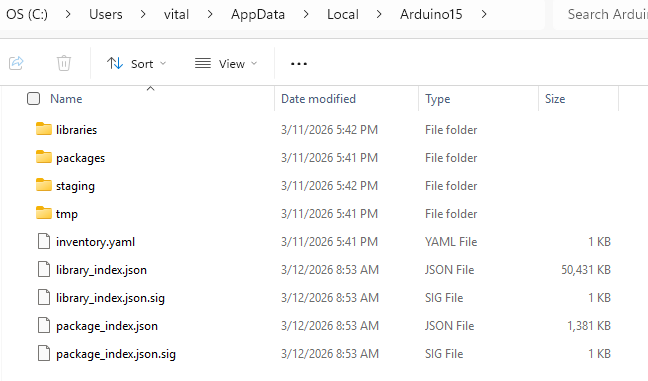
C:\Users\vital\AppData\Local\Arduino15\libraries
folder and copy here everthing from:
..\Rev_1_1_10\ST_Anything-master\Arduino\libraries
Am I right?
PS.
All IP Ports became visible with this fresh Arduino IDE installation.
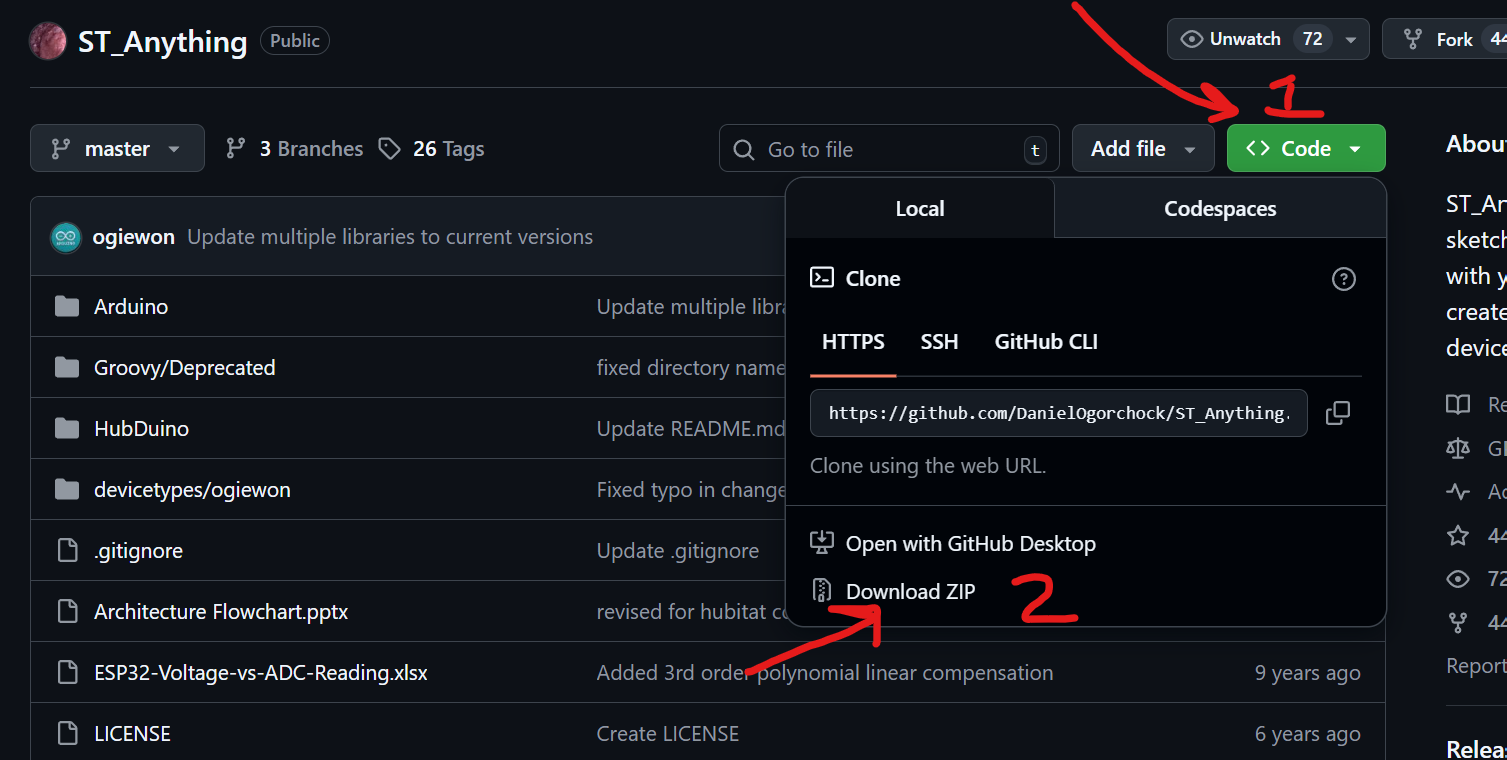
Once you have the zip file, copy the contents of its "Arduino" folder, which should be a 'libraries' and 'Sketches' folder into your PC's existing "Arduino" folder.
I am sorry if I am asking too many questions but I want a cleanest fresh installation.
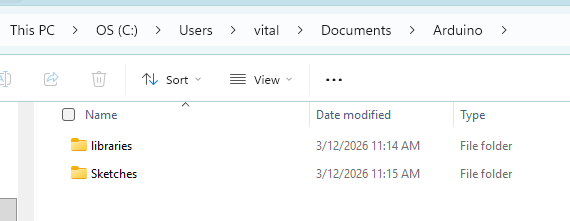
I copied Hubduino libraries in the location (it was empy befor I copied Arduino folder into it):
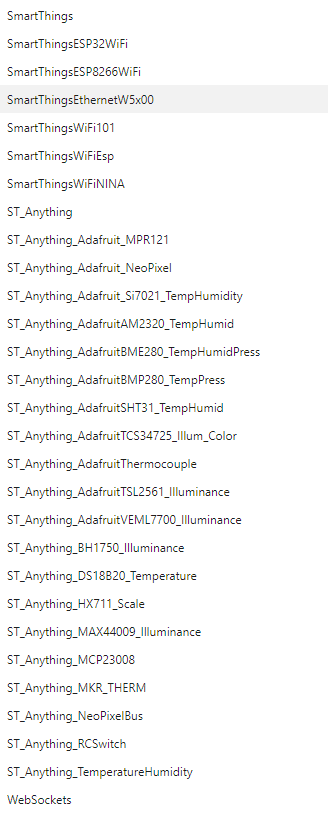
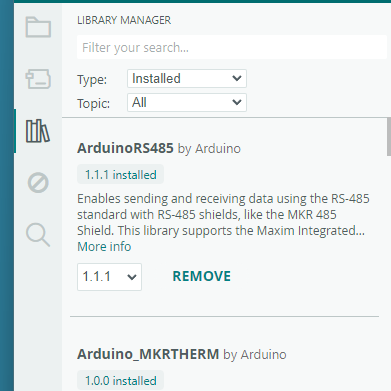
However I don't see these libraries listed with Arduino Library Manager (partial view):
Are you using MS One Drive, by any chance? One Drive screws up a whole bunch of directory structures on a Windows 11 system. I recall having to undo the mess it made. (And before you ask, no I do not recall how I undid all of the changes from One Drive. )
I am wondering if the default location of the "Arduino" folder has been moved from where it used to be?
If you created the "Arduino" folder, and its subfolders, then the real one must be somewhere else on your PC.
You'll need to find where the "Arduino" folder, and its libraries and Sketches subfolders, are located on your system.
First of all - I am not using anything cloud-based. I am in South Florida. We like sunshine and hate clouds.
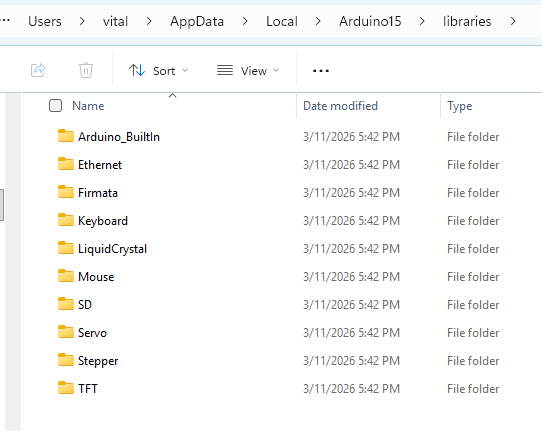
All Arduino IDE things in this location (fresh installation on a new PC):
There is a "libraries" folder which I guess a location for all libraries:
And this is exactly why I asked you should I create a "Hubduino" folder ("Arduino" name could be confilcting) and move all libraries and sketches in this new Hubduino folder.
PS.
I guess, in a past all user libraries was in the ../documents folder but it looks like the location is/was changed.
UPDATE
I am 100%+ confused.
Under Sketch-> Include Library I can see all Hubduin Libraries listed:
But what does this mean? Should I manually include all individual libraries (thiss does not look right) or should I a create a zipped liblaries file and include it with Add .zip library option?
It looks like adding libraries process with latest Arduino IDE is very different from it use to be.
Try this…. Create a new sketch in the Arduino IDE and observe the location on your drive where it is saved. This should point to the USER based locations where your custom sketches and libraries should be stored.
UNBELEIVABLE!
I create a an empty test sketch and it went to a OneDrive (coud!) even I did not login into the OneDrive and did not enable it:
C:\Users\vital\OneDrive\Documents\Arduino
So how do I make things 100% local?
I REALLY hate everything cloud-based, everything absolutely must be 100% local.
Is it any settings in Arduino IDE?
For now, just copy everything into the proper folders at this path. That should still be a local directory on your hard drive, that is simply sych'd to the MS OneDrive cloud. Perhaps yours is not even synching with the cloud?
OK, I guess, I am all set (sort of).
All Hubduino libraries/sketces are in a local folder:
C:\Users\vital\Documents\Arduino
(I made sure nothing Arduino related is on OneDrive.)
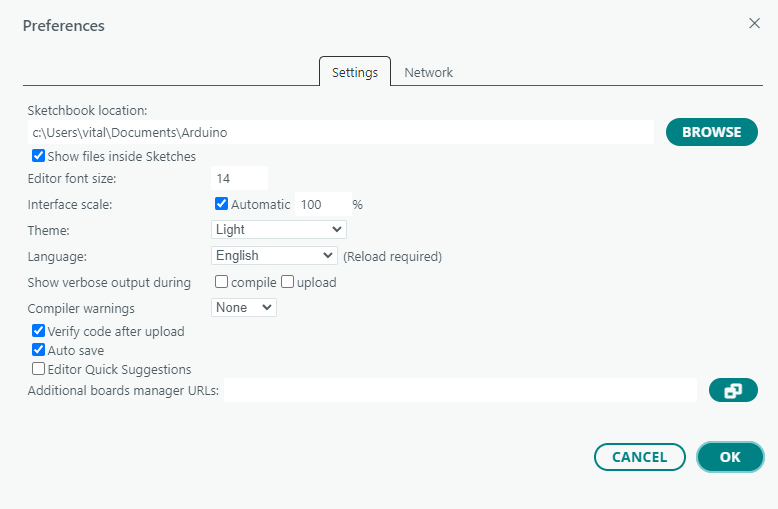
In Arduino IDE: File-> Preferences is pointed to the above location:
Even thought this location is for "Sketchbook location" it does affect custom libries as well. Anothe words, custom libraries must be in this location. Moving libraries somewhere else makes them inaccessible.
Library Manager still does not list Hubduino Libraies as "Installed" but all libries are listed under Sketch -> Include Library option (no, I did not include anything this way).
I tried to compile few older scketches and it did work. Only very first time few infos were reported related to the Bluetooth (?) but all sequential compilations complete successfully.
So, the only downside - I want all my Hubduino projects to be located in a different folder. This works just fine except the default location for File Open/Save As that unwanted. I have to navigate to a correct desired location manually. This is a bit anoying but it works.
PS.
I tryed to ZIP all Hubduino libraries into a single file and include libraries using Include .zip file option. This unfortunately did not work and reported incorrect zip file structure.

 )
)