yep just updated sorry

Hmmm, should only get there if you are requesting the ZWave verion information. Go to preferences and change the polling for ZWave Version to a valid polling queue, save, and then set it back to zero and save.
Edit: I'm seeing an instance where I get a 404, need to determine the pattern, but I'll get a revision up in a little bit to handle. Thanks!
Edit 2: v3.1.37 is up to handle. I'm only seeing it on the C8 Pro (but not the C8 Pro T) so I'm looking into it further, but the code will no longer issue a warning on the 404.

most likely corruption either restore a backup or reboot with rebuild
i have been getting that the first time i access any of my hubs for the first time after a reboot. i think it started when we moved to 2.5.3.x.
Exactly same behavior after reboot with rebuild..
I ran into this probably a year ago, I think on the same driver. I believe I ended up removing attributes on the driver code until I found the one that was corrupt (possible it was a setting or state though)
On that topic just want to remind everyone you can temporarily switch any device to the "Device" system driver, there's an option to clear all states, then you can switch back and repopulate everything.
If I can elaborate on @jake9 's comment - Often while developing drivers it is a MUST that even though you replace the driver in the dev/drivers and save it, one must then visit the related device, then select Preferences and finally either Save or Save and Close.
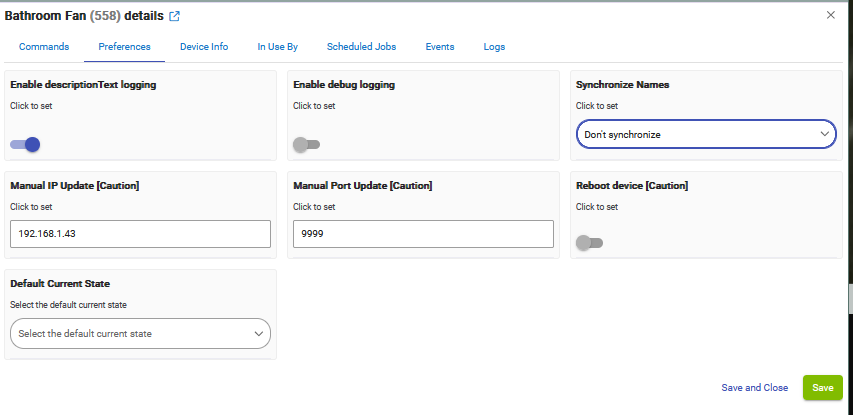
It is this action that reloads the driver for the device. Often, I will still need to then go back to the commands page of the device and mash the configure, or refresh as well.
Other stuff gets left behind as well - as I well know. A version of my driver for a device scheduled a job for the ping/pong health check. I replaced the driver AND SAVED but the no missing ping/pong job scheduled then generated an error becahse I had not hit the configure button - which was the trigger to clear the job schedule and rebuild.
In the case of Applications - You can see it really clearly. I have a version number in my app. Until I enter the app AND press 'Done' the version will continue showing the down level version in the GUI. This is why often you see comments about 'entering the app and pressing Done' which is a way to force the app to update itself.
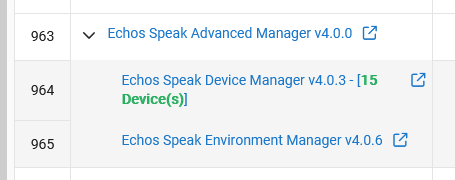
The driver does a version check and runs the updated method (similar to pressing save in the preferences) when it finds a change to try and mitigate issues.