Thanks for your help. I didn't have Delay to Calendar Event Start Preference set. It all makes sense. There is a lot going on. Takes a bit for it all to sink in.
Well, I know this app is specific to Google. But would it be possible to connect calendars from other sources as well? I have calendars hosted on Nextcloud (caldav) that would be useful. I could always sync the calendars to Google, but I feel like that adds a weak link that could fail.
Are you asking if it’s possible at all? Or possible with this app?
In general, it could be possible but would depend on the calendar; some sort of integration app would have to be created (or might already exist).
This app integrates with Google Calendar only, AFAIK.
I was asking if it's possible to include CalDAV calendars.
It's a standardized protocol that can generate a sharing link.
This solution is only for Google Calendars and Tasks along with Gmail notifications. The code is specifically leveraging the Google APIs. If you can link/subscribe to those calendars within Google it might work.
I’m familiar with CalDAV, you’ll need a different solution to leverage it.
@ritchierich I've been having an issue for a very long time: during an automatic scheduled check at 3:35 pm, I'm only getting events 120 hours out. However, for manual checks (clicking done), I'm correctly getting all events up to 168 hours out as configured.
I asked Claude to investigate, and despite pushing back on it's answers, it still insists that it is normal expected behavior despite what the app says. I asked it to check all previous version for some change (good or bad) that would affect the results and it said there is nothing in 4 years, so it's not an introduced bug. AIs hallucinate, but this time I feel gaslit, because I KNOW the school calendar workflow used to work.
nonetheless, it has created some changes to the app/driver code that will run again in under 2 hours.  that it works.
Keep me posted.
You could always turn debugging on, grab the query the app is using against the calendar and use that in the Google Calendar browser UI to see if the same is being returned.
Happy to investigate I will need steps to reproduce.

It definitely uses OAuth so please don't delete it.
I am not receiving any notices so not sure how you are notified. When I login to the Console, go to APIs, and then OAuth Consent Screen and scroll to the Project Checkup section I see a notice that I need to keep my OAuth clients active. When I click into View all clients and choose my web credential it says it was used as of today:

Again I am not receiving notices so unsure how you are getting those but I as I was looking into mine I saw that message in the Project Checkup section yet it shows it is being used. I am no expert on Google Console stuff, I just hacked my way through to get this going, so I am going to just let things ride.
Hmm. I'm not a fan of the Google console either. I get lost pretty easily.
My first notice was on Oct 12 (below) with a shorter reminder today.
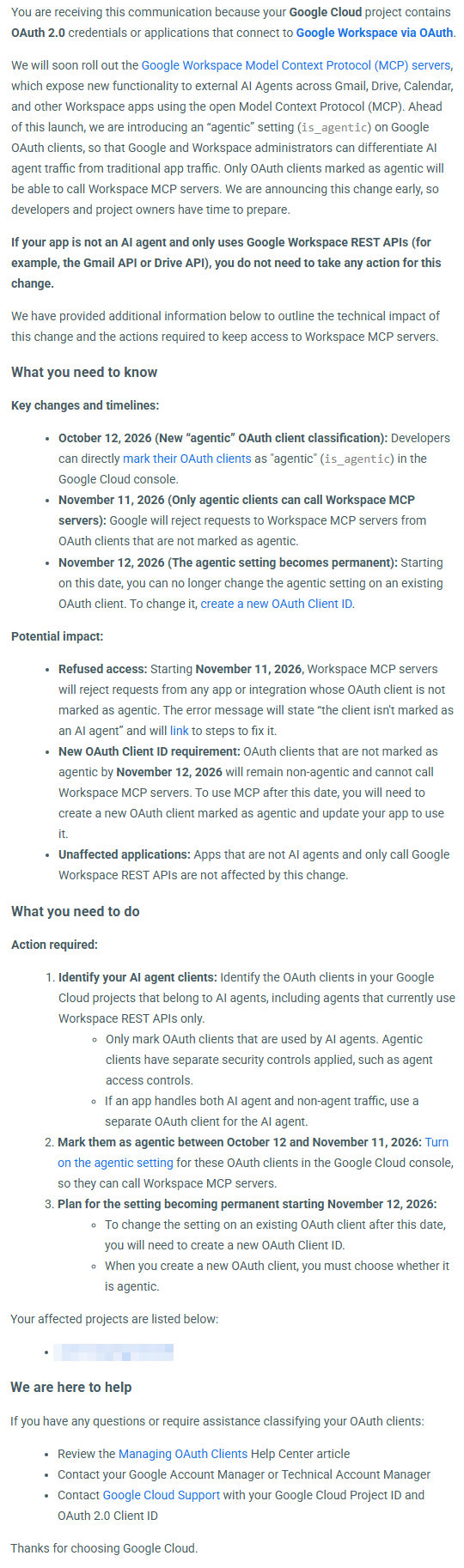
When I log into the console it shows the OAuth client hasn't been used in over 5 months.
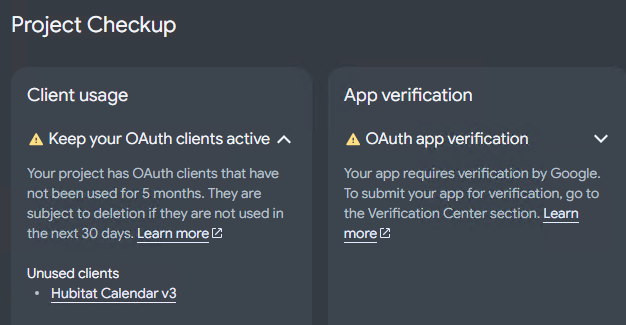
But when I drill into the client it shows usage from last week.

Do you think I need to go into the app on my HE hub and click the OAuth button again? Everything is working as expected though.
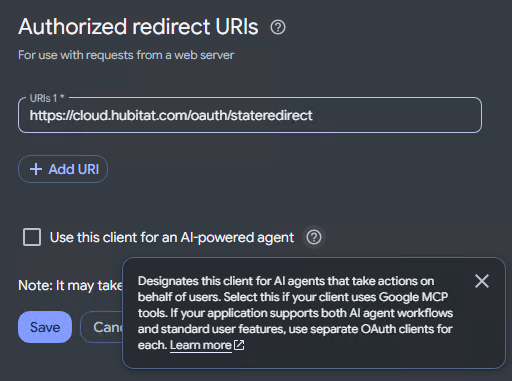
I don't plan to do anything.
I really don't know.
Very odd. I stepped through the authentication process again on both my hubs and the last used updated to today.

On my secondary hub it was complaining about an API auth issue, although I've triggered calendar searches within the last 5 months and they were successful. Maybe this was related to the notices? I'm letting things ride.
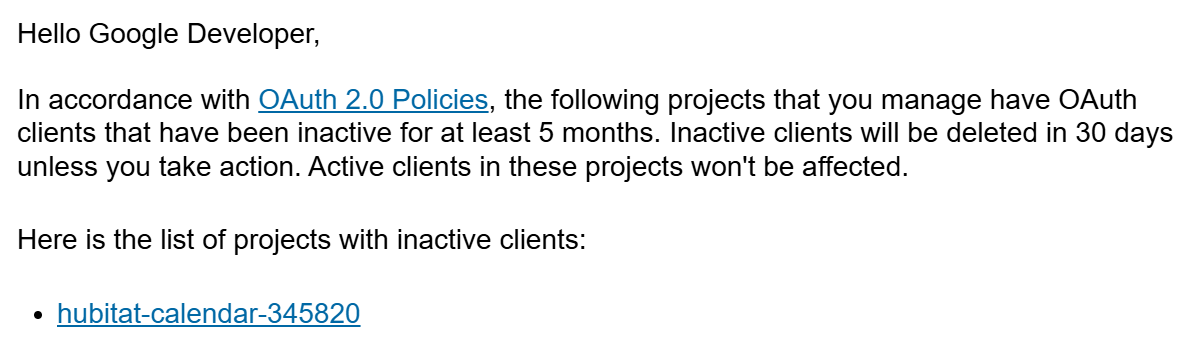

A follow-up email from Google. "oops"

Guess that explains why I didn’t get the same email. Appreciate you sharing.