There's a duplicated menu line in the app that causes the update to fail.
Thanks! Don't know why there have been so many odd issues merging my changes recently...
Anyway, @rhodesda, this should be fixed now. I'd do a repair if HPM already thinks you're at the latest, otherwise a regular "update" would probably work.
Thanks, all good now. I thought I’d done a repair earlier but i think I must have selected HPM to repair by mistake, it’s been a long day 
Problems with new version of CoCoHue with Hue Color Bulbs changing to white while flashing. I just updated to the latest version of CoCoHue. I have an automation that prior to the update would turn a Hue Bulb Red and then flash (red) and after the flash delay sequence stopped, change bulb Color back to white. After the update it now changes the bulb to red, then flashes white, then when it stops flashing reverts to red, then after the delay sequence turns white. It won’t flash red anymore. All that changed was the CoCoHue update. How can I make it flash red again
Going to be honest: it's been a couple months or so since I've released a new version, some changes for which were quite old even then, and I don't remember everything that may have changed (nor do I know what you updated from or to or what commands you are using). 
If you enable debug logging on the device in question, you'll see some "sendBridgeCommand" log entries that will show you the raw command going out to Hue. If that's different between the two versions (you can downgrade to compare) and something in there is causing the difference in behavior for you, that's probably the best way to figure anything out. This still isn't a guarantee of a "fix" -- or as I might say, "change" -- since the biggest changes recently have involved increased use of the V2 API, should Philips follow through on their threat to remove V1 some day, making this a necessary change, and it's possible the exact same behavior over the API cannot be replicated.
But that's all just a guess without knowing exactly what's happening in your case, which the above should help with. 
Thanks for responding…. I will see if I can figure out a workaround. It’s not a major issue. I just thought that somebody might experienced it and knew a quick fix. I rarely downgrade from a new version, I just live with it going forward and adjust.
Just adding a note here that a minor update is now available that corrects a problem @gordon.thelander noted where an apparent typo or copypasta on my part prevented multiple eventstream messages in the same chunk from being parsed correctly. This was apparently quite rare in my setup since I never (?) noticed this problem, but it may fix random parsing errors if you still get those (hopefully rare now that the cache/buffer size is larger for the eventstream in general and the data isn't just getting cut off, causing the odd errors that popped up from time to time before and were slightly different from this one but might look similar in that they would both be parsing errors). Thanks again!
@bertabcd1234, thanks for CoCoHue. I found a few Bridge driver bugs in 5.6.3 and put the details and fixes in a PR. I know PRs can't be merged as is here, so treat it as a detailed bug report: Bridge driver: fix V2 refresh crash (missing parseButtonStatesV2), button battery, slow V1 polling; mask API key in log by brossow · Pull Request #8 · HubitatCommunity/CoCoHue · GitHub
In short:
- Refresh on the Bridge device stops partway.
parseStatesV2()callsparseButtonStatesV2(), which doesn't exist, so the log showsMissingMethodException: … parseButtonStatesV2(). Motion, temperature, lux, battery and contact sensors are skipped when this happens. With the default V1 polling it only happens when Refresh is pressed on the Bridge device, but with V1 polling off it happens on every poll. - Button batteries never update from the eventstream (a missing
dev =in thedevice_powerlookup). - A leftover
log.warndumps all battery data on every V2 refresh, whatever the logging settings. - V1 polling is slow on V2 setups. For each light and group the Bridge reports, the driver makes a call into every child device to find the matching V1 ID. On my C-7 the Bridge device dropped from about 14.5% to about 2.9% of total hub time once that lookup was done once per poll instead.
- The debug log printed the full Hue API key on every eventstream connect. It's masked in the PR. If you've posted Bridge debug logs here before, you may want to check them.
If anyone hits the Refresh error before an update is out, the patched Bridge driver is in the PR branch (drivers/cocohue-bridge-driver.groovy). Paste it over the existing Bridge driver code. Hubitat Package Manager will replace it with the official version on the next update.
Thanks! Looks like I already have a couple of these fixed in changes I haven't published yet (because I was waiting for something bigger and forgot...). I've taken a look at the rest and will do some testing.
Also appreciate the disclosure on AI usage, least in the PR.

Nope, just some changes needed to account for some recent internal platform workings! I've uploaded v5.6.4 now (should be available for manual install and via HPM momentarily) with a fix for this, as well as the miscellaneous issues reported by a couple users above.
Thanks!
Is there a simple way to install a new hue bulb and swap it in for a failed one and have it slot into the previous device's Hubitat automations.
You'd get most of the way there if you changed the DNI of the "old" device to the DNI of the "new" one (and the new one to some nonsense before you change the old one since you can't have two with the same DNI), but some of the stored V1 data might be a bit off since that won't change as part of this on the new one, and that is necessary for some features at the moment even if using the V2 API (the default). That should eventually catch up as data for the new device comes in, like turning it on or off, or with a "Refresh" on the Bridge device.
If not, the old/manual method of swapping it out in whatever apps yourself is a longstanding tactic many of us are used to.
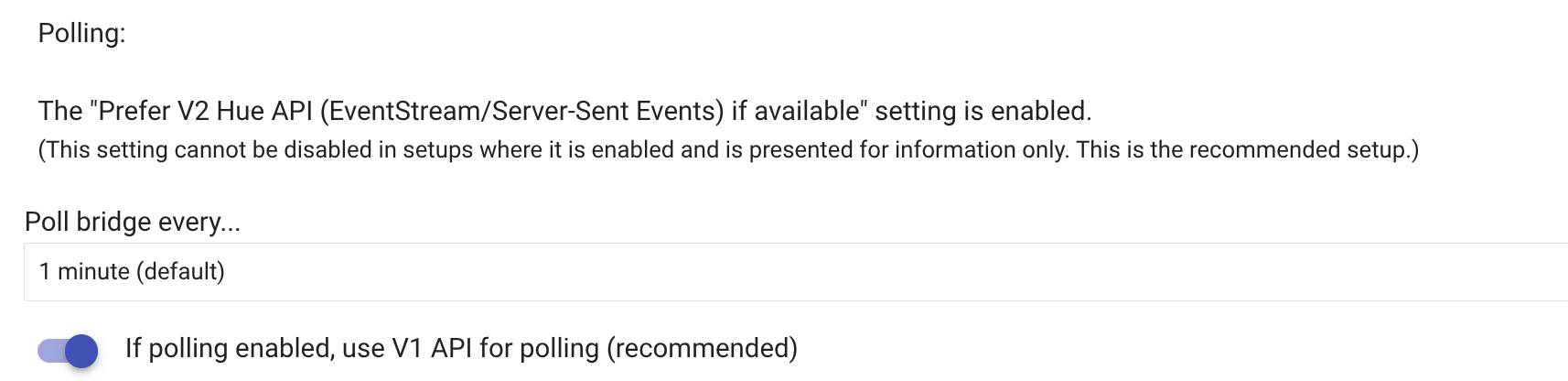
Nope, defaults are fine!
I have a question about the behavior with turning a light off.
With CoCoHue when using the on/off commands, lights change state abruptly. If I instead turn on or off a Hue device group, lights turn on/off gradually. The same is true if I turn on/off a light with the Hue app, or using Hubitat's built-in Hue integration.
It's a minor point, but is there a reason CoCoHue can't be set to turn on/off a light gradually? (I see that a setting for off transition time was removed several years ago, but I don't care about being able to adjust it; I just prefer the default behavior that the Hue app and the built-in integration show).
I don't mean to pick nits. I've been a happy use of CoCoHue for over 5 years, and I'm very grateful to the developer!
EDIT:
On further testing, the abrupt off seems to affect only my white and color Ambiance bulbs and my white and color Ambiance lightstrips. My gradient Ambiance lightstrips and Signe floor lamps do fade off when controlled with CoCoHue.
You can do a "Set Level" with 0 as the level and whatever transition time you want, which should effectively do an off, rather than running the "Off" command. I haven't re-tested recently, but in the past, this caused odd issues when turning the bulb back on (I think making it forget the last level with a subsequent "On"?), which may or may not actually be a problem, depending on how you do that (for which "Set Level," notably, would also work).
I'd try that and see if it gets you there!
But I'm not sure why the different bulbs would behave differently if they are all using the same RGBW driver...
Thanks for the advice! Set level to 0 with a transition time does work, and I generally turn them on via Room lighting with defined scenes, so there is no need to remember their previous level.
What I ended up doing, though, is turning off the lights as a Hue group (all of my "problem" lights are in one room), which makes them fade off over about a second--similar to the behavior when controlled individually by the Hue app or the built-in Hue integration. For turning them on, I have activation time defined within Room Lighting.