@lflorack1 the version from the list of attributes on the gateway device would likely tell us the version you are running...
damn im on 1.4.8 for the ws90 and 1.5.4 is available.. it is such a poor design and pain to update the firmware having to pull the unit and run a cable from the laptop.. sigh. renters are in that condo now.. will have to wait till next week.
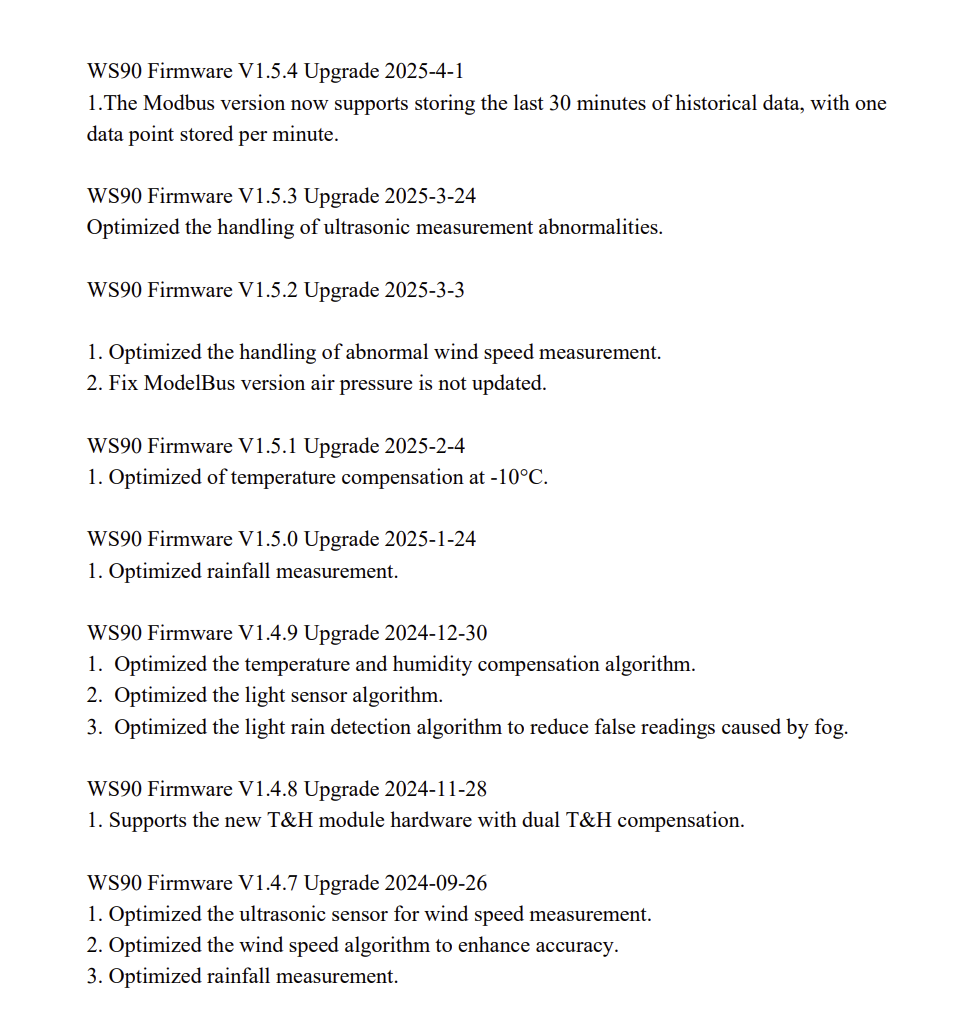
So we will blame your renters for now...  ?
?
Thanks for checking this....
- If it gets that far in this discussion and it's still needed, I will need help turning on trace logging
- To check that I have the latest Hubitat device code, I downloaded the current versions again, but the 'Battery Solar 44' reading persists.
- The gateway 'Current States' page on Hubitat says the Driver is at v1.34.16.
- The gateway's live data page and the Hubitat device's 'Current States' page show the Firmware at versions GW2000B_V3.2.4 and 3.24, respectively.
- The Hubitat Weather Station Details page shows that my WS90 firmware is version 138 (1.38). I know there is a MUCH newer version (1.54) available. I tried to install 1.54 yesterday, but I must have done/read something wrong because I thought the upgrade software told me that 1.54 was already installed on the WS90. That was obviously NOT what it said. I'll try again, time and weather permitting.
I hope all of the above makes sense.
Update: The WS90 firmware has been successfully updated from version 1,38 to 1.54. The 'Battery Solar' reading of 44 remains unchanged.
2 Likes
Thanks for all those details @lflorack1 . I might resume my assessment of this later tonight, including answering your question about trace logging.
Just reading up on the capacitor. Mine charges up during a sunny day to 5.3v that would be 100% if u wanted to do something. I assume the bottom would be 3.2v/3.3v at which point the battery kicks in.
(This is not documented anywhere i could find)
Mine discharges during the evening to power the unit and starts the day at around 4.2v.
I may take a stab at coding a real attribute for it under these assumptions
Ie solarCapacitorPercent
1 Like
This is my understanding and experience too.
2 Likes
file to try with these changes ( based against latest github release version so no integration should be necessary)
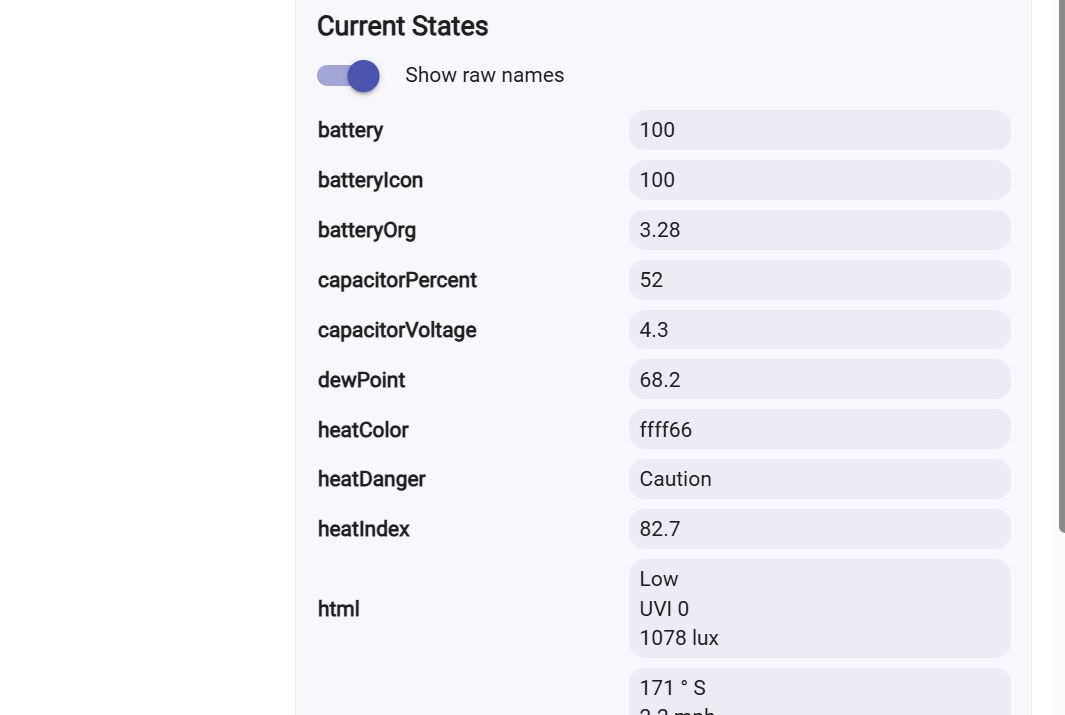
2 Likes
Works perfectly! Thank you!
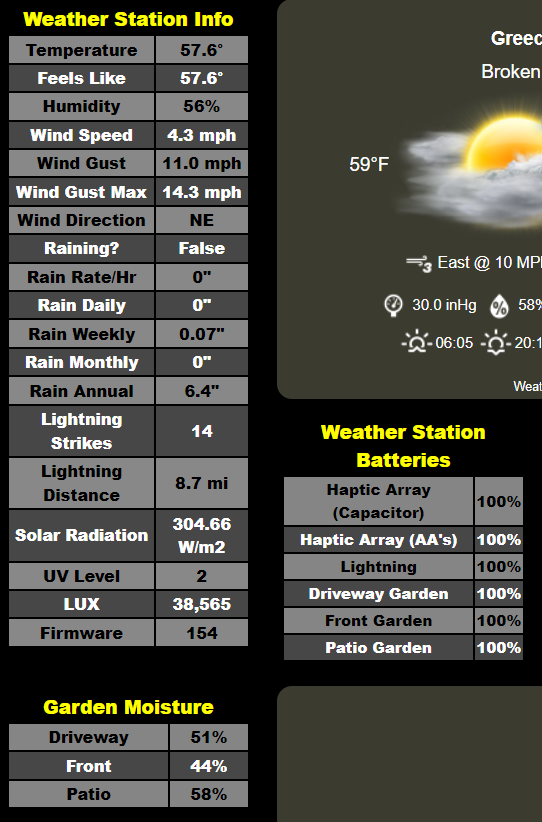
Just so you know, this is what I was looking to achieve on one of my dashboards ('Weather Station Batteries Table') just a snip of the whole dashboard):
2 Likes
I assume this will be replacing the previous version on github?
not up to me he needs to check to make sure i didnt screw anything up before integration and it is his decision.. would be nice to have someone with a ws80 to test those other attributes.. not sure it has ever been tested.
1 Like
I'll try to take a look over the weekend
are you sure the other solar attributes are still not incorrectly coming out as nothing i did. ie removing that one extranous ws90cap_volt line should have fixed that?
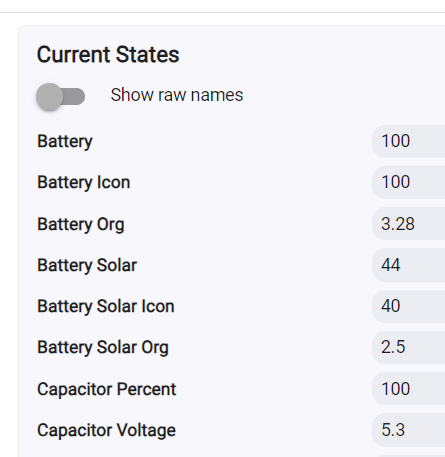
Well, the 'Battery Solar' attribute with a reading of 44 persists, but I'm no longer using it. I'm now pointing at the 'capacitorPercent' attribute - which I believe was not there before.
Appreciate the effort!
1 Like
Your devices have to sending ws80 data nothing else now can cause this. Post the debug data snd also a screen shot of all ecowit devices.
I do not have a WS80. I have:
- ECOWITT Wittboy Weather Station GW2001 that includes:
- GW2000 Wi-Fi IoT Hub
- WS90 7-in-1 Outdoor Solar Powered Weather Sensor
- Since then, I've purchased and am using
- (1) Lightning Sensor (WH57)
- (3) Soil Moisture Sensors (WH51)
That's everything. Confirming that, this is my list of all Ecowitt devices on Hubitat:
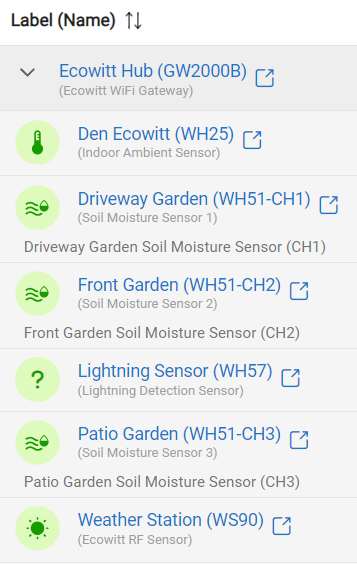
So, once @sburke781 has time to let me know of how to make a copy of the trace log output from the gateway feed, I'll do that.
I would fully expect (but cannot guarantee) it to work with this integration, they still talk about supporting "custom" data feeds, which, in the past has meant the same data feed used by this integration.
2 Likes
@lflorack1 - Thanks for your patience on this. It does feel like there are two things in play here:
- The mystery surrounding where the solar battery reading in your setup came from
- While still something I am interested to understand, less of a concern now...? With the updated code below?
- The new modified driver @kahn-hubitat kindly produced to add in a percentage for the capacitor reading, providing what you were ultimately looking to use in your dashboard, and likely a simple addition to the driver that I should hopefully get to doing today
Would both of those be correct?
I'll continue to dig into the code to try and understand the solar battery mystery, as well as including the capacitor percentage change.
Just so you know, I have tried to write this a little more formally so I can add it into the Readme at some point. The simple description of doing this is to go to the preferences for the gateway in HE, set the Log Verbosity setting to Trace and then look at the logs produced. Send me a PM with a screenshot of the logs (happy for you to include @kahn-hubitat on the PM if you want). Once you have finished capturing the logs, set the log verbosity setting back to it's original value.
Capturing Logs
- Make sure you know how often data is being sent from the physical EcoWitt Gateway device to the Hubitat Elevation hub, configured as part of the data feed during the initial setup of this integration. If the frequency is 5 minutes or greater, you may want to reduce this setting while performing troubleshooting, so that data is being sent more often and you can get more rapid feedback through the logs being produced on the hub. The frequency can be returned to your preferred value once you have completed the troubleshooting.
While not mandatory, for the steps performed on the Hubitat Elevation hub, it is recommended to perform these on a computer, rather than a mobile device. This allows for easier navigation in general, including having multiple tabs open at once, such as device settings and logs pages. It can also make taking screenshots and posting them on the Community an easier experience.
- On the HE hub, locate the EcoWitt Gateway device and review the Preference Settings, taking a not of the current Log Verbosity setting value
- Adjust the Log Verbosity setting to the desired level and click Save. Typically Debug or Trace settings are used when troubleshooting an issue, where Debug provides details about internal steps the driver is doing and Trace includes details about the data received.
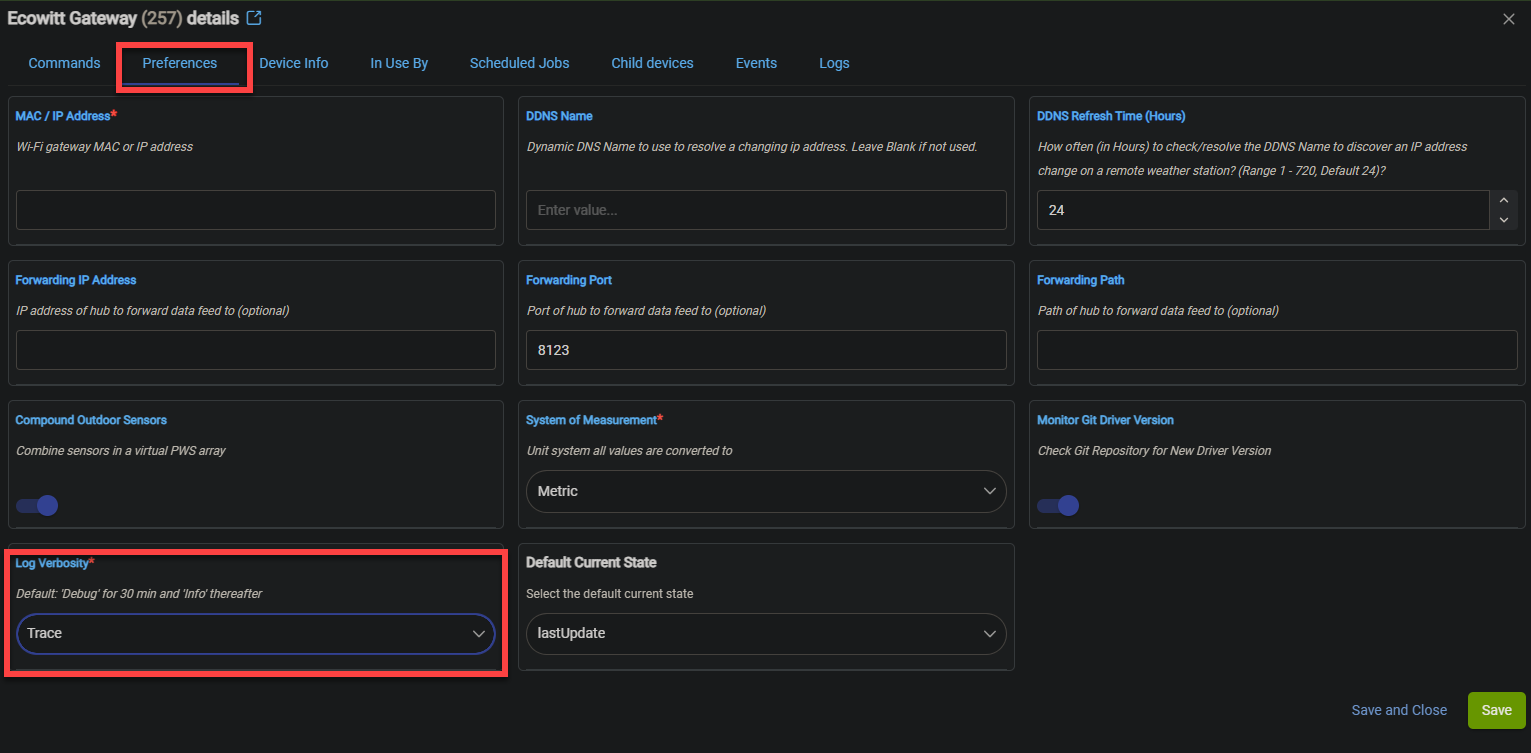
- Monitor the logs on the HE hub for the EcoWitt Gateway Device
Tip - To view the logs for the EcoWitt Gateway device, look at the Logs section of the Device Details screen. You will need to click the Refresh button in the top-right to see new logs once they are produced.
- Wait for the next data feed to be sent by the EcoWitt Gateway to the HE hub and review the logs produced on the HE hub
- Take any notes or screenshots from the logs produced
- Return to the EcoWitt Gateway device preference settings, set the Log Verbosity back to its original value and click Save
- If the frequency of the data feed was changed, adjust this back to its original setting
No patience needed at all. Thank you!
Yes. Both are true.
I've captured the trace logs and will send them to both of you shortly.
Looking through the trace logs, Battery Solar reading of 44 doesn't seem to appear there. However, looking at my Weather Station (WS90) device, it does show up there.
1 Like

