Thank You for clarifying ![]()
Hey @Matthew
I am having some issue with 401, I am wondering if the above 3.0 v.s 2.5 are related to this part of the code I have attached below.... 2.5 doesn't accept onecall?lat= but rather weather?lat=
From the OW Api docs...https://api.openweathermap.org/data/2.5/weather?lat={lat}&lon={lon}&appid={API key}
Maybe an issue?
This is NOT a OneCall API and will not work with this driver. (I beleive there is a 'free' API that may use that 2.5 API, but NOT this driver). I do not believe the 2.5 OneCall API is still functioning. You have to have a OneCall 3.0 API Key.
ohhhh, thanks for that important bit I have clearly missed. So i need a free 3.0 account. the 2.5 still works I tested it in the browser with an API call.
What are Po P1 and Po P2?
PoP = Probability of Precipitation
0 = Today
1 = Tomorrow
2 = Day after Tomorrow
Iโm confused now. I see these 6 rain forecast line items:
percentPrecip 0
PoP1 100
PoP2 100
Then Further down:
rainDayAfterTomorrow 0
rainToday 0
rainTomorrow 0
What do these tell me?
Would a legend make sense?
I'm guessing here but I'd say the first three are probability of precipitation today, tomorrow, next day. The seconds three are amounts observed or expected. But looking at the actual numbers, that doesn't make sense .. 100% it will rain tomorrow but rain total of zero. Never mind.
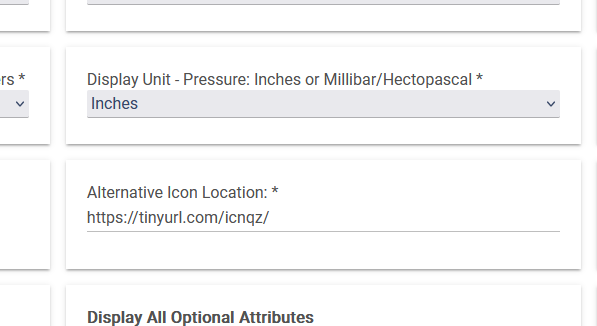
Hi, for a while now the icons have been appearing without the image. I've checked and everything seems fine. Is anyone else experiencing this?
What did you check?
I've checked the API and it's fine, and all the parameters, location, postal code, etc.
I noticed the same thing recently where some of the icons displayed OK but most were missing. I've been looking into this with the help of LLMs (so everything I'm about to say is probably wrong
).
If you look in your browser console (in Chrome: three dot menu -> more tools -> developer tools), you'll find errors indicating that resources were blocked. It lists the specific resources that were blocked, and they will be the missing image icons. The errors are along the lines of "Response was blocked by CORB (Cross-Origin Read Blocking)". I believe Firefox uses different terminology, but it's the same issue.
If you right-click the image and open it in a new tab, the icon image will display correctly.
Main points I got from the LLM, any of which could be correct:
"This issue usually happens because Chrome is treating the tinyurl or the raw GitHub content as plain text rather than an image file, or because GitHub is blocking the request to prevent "hotlinking.""
It suggested this:
Option A: Use a GitHub Proxy (Recommended)
There are services designed to serve GitHub files with the correct headers so they work as images. Replace your
raw.githubusercontent.comURL prefix with jsDelivr:
- Original:
https://raw.githubusercontent.com/user/repo/main/icon.png- Change to:
https://cdn.jsdelivr.net/gh/user/repo@main/icon.png
This service is free, faster, and tells Chrome "this is an image," which should make the icons appear instantly.
That was easy enough to try. I created a new TinyURL that pointed at jsdelivr.net and entered that in the "Alternative Icon Location:" field in the app. That didn't work reliably either, and I still got CORB errors in the console, which makes me think the LLM was being confidently wrong as they so often seem to be.
I only access my dashboards locally, so what I ended up doing was copying all the icons from the GitHub repository where they are hosted into my hub's local storage. The File Manger+ app was a life saver for this since it can do multiple file uploads at once and it was a lot of files. Then I set the alternative icon location to just "/local/" which worked for local access. This does NOT work from cloud links.
*Since I also was accessing this device via hub mesh from my other hub, and /local/ didn't resolve correctly from the other hub, I ended up with "http://hubname.lan/local/" as the alternate URL, which works from both hubs.
Yesterday no images, today some.
Scorcher tomorrow!

If the images are coming through via TinyURLโs, that could have something to do with it.
I found they had become unreliable in the WU driver I maintain, and replaced the affected images with Unicode characters.
Coincidentally or strangely, my Ecowitt weather station arrived yesterday and I only noticed the broken Open Weather Tile when I swapped the tile across to Wunderground.

I just realized there's a new version update available, but I don't know how to do it. It's not showing up in the packages. Could someone help me?
Have you tried Repair in Hubitat Package Manager?
I'm on 0.7.1 with issue still evident though.
The package isn't showing up for me.
I just realized everything's wrong, the temperature, etc. It's 4 degrees and it's showing 21.5!!!
Yes, same as you, it's been hit and miss for a while now. I'm on 0.7.1