After dipping my feet in the node-building pool, I decided to try building nodes to add new capabilities to the Node-RED nodes for hubitat. I've sent these up to @fblackburn as a pull request on GitHub, but I thought I'd put a post here to see what others think. My fork of the project is here: GitHub - youzer-name/node-red-contrib-hubitat: Fork to add new functionality. I haven't done anything with the README.md yet, so it doesn't mention these new nodes as of the time I'm writing this.
I started off with a node to act as a logic gate for multiple Hubitat switches, called 'hubitat switch logic'. Later I built a more flexible version of the logic gate that can handle switches, motion sensors, contact sensors, presence sensors, and locks, called just 'hubitat logic'. (There really is no need at this point for the switch-logic node, since the logic node can handle switches and has some other tweaks added)
The logic node can operate on one type of device at a time, but multiple devices of that type. You can select a device type, one or more devices, the mode ('all' or 'any') and the target value (on or off for switches, active or inactive for motion, etc). It evaluates the selection as either true or false. It can either act as a gate where messages only pass through when the state is true, or you can select 'Send Events' where it will act as a trigger and send a message when the state turns true.
Just as one example of where I'm using this, I have a flow that triggers when any of 3 door contacts opens. That used to look like this:
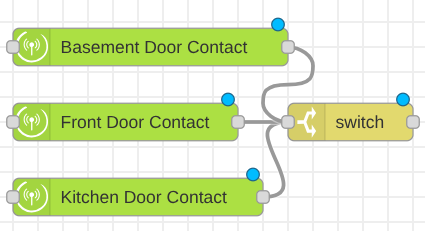
It had one device node for each door with 'Send Events' selected, plus a switch to only pass 'open' messages. Now that is a single node with 'any' and 'open' selected.
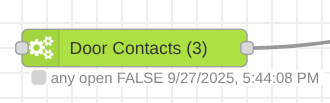
The two do operate slightly differently, as the original will trigger every time any door goes from closed to open, and my logic gate trigger will only trigger when the whole group goes from 'all closed' to 'at least one open'. For the purpose of my flow that works just as well.
As another example, this snippet checks three lights to see if any are on. The message passes to the junction node at the first 'on' device:
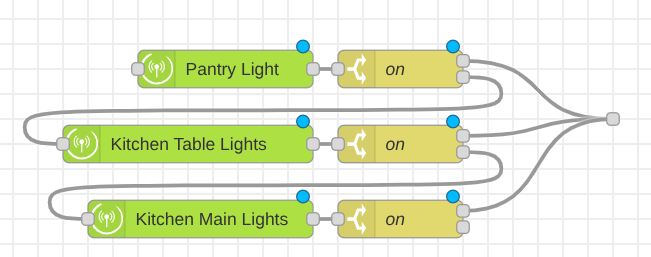
That is now this:
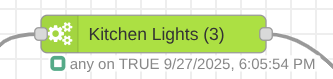
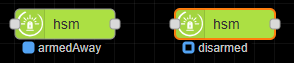
The node status message works like the other Hubitat nodes where a solid icon (gray for false, green for true) means it will send events, and an icon with a white dot in the center means it will not send events. The node shows the last time the true/false state changed. All three nodes append the number of selected devices to the node name and update that as you add/remove selected devices.
The logic node can be useful even with only a single device selected, as I usually had a device node followed by a switch to only pass one state (only on, only present, only active, etc). In each of those cases I can now remove the device and switch nodes and replace with a single logic node. As a bonus the logic node shows me the current status of the gate.
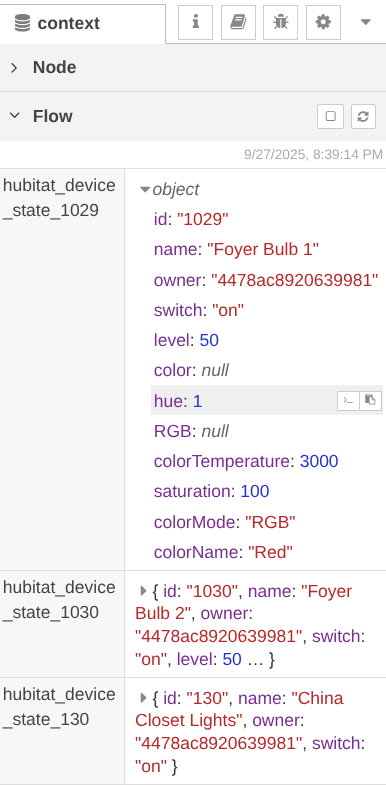
The second thing I added was 'capture' and 'restore' nodes that work like the capture and restore function in Hubitat. They can handle switches, dimmers, and RGBW bulbs in either CT or RGB mode. Each capture node can capture one or more devices of any of those types, and the restore node can restore one or more devices that have been captured.
I'm using the capture and restore nodes in some flows where I previously used a combination of 'hubitat device' nodes, function nodes, and 'hubitat command' nodes to do the capturing and restoring. These nodes do it with many fewer nodes on the flow.
Here's one example. This flow snippet captures 3 bulbs, turns on a Room Lighting activator to turn them on in CT mode, then resets them to their former state after a 5 minute delay. It used to look like this:
I had to pass the message through 3 device nodes, 3 copies of my capture function, and use change nodes to send three separate messages to my restore function. Now it looks like this:
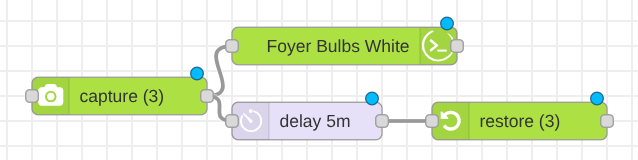
I have a few rules still running on my hub where there were just too many devices to try replicating them in Node Red. I'm going to give that a try now and see how things go. The restore node might need some throttling if the hub can't handle the restore commands all at once for a large number of devices.
If anyone wants to try these out you can add them to Node Red by dropping the HTML and JS files from the fork into your node_modules folder in Node Red, adding the JS files to package.json file, and restarting Node Red. If you do that, please test them and make sure they're working as expected. I've already deployed 62 logic nodes and a couple of capture/restore nodes in my flows and so far everything seems to be working well.