The captured state is stored to the Node Red flow context storage. If you've configured it to save the context to disk (see my previous post about persisted storage), then it is saved to disk. Otherwise it is only in memory.
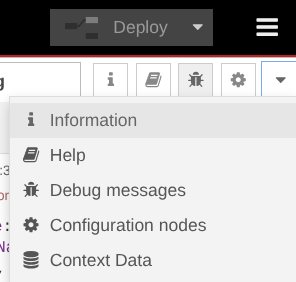
You can view the context data from the hamburger menu at the top right:
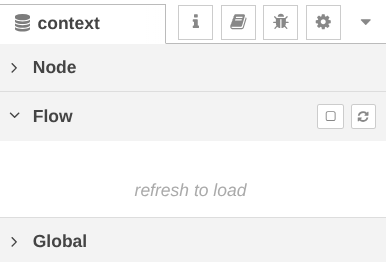
Expand "Flow" and click the refresh button to load:
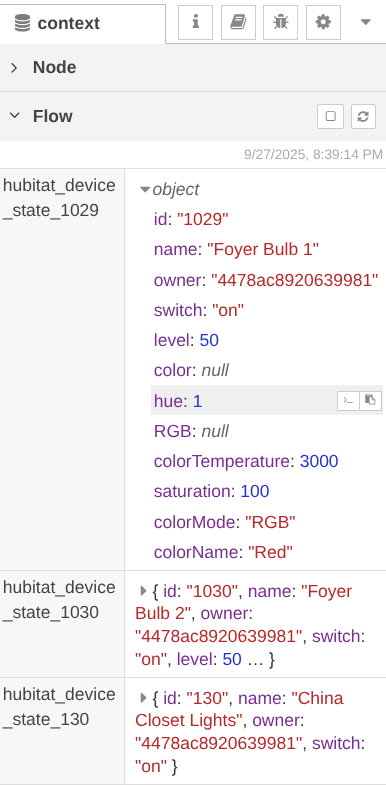
Here I've captured 3 bulbs. I expanded the first one to show the stored data:
These can be accessed like any other flow variables while they exist*
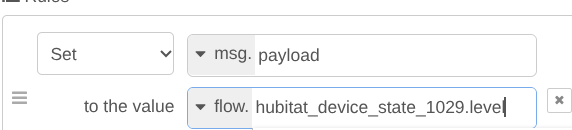
* the captured states are removed when the device is restored or if the capture node is edited or deleted
I just realized I didn't make this compatible with multiple hubs. If you have more than one hub connected to Node Red (as I do), the device IDs could overlap. I'll work on that tomorrow. Need to add some sort of hub identifier to the name of the flow variable.

