I have that exact piston for Washer and dryer to announce on echo speaks when they are completed
I just moved over from ST to Hubitat and was trying to install this and get this integrated with our Washer and Dryer. I have the drivers and the app installed and when I through the installation, I cannot seem to choose any devices and cannot proceed (see screenshot).
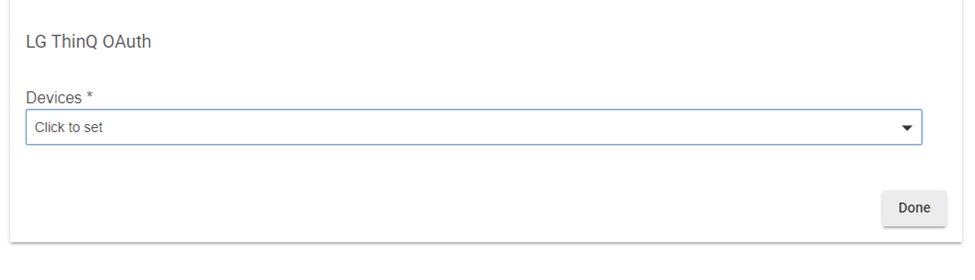
I also see in the Logs for the app this:
[app:105](http://192.168.10.8/logs#pastapp105)2021-07-03 11:43:51.427 am [info](http://192.168.10.8/installedapp/configure/105)ThinQ Integration Found 0 devices
I just registered our washer and dryer before installing this and I can see them both when I login to MyLG.
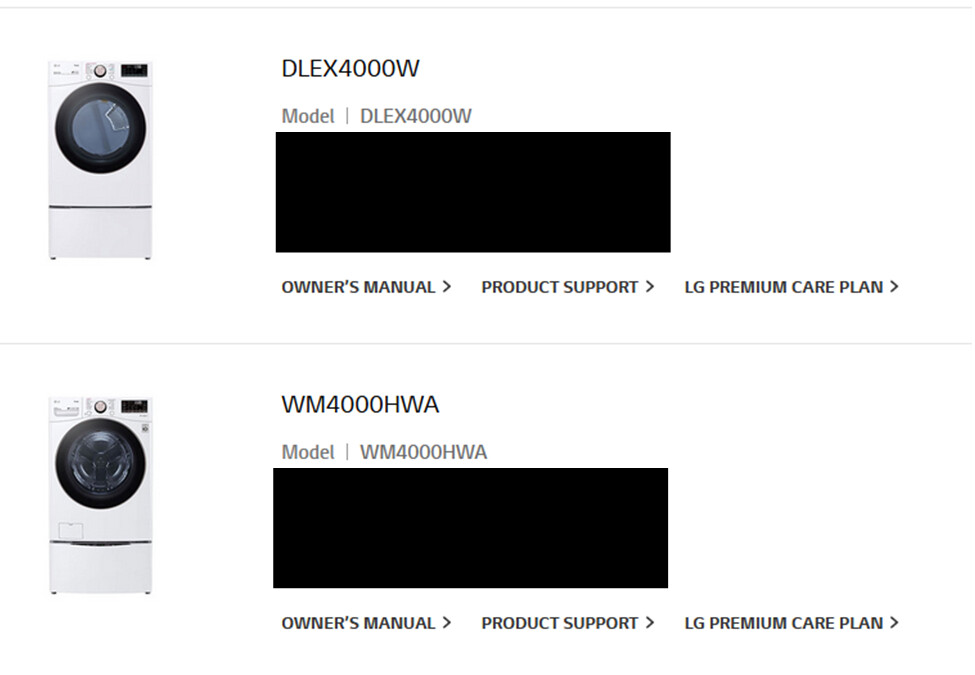
I wonder if there is a latency between registering the appliances to when it shows up - it would seem odd, but not sure.
Any ideas on what I am doing wrong? Thanks.
Did you set them up in the LG Mobile App? I don't know what "MyLG" is, but I don't think it's the same thing as the LG ThinQ mobile app. What you pasted there looks more like a website?
Yes, I have them in the app for a while - as a matter of fact, the is app is what we setup once the appliances were installed. I didn't even think of the web site until when I was trying to register this. And yes the screenshot was from the website, but the LG ThinQ app has both the washer and dryer - and I can control them from there.
Hmm, I'm afraid I'm not sure. This app just queries to get a list of the devices it finds. Are these brand new devices? I'm wondering if LG changed something recently or something like that.
Yes fairly new appliances - we got them a couple of months ago, and just last week transitioned from ST over (when they killed the v1 hub). I am happy to try and debug if anyway I can help.
Unfortunately, I'm not sure what to suggest. The only time I've seen this occur is if someone isn't using the same credentials they setup in the mobile app or hadn't registered the devices in the mobile app. Beyond verifying those things, I'm not sure what to try.
Thanks, appreciate your input. I also saw up on the thread someone else also have this issue, so possibly something on their API changed. Thank you anyways.
This is a fun thread, so much work with devices you don't have access to. That's some tough work. I have what I assume is a v1 fridge if you still want to work on this. Here is the Model JSON:
PLEASE POST IN THREAD https://aic.lgthinq.com:46030/api/webContents/modelJSON?modelName=2REF11EID___2&countryCode=WW&contentsId=WW21063007020405374276&authKey=thinq
I also have the debug output from when I first added the app and the fridge, in case you need it to parse values.
v1 fridges should already be working. Is there a problem? They work but there isn't much can you can with a fridge, for v1 it's basically just able to pull the setpoint temp for the fridge and freezer
Nice integration! Unfortunately I get the MQTT not connecting issue. I do not live in U.S. so maybe this is only for U.S.? Scrolled and read but doesn't seem like anyone gets what I'm getting?
dev:24702021-07-28 10:40:22.358 pm warnLG Dryer Lost connection to MQTT, retrying in 15 seconds MqttException (0) - java.net.UnknownHostException: common-ats.iot.kic.lgthinq.com
dev:24702021-07-28 10:40:07.792 pm infoLG Dryer Was turned on
dev:24702021-07-28 10:40:07.784 pm infoLG Dryer CurrentState: running
dev:24702021-07-28 10:40:07.084 pm warnLG Dryer Lost connection to MQTT, retrying in 15 seconds MqttException (0) - java.net.UnknownHostException: common-ats.iot.kic.lgthinq.com
Using a C7 btw
LG changed something and it won’t work on a C7 without a hack. I can fix it for C5s but the C7 hasn’t worked so far.
1 Like
Afterwards tried on C5 but same message. I'll try again tomorrow on the C5. Thanks for your response.
I CAN fix it for a C5, but I have not yet.
I had a LG Washer and Dryer configured on my C-7, I did remove my Washer from the configuration last week due to those logs, and now I'm not seeing the lost connection to MQTT with just the Dryer.
I am getting the same error on the C4
That’s because you found a bug. When you deleted that device you told the app to stop trying to connect to MQTT so the error stopped, but it’s not working.
Everyone is going to get this error.
1 Like
FYI I have a solution to the problem, it’s just a bad solution.
Could it be a temporary solution until you have the real solution ?
I'm running my devices with a bad solution too 
It may end up being the only solution. It’s a hubitat limitation that I do not think I can work around in a clean way.
1 Like

