Konnected Piezo buzzer

You set it to beep via a rule in an app, such as the 'Rule Machine' app. This is after you set up your devices in the Konnected app.

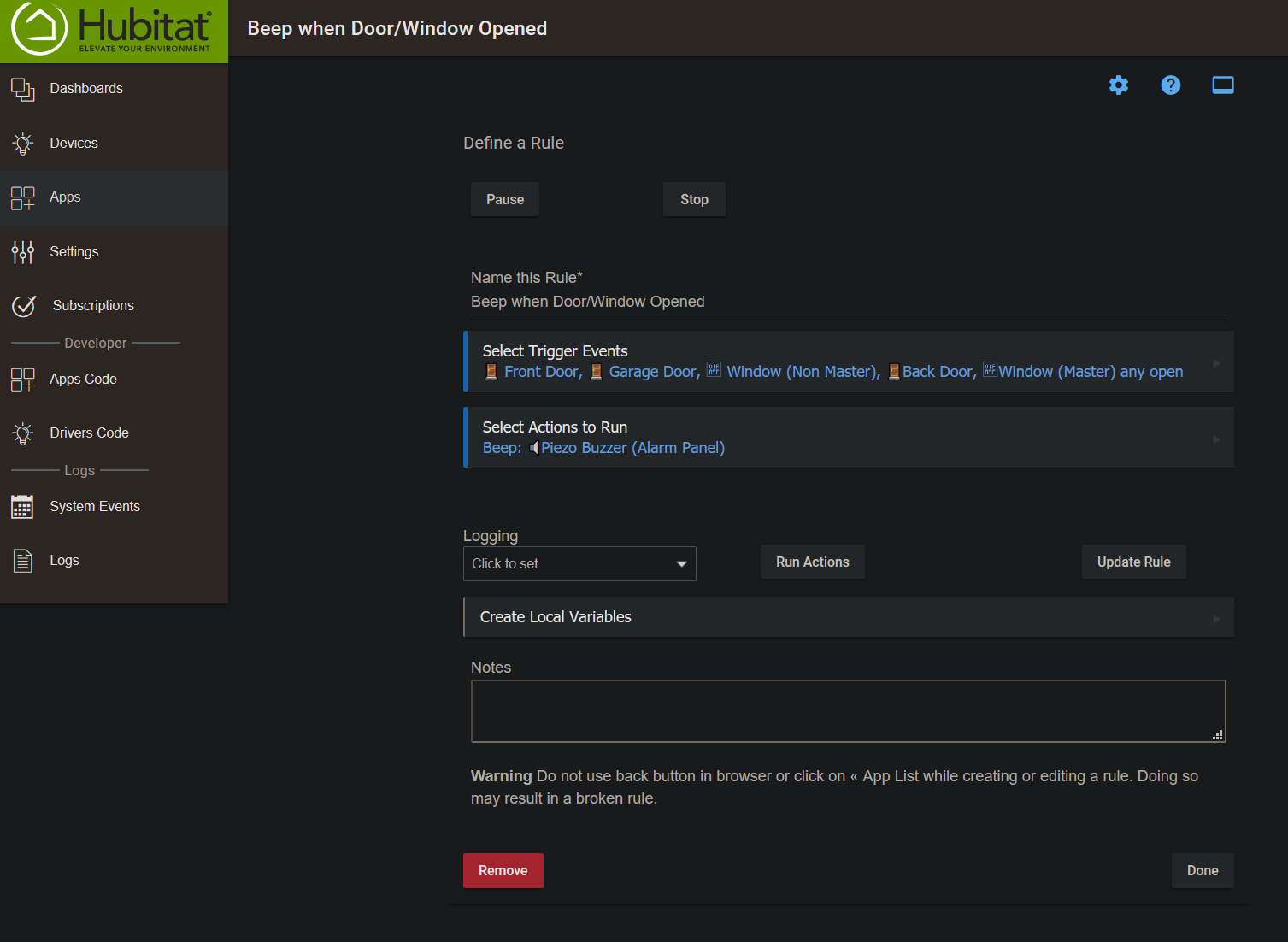
Here is my current beeping rule assoicated with the Konnected piezo buzzer.

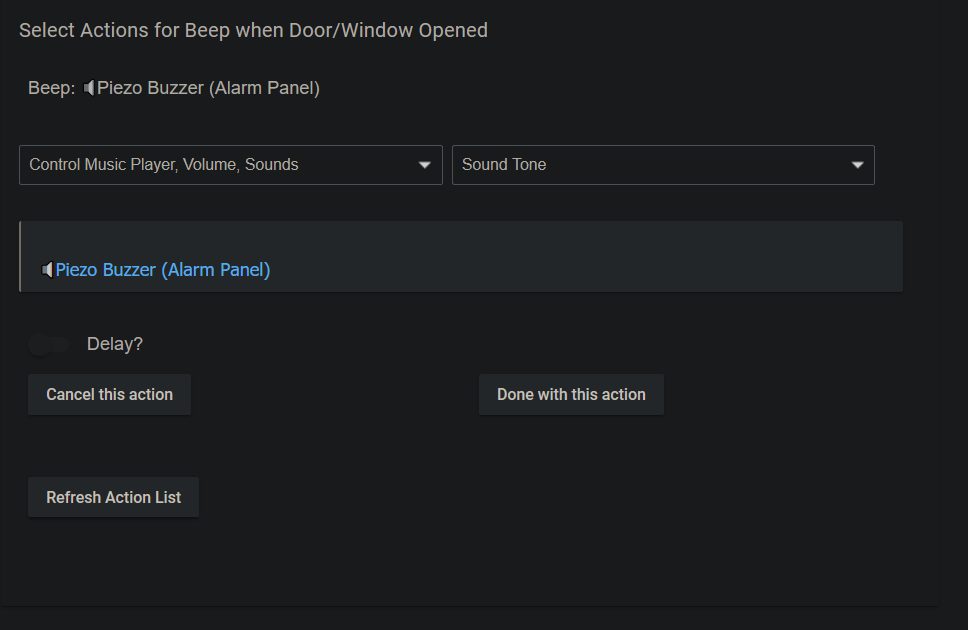
Under "Select Actions to Run", here is what my screen looks like:

Can you please explain how to use the Konnected "App" in Hubitat to add the piezo buzzer as a device? All my other sensors showed up except for the buzzer.

Sorry, but I am not sure how to do that. I would recommend contacting @nate over in the Konnected forum, as he is the creator of Konnected and will be able to answer this question.
Thanks

were you able to resolve this? I'm encountering the same issue. I'm sure I'm missing something basic but it doesn't seem like it.

I don't remember the steps anymore, but I contacted Konnected support and they told me what to do. Konnected is very helpful.

I figured it out, I didn't have the right driver installed.

