In Hubitat, I am trying to configure the Konnected Piezo Buzzer to chirp when a door or window opens
I cant seem to find how to add the buzzer to Hubitat and then how to set it up
In Hubitat, I am trying to configure the Konnected Piezo Buzzer to chirp when a door or window opens
I cant seem to find how to add the buzzer to Hubitat and then how to set it up
Do you have it configured in Konnected? Do you have the buzzer device listed in Hubitat yet or are you stuck on that part?
Hi Ryan,
I think it is configured in the Konnected app within Hubitat
Right now it is
Okay...but do you have a device in Hubitat? This is the Konnected App.
Sorry.. Missed that
Yes, I have it but not sure how to test if it is properly set up.
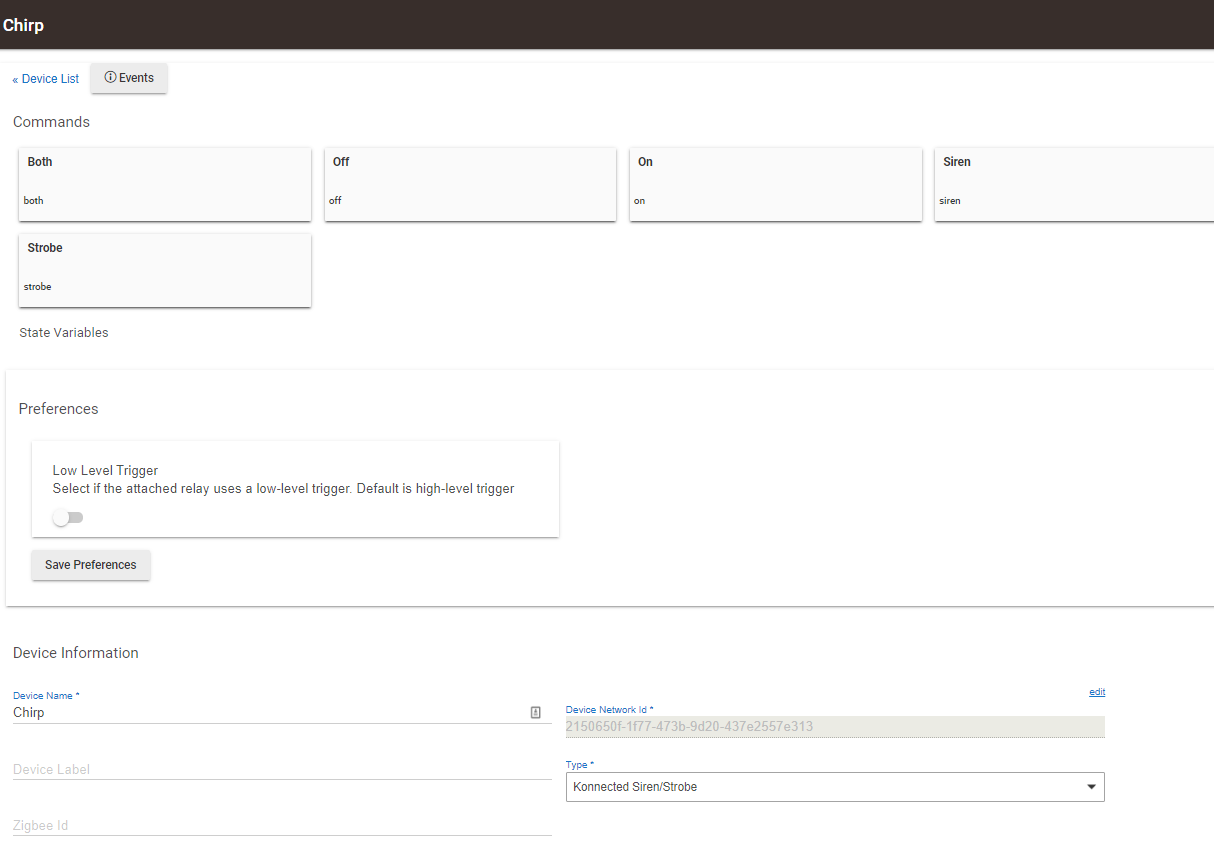
I added it as a Virtual device, Konnected Siren/Strobe
Did you manually "Add a Virtual Device" and assign it that Konnected Driver Type? If so, then it has no real connection to the Konnected "App" on your Hubitat hub. The Konnected "App" will need to automatically create it as a child device. This way the child device will know how to talk to the Parent App, and consequently to the Konnected WiFi board.
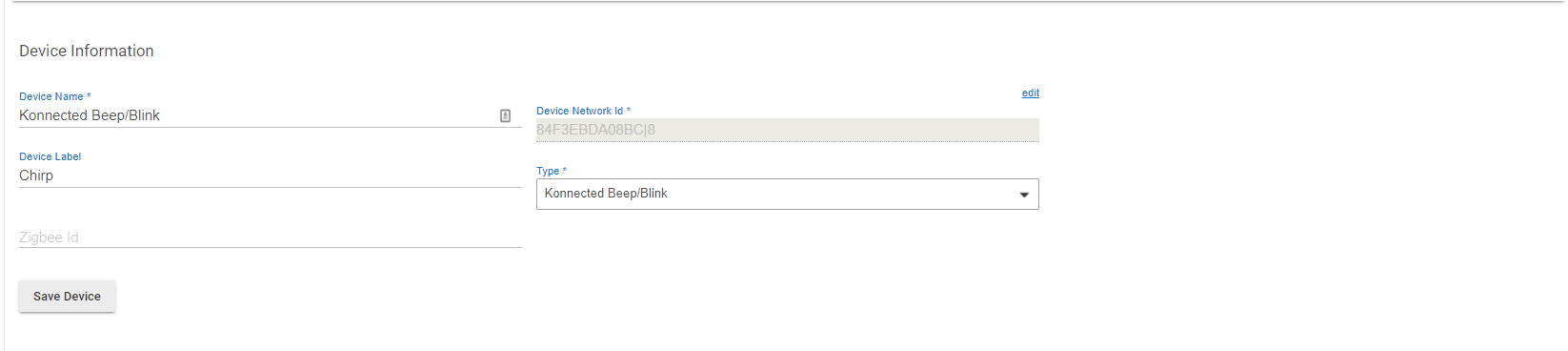
Ok.. I've got the device set up under devices. I am able to get it to beep three times by hitting the beep button in the device.
Now in stuck on how to get it to chirp when a sensor (door or window) is opened
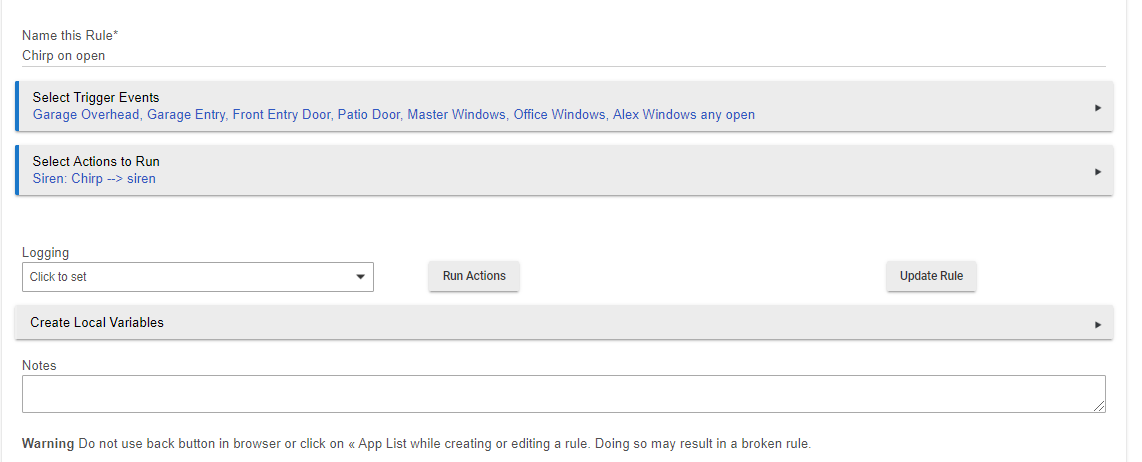
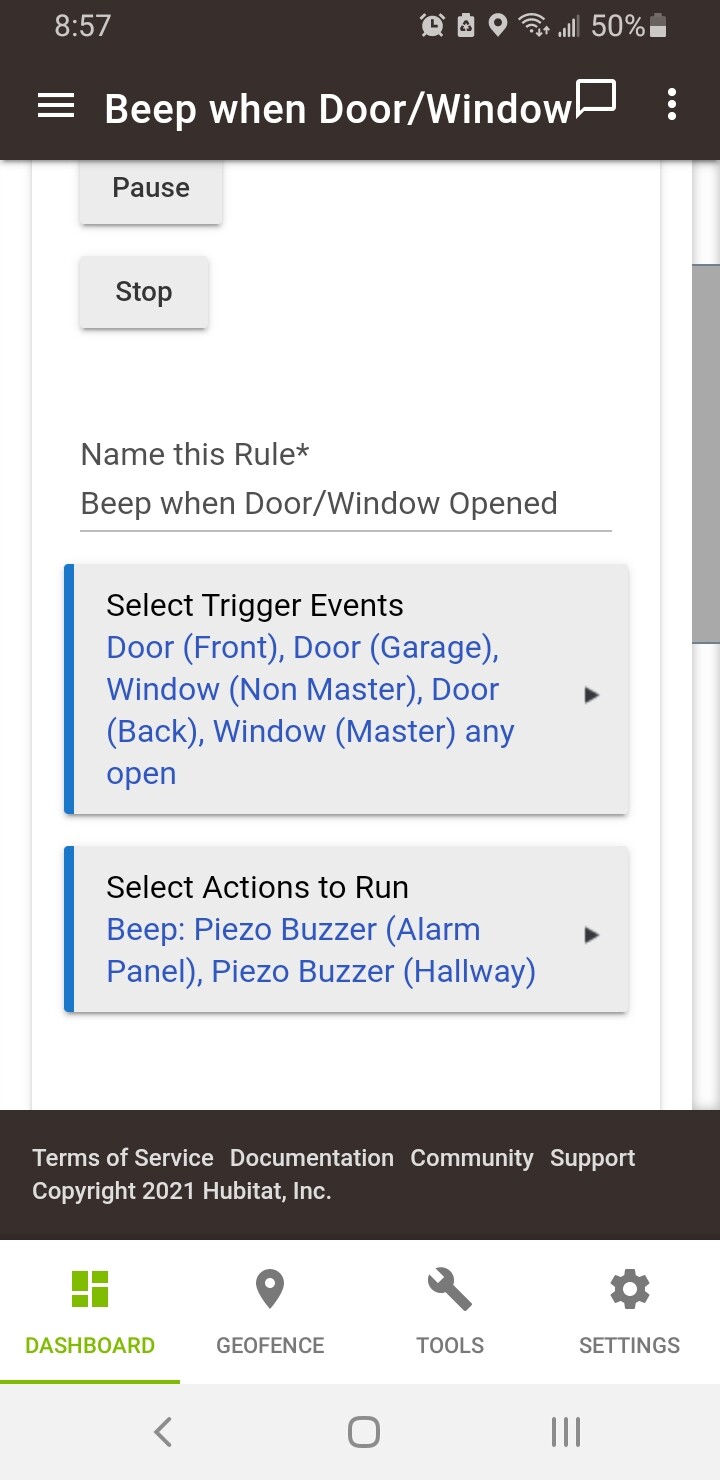
Most automations are going to be performed with Rule Machine (an internal app). You add apps through the "Apps" link in the left navigation panel and then on the top right there is a button for adding apps.
Here is a quick tutorial on an unrelated automation that Ryan just helped a new member solve. It also has a good mention to check the getting starting videos released. There are also workflows for newcomers built into the hub if you have just set it up.
I was about to say....am I crazy or have I already answered this question today?

Oh so close..
Thanks for your help so far
Using RM I am able to to get the buzzer to go when the sensors are tripped.. Good to here.
I am trying to get it to chirp once but, this setup will continue chirping until I reboot the Konnected module.
That would be a connected question. @nate would be the best one to answer that.
Set it up as a "Konnected Beep/Blink" device type. Then be sure to set the momentary, pause, and repeat parameters.
Thanks all for your help with this.. I've got it working as planned
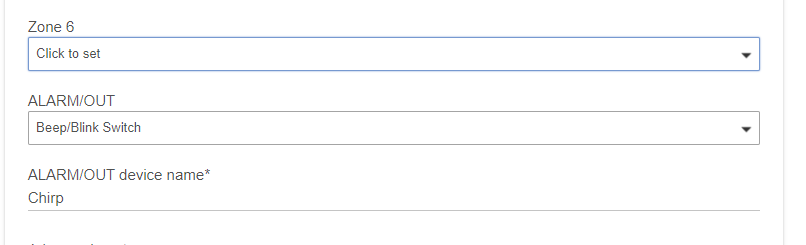
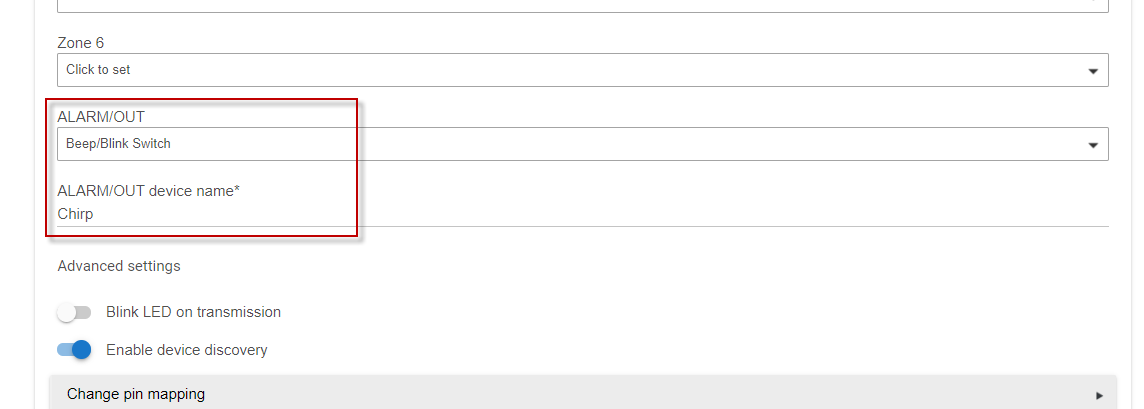
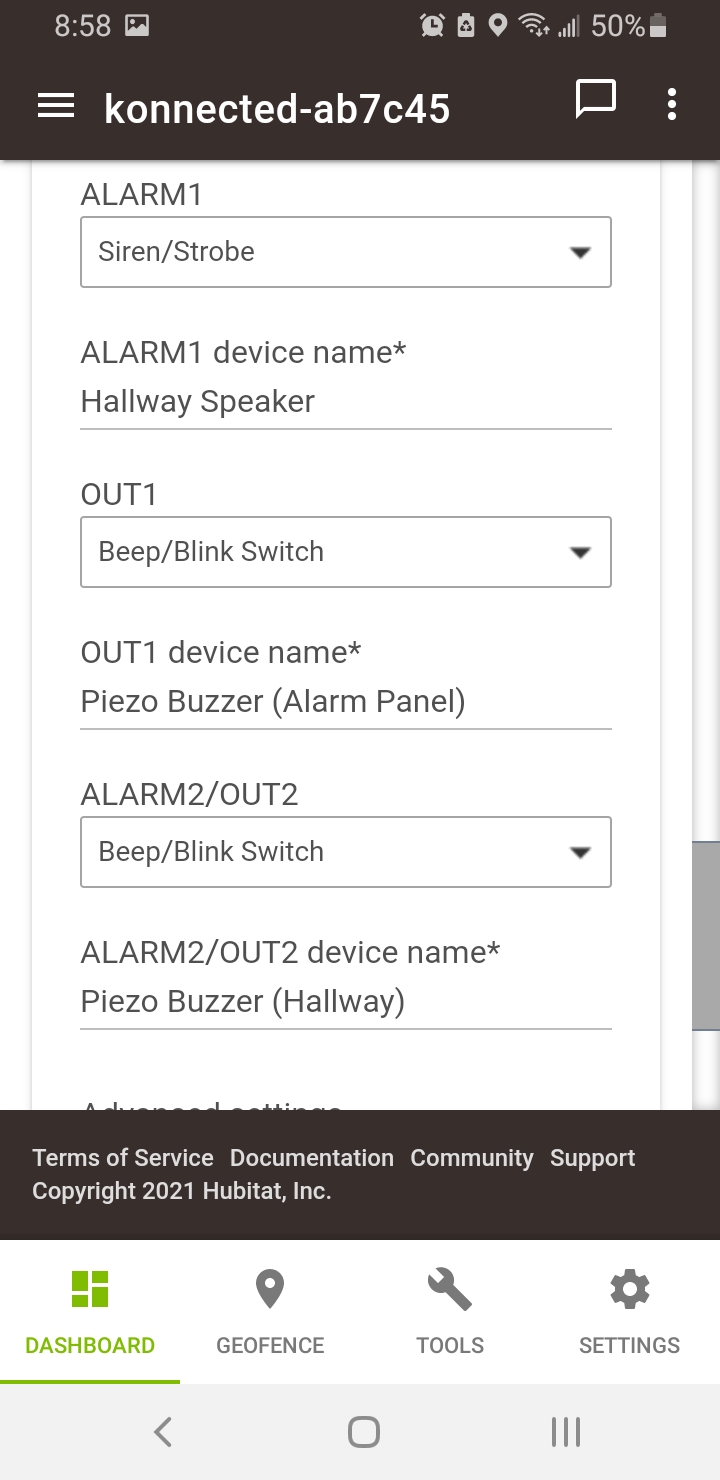
Here is my final setup in case anyone else has the same problem
After the piezo buzzer is physically connected to the Konnected board, the rest is done in Hubitat.
Apps > Konnected (Connect) > Board
Devices
I just got my konnected board in and have it wired up.
I am having issues where when I set this up, I am only getting beeps upon the first event of a door opening, but in order to get it to work after, I have to setup a new rule. I have no delays and nothing restricting or canceling it (that I know of). Any advice on things to check, @nate?
I have tried rule machine and simple automation apps, with it set to toggle.
I'm also having issues where the beeps are not always the same duration, despite having 100 ms of duration set in the device settings.
It seems to work 'fairly' consistently when triggering the device to beep under the device itself (no automations).
I have it wired with the out pins on the konnected pro board.
Setting the action to "Control Music Player, Volume, Sounds' then 'Sound Tone' seemed to work for the multiple door opens.
However, the duration of beeps, duration of pause between the beeps, and the volume of the beeps seems to be inconsistent. It's more so a nuisance than anything.
Thought I would document what I changed to fix this. I had messed with this for about an hour before coming back after my post to try it not as a toggle or a switch.
Good Thread, I just got my four board setup last week (most of the time is tracing 25 year old contacts that are dead). Finally got around to installing the piezos at the old panel and couldn't figure out how to make it buzz if it isn't a device (hence coming here).
Turns out, when I installed it, what I followed said install the device drivers you "need" and apparently I didn't think I needed a buzzer at the time. SO, installed driver and beeping away.
Thanks Guys.
Where do you find the "action"? I'm having the same issue and can't get it to work more than once without going to the device and hitting save. I see all my door/window events are occurring but it doesn't buzz.
Hi Robert,
Its under rule machine or notifications or something like that, not within the Konnected hubitat app.
I just used the Konnected Hubitat app to set the device up, then from there you can use it as any other device as you normally would and set a rule up for when to have it set off.
Hope this helps!
I set my piezo buzzer up as a Konnected Switch. I use webcore to turn it on or off as needed. That works well for me.
Thank you for that. I have mine set up that way but if I open a door a second time it doesn't beep. The only fix I have found is to edit the device and save each time which obviously doesn't work.
You mentioned "Setting the action to "Control Music Player, Volume, Sounds' then 'Sound Tone' seemed to work for the multiple door opens.". How did you do that?
Download the Hubitat app