So looking for a little help on how to set up the lights as how I have it planned in my head.
I installed some under cabinet lighting under the cabinets and down by the kickplate. I am using WLED and so far everything works great using Room Lighting. I have a simple motion sensor on the counter that trigger when I walk into the room. They are only triggered during the Morning, Evening and Night modes to various brightnesses based upon the Mode.
I plan to install some more on the island soon.
I just ordered the FP-400 and plan to utilize that with some zones to further refine, but that is not necessarly critical at this moment.
What I really would like is that for the Evening Mode specifically, I would like the lights to come on. And then when someone walks into the room, they get brighter. When they leave, they go back down to the original state.
I am not able to figure out how to make that work in a single Room Lighting instance. So thinking I could layer on a Rule Machine rule that:
When evening and motion is active, set brightness to X
When motion is inactive, set brightness back to original value
Anyone see any issues with this? Or does anyone have a cleaner suggestion?
Once I get the FP-400 setup, plan to have zoning in kitchen and island to have lights trigger based upon those zones, etc.
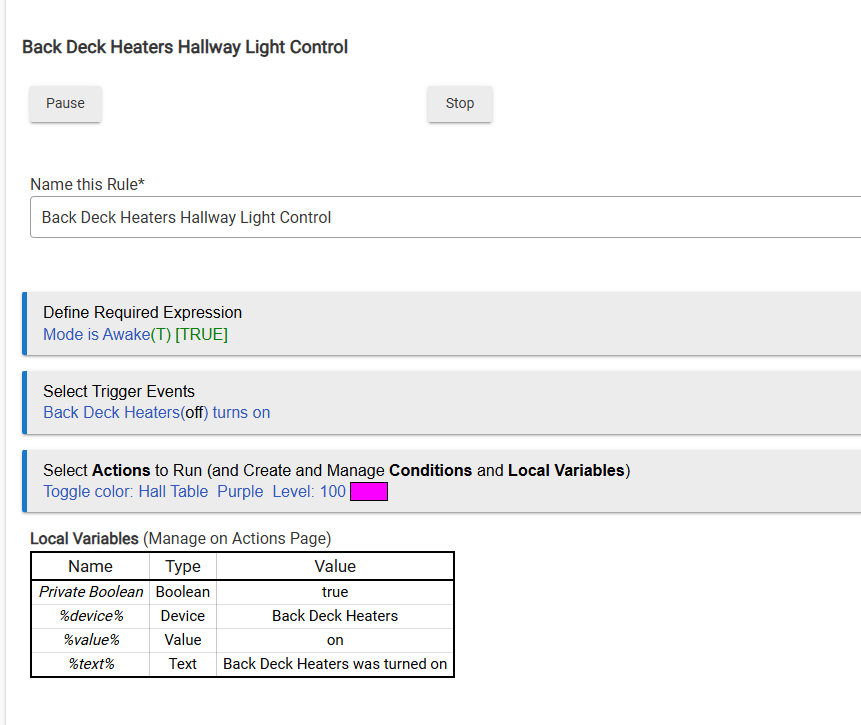
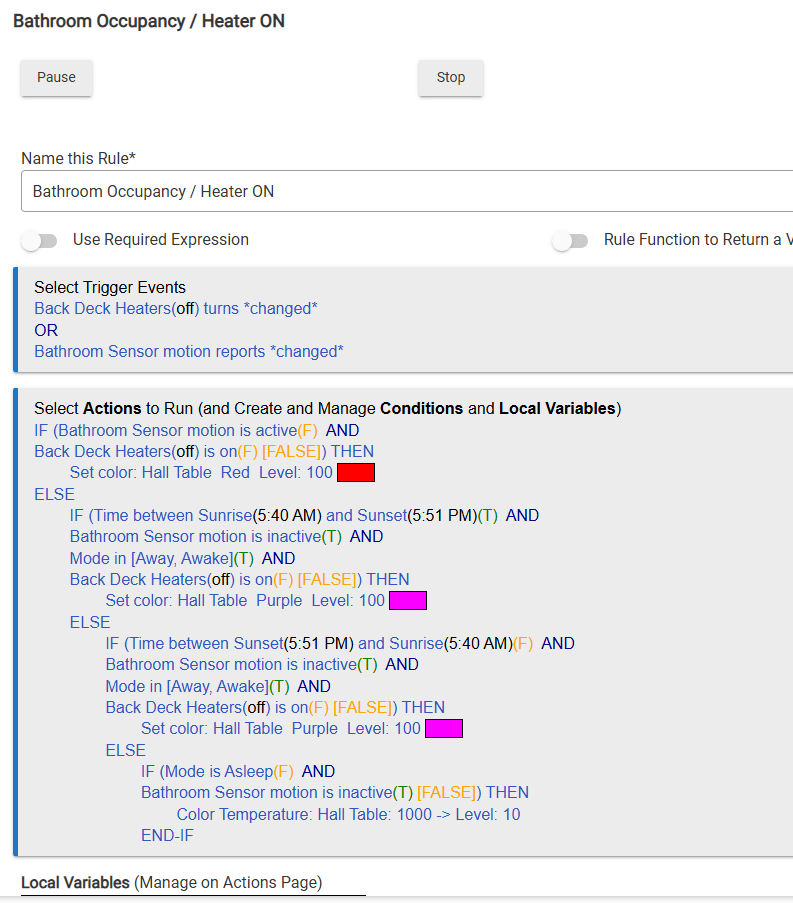
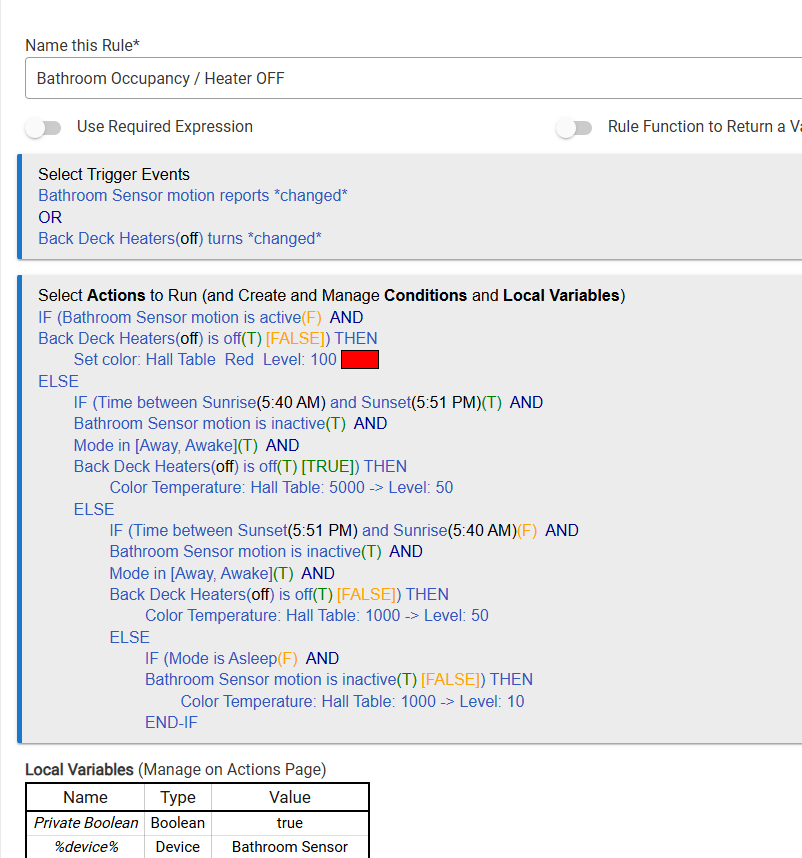
I use a cheap zigbee RGB led strip for my hallway table backlight, It changes colour based on the time of day so that it is warmer in the evening. I use the motion sensor in the bathroom to change it to red when someone is in the bathroom so other people no the bathroom is occupied, then it returns to the correct colour on exit. I also use this light to show that the outdoor heaters are on so that we can be reminded to turn them off as they are not the cheapest things to run. I have copied in the rules I use in rule machine to achieve this.
I know you can also have actions for dim over x seconds as well, dim can mean up or down in brightness to be fair.
Your Evening plan (base level on, motion bumps brighter, then back down) is solid. Room Lighting alone is awkward for "dim base plus a temporary boost," so layering is normal.
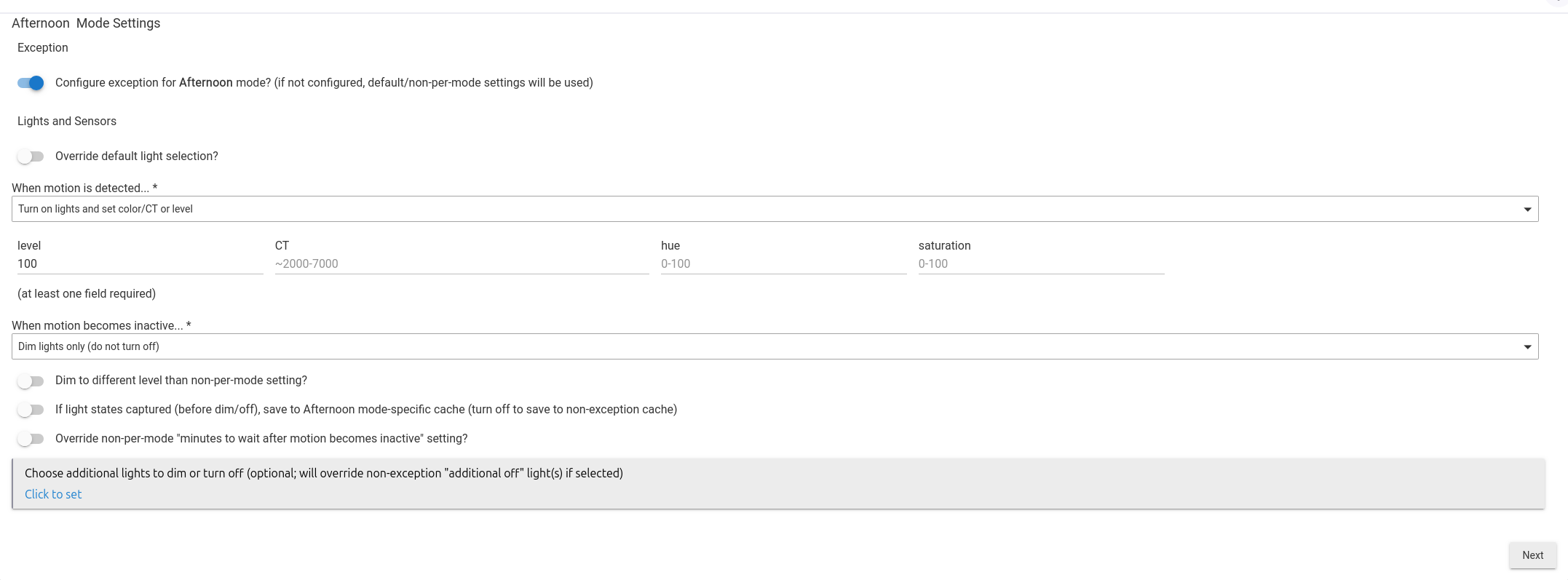
Lights on Motion Plus (as Ken mentioned) is built for that bump-and-restore behavior. If you stay in Rule Machine, one path for motion active that sets brightness X, and one for inactive that restores the Evening level, is fine. Just make sure only one app owns brightness while Evening is on, or they will fight each other.
Same boring idea either way: motion raises the lights, a clear timer brings them back to the mode level, and the wall/manual control still wins.