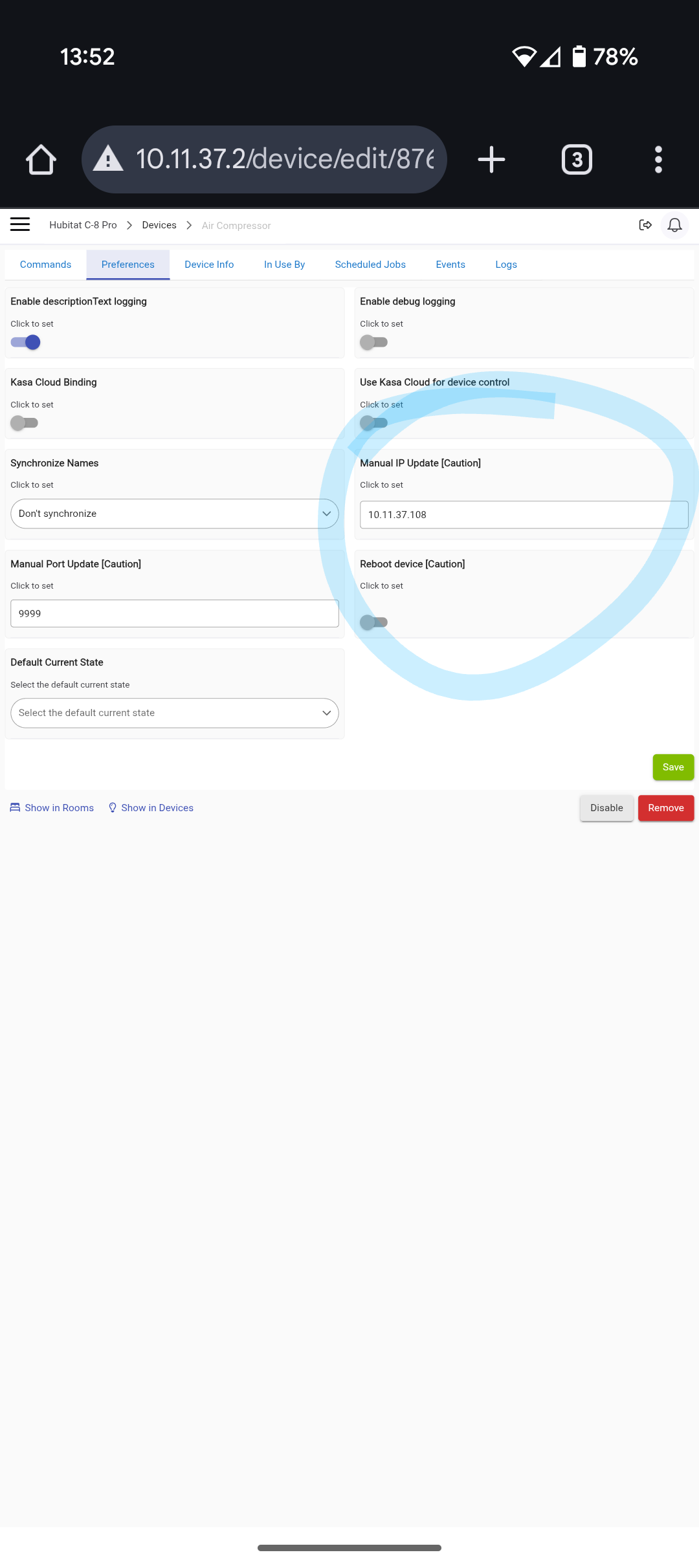
I still used the Kasa mobile app on my pohne to set up the devices initially and connect them to my network, but I haven't used it since... but I was actually referring to the Hubitat Kasa Integration app. I don't have it installed on my system. I just manually installed the devices, manually set the IPs from the driver's page, and it all has worked fine for about 4 years or so with no need to change anything.
The Kasa devices are on an IOT network anyway with firewall rules to prevent internet access, so any of the cloud-binding stuff, or the Kasa mobile app for that matter, won't work anyway.
The device has to already be on your network, and I should note that ALL my Kasa devices are old, pre-matter versions.
In Hubitat, do the following:
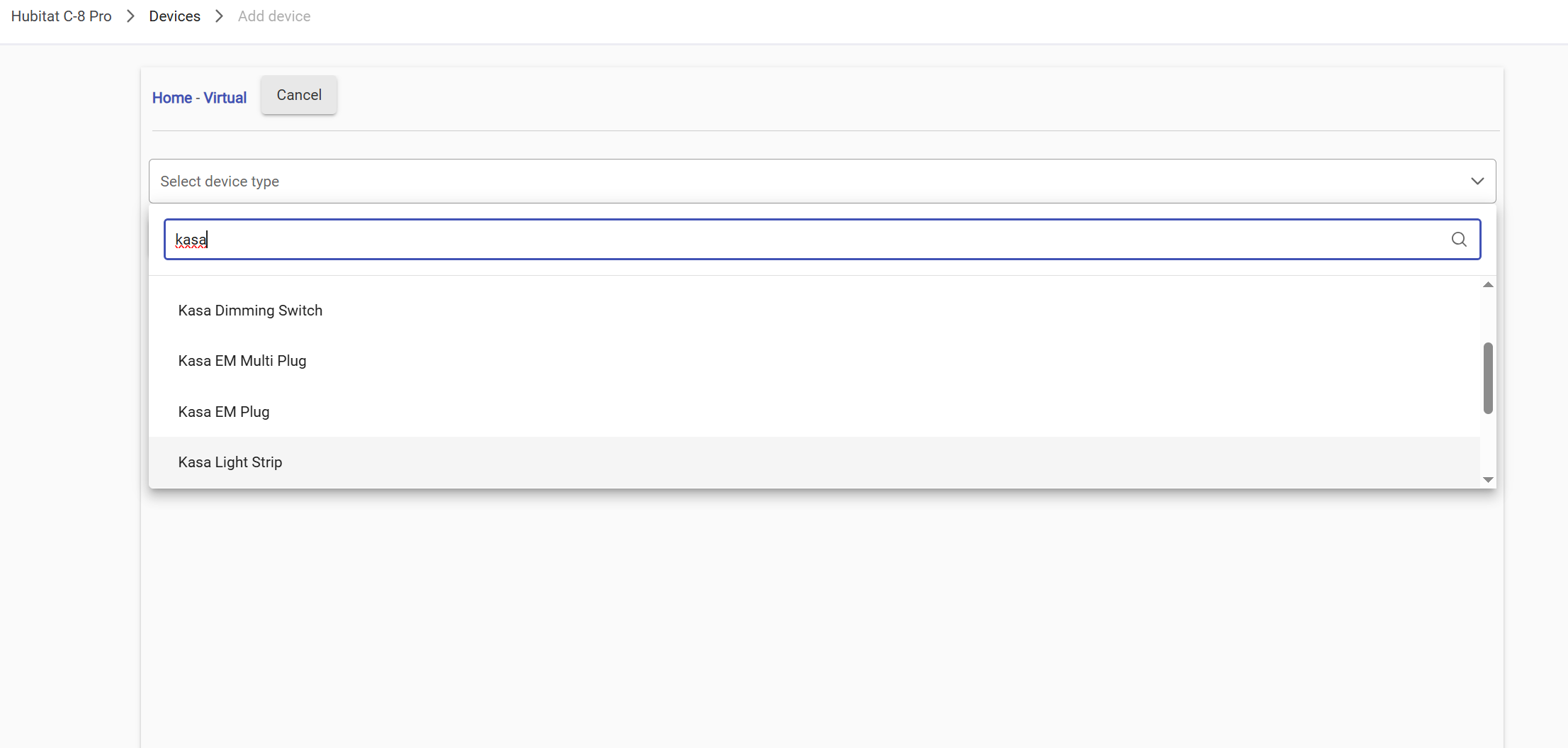
Simply go to Devices -> Add Device -> Virtual Device
The type Kasa as the device type, scroll to the appropriate Kasa driver, and then name it and add it.
This is not recommended for various reasons. Mostly, the app provides utilities to the device that are good to have. However, if a future update requires updating device data, that would be done via application initiation.
After creating a virtual, Where in the device page do you add the IP address too. I added it to the Device Network Id, but still have no control of the plug. It is already in my Kasa App
Along with @djgutheinz, I would not recommend doing this. It is not going to solve your IP problem. If multiple devices change IPs it will actually be more complicated to fix it. You already have the devices created from the integration app. Just use the integration app, it basically does the same thing but handles the IP and discovery for you, to make it easier.
Cetainly anybody is entitled to install stuff the way they want on their own hub but I don't think it would be fair after that to expect support from @djgutheinz who offer his free time to develop a valuable app for the community.
I have taken down the IOT internet, and then ran the supplied Kasa integration app. All my devices are up and running now. I still do not know why, the app could not find the devices in the IOT network. Must be something I did on the network setup. Thanks for all the suggestions.
Hm, where did you say they could not be found? I thought up above you said they were found and working, and just wanted to set a fixed IP?
Anyway.. if you have the IoT network with Intranet access disabled (where they get a separate subnet IP range), then that is why the hub could not find them. I think even if the hub is on the same guest network the devices are blocked from talking to each other with this setup on Asus so it still would not work.
Wise choice, IMO there is little advantage to doing it in the first place in a home environment.
Well I had everything working fine for a few years now. I decided to create an IOT Network, with all my robots and switches/plugs and cameras around the house. No issues since running Hubitat at all (excellent hub). Then I heard I should have an IOT network, for all my devices and toys. Created one easy enough, and started adding items, but I could NOT bind them to any IP address. Even worse, I could not bring them into Hubitat, unless I CLOUD them first, then forced to look in their specific IP addresses, even then, sometimes they were blocked. So being a stubborn ■■■ I am, I kept playing, till finally I got frustrated and reached out to the community. Solution is, at least for me, go back to just having them on the one network. Started installing them all again last night, and started binding them. The 12 I got done last night, the Hubitat was able to find, and they function. So once again, thank you all for the help.