I want to turn lights on when I leave the house and turn off when I come home. In this example I only programed the lights to come ON when I leave (spare bathroom). I know there are other ways to do this but I really want to learn how to use the rule machine.
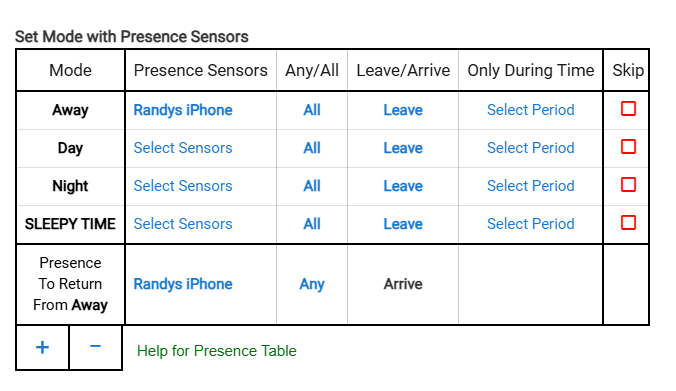
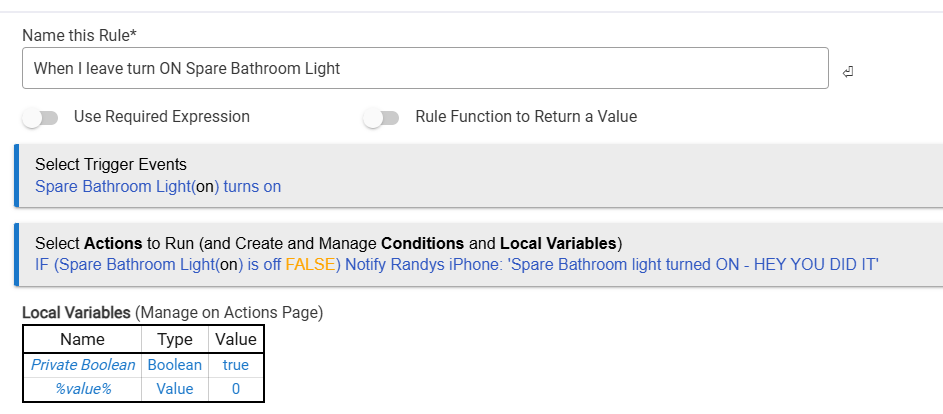
I would start by reading the Rule 5.1 docs. You'll have an easier time writing rules if you understand the basics, which your created rule so far shows an unfortunate misunderstanding of: as you'll see there, a trigger event is what will cause your actions to run. Right now, it seems like you're creating a trigger when you really want an action. Your trigger would be mode changing to away, and your actions would be the lights turning on -- or whatever complexity you want there.
As you note, this is not the only way to do this automation, and it's probably not the best, but if you're trying to learn, those two pieces should get you started. Good luck!
3 Likes
Agreed with above on reading the documentation. I can give an example of using a rule to turn on specific switches (which can be lights) and turning them off based on modes.
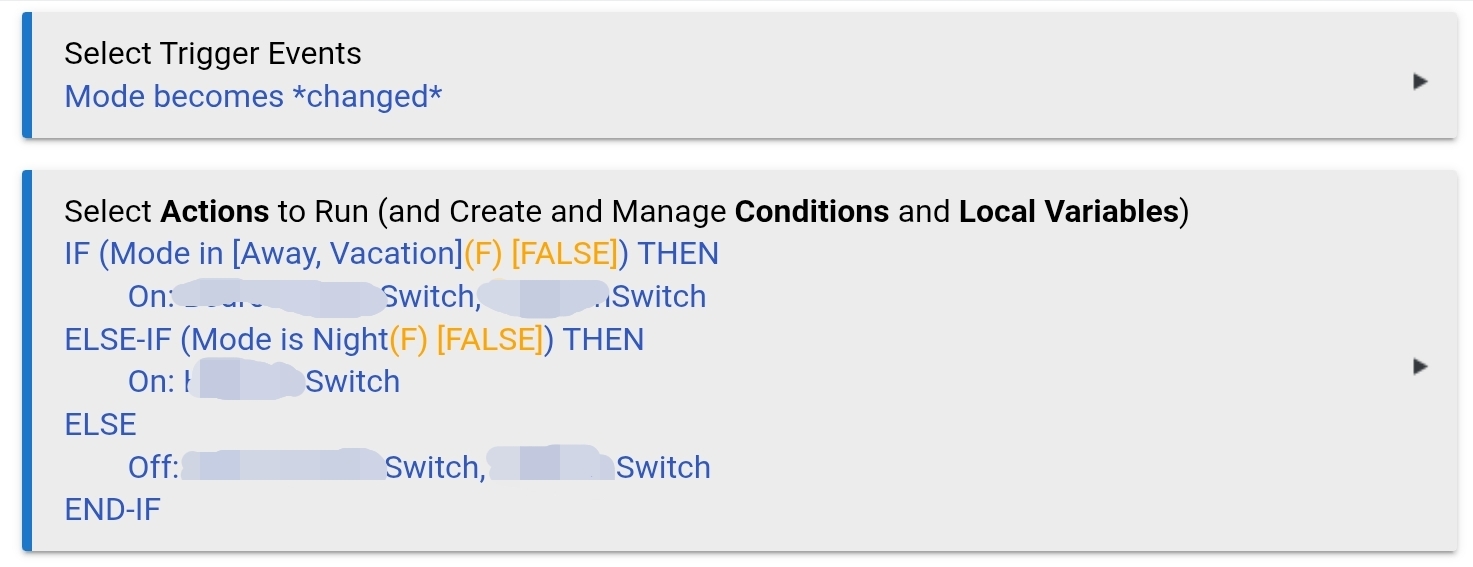
In this example, I turn on two switches (names obscured because they contain camera locations on my property) when I am either in away or vacation mode.
When in night mode, I only turn on one of them.
In any other mode, the switches are turned off.
This triggers anytime the mode is changed, and does not prevent you from using the switches (turning them on or off) at any other time.
Hope that helps get you started while you finish reading up on the rest of the documentation.
Trigger on mode change
if mode away
turn on light
else
turn off light
endif
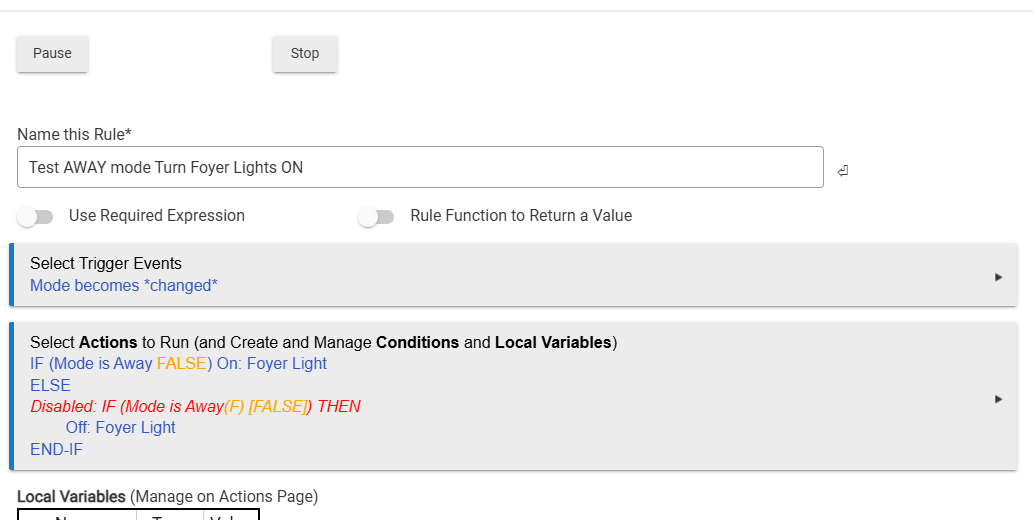
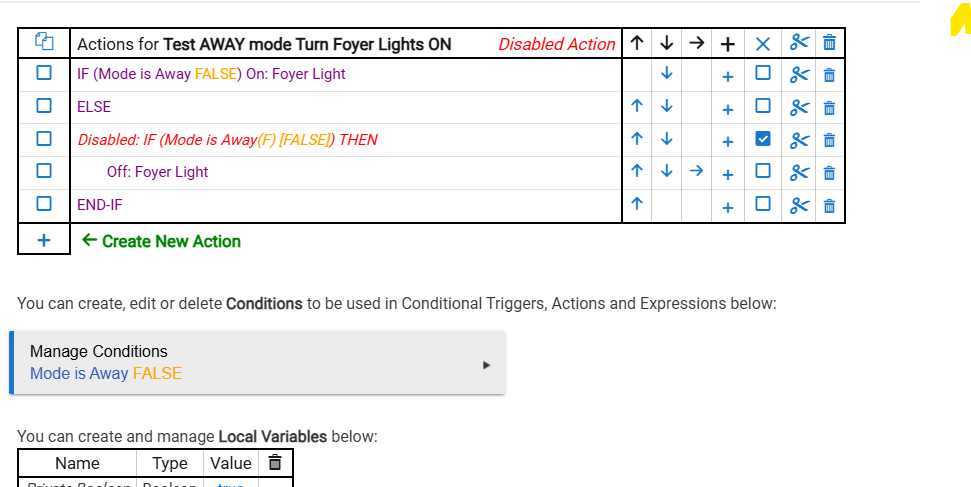
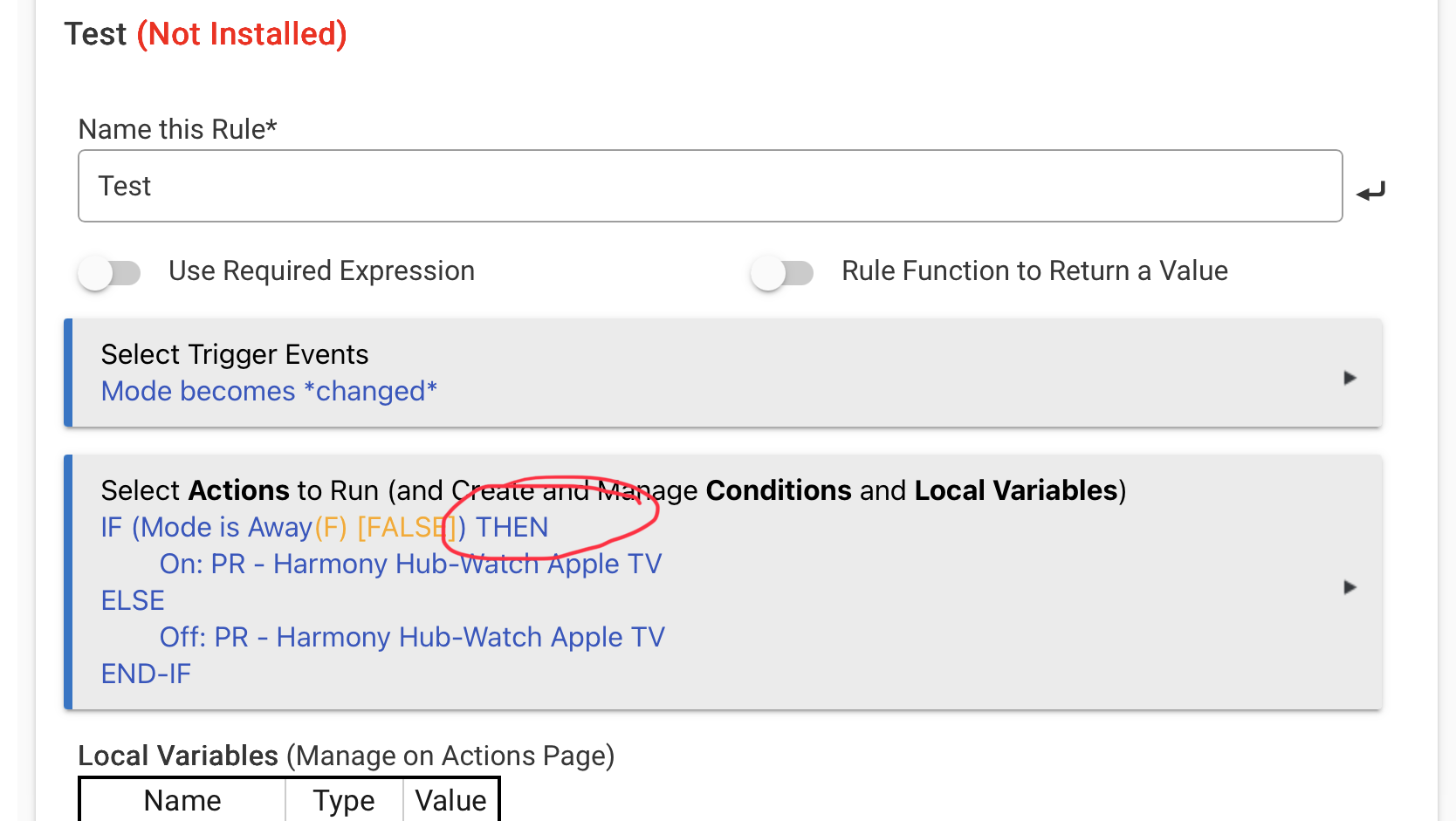
Your rule is close, but not quite right. Your first IF statement needs to be an IF/THEN statement instead of a simple IF. As written, your rule will not work correctly.
Here is what is should look like
As he's using a simple conditional (I think that's what those are called?), I too was wondering if that would work there or not (with the Else)...
Since the If-Then structure always just helps me keep things better straight, I don't have any experince using those.
OP - I would just re-enable that Disabled line and move it to the first Action (i.e. replace that current IF with it). The add a new second Action (Foyer Light = On) above the Else.
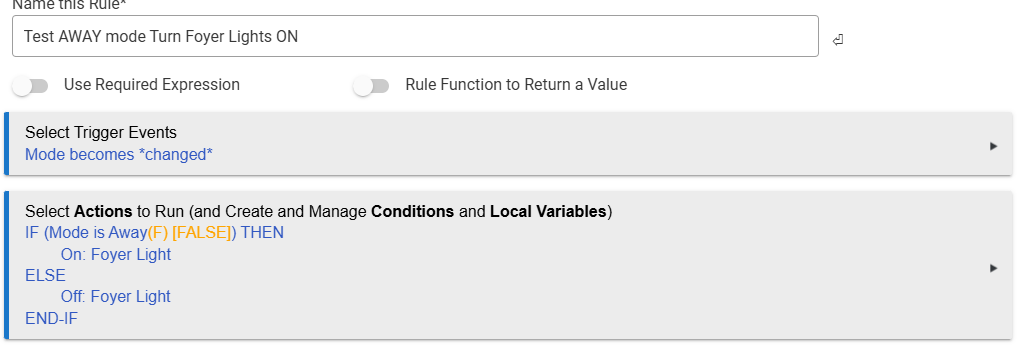
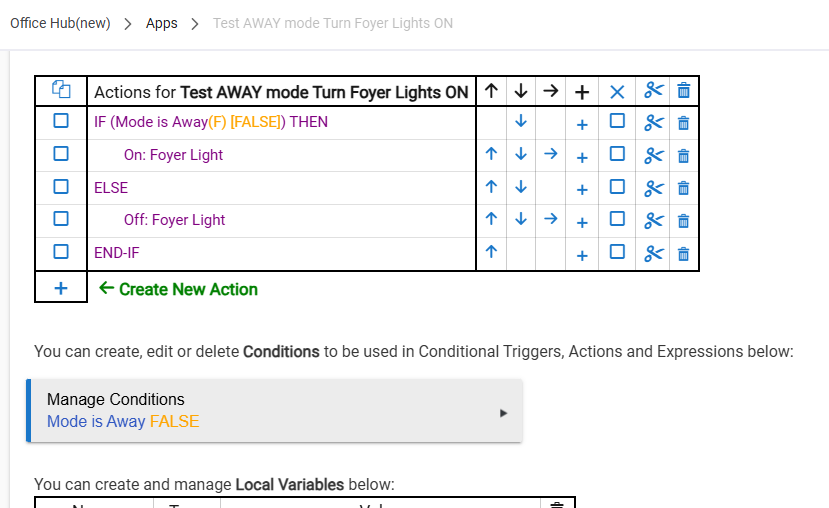
I think that looks good! Out of curiousity. how many Modes do you have?
If you just have a couple/few, that rule should work great. If you end up using a lot of Modes (not my cup of tea, but some folks do), then you may want to tighten this rule up with a sharper Trigger or consider doing more Mode-specifric rules.
I myself avoid using "changed" as a rule Trigger (I like to always instead be narrower), but in this case, it should work perfectly fine for you.
Looks great!
Yes, it needed a then in that if as the else means it can not be a simple conditional. I need to be more accurate when I throw something together off the top of my head.
1 Like
Thanks for confirming - now I know!
I often miss those simple conditionals too -- I don't use them myself, so I'm not in the practice of looking out for them in posts like these. I never even realized that capability existed until relatively recently 
I wonder why RM allowed him to pick the else out of the conditional list without a proper IF THEN proceeding it. When I started with a simple conditional I was only offered IF THEN or another simple conditional. No else or even an endif. I suspect it was added later and the IF THEN removed.
1 Like

