Potentially Echo Speaks is an issue, though I've used it for 3 years. I have so wanted to dump Echos and move to HomePods. I have bought two to test and am ready to jump ship. But, the lack of TTS for HomeKit holds me back. Sigh. Yes, I think for now I'll just reboot the C7 about every two days and then migrate to a C8 and eventually move all the LAN stuff over to the (then freed) C7. It's one way to double the memory... Thanks for your help. I'm really thinking the last Kasa device is what really did me in.
1 Like
Yeah, that was me until just a while ago. Rarely rebooted. Would love to get back there.
2 Likes
I wonder if you have some processes that are taking just a little bit longer and starting to overlap. over time that can add up and compound to slow things down.
Do you have any visualization like i showed above to see trends with cpu and memory resources? It can be done with the Webcore graphing option, or with the influxdb Logger and Influxdb on a local always on computer or a free influxDB cloud account.
1 Like
I don't have any visualizations like that, but wondered about the same thing. Since the new Kasa strip is largely driven by a IR beam attached to a Zooz17 I wondered if this RM app was problematic so I paused it.
I mean, when we walk around in the garage we could set off many of these on/off/time apps.
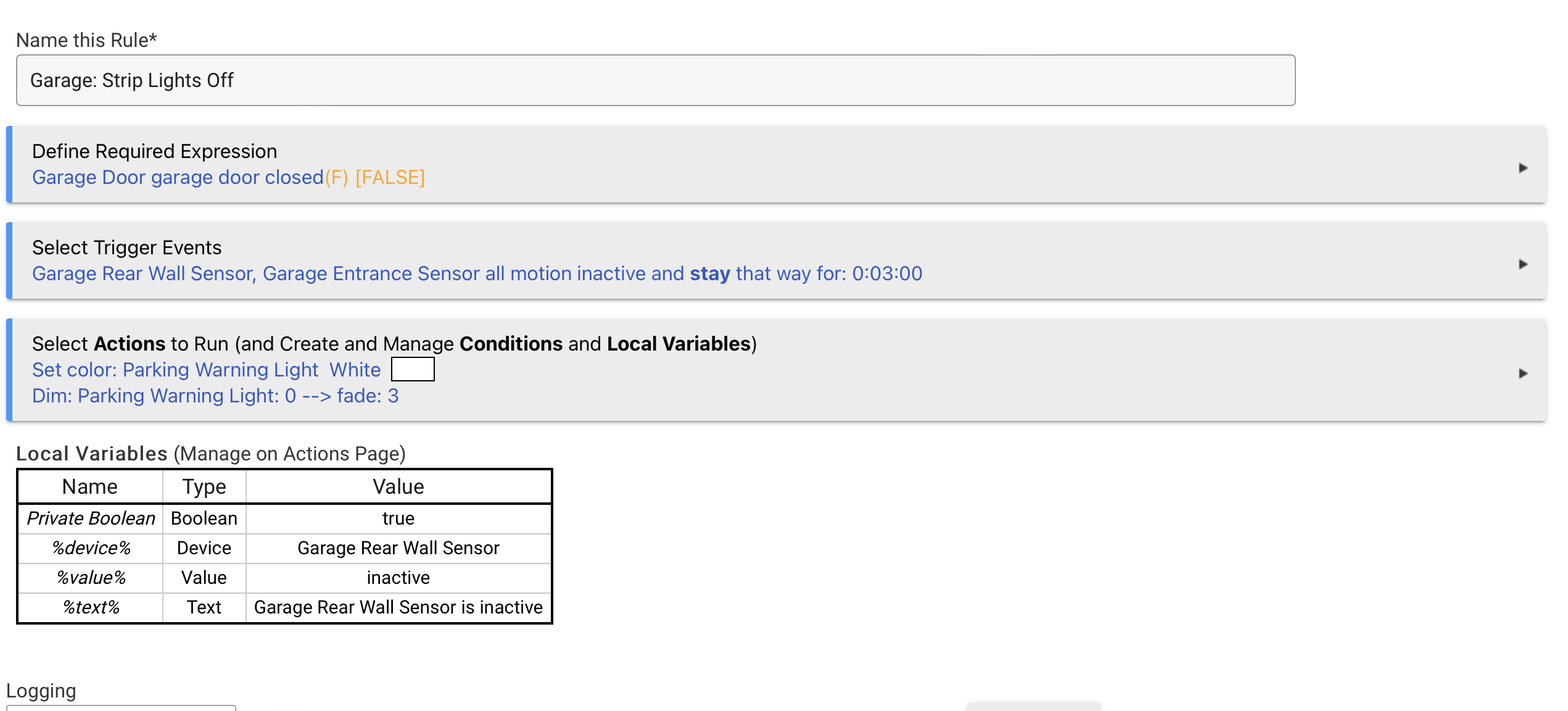
I don't see anything in that rule that really should cause that much load. It will be interesting to see how the hub performs with those off. What are the cool down times for those devices. ie how long between showing activity and then no activity.
Setting up InfluxDB Logger with the Hub info driver to write to INfluxdb Cloud is pretty simple and i have a dashboard already created for this in my test environment if you decide to do it. Just hit me up on a pm.
1 Like
This topic was automatically closed 30 days after the last reply. New replies are no longer allowed.

