Hello, I need help to create proper rules or code for following sittuation:
I have 1 central FAN that that makes exaust from 2 toilets and 1 shower rooms.
For initiation of fan I use motion sensors.
Currently I have 4 rules creted, however they does not make the job as I want, so probably not worth even to share..
What I want to do:
On ANY of 3 motion sensor activation code/rule should start FAN, then Based on which motion sensor is activated, it should set different FAN run times (5-20 min) and FAN should stop when time expires (if no other motion sensor activated). However, if any other motion sensor activated, code SHOUL ADD time set for that motion sensor to remaining time of FAN run. E.g. motion sensor of WC1 activates. Fan starts and runs 5min (if FAN time for WC1 is set to 5 min). When someones enters shower when 1 min remains of WC1 fan run time, code should add or replace remaing FAN run time with 15 min (if I set 15min for shower).
My current code/rules swithes on, however no reaction to any other motion sensor while runing current rule (using simple delay comant).
Not true. It is always worth sharing what is NOT working.
This might be part of the issue. The simple Delay (unless cancelable) will look like new motion events aren't triggering because the initial delay was not interupted. So, it will still shut off at the initial delayed time.
There are tricks to potentially make that work. But, you might have more luck with a Wait (which will cancel itself and retrigger the rule)
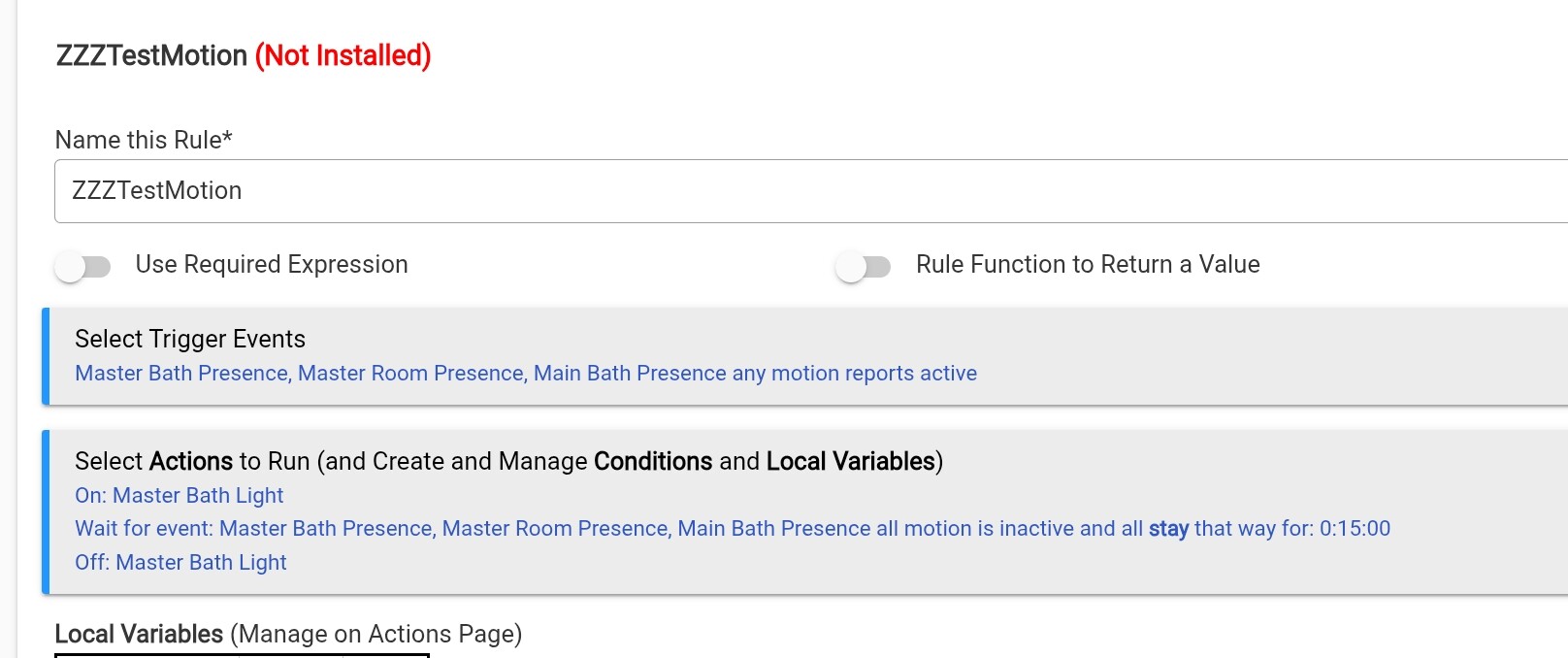
I would go, wait for event, motion on ALL of the motion sensors to go inactive AND STAYS that way for 15 (or however long you want it to be) before turning the fan off.
It won't get you two different times. But it will retrigger anytime new motion is detected in the 15 minute (or whatever set time) window.
Another way would be to use one rule for any of the sensors that you want with a 5 minute run time to trigger, using wait for event using just those sensors and a wait for just those sensors as a trigger. And a second rule with a fifteen minute timer just for the sensor(s) you want to trigger the 15 minute timeout. The first action after turning on the light would be to cancel rule timers for the rule that uses the first event. In the wait for event, you would include ALL the sensors going inactive instead of just the one that triggered it.
Hello, tray_e, thanks for help. However, not sure if Wait will work. Those motion sensors are wireless (some TUYA type from aliexpress) ,they only emits redlight once activated, then stays "blind" if I constantly moving. Not sure if they still send signals even withouut red indicator being off, but maybe there is some battery saving installed and they only send signal once initaily when activated. In that case WAIT will not work as there is no "end of motion" signal comming.
I would open the logs, walk in front of one of them, and see how long it takes for them to report inactive. It has to know you are still moving to stay "blind" as you say. Otherwise, it would never register after the first time you walk in front of it.
The wait requires it to report inactive AND STAY that way for the time you set. So, if it is still showing active (or "blind" as you say), then it won't cut the lights/fan off until it detects no motion for the time you have set.
That is what it is supposed to do. That is how almost all of them work. Triggers, then after a short timeout, it goes inactive. Once it does that, it can be triggered again. As long as it triggers again after going inactive before your wait time that you set, it will continue waiting until it goes inactive, and stays that way for whatever length of time you put as the wait statement. (NOTE: You cannot make the wait time shorter than the actual timeout, as that is how long the sensor takes to register inactive. They usually range anywhere from 30 seconds to 2 minutes, depending on the brand and model, as far as I have seen)