That makes sense (why you would need to re-install). Aside from pursuing the potential of the parent/child app option, if you are expecting to work on one or a collection of apps, over an extended period of time, maybe a small bit of throwaway code that creates a virtual child device with the right capabilities could help speed up the development process. May not suit all situations.... Just an idea....
Or you could look at how you are approaching the parts of your code that are requiring you to re-install so often, whether data could be stored differently, etc. If you intend to ever make them available to others, or even just update them for your own use, the approach you are taking at the moment may cause more headaches down the track if you want to release changes, not just during the initial development.
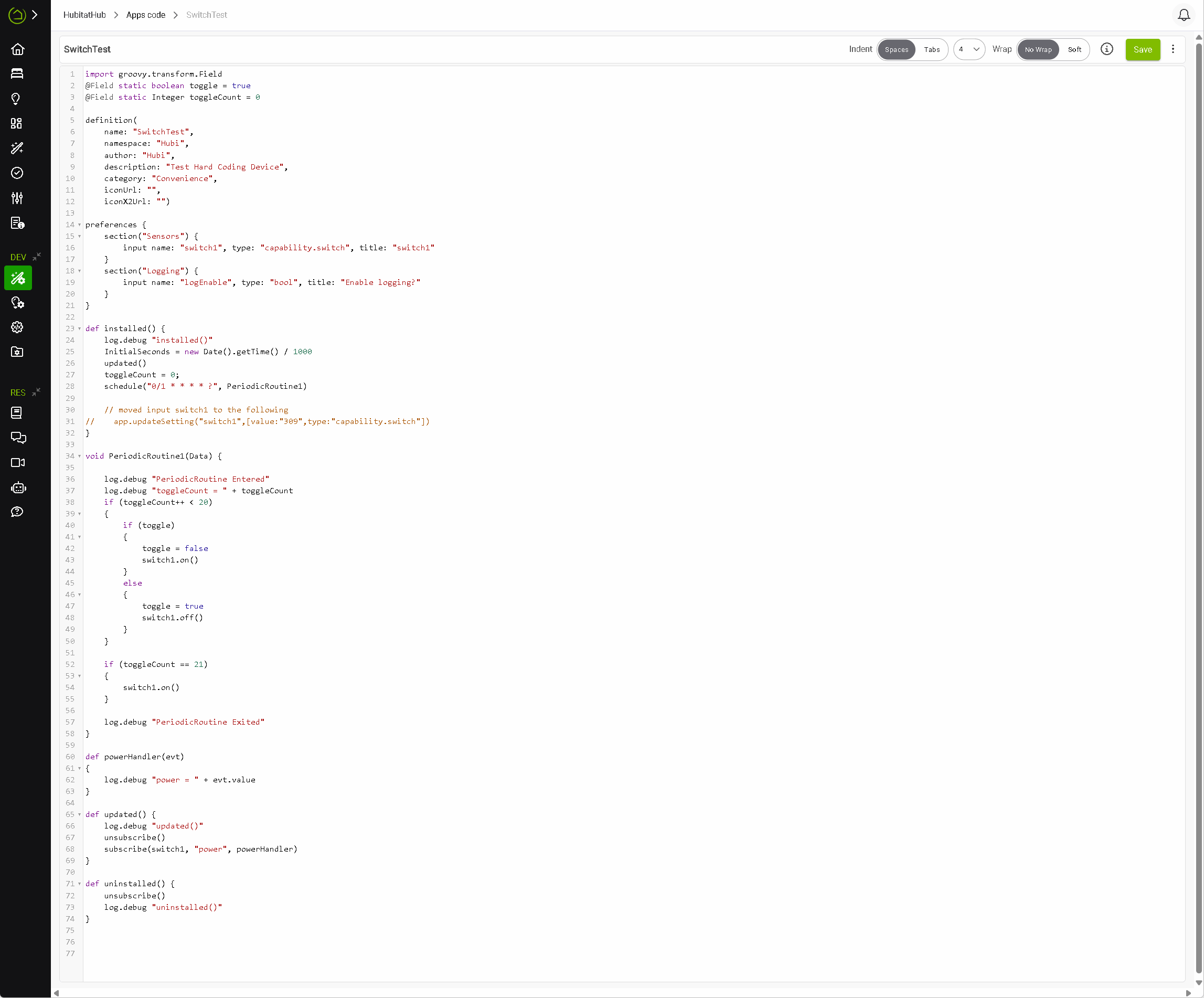
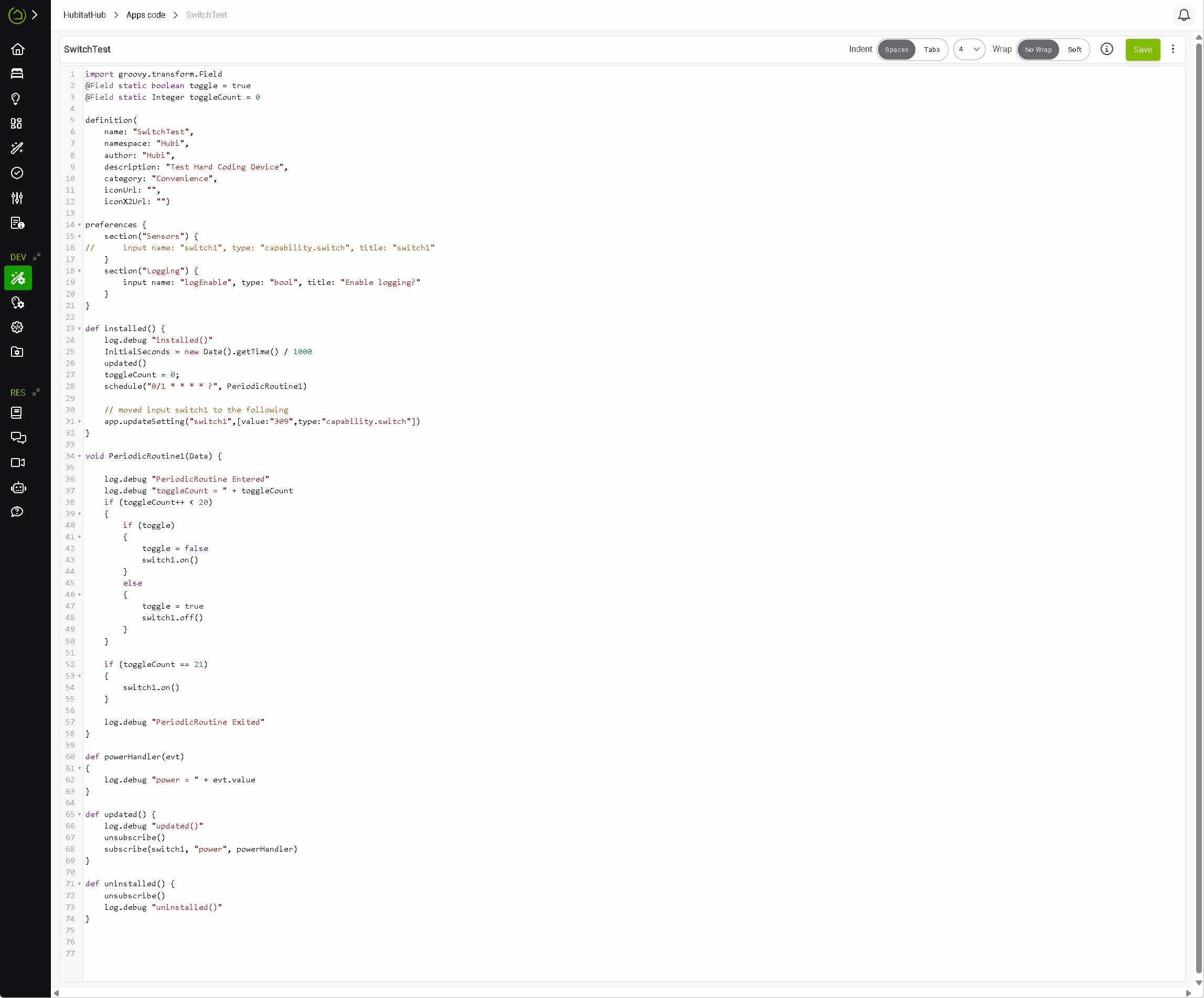
I came across this old post as I was looking to do the same thing. I found that you can just add them each on a line in the installed() method using updateSetting, instead of using the user inputs on mainPage().
Using the same name you would use in an input as aName, and the Device DNI you can find on the device list for the device for theDeviceDNI, and any capability that the device uses.
Edit: Using the DNI worked for adding a child device to settings, but I found that for adding a standard device you need to use the device ID (found in the URL when on the device page), not the DNI.
So for regular devices, use this in the installed() method for each device:
app.updateSetting("aName",[value:"theDeviceID",type:"capability.x"])
After changing those lines to comply with your tip (no input line) the periodic routine still worked but the subscribe for power did not. Do you have any words of wisdom?
You are running updated(), where you create that subscription, before you set the value of the preference on which the call to subscribe() depends.
Also noting that this workaround/behavior is (intentionally) undocumented and not guaranteed to be future-proof. (Something that would be: saving the value in a parent app and setting the child app to that, if it makes sense to do that with whatever you're writing -- and then choose the device in the parent since you only want to do it once. But anyway...that's the reason for the above.)
Thank You... Thank You! It was exactly the solution. I moved the Subscribe right after the app.updateSetting and things are working great. I can now change some of my custom programs that require TONS of input's (That never will change) to hardcoded devices! I am a happy camper.
 (Something that would be: saving the value in a parent app and setting the child app to that, if it makes sense to do that with whatever you're writing -- and then choose the device in the parent since you only want to do it once. But anyway...that's the reason for the above.)