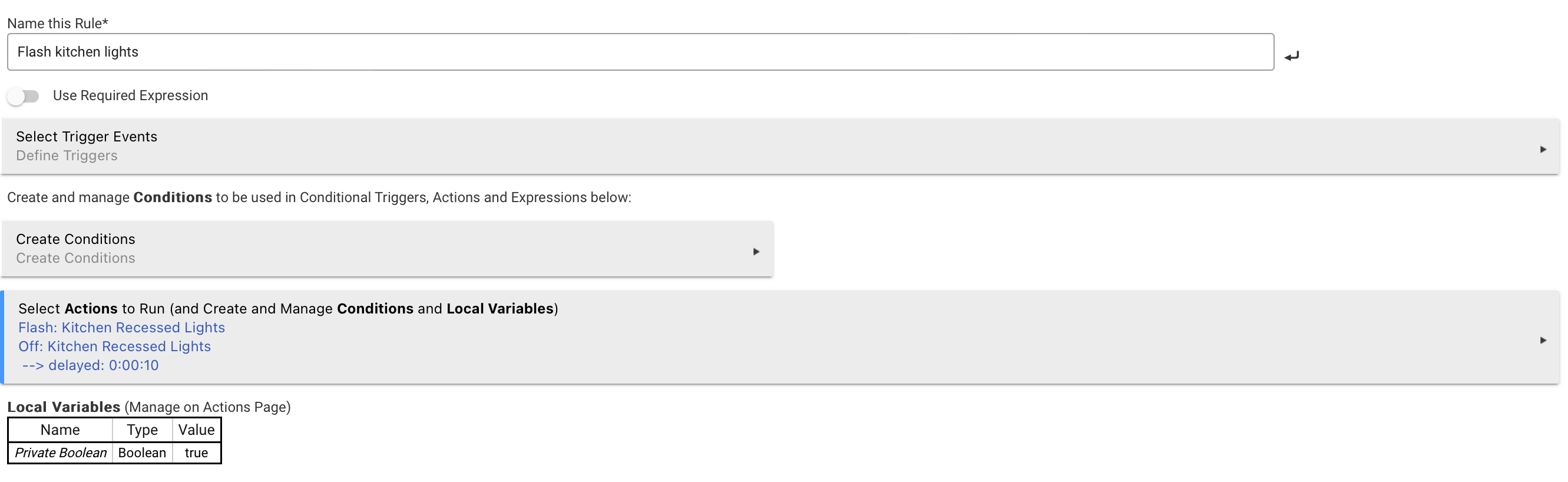
I’m stumbling on using RM and Flash command.
How to flash a Lutron dimmer with its flash command
Want to flash a light when a temperature sensor is >44 F
Want to stop flashing Lutron dimmer when sensor is <44 F
Also, would be nice to be able to stop the above with a button.
Rule to flash was working now stopped.
Attached rule that worked when clicked on run but now does not work.
What I have tried:
Rebooted Hunitat
Remove and re-add rule.
Have not used back arrow when creating the rule.
Dashboard does report the actual temp ok.
Office cans Lutron device does flash using its device screen.
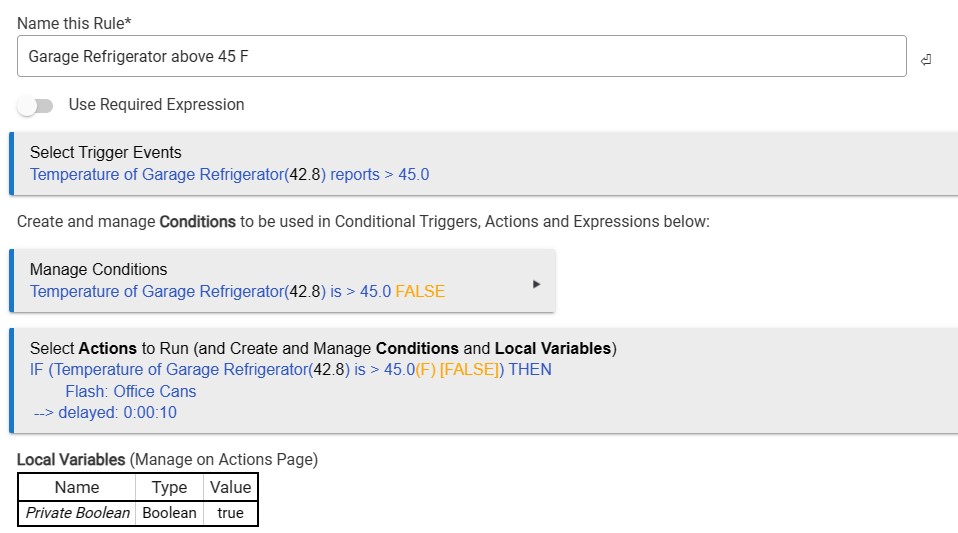
Log says 45.0(F) [FALSE]) THEN (skipping)
Remember that Hubitat is event based. Your rule will run any time the temp sensor reports over 45°, which may be more than you want. If it is reporting 45° and you want it to run you need a >= comparison in your trigger.
Your conditions are the same as your trigger. So you don't need the condition. Even though you don't technically need it, you should finish the IF statement with an END IF.
Your flashing will start only after the 10 second delay.
Another alternative that you may want to look at is Hubitat Safety Monitor.
Thanks again, I tried the >= not change.
I have not tried actual temperature test only the "Run Action" from the rule. that used to work.
Not familiar with what the Safety Monitor does.
I would suggest that you enclose the rule with the Private Boolean idiom and put the private Boolean in a required expression for the rule. You could be being hit by multiple triggering and concurrent execution, causing multiple flashes that appear as no flash.
Good, I will try both your ideas!
What is Skipping in the log file?
Action: IF (Temperature of Garage Refrigerator(38.3) is > 45.0(F) [FALSE]) THEN (skipping)
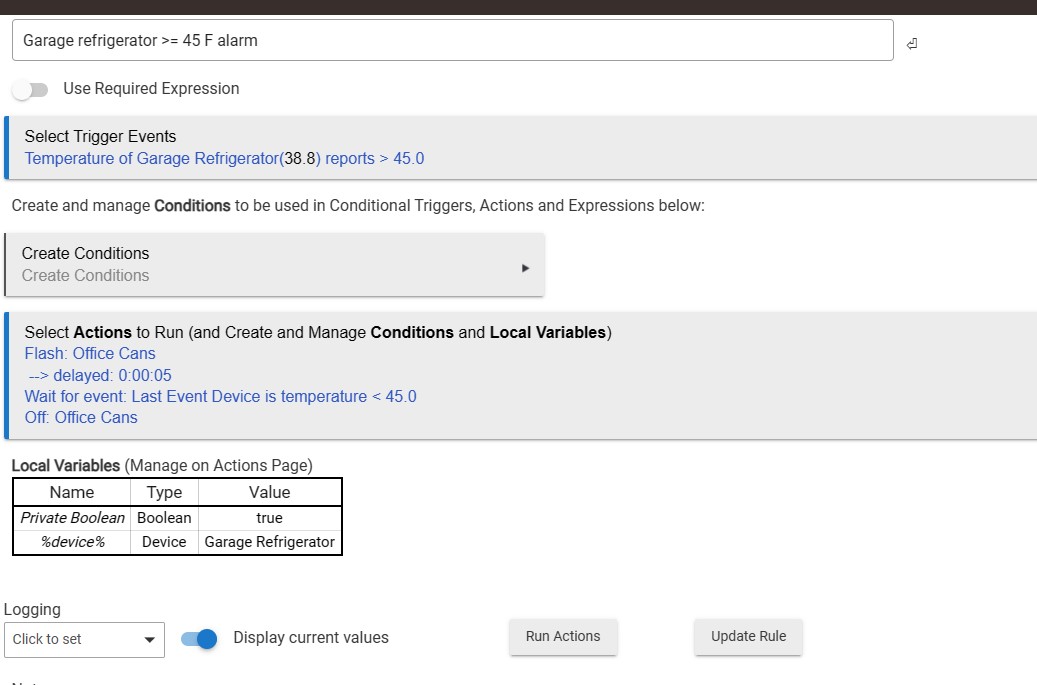
You were right about concurrent execution, the rule clashed between the Trigger Event and the Condition I had included.
Attached is the final Rule that is working well so far.
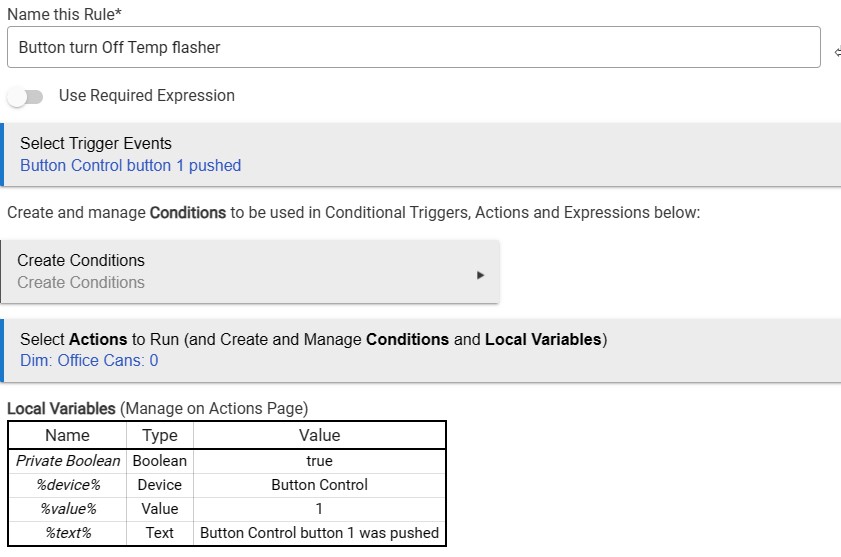
Now I'm trying to figure out how to create a button that will STOP the rule from running when the temp goes over for a long time. The button rule I now have does stop the lights from flashing for a bit of time but then starts again.
Also, attached. Sure it is not coded right.
Ok, if you are having concurrent execution, here are the steps to fix:
Enable Required Expression, define a Required Expression of Private Boolean is True.
Insert a first action for the Rule of Set Private Boolean False.
Add a final action of Set Private Boolean True.
The second rule you wrote will turn off the lights but not stop the first rule from running. At the next temperature report over 45, the lights will resume flashing.
There is a couple of ways to achieve what you’re looking for. One is that there is rule action available for pausing another rule. You could use it prior to turning off the lights in your second rule. You would then need to add some means to resume the first rule as well. Another one would be to use the state of a switch (buttons are momentary) in your first rule’s required expression.
Aside: consider using “and stays” on your temperature trigger. Also add a bit of hysteresis, I.e. the temperature threshold to trigger flashing should be slightly above the one to turn it off, otherwise the rule might oscillate.