If they seem stuck and don't resume properly on a restart.. There is a button on those nodes on that page to re-interview.. Which would immediately restart the interview
Yeah no joy with that, going to reset back to zwave and see where we are from there and retry.
I just initiated the migration to ZWave-JS on a C8 hub a few days ago. I signed up for a trial of Full Local Backup.
When I look at the interview list (at present 36 of 62 devices remain) some of the node IDs reference devices that do not exist when I look at the full list under the "Devices" menu. I am wondering if these are ghosts and if the interview process will get stuck once it encounters one.
None of the devices left on the interview list are battery powered, so those seem to have been interviewed successfully.
Additionally, I had a couple of really old Schlage plug-in modules that I got rid of but never excluded them. It seemed as though the process got stuck on one of them, so I force removed both of them since I might have discarded them. This leads me to believe that the interview process is sequential and may stall upon a situation like this.
I also have an outdoor switch I use to power a pool pump. I store the switch and pump indoors. I am wondering if the interview process will get stuck on that device as well, or if I have to set it up again just to be able to have it powered up. I don't care at this point if a few devices fail to get backed up if they aren't being used for a while.
Does anyone know how this interview process works and if it is smart enough to move on after encountering a ghost or device that is not powered?
The interview process won't stop/"get stuck" if one device doesn't complete, the other devices will get interviewed. You can re-interview a device using the endpoint below:
http://<YOUR_HUB_IP>/hub/zwave2/reinterview?node=<NODE_NUMBER>
It does sound like you may have some old ghosts. Can you post screen-shots of your entire Z-Wave Details page (will take multiple screen shots). Like below:
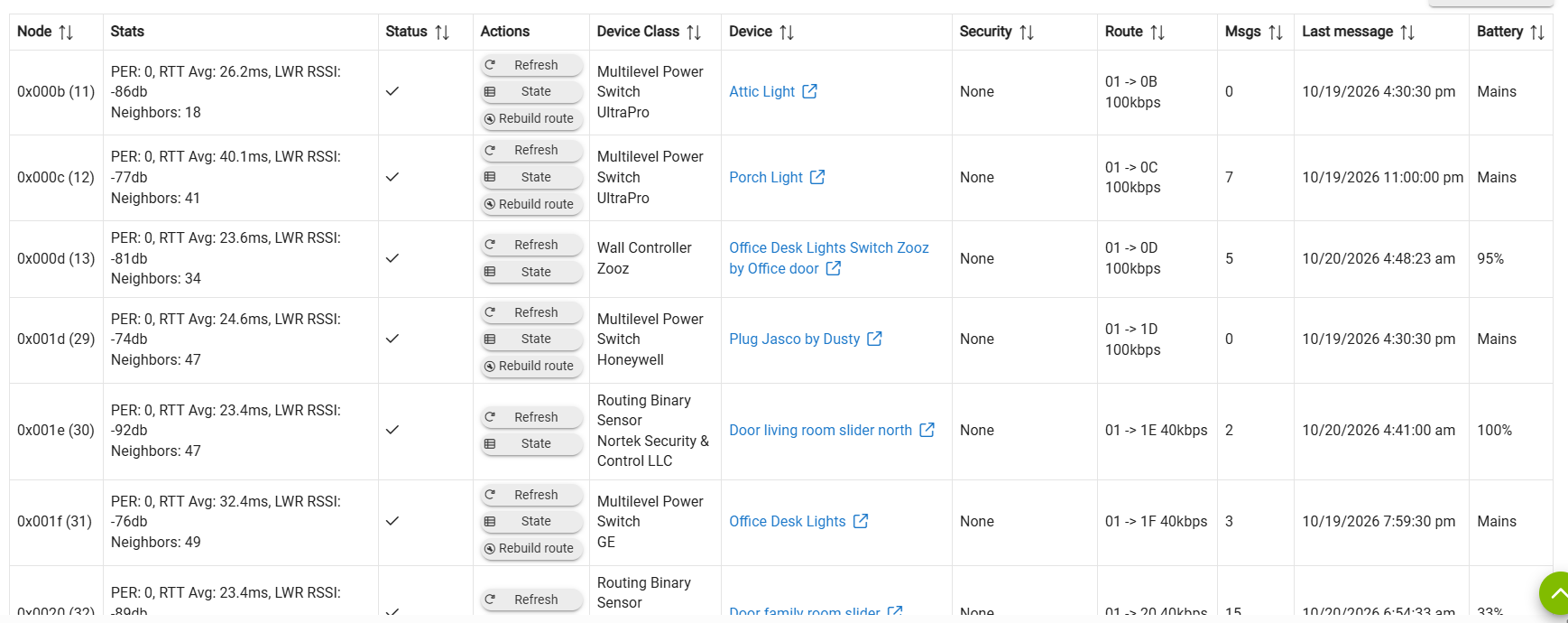
I am surprised this didn't cause you issue before you switched to JS. It is recommended in multiple comments throughout the forum that you should remove devices you don't intend to use as soon as you can(i.e. if you power them off, get rid of them, or they otherwise won't be able to communicate with the hub)

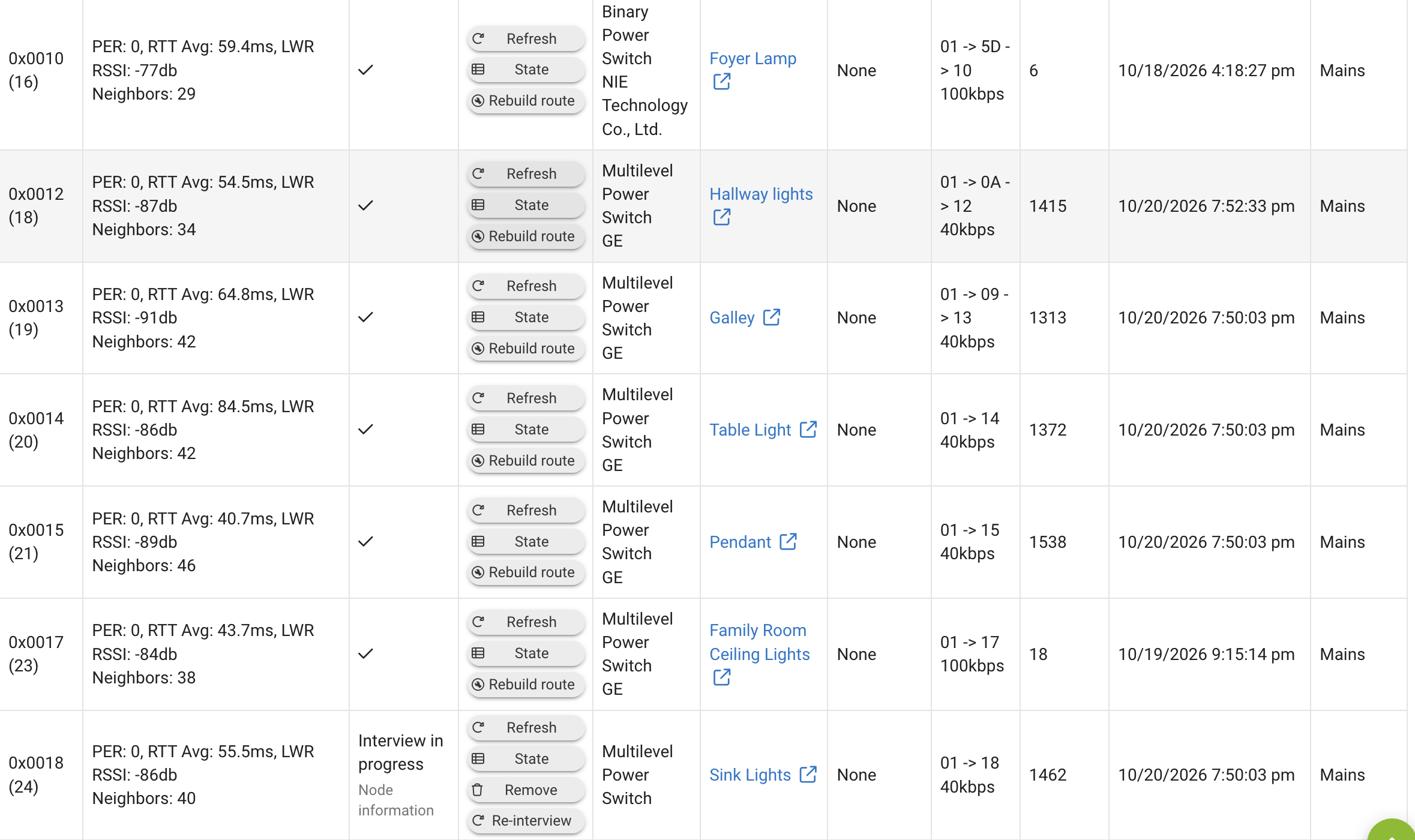
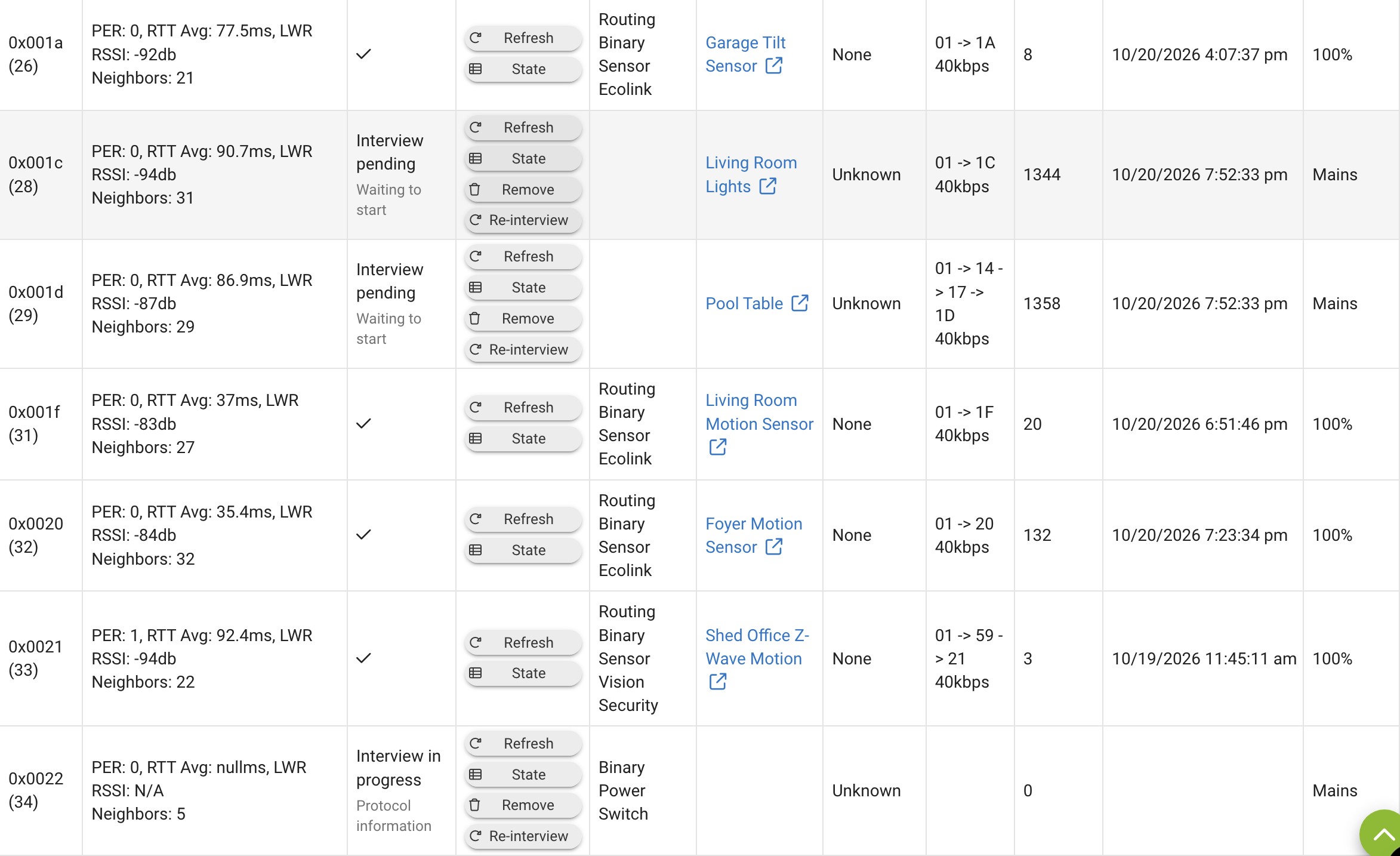
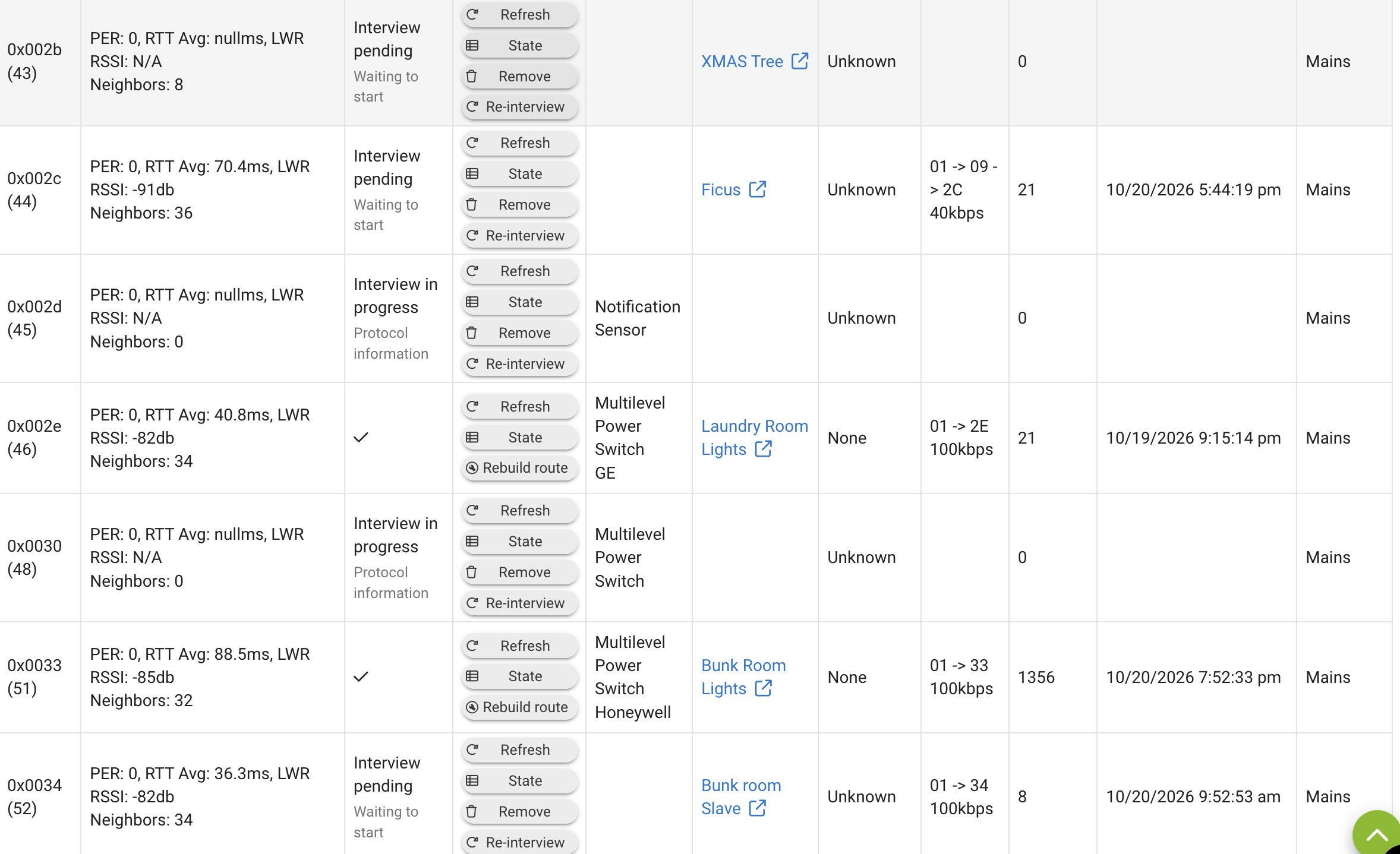
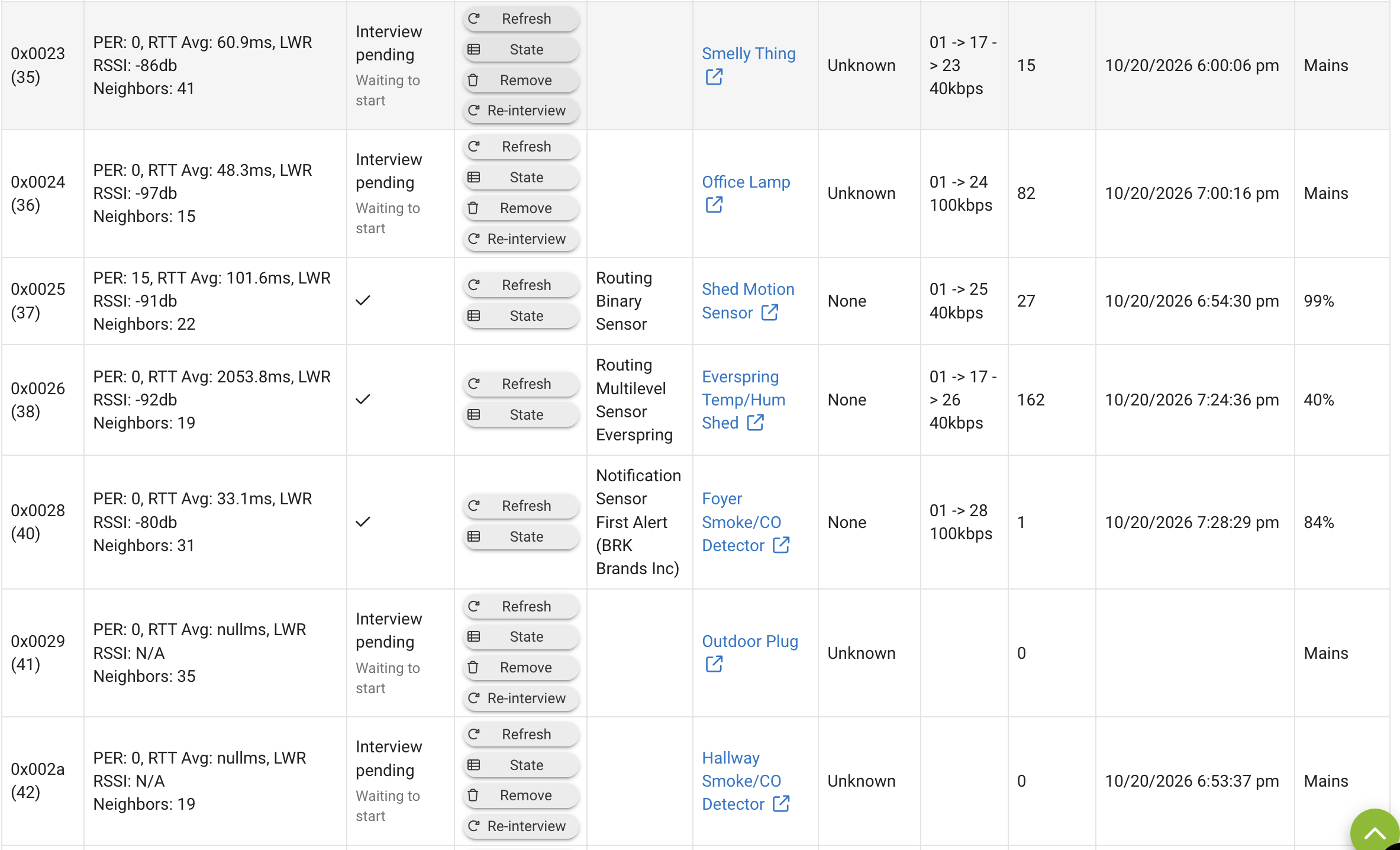
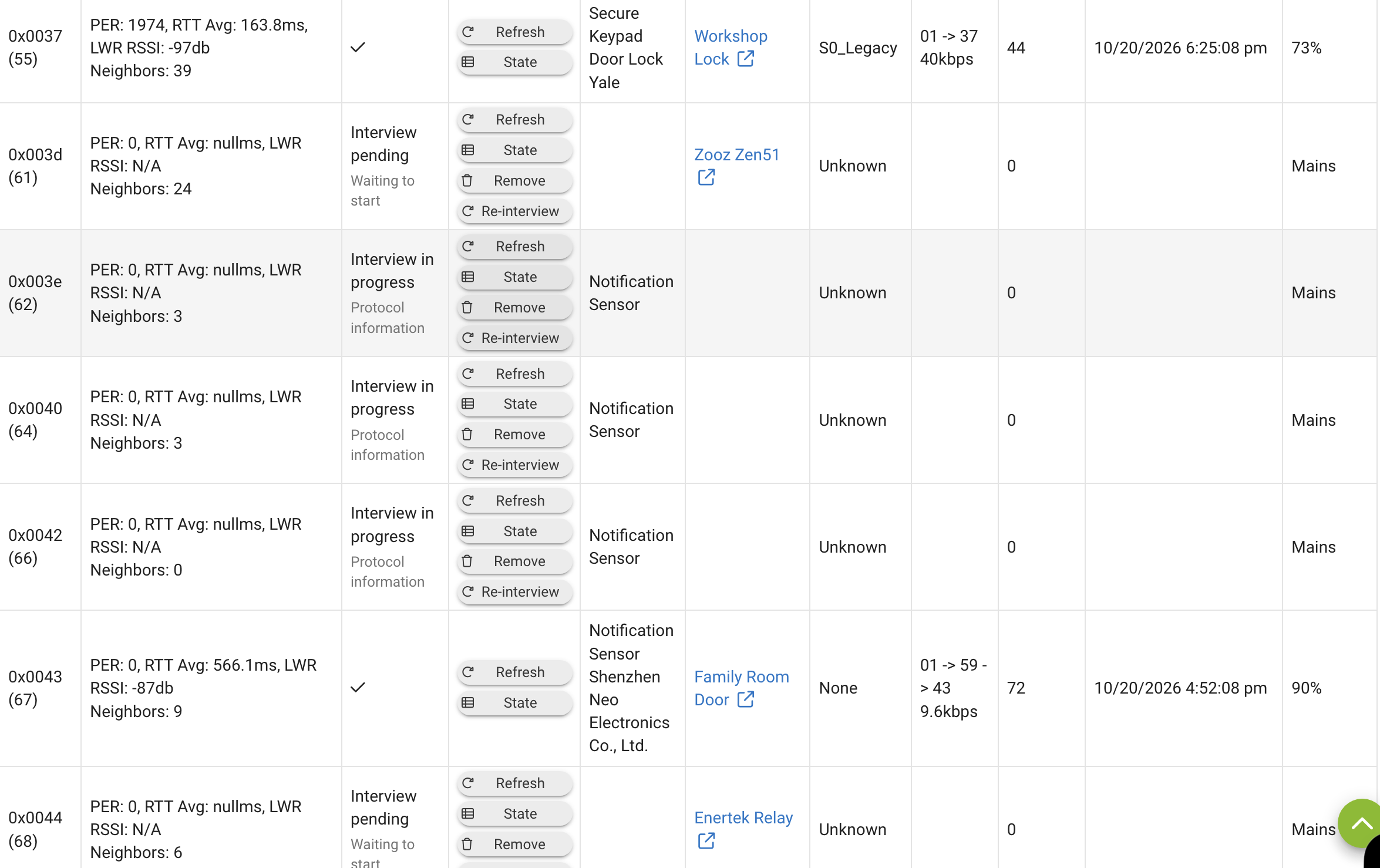
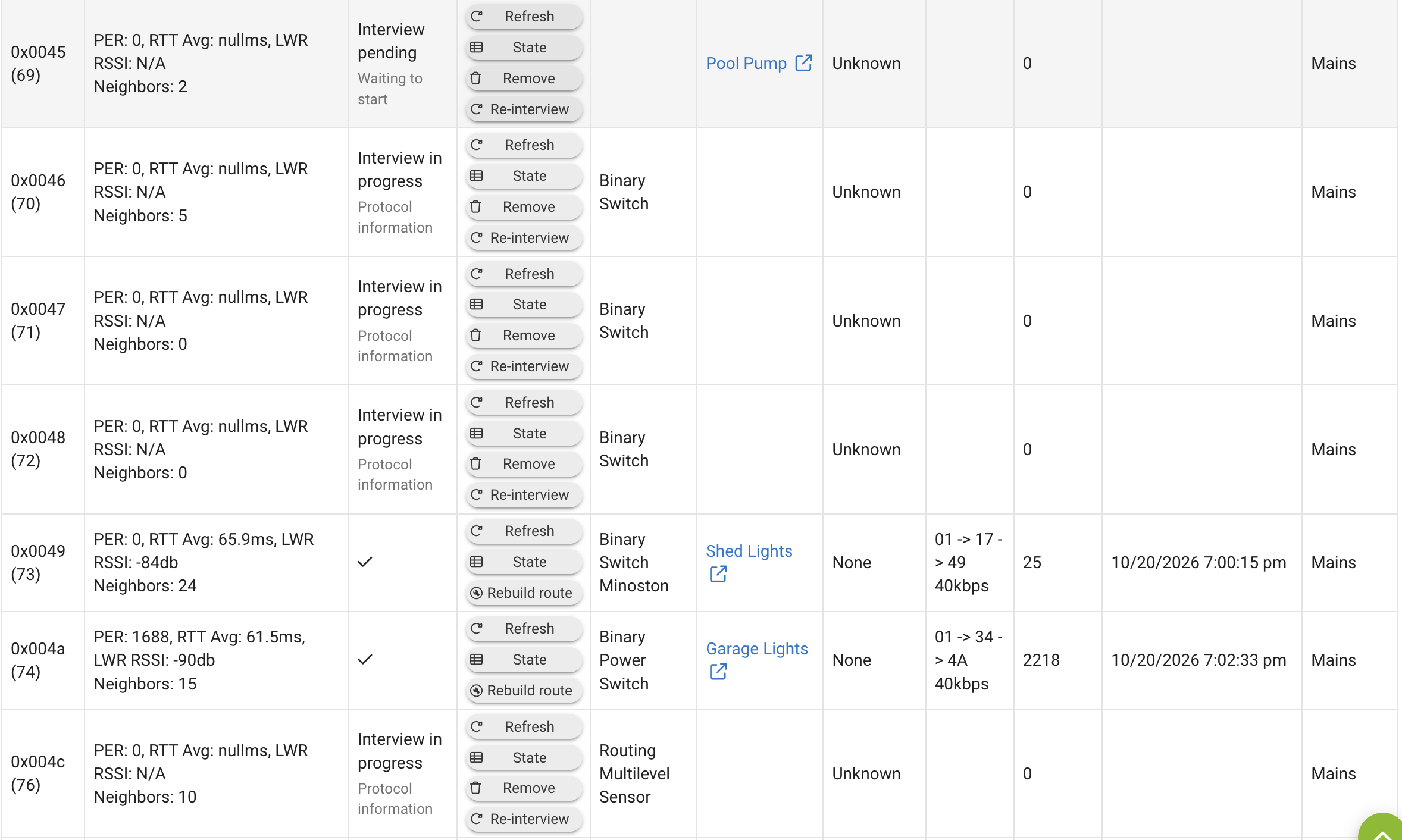
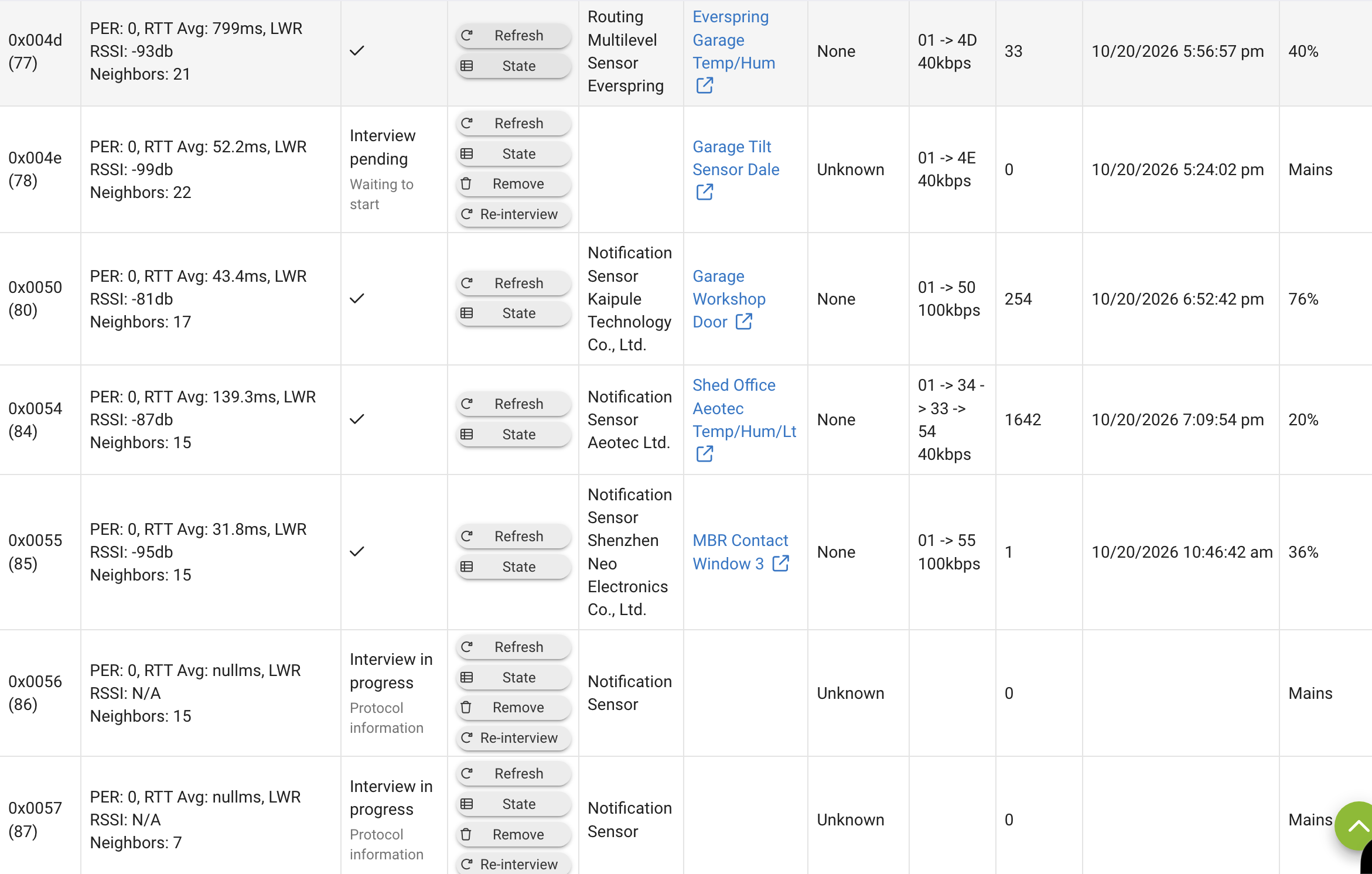
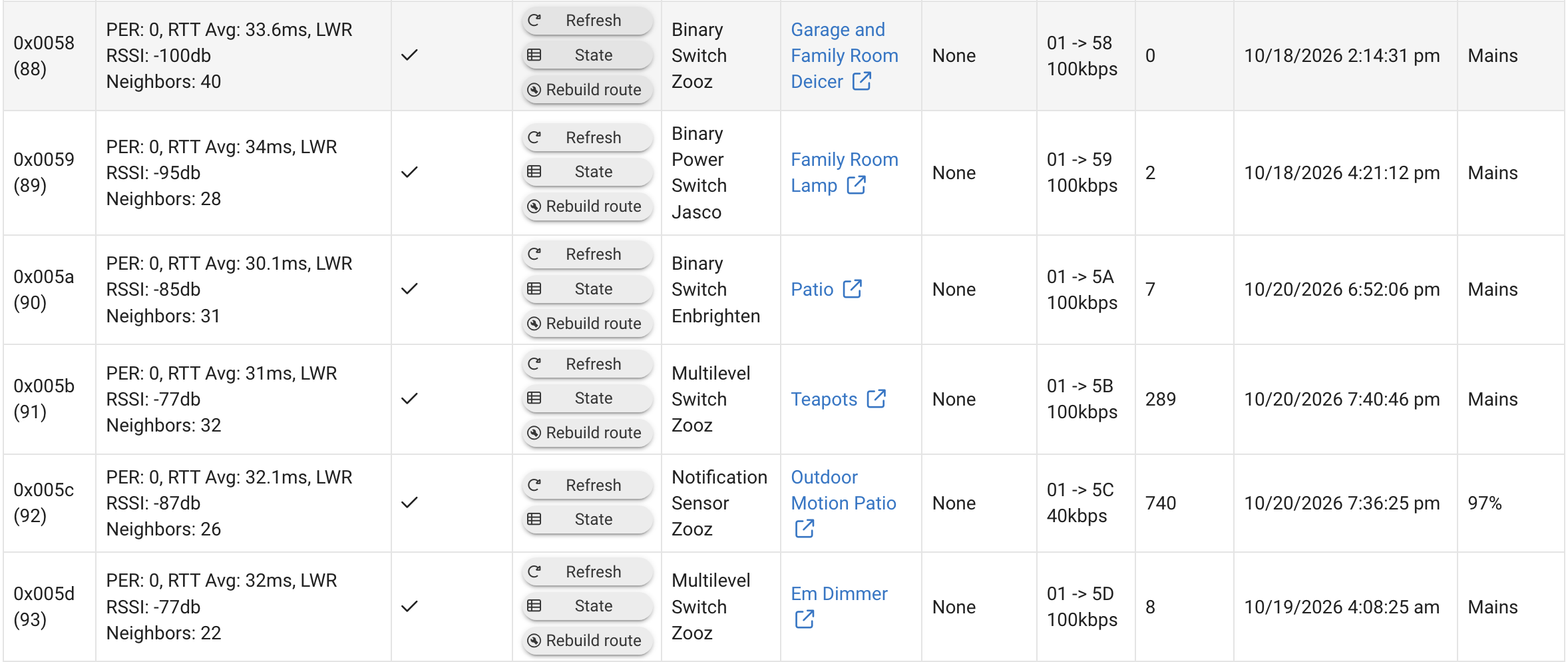
You have 11 ghosts. These are the ones where the Device column is blank such as Node 34. There is a Remove button on those too so click that to remove them.
I’ll give it shot, although node 34 is a valid functioning z-wave switch. The interview process seems at times to not differentiate between real and ghost devices. That device is a Honeywell in-wall switch that has two sub-devices:

Interestingly, when I click on the master device (Bunk Room Slave) the device page shows the number of the sub-devices (58) instead of 34.

I wonder if that is why the entry on the ZWave-JS interview screen doesn't show the actual device and treats it like a ghost?
Device 45 is also legit - it's a GE outdoor high amp switch I use to control a pool pump. That switch is stashed in my attic for the winter and I am loathe to dig it out and plug it in just so it gets backed up. That said, since I signed up for Full Local Backup and am NOT able to create a backup, I am wondering if it won't allow me to do so until all of the devices (legit or ghosts) are accounted for.

When I click on the device link, it also shows a different number (111) than the DNI (45). Any idea what those numbers are for?

Just to make this even more confusing, later in the list of devices that have not completed the interview process is DNI 69. The line shows Pool Pump as the device. When I search for 69 in the device list, it comes up empty. However, if I click on the device name link, the device page comes up correctly. What the heck?

The interview process is taking forever, I think one device has been interviewed in the past 24 hours. Given the assumption that the interview process is NOT interrupted by encountering a ghost or unknown device, my plan was to wait until it was finished and then deal with the remnants. For example, if a couple of legit devices are skipped due to them not being powered on (like my pool pump), a bug or error in the migration code, I'd exclude, delete and then re-create.
I am wondering if I should punt and revert back to the legacy format and re-subscribe to Hub Connect. I assume that will back up all of the devices regardless if on ZWave-JS or legacy. Regardless, I'l first give it another week or two to see if it finishes with those devices it recognizes.
Thoughts?
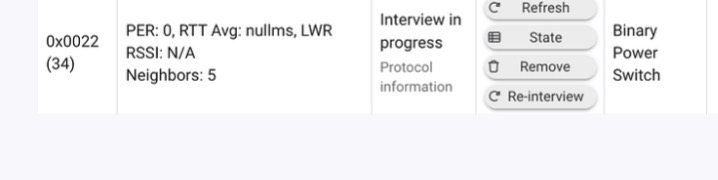
Thanks! I get it. I’ll go ahead and delete those entries without a device link.
I enabled ZWave-JS on my C8 Pro yesterday at 4:30 PM and it did a reboot when I did. When I went to bed it was interviewing device 19 of 61. 18 1/2 hours after the reboot, it's only on device 21 of 61. Is this normal?
My C8 Pro is on v2.5.2.139 and ZWave-JS version 15.29.0
It's been 4 days since I migrated to Zwave-JS, I rebooted my C8-Pro once because webcore wasn't firing right. The zwave status says it' still on device 21 of 60 where it was when I asked about this 3 days ago. What's going on?
No, I don't think it should take anywhere near that long. That said, I understand it could take a long time if you don't manually wake up a battery device like a sensor, or it hasn't yet done a periodic check-in.
Do you have a lot of battery powered devices? Are they the ones that haven't checked in yet?