How cool does this look?
8 Likes
Something to keep an eye on...
1 Like
How large of a LLM will something like that run? It will probably have a low token amount that can be levered in a local appliance. Chat GPT for example has 4k to 28k tokens in memory at a time to maintain context. 100 words equal about 75 tokens.
Thinking about the architecture it really looks cool since the workload is sent to Home Assistant or PI, later to their AI Base Station.
This seems to be coming along nicely. Looking forward to seeing if it can be supported in Hubitat.
Satellite1 Launch: The AI Voice Assistant with Built-in Multi-Sensors (Goodbye, Alexa!)
2 Likes
Wow, very nice! Hoping that this will work with Hubitat once released.
1 Like
It looks like it has been released with a new batch shipping soon. This comment is on the main web page:
This Dev Kit focuses on controlling your smart home via the Home Assistant platform and their incredible Assist voice control pipeline.
Hubitat does not have an "Assist voice control pipeline" so I'm not expecting a "plug and play" implementation with Hubitat.
I am very interested in de-Alexa ing my house ASAP. Hopefully some Hubitat developers are as eager to get this working as I am.
2 Likes
They have added a couple of different form factor examples to their web site. I purchased the Home Assistant PE edition and as has been well documented it is not exactly ready for prime time. This one has double the microphones so presumably be better to use.
I don't mind bringing voice commands in through Home Assistant and then sending them to Hubitat but having a direct connection to these devices would be very nice and presumably a big differentiator for Hubitat?
I also posted separately about Alexa Plus. It's not available here yet but I am curious how that is going to work. I don't mind the cloud piece at this point if it gets the job done. But I know that is a non-starter for many.
ya as previously not a solution for me as i dont have one apple device (by choice.. ) so cannot use home assistant or therefore this solution.
Why do you need an Apple device to use this solution or home assistant?
4 Likes
Update received today:
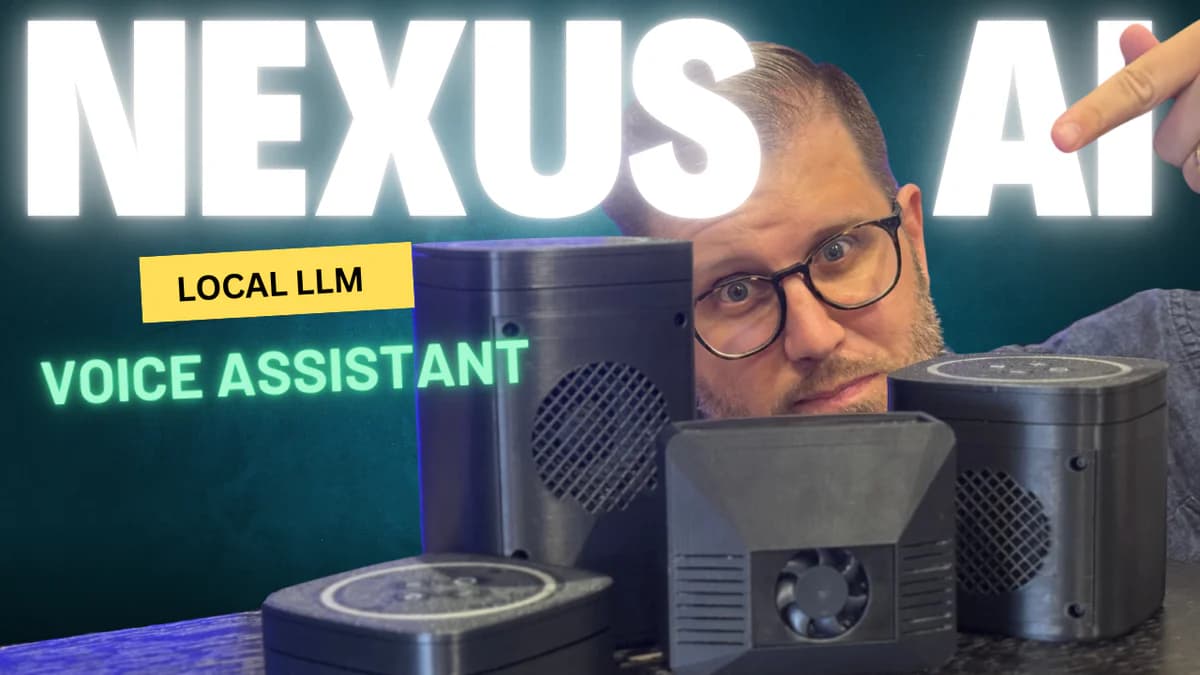
We’ve been building a 'LLM-in-a-Box' solution—so you can power your smart home with voice assistant, without needing to connect to ChatGPT, Google, or the cloud.
Today, you’ve got two choices if you want AI controlling your smart home.
You can connect everything to the cloud—ChatGPT, Google Gemini, whatever—and hand over your privacy.
Or you can buy/build your own LLM server with an expensive GPU (~$1,500 or more) and hope it runs an intelligent-enough model that doesn’t take 10 seconds to open your garage door—even though you actually asked it to turn on the living room TV (if you’ve tried building your own local LLM voice assistant, you know exactly what I’m talking about).
That’s why we built Nexus—it’s the ideal local LLM voice assistant solution: a small, powerful dedicated server built on the NVIDIA Jetson Orin chip family, running our custom LLM software stack that handles the entire AI voice pipeline—LLM, inference engine, speech-to-text, and text-to-speech. You can even upgrade to a 16GB Nexus and run Home Assistant, Music Assistant, and other Docker containers—all on one dedicated device, fully local and fully private.
And with our upcoming realtime voice streaming pipeline, you’ll be able to talk naturally with your Satellite1 Speaker via conversational AI—just like OpenAI’s voice assistant on their mobile app, but running entirely within your home. No more uttering the wake word over and over again!
So why am I writing you, and how can you help us succeed?
First, please spread the word. Share what we’re building—it makes a huge difference.
Second, join the Nexus Waitlist to be notified when we launch. You can even join our private beta from the link above.
Thanks again for all the support. It means a lot. Let’s build something better.
 Get Free Shipping!
Enjoy free shipping across the EU, UK and the US!

Purchase your preferred speaker separately and 3D print one of our many enclosure choices.
 Thousands of Happy Customers
Just us on our very active Discord to interact with the community and learn more about the product.

No longer want to receive these emails? Unsubscribe
© 2025 FutureProofHomes
How do we do this with HE?

1 Like
I didn't watch the whole video yet but it seems exhausting. As with all things Home Assistant if you are prepared to spend days working on it and then accepting that they will break it every month then it is worth wading into. I got the Home Assistant voice device and put it back on to-do projects shelf after about 10 minutes of playing with it.
I still find my Alexa's provide the easiest route for interacting with Hubitat. I am not concerned about the cloud piece as the cloud already has all of my data so stopping Amazon know that i turned on a light is really not an issue.
My main annoyance with Alexa is that it doesn't pass through room awareness. If we could only know which Alexa receives the command then we could do so much more. I was hoping Alexa Plus might reveal that information but I don't know anyone who has it or that can comment on it.
So I guess there are two approaches - replicate what he is doing in Home Assistant and then use the bridge to Hubitat. Very messy and subject to home assistant breaking something, Or do this on Hubitat and involve some ai server - I have unraid running so I assume I could do this?
I agree. However if you're willing to fire up an instance of Node Red, there is an Alexa pallet of nodes that can tell you what device heard you and act accordingly. Many have found it unreliable but I have been one of the lucky ones. I can go into any room with a fan and say it's hot in here and that fan will turn. I can also say illuminate or lumos maxima to turn on a light in the room I am in.
Interesting. I have dabbled in Node Red in the past but never spent the time to really make it work. I will take another look at this. If you have any other pointers or can point me at documentation then please do. Thanks.
Original post about doing it is in post #113 of this thread from exactly 5 years ago:
Keep going down to my post #457 for more helpful info.
I have been on a AI kick a bit this last week and watched several of his videos. Something you need to consider is that allot of his AI Videos build on each other. He has a AI Server at his house that uses dual 4090's.
In that video he he uses a few raspberry Pi's to be his voice assistant devices and then they use his AI Server with the Dual 4090's to process a LLM behind it and handle some of the audio and TTS processing for Home Assistant.
I have been looking at ollama myself recently and testing it with my bigger home Server which is a 128GB system with a AMD Ryzen 5950x and a RTX 3050 8GB. Initially I just tried the CPU and it was sluggish, but passable. Adding the RTX 3050 into the mix puts the CPU to shame for processing LLM's.
I tend to think what someone needs to do is build a small LLM that is Hubitat centric. Then build in some functions and controls that can talk to Maker API or a custom App to perform functions. I was starting to look at that. I think that is largely what the Nexus AI device is. I don't think for standard home automation stuff you need a very large LLM. You just need it to understand when you say this do this to a Home automating device right. I haven't gotten far with it yet though. still trying to understand all the ollama, model, and webui stuff and what I may need as a GPU.
My hope is that something like a Jetson nano could run something efficiently.
3 Likes

