Apparently there is a firmware update released recently for the 700 chip. Hopefully Hubitat can get it through testing soon and into beta.
4 Likes
Is that relevant as a customer? Does anyone actually care which component is the issue?
4 Likes
I agree - although knowing this does offer at least some sort of explanation + possible work-arounds and the hope of an eventual solution.
1 Like
You're right. But I have a lot of sympathy for Hubitat. Silicon Labs sold them a bill of goods on readiness of 700 chipset. And then have been slow to fix things. There's a reason that SL are already moving on to 800 series. Competition is heating up. SL will have to work to remain competitive. They're luck they have stodgy security system companies invested in their products.
5 Likes
Still if you have one or two devices that are directly connected to the hub with a lot of other devices routed through them, if you could shut them off for a day or 2 re-routing will have to take place.
I changes all my devices to Z-Wave + when I switched to HE. There are 3 Aeotec remotes that are old bu they are battery and don't repeat.
1 Like
I'll give the locks a try as they are the biggest offenders.
Problem with those buggers is I need to get out the long eth cable as they really didn't like joining from afar when I migrated.
1 Like
Well my external antenna upgrade on my C5 didn't go well. I took my time with the U.FL connectors and they turned out well, but when I mounted the antennas to the case I didn't noticed that one of them was above a component standing up from the board. When I put the hub back together the antenna connector damaged the component. 
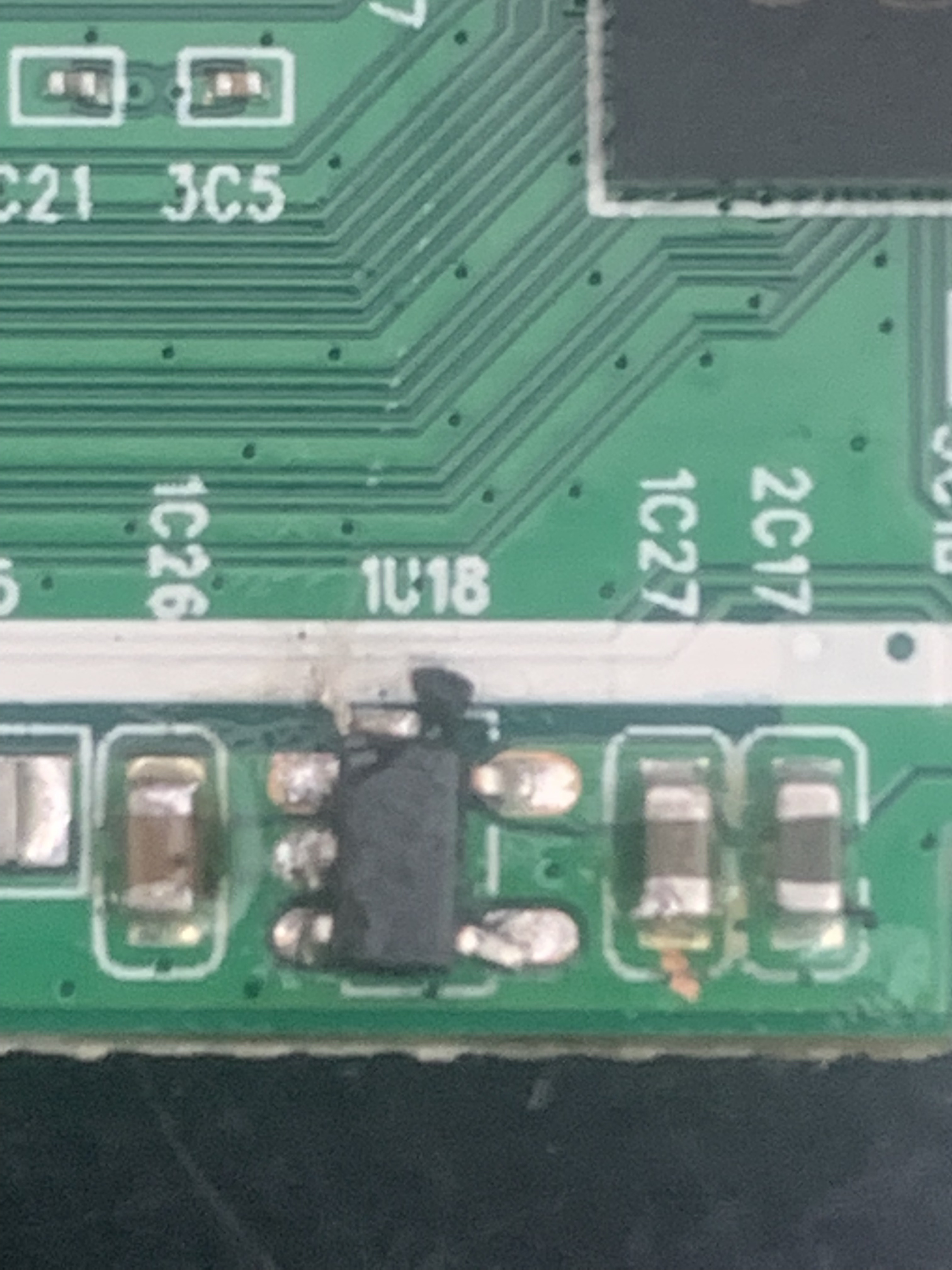
I guess it's time to upgrade to a C7.
If you want I can fix it. That chip has some writing on top. I think it shoud say LVKX. It's a Low Noise CMOS Voltage Regulator. The markings indicate what the voltage is:
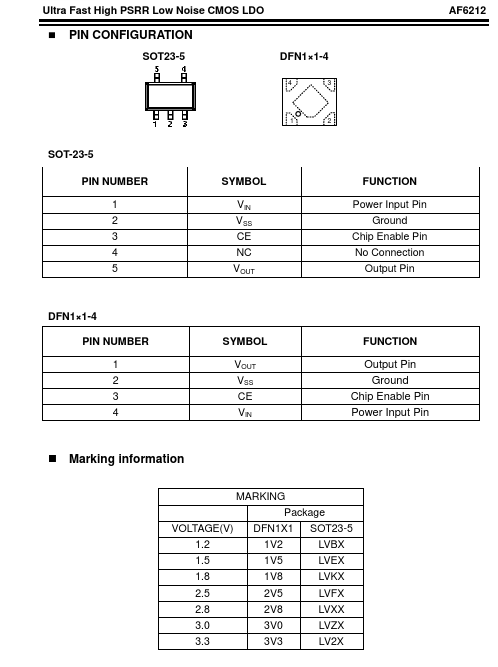
I have a spare chip on hand. I'll relocate the antenna mod to a more compatible location as well. At least that way you can take your time migrating them.
10 Likes
That would be awesome, I'll PM you.
Thank you!!!
2 Likes
Np
2 Likes
Follow up on my attempt I figured out what went wrong... The solder I used was some little tube of solder I had that came with my solder station, instead of the bigger roll of the normal solder I use. The bigger roll works way better and I don't know what is up with the junk solder I had.
Anyway it seems I have damaged my Zigbee radio during the process I just discovered today when I was working on a program to flash a lamp if any doors or windows were open. I only have 1 Zigbee sensor that I use and have a couple of remotes I was going to use but I couldn't get them to pair. I cracked the hub open again and saw my crap job at soldering had popped off the board for the Zigbee one so I tried attaching again but no dice the radio doesn't seem to listen unless you put the sensor or remote on top of the hub when it transmits.
I dunno what I did and I honestly am not all that upset about it because the Z-Wave works a billion times better and everything I have is Z-Wave or connects through API like the Ikea blinds to the Ikea hub.
So lesson learned here, if you are an amateur or just decent with the soldering this is an advanced project. LOL
For those with the Ring contact sensors I have one paired right now with the Hubitat the Ring Outdoor Contact sensor. There was no driver for it and it tried to pair as a siren so I told it to be a G2 sensor and it works great. That is on the garage door with the Zooz multirelay as the controller as a garage door system. Anyway that is connected at 100kbps with 1ms time and is outside in MN where it is about 3 degrees right now.
I have a few G2 sensors that aren't in use on my Ring alarm I will try to pair one if I find where I put that box and see what it connects at. When pairing the Ring sensors I saw a video on here you have to hold the button for 3 seconds so it starts blinking then it goes to classic mode and it pairs with S2.
1 Like
When you're done, can you build me that perpetual motion machine that I have been looking for? C'mon, I'm pretty sure you could do it w/a soldering gun and one hand tied behind your back. 
2 Likes
Seems pretty clear from that test that your Zigbee radio doesn’t have any antenna to speak of. Perhaps the antenna connector isn’t soldered to the contacts, perhaps the trace to the antenna is broken. A broken trace could be spliced with some 30 gauge wire wrap wire.
I've been thinking about that one for a few years. Mr. law of thermodynamics doesn't like those though and keeps telling me no.
2 Likes
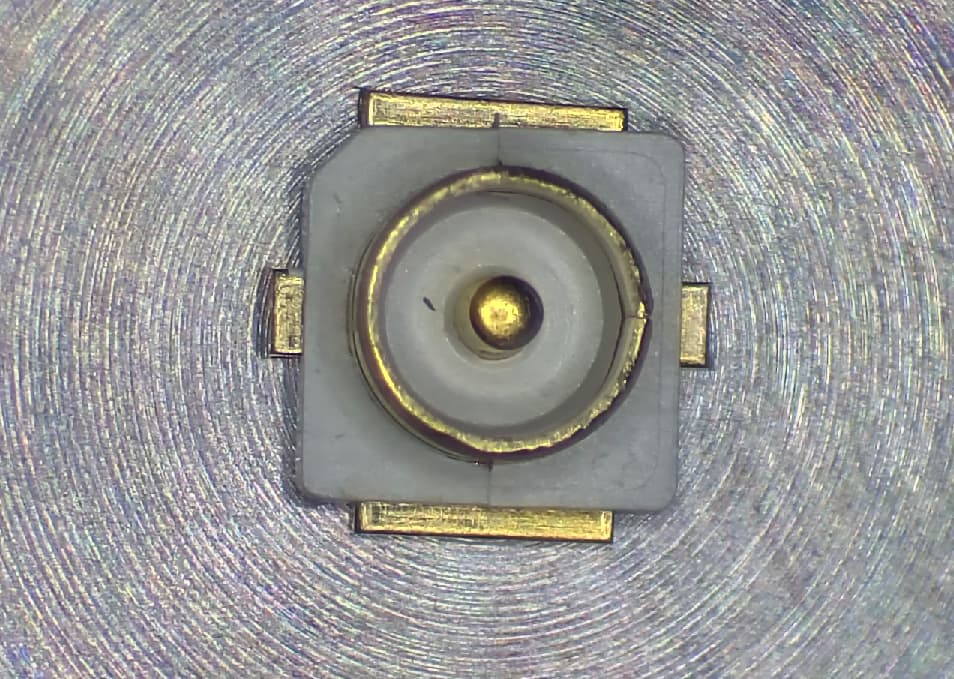
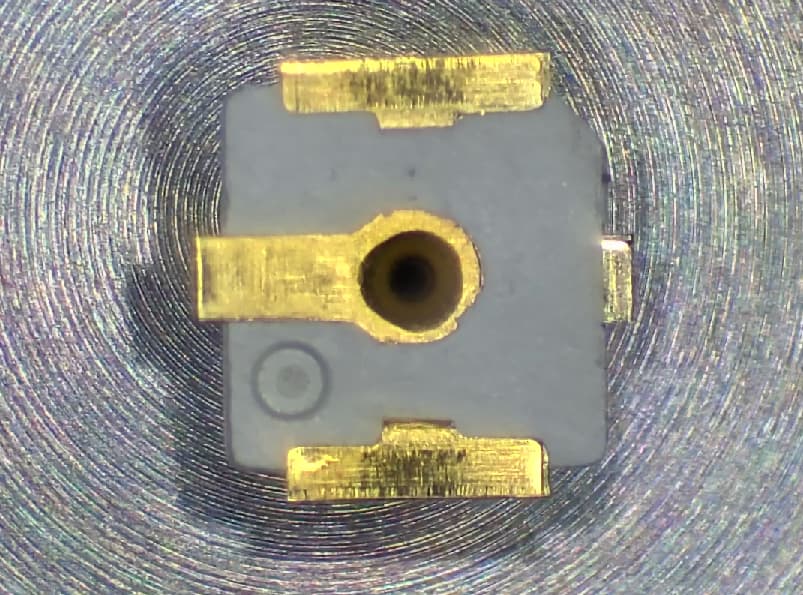
Had several people post problems soldering these and I know they can be difficult. I'm really well setup here to do them for you and I don't charge anything. Just cover shipping or any parts you need. I really don't mind.
7 Likes
I don't have any connector but I could have it backwards... There are the 2 pairs of pads on each side then 1 single pad on each of the other sides. I have it on the right hand pad if you have it where the solder points would be at the bottom of the board.
Sounds right, maybe a ground short.
I see an arrow pointing to that one in the pictures at the top of this post in the detail pictures. That plug on the left of the board I believe says it is the Zigbee radio. I might play with it again later and order more of those little pieces and clean the board off of all the solder and try to put a plug on it. I have learned my lesson here... LOL
1 Like