I'm looking for some capability in RM that I'm probably unfamiliar with.
Have a non-smart button wired/hacked into a contact which triggers a rule once depressed.
While STAYING IN THAT RULE (for say 90 seconds) I want to watch for subsequent depressions (triggering or closing of that contact) in order to increase a counter (to measure pressers urgency, tenaciousness, or testing the house when not home) before exiting the rule.
Rule is currently protected from re-triggering by a Private Boolean so that multiple rapid triggers don't prompt the initial announcement & notification actions.
Basically, I wanna monitor/poll a simple contact device for a close event while in a rule.
Thanks in advance for any ideas/pointers/suggestions.
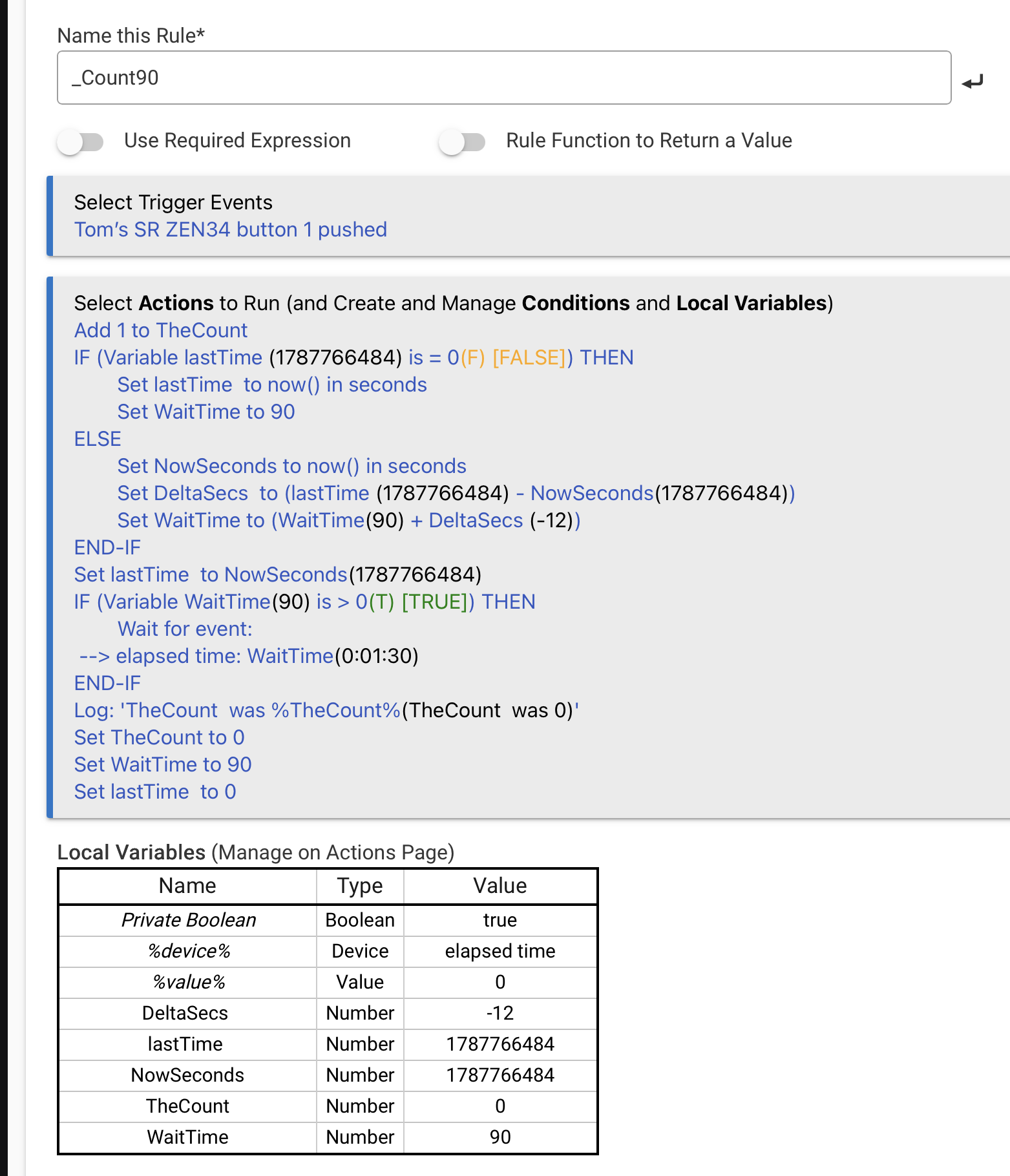
I guess a variable could be used. First press sets it to 1, subsequent presses add 1, action before private boolean being set back to true would be to set the variable back to 0. As you're using a private boolean, it'll probably need a second rule triggered off the doorbell press and a hub variable.
So just sharing the stage I'm at trying to wait, count, re-wait, count, stop.
The damn Repeat command has every complicating control option besides the one I'd like...been mentioned by others before.
And yeah, I should probably be grabbing a time stamp and decrementing the timeout_sec according to the clock. But it's too complicated already. I'm still looking at this, I know I'm probably messing up the monitoring somehow in the Repeat's time slices and my timeout decrement.
// Set desired timeout_sec wait for more presses.
Set timeout_sec to 90
Set decremented_timeout_sec to timeout_sec(90)
Set timeout_trigger to '%device%(Doorbell - Button - Frontdoor )'
// Start polling for more. The design of the Repeat command isn't on my wavelength.
While (Variable decremented_timeout_sec(90) is > 0(T) [TRUE]) Repeat 1 times every 0:00:10 (stoppable)
Wait for event: Doorbell - Button - Frontdoor contact is closed
--> timeout: decremented_timeout_sec(0:01:30)
// Bust out of Repeat if timeout is up using feature I didn't know existed, checking for 'timeout'
IF (Variable timeout_trigger(nothing) is = 'timeout' FALSE) Stop Repeating Actions
Add 1 to press_count
Add -10 to decremented_timeout_sec
END-REP
Thanks for your time and ideas today. Diving into the time/clock stuff was helpful.
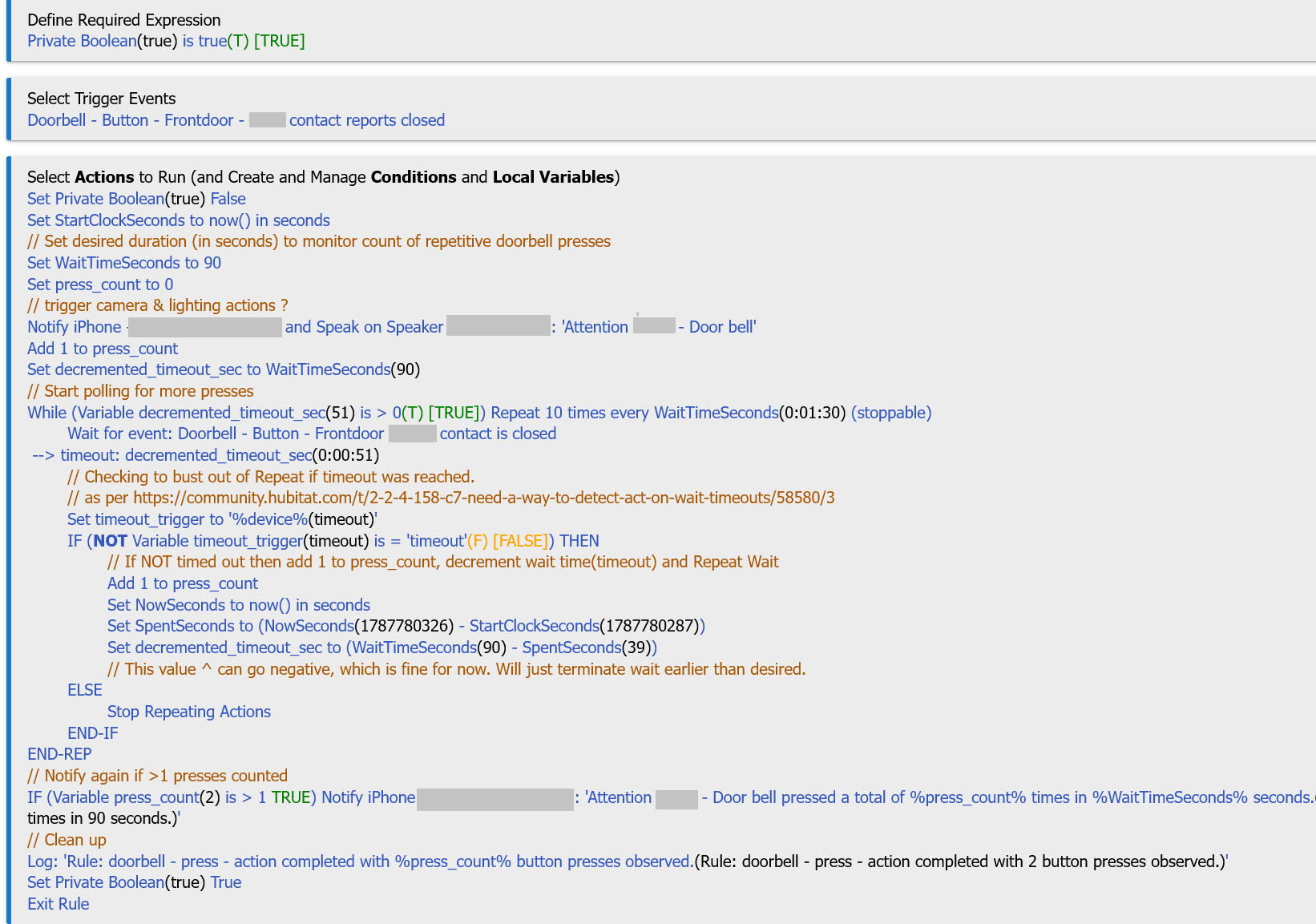
So here's what I ended up with. I didn't follow your lead as much as I probably should have since I kept the Repeat in there. I'm not ever happy with the settings I use on that damn command. It always seems like I'm just setting it to loop "enough" and yet provide a safe Exit if I error somehow. Otherwise I'm just setting it in motion and controlling Exits my way. Amateur Hour.
Posting to show you where I was heading with this and for others that might come along with a similar objective with their doorbells. OF course it's not refined/finished. Nothing ever is