I just got a DM2500ZB in my network. FIrst one. I used the system driver. I can pair the device quickly, Blue led blinks and all the rest of it. But If I go in the device info/command page, and try to send a command, nothing happen to the dimmer. The log says that the command has been sent, but zero silence. also, if I go the the zigbee topology page, it appears as a lonely device. I dont know where to start looking. ( btw I used both system sinope device driver)
Turn on debug logging for the device, pair the dimmer again (don't remove it from Hubitat, just get the hub back into pairing mode and reset and pair the device), then command the dimmer both physically and from the hub, then share the logs here.
I reseted the device holding both up/down key for 10 sec. Paired back by pressing up/down for one second. It paired back to the device name that existed.
I looked at the log before... not very conclusive - wonder if there is a log level that provides more info
I am providing this log below. THe debug off and debug on were done using the device command page. Operating physically after didnt produce log.
dev:2452026-10-18 17:23:39.901debugoff()
dev:2452026-10-18 17:23:33.569debugon()
dev:2452026-10-18 17:23:09.502infoTable salle a manger is off
dev:2452026-10-18 17:23:06.067tracerefresh()
dev:2452026-10-18 17:23:06.032warnconfigure...
dev:2452026-10-18 17:21:47.295tracerefresh()
dev:2452026-10-18 17:21:47.259warnconfigure...
dev:2452026-10-18 17:21:38.320warndescription logging is: true
dev:2452026-10-18 17:21:38.319warndebug logging is: true
dev:2452026-10-18 17:21:38.317infoupdated...
Your logs don't show enough to really understand what's going on. Also, please use screenshots, copying and pasting them as text messes up the formatting and makes them harder to read.
Your on() and off() from the device details page were sent with debug logging on, and the logs appear to confirm that nothing came back from the dimmer: no reply to the commands, and nothing when you used the paddle. Yet the second refresh() did get an answer ("is off"), while the first got none. So the hub and the dimmer can reach each other, but apparently not reliably, which points to a weak link rather than a pairing or driver problem.
Questions:
- Which hub model and platform version?
- How far from the hub or from the nearest Zigbee repeater is this device located?
- Does physcially operating the dimmer affect the light - i.e. does the dimmer work at all?
About this:
What do you mean? Can you paste a screenshot of what you see on screen?
Q1 - C7 - 2.5.1.183
Q2- there are 2 thermostat within 10 inches. Sinope as well
Q3 - Yes the dimmer is manually fully operational.
Following are the logs for the Zigbee network
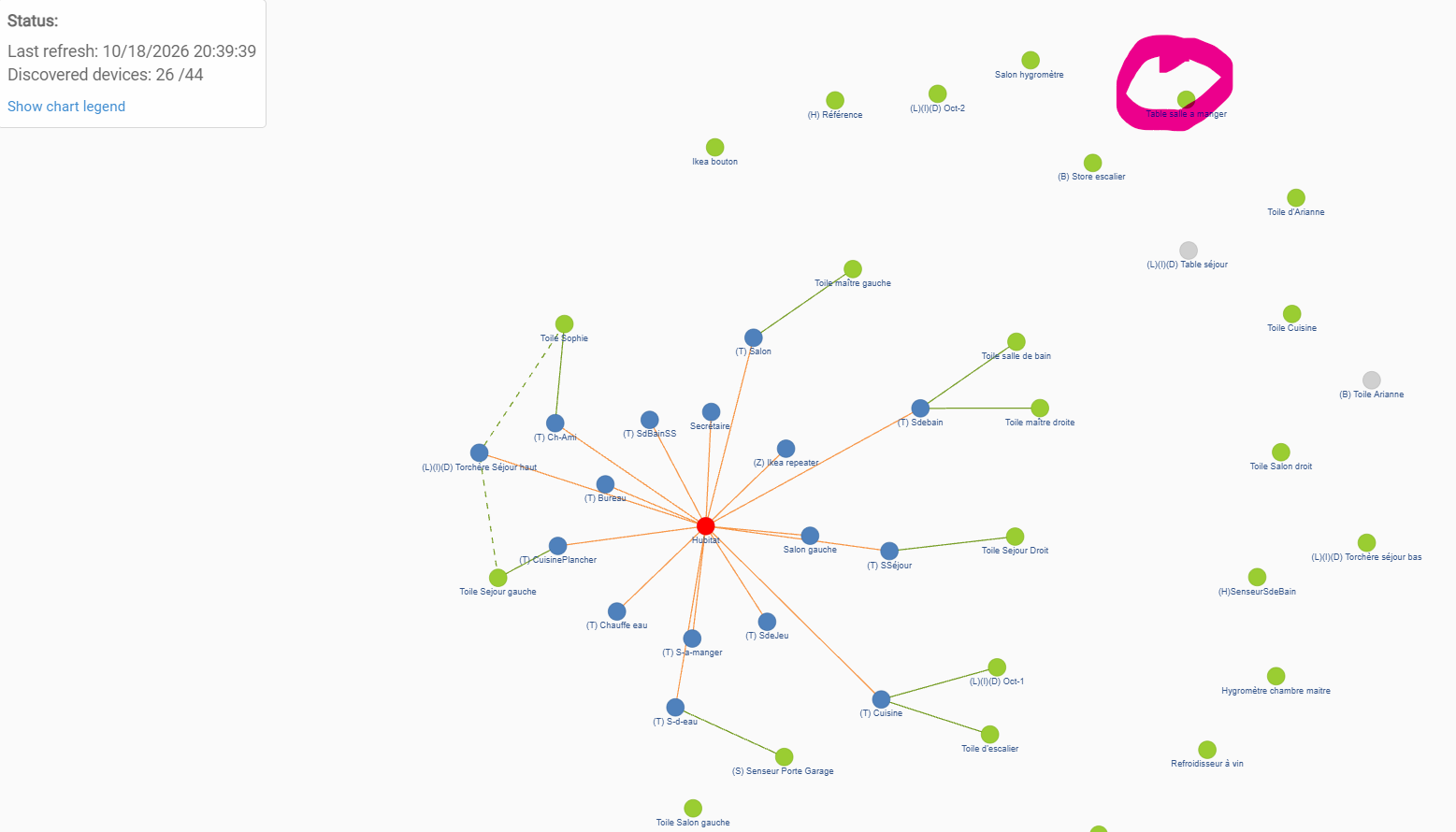
Table salle a manger This is the Sinopé Dimmer
**dev:245**2026-10-18 20:58:54.878 info profileId:0104, clusterId:0008, sourceEndpoint:01, destinationEndpoint:01 , groupId:0000, lastHopLqi:255, lastHopRssi:-58
**dev:245**2026-10-18 20:58:54.728 info profileId:0104, clusterId:0006, sourceEndpoint:01, destinationEndpoint:01 , groupId:0000, lastHopLqi:255, lastHopRssi:-59
**dev:245**2026-10-18 20:58:54.663 info profileId:0104, clusterId:FF01, sourceEndpoint:01, destinationEndpoint:01 , groupId:0000, lastHopLqi:255, lastHopRssi:-58
**dev:245**2026-10-18 20:58:54.263 info profileId:0104, clusterId:FF01, sourceEndpoint:01, destinationEndpoint:01 , groupId:0000, lastHopLqi:255, lastHopRssi:-58
**dev:245**2026-10-18 20:58:53.867 info profileId:0104, clusterId:FF01, sourceEndpoint:01, destinationEndpoint:01 , groupId:0000, lastHopLqi:255, lastHopRssi:-62
**dev:245**2026-10-18 20:58:53.468 info profileId:0104, clusterId:FF01, sourceEndpoint:01, destinationEndpoint:01 , groupId:0000, lastHopLqi:255, lastHopRssi:-58
**dev:245**2026-10-18 20:58:53.067 info profileId:0104, clusterId:FF01, sourceEndpoint:01, destinationEndpoint:01 , groupId:0000, lastHopLqi:255, lastHopRssi:-58
**dev:245**2026-10-18 20:58:52.662 info profileId:0104, clusterId:0006, sourceEndpoint:01, destinationEndpoint:01 , groupId:0000, lastHopLqi:255, lastHopRssi:-58
**dev:245**2026-10-18 20:58:52.276 info profileId:0000, clusterId:8021, sourceEndpoint:00, destinationEndpoint:00 , groupId:0000, lastHopLqi:255, lastHopRssi:-59
**dev:245**2026-10-18 20:58:51.873 info profileId:0104, clusterId:FF01, sourceEndpoint:01, destinationEndpoint:01 , groupId:0000, lastHopLqi:255, lastHopRssi:-58
**dev:245**2026-10-18 20:58:51.557 info profileId:0000, clusterId:8021, sourceEndpoint:00, destinationEndpoint:00 , groupId:0000, lastHopLqi:255, lastHopRssi:-59
**dev:245**2026-10-18 20:58:51.402 info profileId:0000, clusterId:0013, sourceEndpoint:00, destinationEndpoint:00 , groupId:0000, lastHopLqi:255, lastHopRssi:-61
I did the sequence once more. Unpair / reset the device. Keep the log running @ 20:58:51.402 The activity in the zigbee monitor log is above. The device was configure after repairing, and the first refresh produced the "device off" sequence after I reenabled logging below :
**dev:245**2026-10-18 20:58:54.739 info Table salle a manger is off
**dev:245**2026-10-18 20:58:51.389 trace refresh()
**dev:245**2026-10-18 20:58:51.344 warn configure...
**dev:245**2026-10-18 20:54:28.245 trace refresh()
**dev:245**2026-10-18 20:54:28.197 warn configure...
**dev:245**2026-10-18 20:54:05.899 trace refresh()
**dev:245**2026-10-18 20:53:56.690 warn description logging is: true
**dev:245**2026-10-18 20:53:56.689 warn debug logging is: true
**dev:245**2026-10-18 20:53:56.688 info updated...
**dev:245**2026-10-18 20:53:35.263 warn description logging is: true
**dev:245**2026-10-18 20:53:35.262 warn debug logging is: true
**dev:245**2026-10-18 20:53:35.260 info updated...
After this, the devices stop responding.
Thanks, unfortunately, there is not a lot we can infer from those logs, other than the dimmer pairs, responds for a while, then stops, just like you described. The LQI and RSSI values in the zigbee logs look fine.
I have two suggestions, not mutually exclusive, so you can try them one after the other and test in between:
- Open the breaker for the circuit to which this dimmer is hooked up, then close it 30 seconds later, to power-cycle the device
- Install the community app called "Zigbee Map App". It's on HPM. The interesting part for you is not the map, it's the "Advanced Zigbee Pairing" feature. There is an option to pair to a specific repeater only. Choose one of the two Sinope thermostats that are near the dimmer. Follow the instructions and wait for the right moment to put the dimmer in pairing mode, then test again once paired. If that fails, you could also try the option to pair to the hub only.
Good luck.
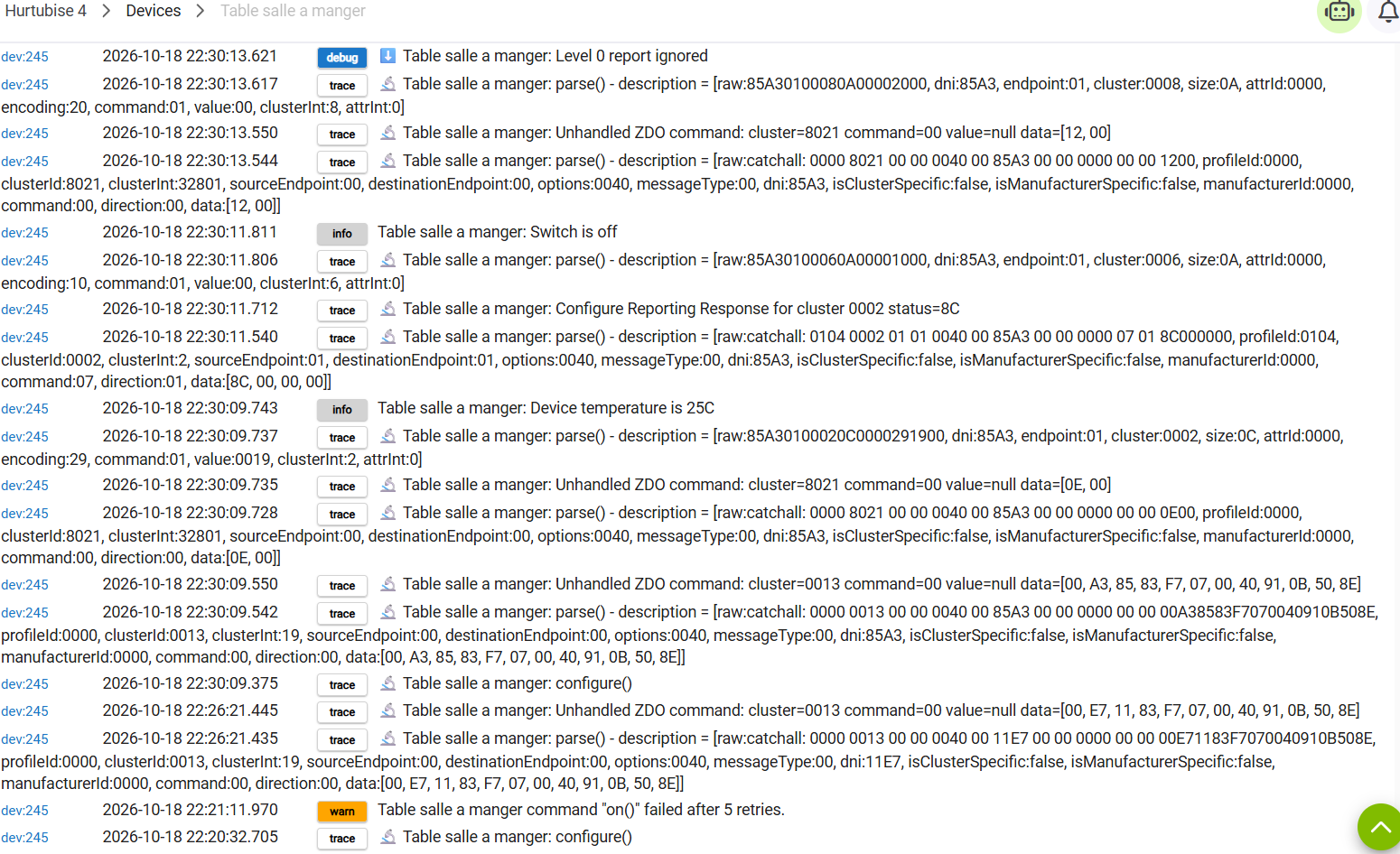
ok on my last try, I paired with HUB only.... and it worked. I wonder if due to my Wall configuration, ( I have literally 3 devices within 1 square foot 2 thermostat + the dimmer) if there is an interference problem... Merci pour l'aide... Tks. Jean