Maybe I've misunderstood something in the past but I thought when we tried this a long time ago what we discovered was they all had to be on the same segment to make everything work locally and consistently.
I moved everything to one segment because of that. Please confirm, you're saying that if I put new devices on another segment and run the app, I can still get everything to work locally?
I have learned some things in the last few months and have reviewed the design/implications. I can not test multi-segment (I only have my devices on a single segment). But the App should work as detailed below. Installation:
The app is designed to take different segments with the intent of being only one segment
However the app does not preclude doing multiple Installation runs, Example:
Run A is on segment A.
The devices discovered would ONLY be on Segment A.
The devices on Segment A would be installed and identified as Children to the App.
Run B on segment B.
The devices discovered would ONLY be on Segment B
The devices on Segment B would be installed and identified as Children to the App.
All devices from each run should be children to the overall app.
Device Operation:
No impact on Normal Operations (all comms are embedded in the device's driver code)
Limitations:
Data sync between devices is limited to devices on same segment - the one last defined in the app.
Error handling auto IP update will only work if device is on the last defined segment. (Not an issue if the device has a static IP defined.)
New App Update (today?) with goals:
Minimally, correct data sync problem so sync works across IP Segments.
Fix auto IP update function
App Entry: Allow entry of multiple Segments and then discover on all segments at once (I can test this in code - but without a devices in a second segment I can not verify. This would also fix the data sync issue.
PS: Thanks for getting me to improve the integration.
Dave
I have given this a lot of thought and I did some testing to basically confirm everything up to this point (to make sure there hasn't been some mysterious change that rendered this problem obselete).
When I rearranged my Webcore code back to how I had it on ST, I did get the weird 'blooming effect' that you mentioned and this is why I had switched to the setup I have now, that through a series of workarounds makes it a lot less noticeable and I've been living with it as imperfect as it is.
I walked through the steps here on option 1 and I think that's going to be the best/easiest approach for me. This is a great idea; and because I would only call out a finite number of CT commands to alexa, this would be an easy lift to configure.
Because the KL130's are set to circadian, I usually just let simple on/off handle them and the CT and level is usually appropriate. It's because of the absence of Circadian Rythm settings on the KL430's, that I have to do all this nonsense to get my accent lights to simulate approximately what the KL130's would give me. TP-LINK has several requests for circadian Rythm on KL430's but from what you said, that would likely be a simulation at best. I asked them to provide me their CT table from the KL130's but unsurprisingly, I was unsuccessful lol. Getting it directly from Alexa is a way better/easier idea.
I will work on further configuration/testing to confirm this is my final solution.
There is a misconception here. For the CT Lights, turn off then on will not result in the Circadian algorithm running. (I implemented the way the devices work using the Kasa phone app.). When you turn back on, the device will automatically set to the LAST CT / level the bulb was set to and not change. However, if you are using Rule Machine, you should be able to use the custom command "Set Circadian" to turn on to Circadian Mode (without using the ON command).
I must disagree here. On KL430'S, yes I totes agree.
For KL130, set to circadian rhythm as the default on state from the native kasa app, simple on/off commands from anywhere else will allow the circadian Rythm from Kasa to take over and adjust the CT and level appropriately for the timezone I'm in when they are turned on.
I've been running my KL130s like this for years and was why I bought the KL430's assuming they'd have the same functionality and would 'auto-white' whenever turned on. Silly me.
Something we didn't explicitly spell out but I think I should understand. If I am going to get Alexa presets configured for the KL430's I need to move them all over to the light strip driver FIRST, right?
I only have a handful of them moved over because of the CT issue I've been trying to work through.
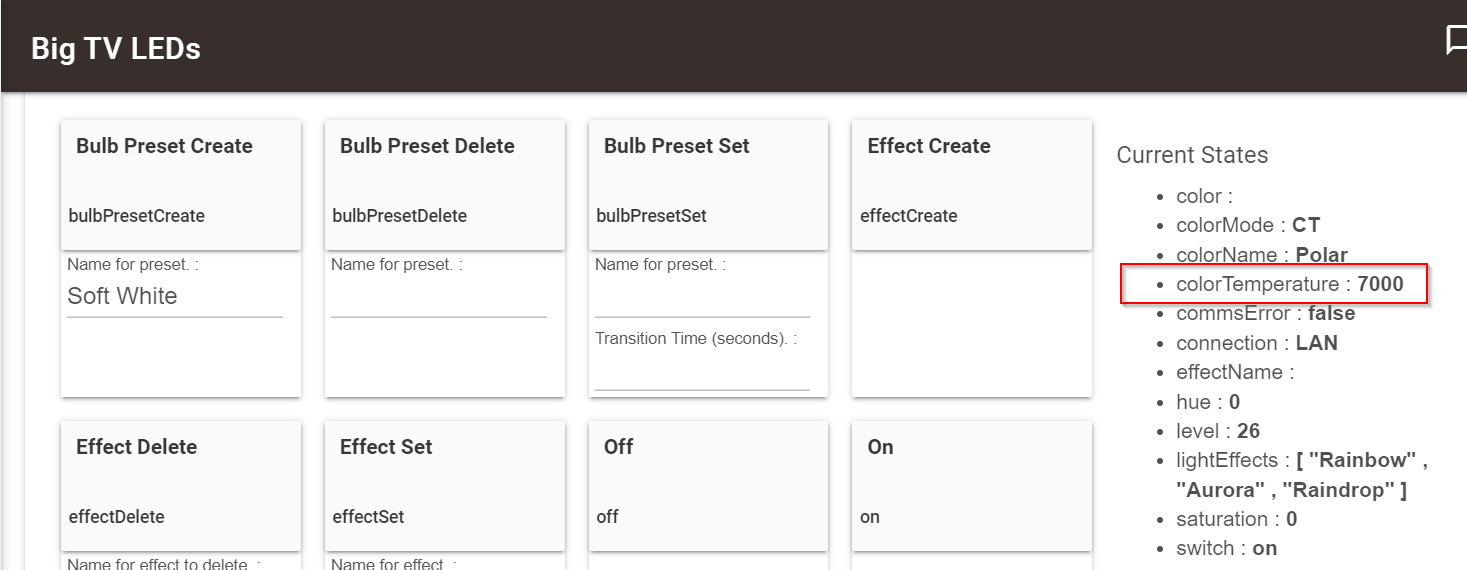
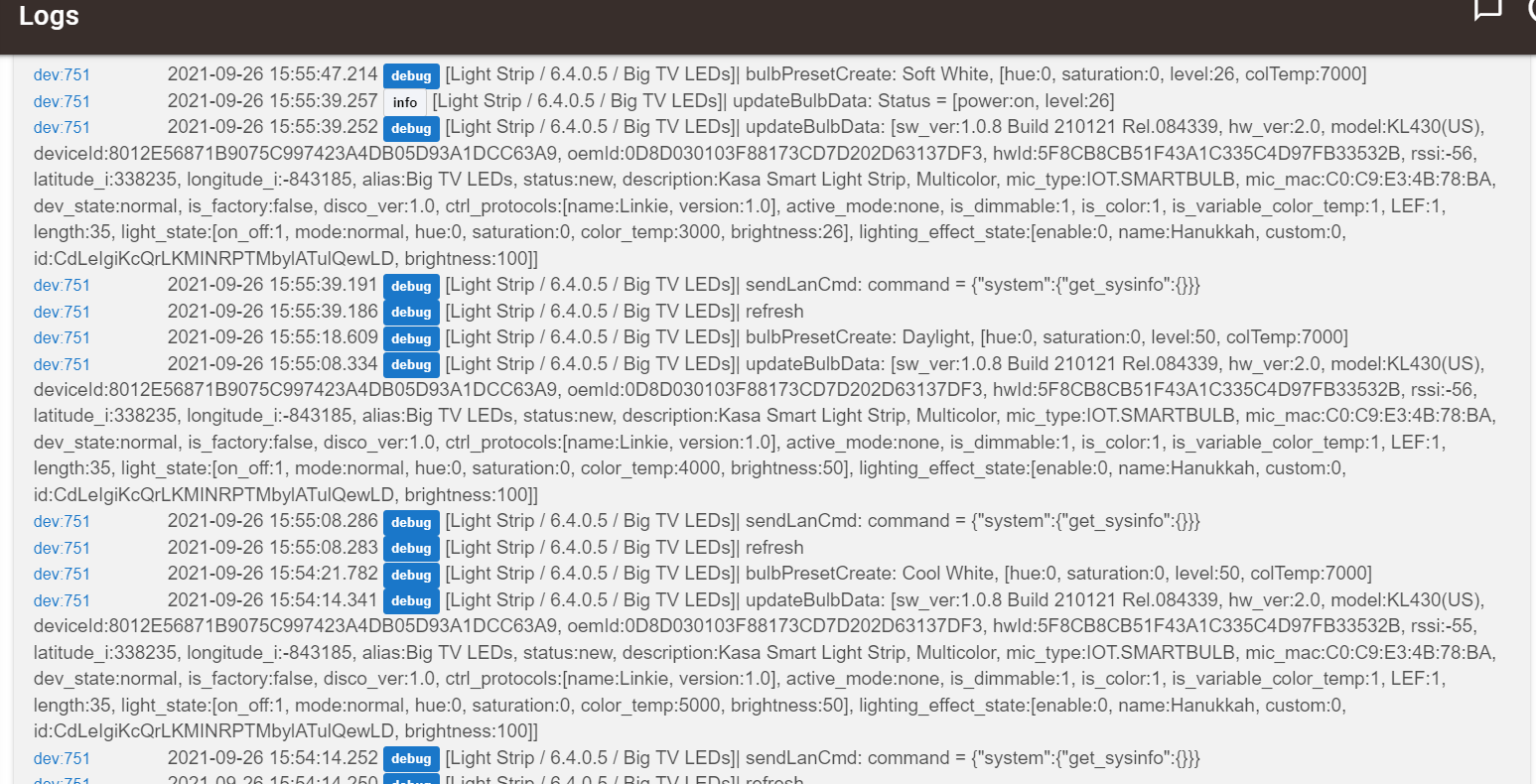
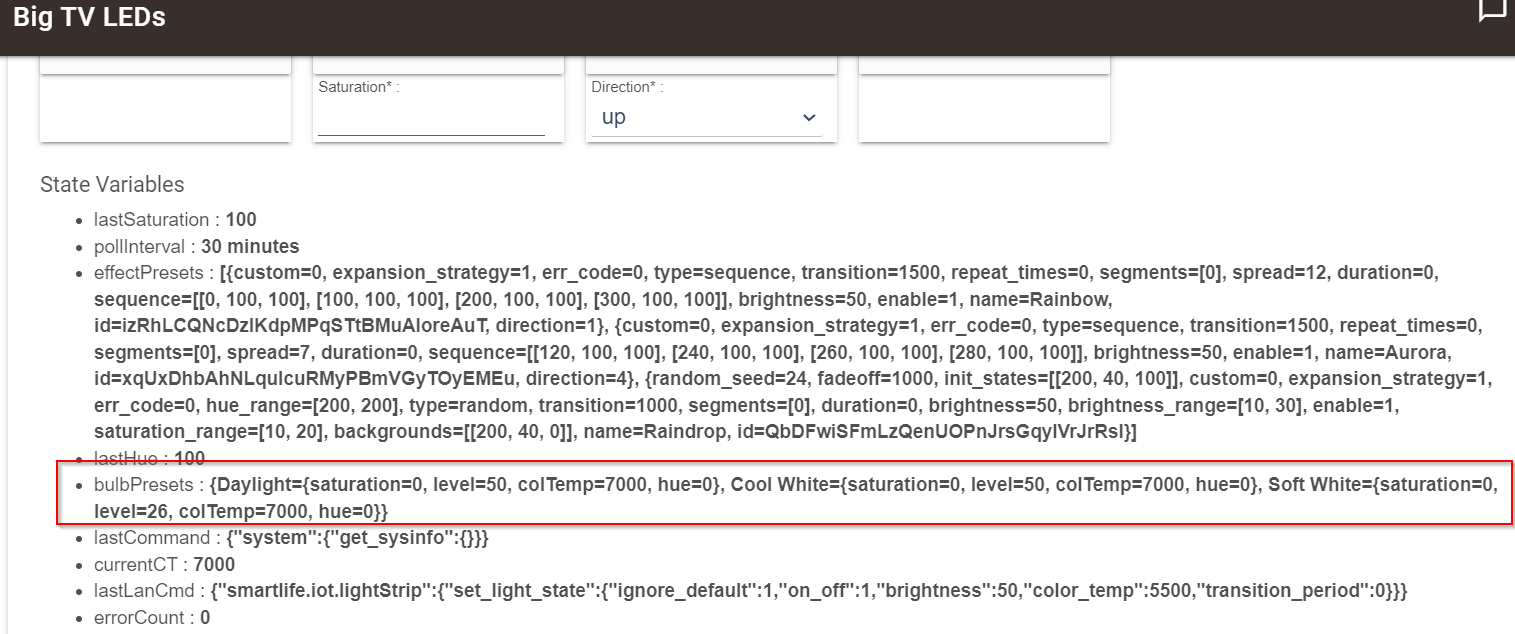
Alright, I swapped all the KL430's over to the Light Strip driver and reran the app. Having trouble creating the preset for the same reason we had before. No matter what CT setting I select in the Kasa App and refresh in HE, the device screen only reads a CT of 2200. So all it's capturing in the preset is the Level.
When I use the Alexa definition of warm white I get the red color, so I can't copy that as a preset.
I will fix today and provide Test App and updated driver (with fix for above). Test App is already done. I am testing with 5 segments, with two being the same (to assure I can not mess up the database). Will fix light strip and use as test on update.
App. Added ability to use multiple presets. This changed the start page to delete the logical "useAltLanSegment" and add an editable line "Lan Segments".
Populates with the hub segment automatically.
Can add segments by using comma followed by the second(third) segment (ex: 192.168.50, 192.168.55).
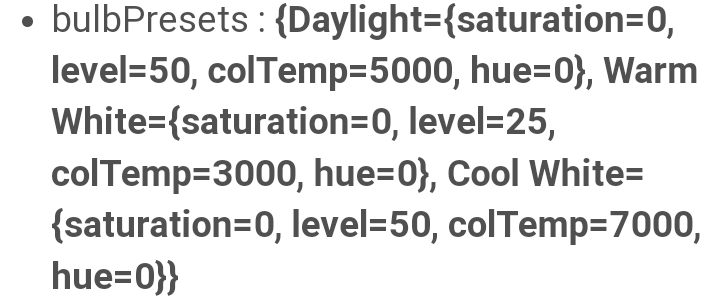
Tested Bulb Presets for CT and for Color bulbs. Below is a list of tested presets:
I put a KL430 on the .24 segment and configured the app to search for both .24 and .25. Re-ran the app and I successfully got an array of bulbs (from different segments) to respond together. I really put the light changes through it's paces and couldn't detect any evidence of comm issues. I think you fixed it!
Side note and feedback: Because I had not moved most of my KL430s to the light strip driver until today, I hadn't really got a chance to test the copy effect on a large scale. After today's testing, I can confidently say how well the effect suite of functionality is working (all the features associated with this functionality). I am thrilled with the outcome of effects and I'll now have the ability to do some really cool and stupid things with this. Truly stellar work and to my knowledge, I've not seen functionality this deep on any other platform. Thank you for the great work.
Any ideas why the create preset is not grabbing the device configs, correctly? I just want to make sure I'm not doing something wrong. I'm using the same steps I used to build the effects.
I'm sorry, I'm just not getting this and your steps don't produce the same results that I'm observing.
I've started this process over multiple times and I keep hitting the same issue.
Are you SURE you are testing CT on a KL430? I just don't understand how we've fallen so far from the CTs as they were working under the bulb driver. Even going up and down the CT spectrum, it will never get as white as they are capable of going and if you enter a CT value of 8000-9000 it goes back in the other direction and gets warm white again. In the native kasa app, the app represents its CTs going up to 9k.
I am trying to create bulb presets. If I try to create the preset based on the CT defined in the table, I get those awful red colors.
In the device page:
Set the bulb how I want it to preset. I'm doing this from Kasa native app because the CTs are so messed up that I can't enter the CT in HE.
Click refresh so it will grab the the config of the bulb, assign a name, and click create preset. It creates a preset based on whatever CT was in the app and just corresponds it to the color table that gives the bad colors.
You've mentioned multiple times that its supposed to be grabbing the Hue and saturation but I have yet to see these be anything other than zero.
They will remain ZERO if you are using the Set Color Temperature command (always zero). Use the Set Color command and see the results.
I just did a setColor with the values h= 2, S = 66, L = 55. Saved as "Red". The resultant state is : bulbPresets : {Red={saturation=66, level=55, colTemp=0, hue=2}}
Deleted a red and ran CT to 6000, level 88. Saved as "6000". The resultant state is : bulbPresets : {6000={saturation=0, level=88, colTemp=6000, hue=0}}
To be absolute certain the driver is current, do a repair using HPM or reload through the driver's edit page.
No. Mine is the KL400 - but the device's api to the device is the same.
Thank you for that clarity. I was able to go through every one of these steps as as you described and I got the same results that you described. The difference is the resulting color. I played with several CT and this is what I observed:
Using a CT of 6000, yes when you look at it, looks pretty normal and appears to be doing what is intended. The preset saves fine.
As soon as you start deviating from 6000, that's when the bad stuff happens. 5000 CT is salmon, 4000 is red, 3000, is even redder. Going back in the other direction 7000 looks ok, but then when you push into 8000-9000 it starts getting warm again (which should continue getting cooler) and the bulbs are capable of getting cooler visually.
I think what this exercise has taught me is that the functionality of the preset is working correctly, its just the table needs work to where I can get any other usable CT out of it besides 6000.
I can deal with imperfection or just a few presets. If I can just get a stable soft white, daylight, cool white, thats all I need but I just can't make it look worth a darn with the new CTs. I was even willing to compensate for wacky CT (by offsetting them numerically) but I feel I cant even do that and make it work.
All that to say, I think the issue is the CT table. Oh and I DID a repair.

 .
.