Cool, thanks. Confirms what I'd read elsewhere but looks like Legacy S/X solutions may only come if future speculated changes to their firmware eventuate. Fingers crossed both for that and the wider issue of getting the local IP/BLE access working at current costs. Remote apps (watches etc) will be killed by all this but at least there's hope for home automation applications.
2 Likes
Long ago, I created a note in my rule "Heat seats. /** first attribute is seat number 0-5 and second attribute is heat level 0-3 e.g. 0,3 is drivers seat heat to max **/"
- Does anyone know how I can set the seat to Auto?
- How do I set steering wheel heating to Auto?
Unfortunately, the hubitat driver is calling the Tessie API Set Seat Heating It appears the Tessie API currently does not include the option to enable the seats to Auto. Tessie is calling the Tesla API and the option to set the seats to "auto" is a unique Tesla API command
I believe (could be wrong) Tessie would need to add the Seat Auto option to their API before @kahn-hubitat could add it to his Hubitat Driver.
1 Like
@kahn-hubitat, any plans to implement the Get Weather function of Tessie? Knowing the weather at the car location would solve a big part of my car's climate Rule - When it's hot, don't vent the windows if it's raining, or determining when Defrost mode is needed in the winter. Right now, my logic has "if temperate is < 36F OR outside temperate is < 36F, then Defrost." But a defrost is needed only if there was snow, or frost warning, and the car hasn't been used earlier that day. Hoping the Tessie weather would help making a better determination in a Rule. 
But getting the weather from the car dosen't mean that where the car is the weather actually occured. That's to much of an expected pin-point accuracy. The weather says it snowed in my region, but never snowed where I live in it. The car's situation would be the same.
1 Like
@neervav.modi when my Tesla is at home I use my Tempest Weather station variables combined with Tesla internal temps. to manage my rules. When the Tesla is not at home as @Prometheus_Xex noted I don't know where the weather station is located that Tesla & Tessie are reporting weather from so risky using that information for any rules.
1 Like
Correct . In.addition u can get a innexpensive ecowitt weather station or use an open weather api. I am not going to asd a buttload of attributes regarding weather to this integration.
How about adding 2 attributes that might be useful for home automation? 
The Tessie app shows the current navigation destination and the ETA to arrival. Those attributes could be quite useful for detecting when a car is navigating to Home and kicking off automations based on the arrival time, like to set the HVAC when the car is < 30 minutes away, etc.
I didn't see these attributes in the Tessie API documentation, but after I contacted them to ask about it, they updated the docs: Get Vehicle
The attributes are "active_route_destination" and "active_route_minutes_to_arrival"
I added them to my apps and driver code.
It recorded this just before the car got home:
- active_route_destination : Home
- active_route_minutes_to_arrival : 0.479175
Then this when the car was in the driveway:
- active_route_destination : Home
- active_route_minutes_to_arrival : 0.020631
That's probably more digits than necessary. 
In tessieVehicle driver code I added attributes:
        attribute "active_route_destination", "string"
        attribute "active_route_minutes_to_arrival", "number"
And I added some lines to process these attributes as shown below:
private processData(data) {
	if (data) {
    	if (debugLevel != "None") log.info "processData: ${data}"

        if (data.state != "online")
        {
            // just mark it offline and ignore all data as it will be old or bogus
            sendEvent(name: "state", value: data.state)
        }
        else
        {
    	sendEvent(name: "state", value: data.state)
        sendEvent(name: "motion", value: data.motion)
//start added code
        sendEvent(name: "active_route_destination", value: data.active_route_destination)
        sendEvent(name: "active_route_minutes_to_arrival", value: data.active_route_minutes_to_arrival)
// end added code
        if (mileageScale == "M")
and in Telsa Connect Tessie Apps Code I added lines to get the attributes from the vehicle state data and substitute "none" and 0 if they are null:
            data.state = resp.data.state
            data.vin = resp.data.vin
            data.speed = driveState.speed ? driveState.speed : 0
            data.motion = data.speed > 0 ? "active" : "inactive"
// start added code
            data.active_route_destination = driveState.active_route_destination ? driveState.active_route_destination : "none"
            data.active_route_minutes_to_arrival = driveState.active_route_minutes_to_arrival ? driveState.active_route_minutes_to_arrival : 0
// end added code
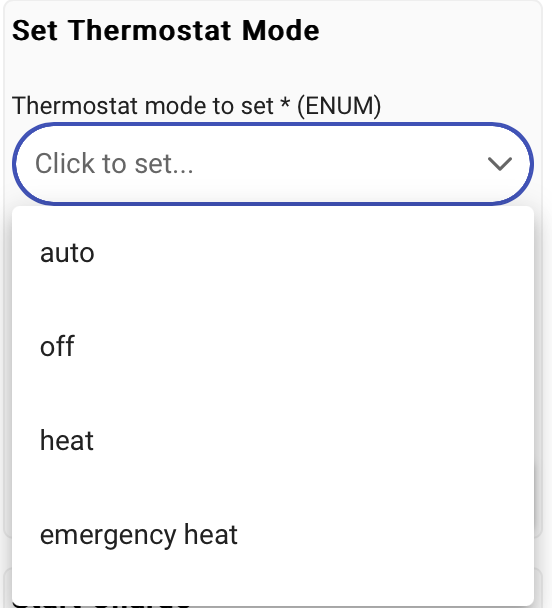
            data.thermostatMode = climateState.is_climate_on ? "auto" : "off"
2 Likes
Will do when i.get a chance
2 Likes
new version in github:
- v 2.0 add following attributes active_route_destination, active_route_minutes_to_arrival thanks Alan_F
4 Likes
This is absolutely awesome.
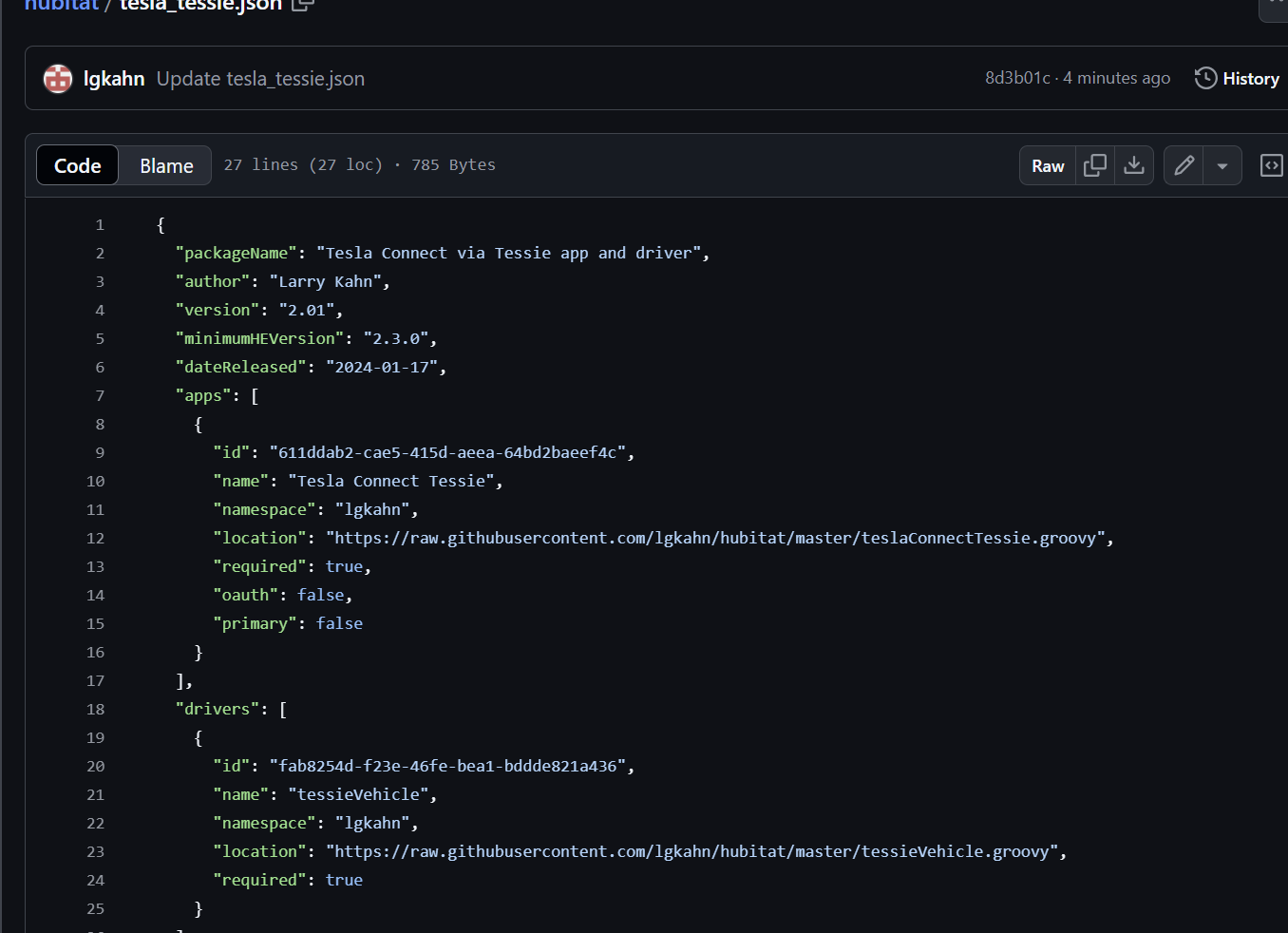
HPM still shows 1.99 as the latest. Will 2.0 be a new app entirely, or will the HPM update work once you publish it there?
ver 2.01 is out for testing round the time to arrival to 2 decimal digits.. i did update the hpm so the problem is with them pulling the update
1 Like
hpm is showing the update to me.. something with your setup..
ie

also i have not tested the round/truncate as i havent driven the vehicle so someone test it and let me know or i will this evening.
Yup, there was some weird caching issue. I see it now! Let's write some new rules! Thank you!
ver 2.02 now on git hub
- v 2.02 it was truncating to whole integer instead of 2 digits for minutes to arrival... fix
- also added active_route_miles_to_arrival and active_route_energy_at_arrival
4 Likes
- v 2.03 round miles to arrival to 1 digit past decimal.
1 Like
@kahn-hubitat huge thank you for continuing to add features to this driver. The active_route_miles_to_arrival is going to allow for some cool rules to be created to prepare our home for arrival.
Your driver combined with a $40 device from Emporia Vue that reads my electric meter in Hubitat has allowed me to do something I've been wanting to do for a long time which is to create rules to stop/start charging my Tesla at home only when my legacy Solar System is producing enough electricity to allow me to charge the car for free e.g. if Solar is sending 60 amps to Grid than charge my Tesla at 30 amps. Basically, it duplicates the feature that is available with Tesla Powerwall to only charge with excess energy for non-PowerWall inverters.
Details are at: [RELEASE] Emporia Vue Utility Connect Driver
Again, thanks for creating this wonderful Tesla driver!
1 Like
Maybe I'm doing it wrong, but I can't seem to find (unless there isn't one) to automatically set up a way to reset the cars' HVAC back to AUTO when it reaches home. Too many times the wife sets it to manual to increase fan speed, etc. I would like it to always be back to auto before every trip out.