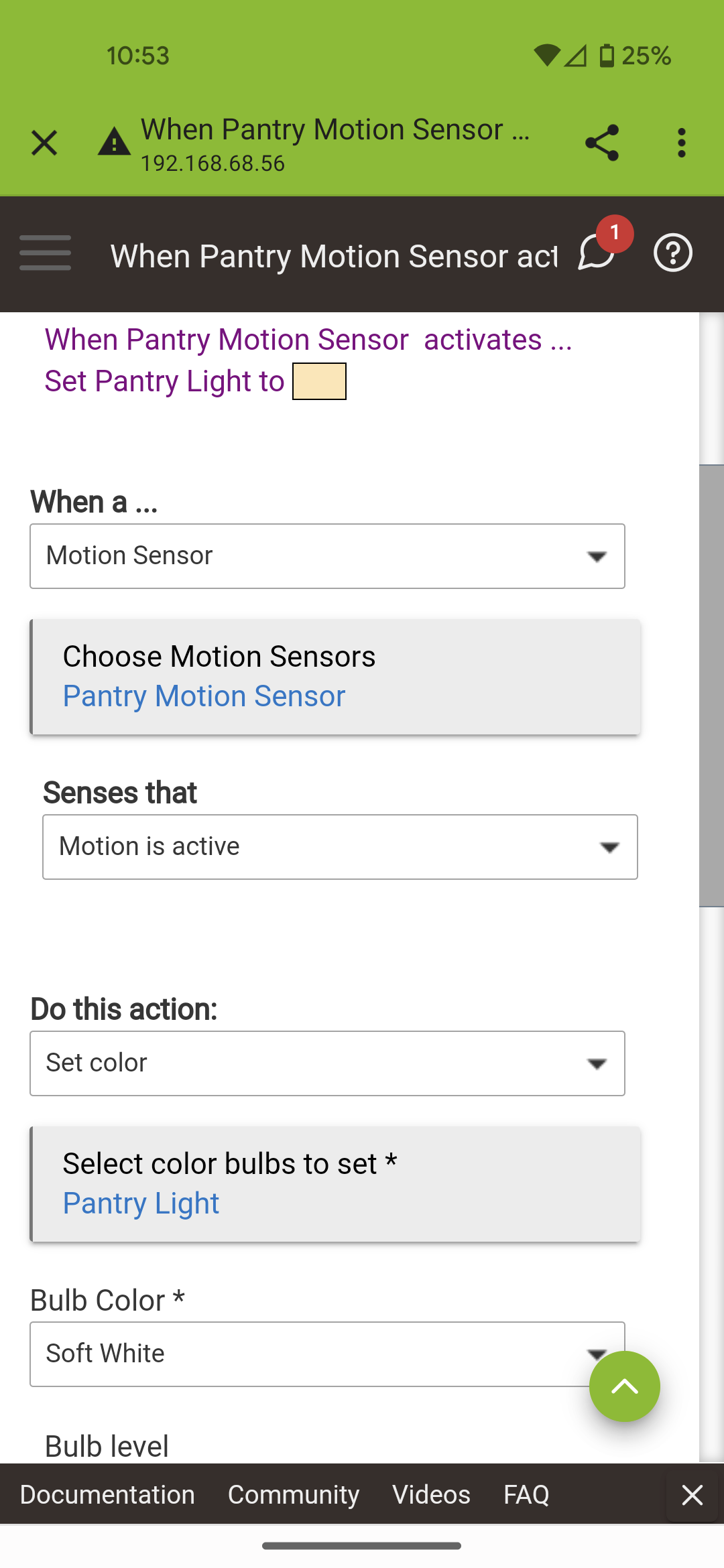
I have two very simply Basic Rules based on a motion sensor. The motion sensor turns on and off a light. The light began to fail so I figured that I had a bad battery in the sensor. Hubitat data on the battery was old so I figured unreliable. The battery showed 100% but I didn't believe that. Long story short I eventually replaced the sensor and performed a device swap. No joy so I tried to edit the rules. I discovered that I had one uneditable Basic Rule. By uneditable I mean that toggles and drop-downs don't work. They "jump" briefly but don't stay visible for selection. The toggles won't toggle.
I tried to delete the rule. That gave an error with a note to review the logs but unfortunately the dialog with the hyperlinked "log" disappeared quickly and I can find no other log entry. The rule did disappear from the Basic Rule app section
I rebuilt the rule. The rebuilt rule exhibits the same behavior as the original.
I restored the database to an earlier copy well before my changes. The rule exhibits the same behavior.
I attempted to delete the rule on the restored version of the database. I got the same error and once again a reference to a log with a hyperlink that disappeared too quickly to follow. Again, as before, the rule no longer shows in the Basic Rule section.
I rebuilt the rule. The rebuilt rule exhibits the same behavior.
Seeking any guidance to resolve this issue.
Note: I did see one post where a user had an uncanceled partial rule element but I don't have any of those. In fact, this rule used to work just fine day after day until well, it didn't! I guessed bad battery or sensor but it is possible that something else happened to cause the failures.
Thanks!