Ah, my bad. Never used echo on Postman. Checking it out now.
Thanks to both of you.
Ah, my bad. Never used echo on Postman. Checking it out now.
Thanks to both of you.
I tried to test this in RM just to see what was going wrong. But I couldn't find a way to retrieve or log the response from the HTTP call. Is that possible, @bravenel?
Nevermind, I found this: RM Conditional rules based on Send HTTP Request? - #2 by bravenel
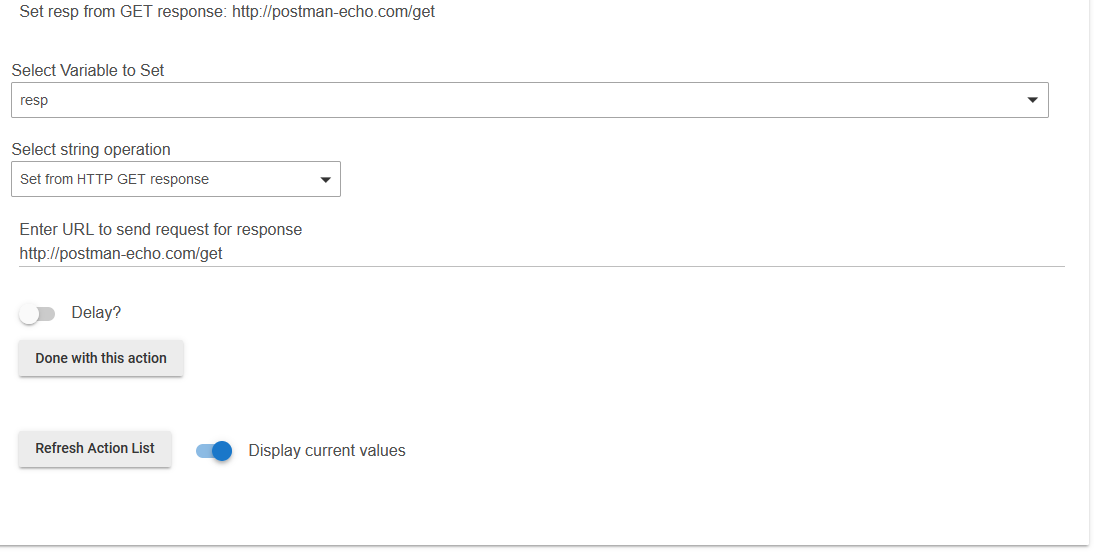
Although, setting is to the response of a GET request to http://postman-echo.com/get results in a null string, not the expected Json reply. Any ideas on what I'm doing wrong?
tomw
Thanks for trying it out. I've spent the last several hours trying to figure out how to run Postman echo (or Postman interceptor) on my rpi (which has the server that handles the posts).
It's not fun... I just have vnc for viewing the rpi chrome browser and it is SLOW. Like 10 seconds for a screen refresh. After finding out the chrome extension version of interceptor version was deprecated, I tried to do it the "new" way, a built in interceptor. But, the stuff shown in the step by step guides weren't consistent with what I see in Chrome.
Anyway, I'm about to punt on that.
I can see the exact post sent from the Postman running on the issuing platform (Windows) and the lirc_web logs the request (POST) on the receiving server (rpi). But, lirc_web it doesn't see anything from the HE action's post.
The log entry I get by clicking the checkbox in the associated item looks like this:
Action: Send POST to: 192.168.0.222:3000/remotes/STR-DE985/PowerOff
I've copy/pasted that text directly from the log into Postman. It works find when I send it from there.
DOH!
Apparently, Postman assumes http and adds that to the URL. When I changed the entry in action to
It works!
I'm so used to everything http: unless explicitly overwritten, I didn't think of trying that.
Thanks again for the replies.
Download the Hubitat app