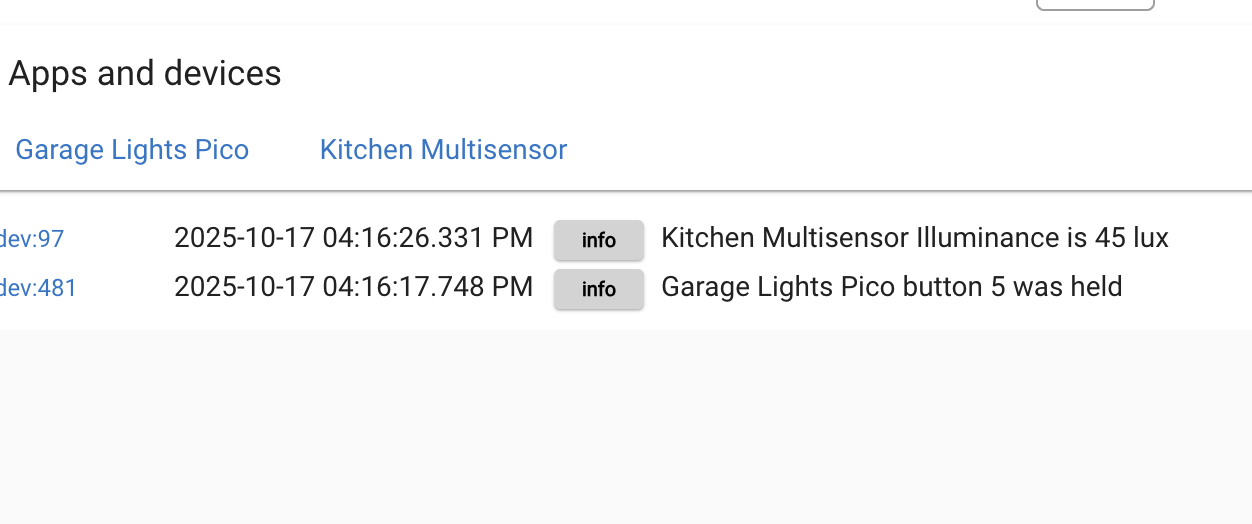
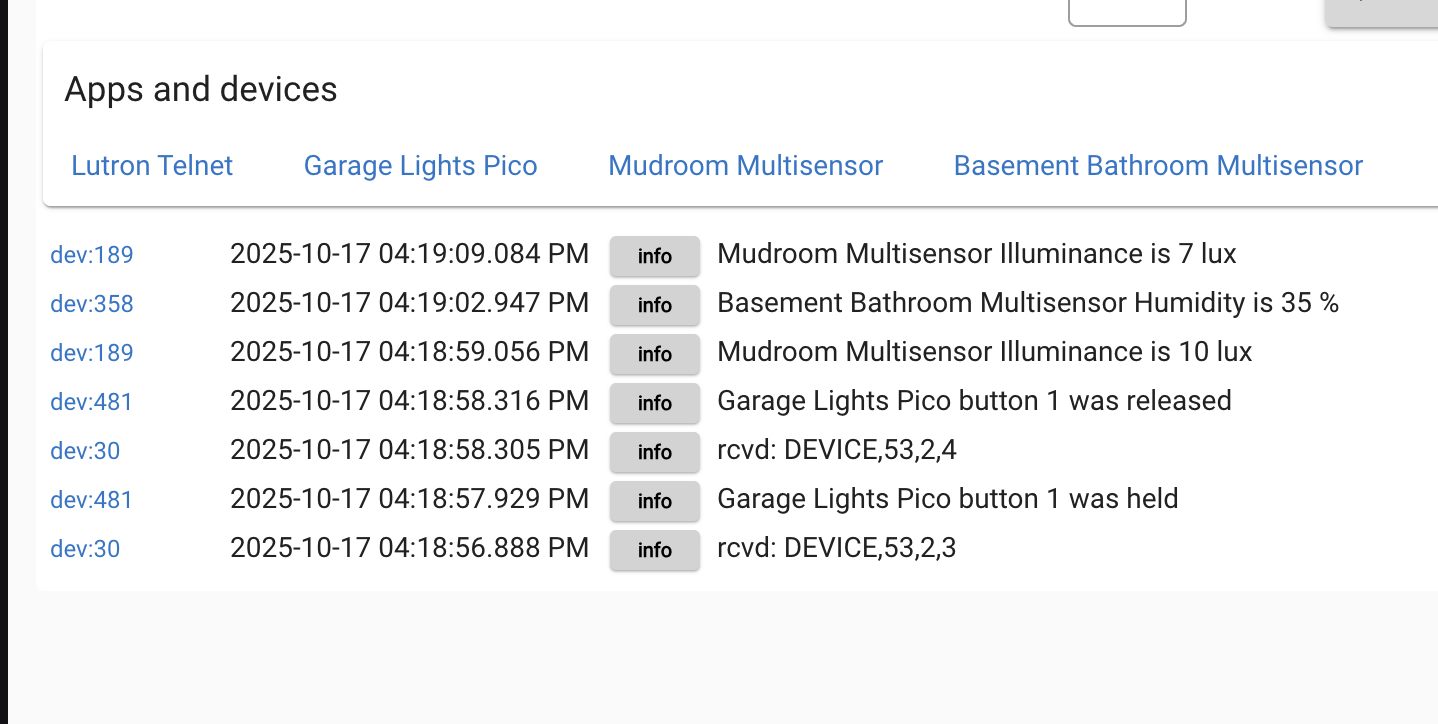
I have had Hubitat / Button Controller working for several years. Recently, my Lutron Picos have stopped working.
I see in the logs that Hubitat is registering the button push. For whatever reason, the button controller app isn't kicking off. When I go into the button controller app (ex: Pico scene button 8 push, I can run the action and it will work. But when I use the actual button or when I go to devices Pico scene and send push button 8, the app doesn't function.
I've noticed that if I go into each button sub-app (ex push/hold/double-tap/release 1-4,etc) that I can stop and start the sub-app which will fix the problem. The problem is, I have many buttons to do this to and the GUI is frustratingly slow to load/operate. Is there a better way to fix this problem? This issue persists after a hub reboot and uprade.
I'm not clear how to do that. I don't see anything "lutron" in the drivers code section. I don't see anything for debug under the app lutron integrator.
Navigate to your device list and search for a device called Lutron Telnet. This is automatically created by the Lutron app. Then under preferences enable debug logging.
well that's why nothing is working, the Lutron integration isn't getting any data from the bridge...
At this point the issue has nothing to to with the button rule.
If you click initialize in the lutron telnet driver is anything produced in the logs?
Could be worth explaining how you arrived at that assessment.... as much as it is likely an obvious thing for someone that has used this for a long time... And likely I am missing something obvious
Logs:
info - Lutron Telnet is still online
warn - Telnet is restarting...
Note that, if I go into each button and click stop and then start, it fixes the issue.
The problem I have is, I have many button rules with many buttons configured and the Hubitat GUI requires several seconds to load between clicks. Therefore, fixing everything will take forever. I'm hoping there is an easier way to correct this.
I'm lost now, Pico's don't have start and stop labels.
Back to my original question, with debug logging enabled in the lutron telnet driver, does pushing a button (any button) on the pico generate a log event in the live logs?
each and every device that's included in a Lutron integration will generate a response to a command sent to it, or a physical action taken at the device itself.
All of these messages are sent over the telnet interface that runs in the Lutron telnet driver, and from there the respective event is forwarded to the Hubitat device that represents the given physical device.
So if the telnet driver is placed into debugging mode and nothing is sent to the live logs in response to physical or digital commands, then the communication between Hubitat and the bridge is down for some reason.
All manually running actions within a rule does is test the result of whatever trigger is being used, and since there wasn't any issue with that, and (apparently) no data coming in via the telnet driver it can only (more than likely) be one thing causing the issue
Either way, the button hold is registered in the logs but the actions never fire. I have to stop and start in the button actions config screen to get it to work.
Those Stop (and Pause) buttons just put that respective rule on hold to prevent it from running (perhaps you're having a issue with one of its devices or doing some other troubleshooting). The Start button just restarts a Stopped rule.
Think of them as On/Off buttons for whether or not the rule is "live" - that's really all they are.
I'm using a mix of Lutron Pico and Lutron Pico Legacy. With this particular Pico, It's configured as a legacy but I have the problem with both. FWIW, I use the Legacy for some of my Picos because I implemented a homemade double and tripple tap function and when the Pico driver was updated to support doubletap, it disabled my tripple tap functionality.
At any rate, I am not a Huibtat expert nor a developer so I obviously don't know what I'm saying but it seams to me that there is an issue with the Button Controller, not the connectivity to the Lutron Hub. Even if I don't use the physical Pico but simulate a button press/hold/etc under the pico device page, it still doesn't kick of the button rule. And again, the fix is to go into each button rule and stop and start. If I do that, it fixes it. I'm just not looking forward to doing that across all the button rules that I have, given the fact that I have to wait 5, 10, 30 secs for the hubitat GUI on every button press.
I think OP is onto something here. I was having the exact same problem with a Zen72 device. Pushing button 5 registered in the logs but no longer triggered the rule using it that has been working fine for 4 years. Like OP, there was nothing interesting in the logs despite having debug logging enabled on all relevant devices/rules.
Came here looking for answers/bugs. OPs suggestion worked for me as well. That is, stopping and restarting the rule worked. Luckily, I only have a few rules like this so it’s no problem to restart them now that I know.
I'm experiencing the same issue with actions not firing both with the native Button controller app and the user app Advanced Button Controller (ABC). The latter does not have a start/stop capability so I'm left without any sort of short-term fix.
Pico actions no longer appear in the logs however they do appear to be registering when I turn on Telnet debugging. FYI: I'm running 2.4.3.137 on a C8 Pro. Rebooting did not resolve the issue.
Actually, I had this issue on an older version. I upgraded hoping that would fix it and it didn't. I don't recall the version I was running but it was several months old.