I’m troubleshooting a single Somfy RTS motorized shade that works correctly through Bond but cannot be controlled through Hubitat’s built-in Bond Integration.
My setup:
- Hubitat platform version: 2.5.2.139
- Bond Bridge: BD-1000
- Somfy myLink integration is also installed.
- Six Somfy RTS shades are controlled through this setup.
- The other shades work in Hubitat. Only Shade 3 has this problem.
What works:
Shade 3 opens and closes correctly using the Somfy Telis 16 RTS remote, Somfy myLink app, and Bond app.
What does not work:
- Hubitat Open and Close commands have no effect on Shade 3.
- Hubitat continues to report the shade as closed, even when physically open.
- Refreshing the shade does not correct its reported state.
- Hubitat logs show that Open and Close commands were issued, but the shade does not move.
Potentially important finding:
Shade 2, which works correctly:
- Bond Device ID: 1184a753
- Hubitat Network ID: 1083-1184a753
Shade 3:
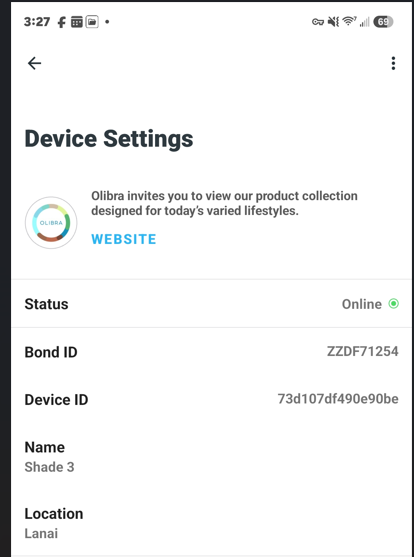
- Current Bond Device ID: 73d107df490e90be
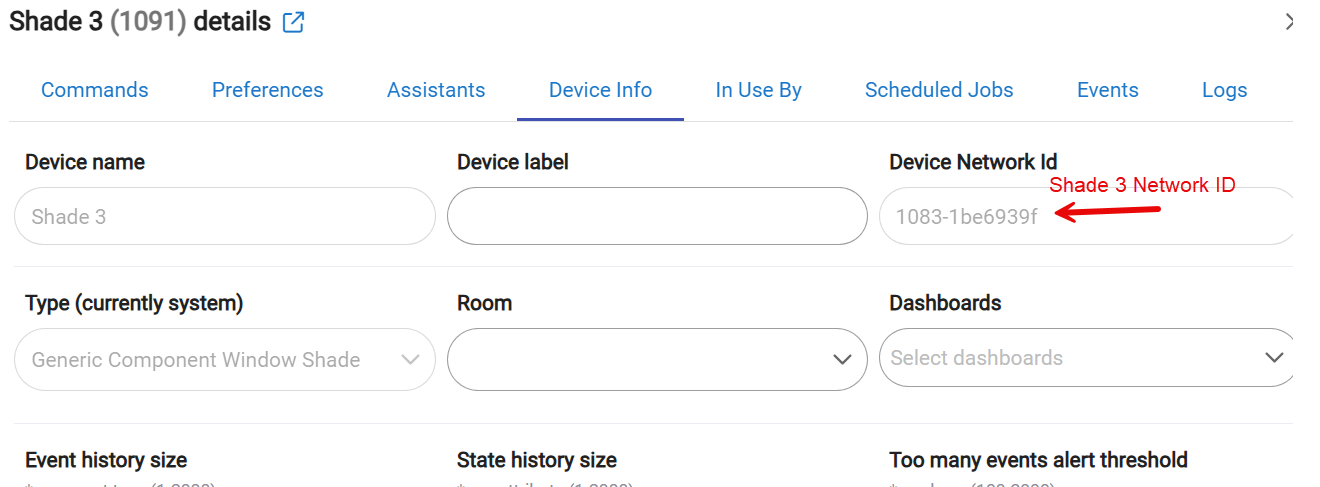
- Hubitat Network ID: 1083-1be6939f
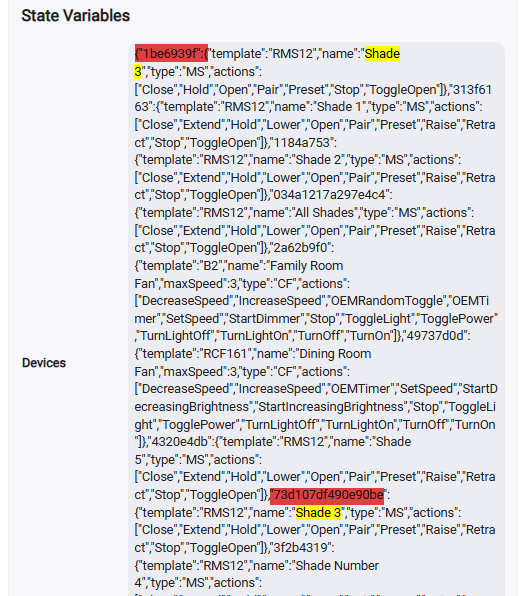
The Bond Integration's State Variables also show two entries named Shade 3:
- 1be6939f
- 73d107df490e90be
Both entries use the RMS12 template.
This makes me wonder whether Hubitat's existing Shade 3 child device still references an older Bond device ID, while Bond now identifies the shade using the newer ID.
I refreshed the Bond Integration, but it did not discover any new devices.
My question:
Is there a supported way to refresh or repair the existing Shade 3 child device so that it uses the current Bond Device ID, without deleting and rebuilding the entire Bond Integration?
I would prefer not to remove the integration because Shade 3 is already referenced by Alexa, HomeKit Bridge, and two Rule Machine rules. I also want to avoid disrupting the other five working shades and their automations.
Could someone confirm whether the mismatched IDs explain this behavior and recommend the safest repair procedure?
Thank you.