Can someone supply the steps to getting the built-in AI Connector working with Claude Desktop? I've tried editing the claude-desktop-config.json and added the mcpServers section as outlined in the AI Connector Integration page: "mcpServers": { "hubitat": { "type": "http", "url": "``http://192.168.1.81/mcp``", "headers": { "Authorization": "Bearer my-auth-token" } } }
I wasn’t clear on how to setup the MCP connector with Claude based on the instructions that came with it.
So I asked Claude what to do .
Claude’s response claimed that the provided instructions were a dead end and couldn’t be used to connect to a local Claude desktop session .
So instead, Claude created an MCP bundle file for me and I used that file to setup the integration with Hubitat from Claude’s end.
I just asked Claude to save a copy of the mcpb file as an artifact I can share a link to. It sort of did, but had to do it in a bit of a roundabout way in order for it to be shareable.
If you click the link below and download the zip file at that link, then rename the file from a zip to an mcpb extension, Claude says that should work for you to install the same bundle.
Yup, that worked! Only caveat, I couldn't download from that artifact, but I was able to copy the encoded section, had Claude decode into mcpb, and then was able to install. Once installed, you need to enable the extension and optionally, allow some commands (Claude will prompt otherwise).
Would be great if this extension could be linked into the to AI Connector instruction page. Right now it just says:
Claude Desktop: do not add this URL as a Claude custom connector. Claude custom connectors connect from Anthropic's cloud infrastructure, so they cannot reach a private Hubitat hub on your local network. For local-network use, Claude Desktop requires a local desktop extension installed from Settings > Extensions. A Hubitat Claude Desktop extension is not included yet.
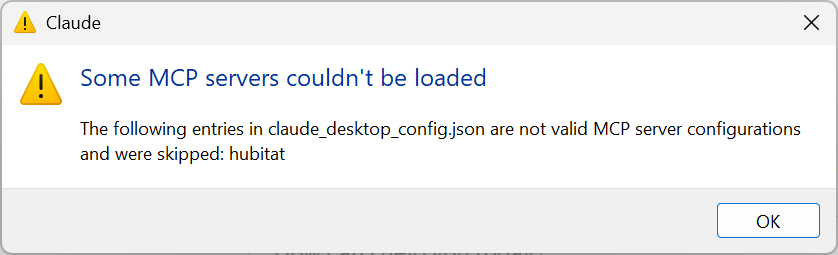
 .
 .