Hub Inspector is a dashboard for your hub's health, configuration and activity, with details cross-referenced in a way the admin UI doesn't offer. Go deeper on which apps use each device, how each device connects, and what the radios are doing. Save a configuration snapshot or a performance checkpoint before a change, then compare afterwards to see what changed.
Resources: free memory, CPU load and temperature, charted since the last restart, with 30 days of hourly history.
Performance: CPU time per app and per device, measured since hub startup or since a checkpoint you save.
Snapshots: saved copies of your device, app, network and security configuration. Compare two snapshots to see what changed, for example across a firmware update.
Devices and apps: full inventory with connection type, integration, room, battery and last activity. A device audit lists devices that no app or dashboard uses, mesh orphans, etc.
Radios: Zigbee, Z-Wave, Matter and Hub Mesh status, and a live capture of Zigbee, Z-Wave and Matter traffic that you can save to a file.
Forum export: copies a Markdown summary of your hub for a help post. An option replaces device and app names with aliases.
Everything is stored on the hub. The app contacts GitHub to check for updates. It reads your configuration and does not change devices, apps or settings.
This app was previously posted as Hub Diagnostics in this thread. The new name avoids confusion with the built-in Hub Diagnostic Tool.
Install
Available through HPM or standalone installation:
In Apps Code, choose New App, then Import, and paste: https://raw.githubusercontent.com/hubitrep/hubitat/refs/heads/main/HubInspector/HubInspector.groovy
Save, then add it from Apps › Add User App, and click Done.
Open it again from the Apps list and click Open Dashboard.
The app downloads its own dashboard page, so the one file is all you need.
Updating from Hub Diagnostics
Your app will show "update available" in the Apps list. Open it in Apps Code, click Import, then Save, and open the app once from the Apps list. Settings, history and your dashboard bookmark are kept. The app renames itself unless you gave it a custom name.
Hub Inspector has run on a handful of hubs, so many setups have never been tested. If yours is one of them, your reports help the most.
Tested on
Hubs: C-7 and C-8 Pro
Z-Wave: the classic stack, on meshes of 3 to 10 devices.
Zigbee: 8 to 110 devices per hub.
Matter: 2 to 6 devices per hub.
Hub Mesh: one pair of hubs.
Needs testing
Z-Wave Long Range. No test hub has LR devices. Version 6.1.1 fixes LR devices being listed as ghost nodes, reported by a user.
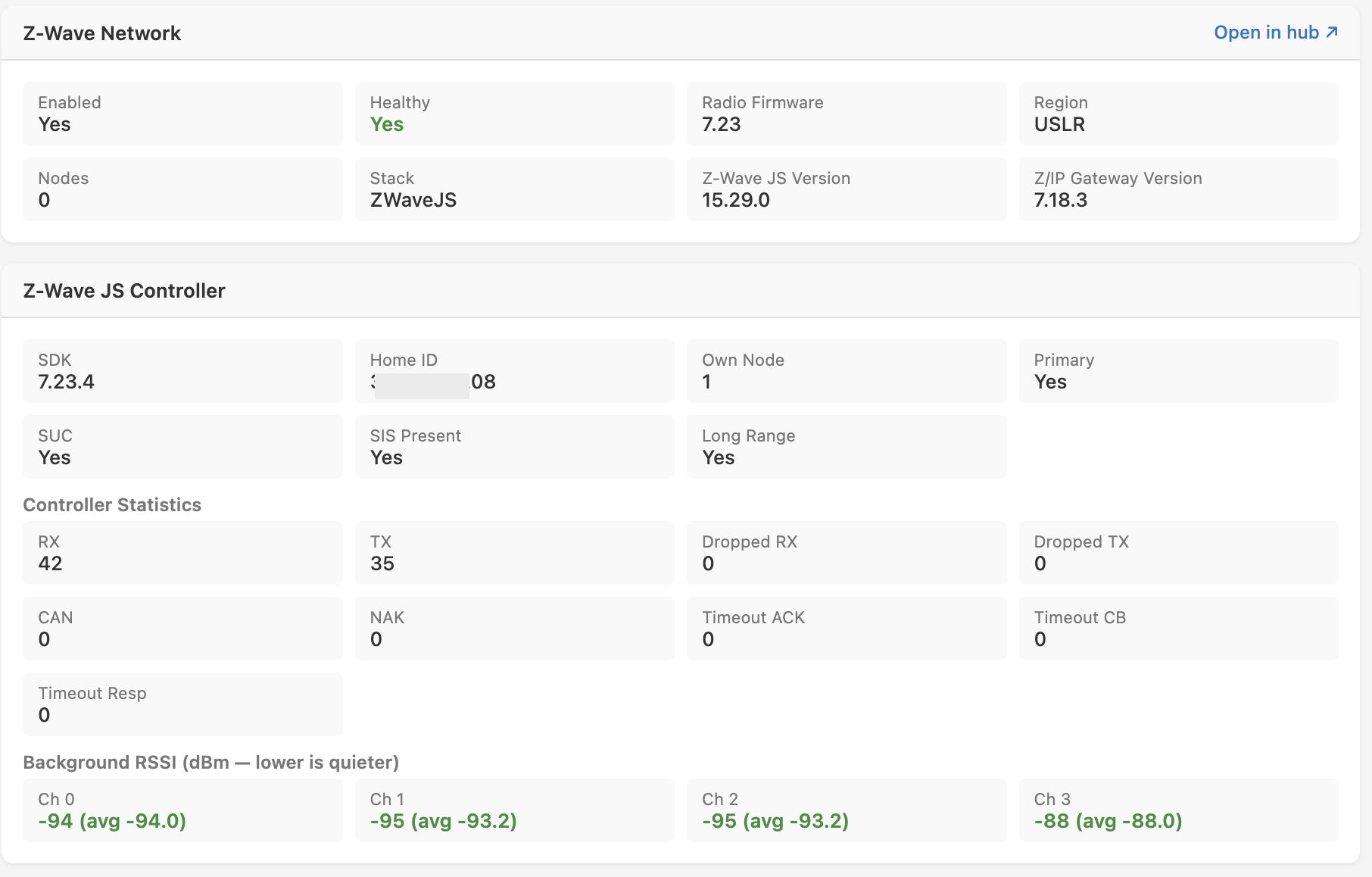
Z-Wave JS. The Z-Wave JS cards on the Network tab and the Z-Wave JS section of the device audit have only run on a hub with no Z-Wave devices. On the Radio Capture tab, Z-Wave JS traffic shows as plain log text with no per-device detail.
Larger Z-Wave meshes. Ghost-node detection and the PER, RTT and route-change flags have only run on small meshes. The 1% PER warning threshold has not been compared against real meshes.
Hub Mesh with more than two hubs.
C-5 and C-8 hubs
Known issues
The device audit and performance checkpoints put a heavy load on the hub. Run the audit when the hub is quiet. On a busy previous-gen hub, a scheduled checkpoint can time out; the app retries once.
How to help
If you have Z-Wave Long Range or Z-Wave JS devices, a short capture helps finish that support. On the Radio Capture tab, open Z-Wave, click Start, operate a few Z-Wave devices, then click Stop and Download. Send the file by private message.
Reporting a problem
Post in this thread with:
The app version, shown on the Dashboard tab.
Your hub model and firmware version.
What you did, what you expected, and what happened. A screenshot helps.
Any Hub Inspector errors from Logs.
The Copy for Forum button on the Dashboard copies a summary of your hub that you can paste into your post. To hide device and app names, turn on Obfuscate device/app names in the Settings tab first.
For Z-Wave problems, also open http://<hub-ip>/hub/zwaveDetails/json in a browser, save the page, and send it by private message.
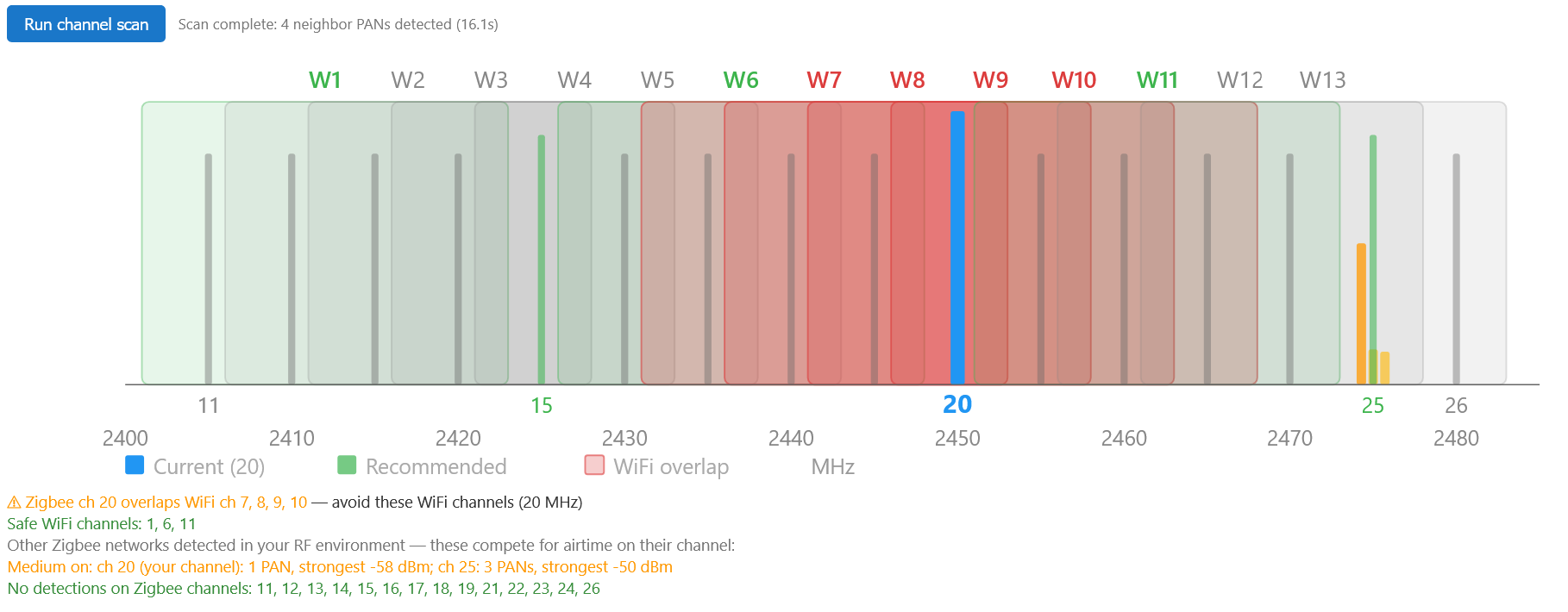
The red W7–W10 boxes are the Wi-Fi channels that overlap Zigbee 20. Hub Inspector can't scan for Wi-Fi; it only shows the channel frequencies. If your router is on channel 1 or 6, Wi-Fi doesn't affect your Zigbee.
The scan found three other Zigbee networks on channel 25, the strongest at −50 dBm. They're not on your channel.
Worth checking your router for the Wi-Fi channel in use and verify that it avoids 7-10. Unless your Zigbee devices are having trouble, there's nothing to change.
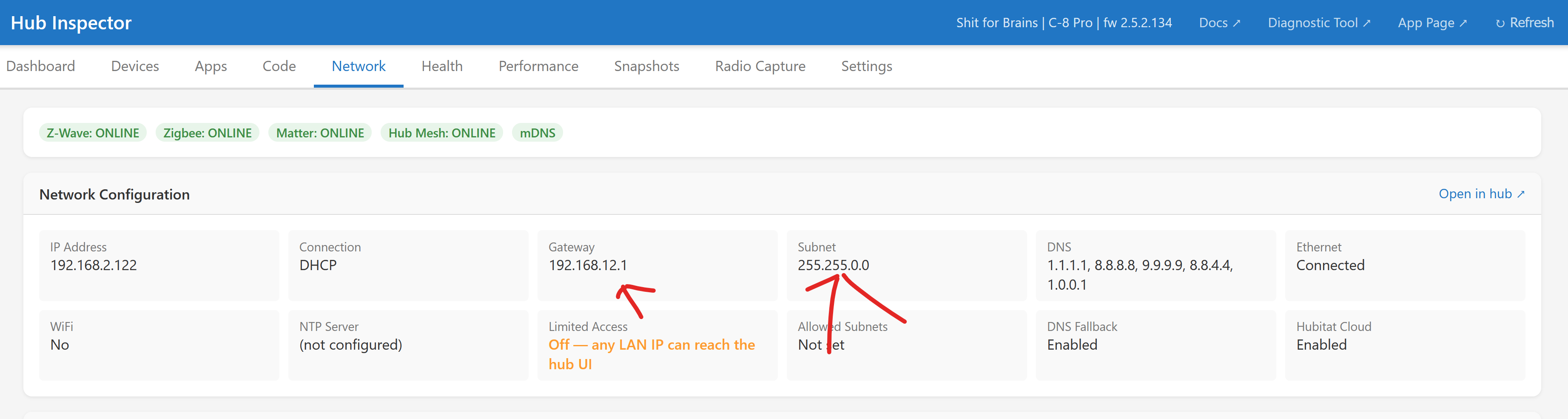
Thats a bug, showing you static settings when in DHCP mode (I assume). Thanks for flagging it. Will fix, however, haven't found an endpoint that reveals the current DHCP settings so the mask will be blank.
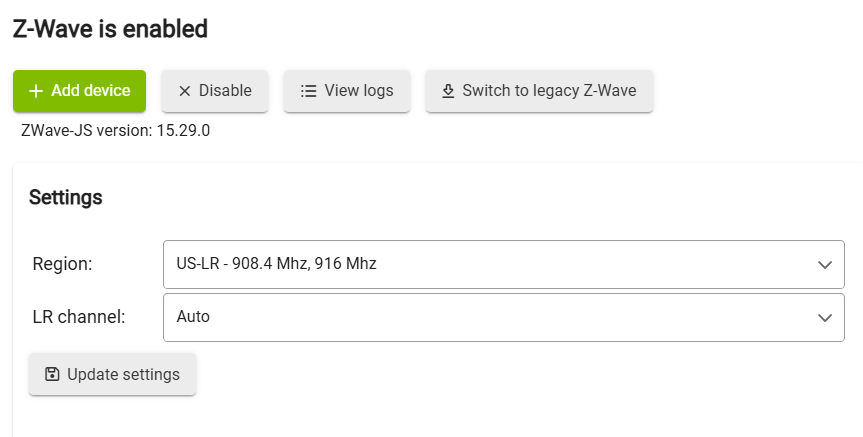
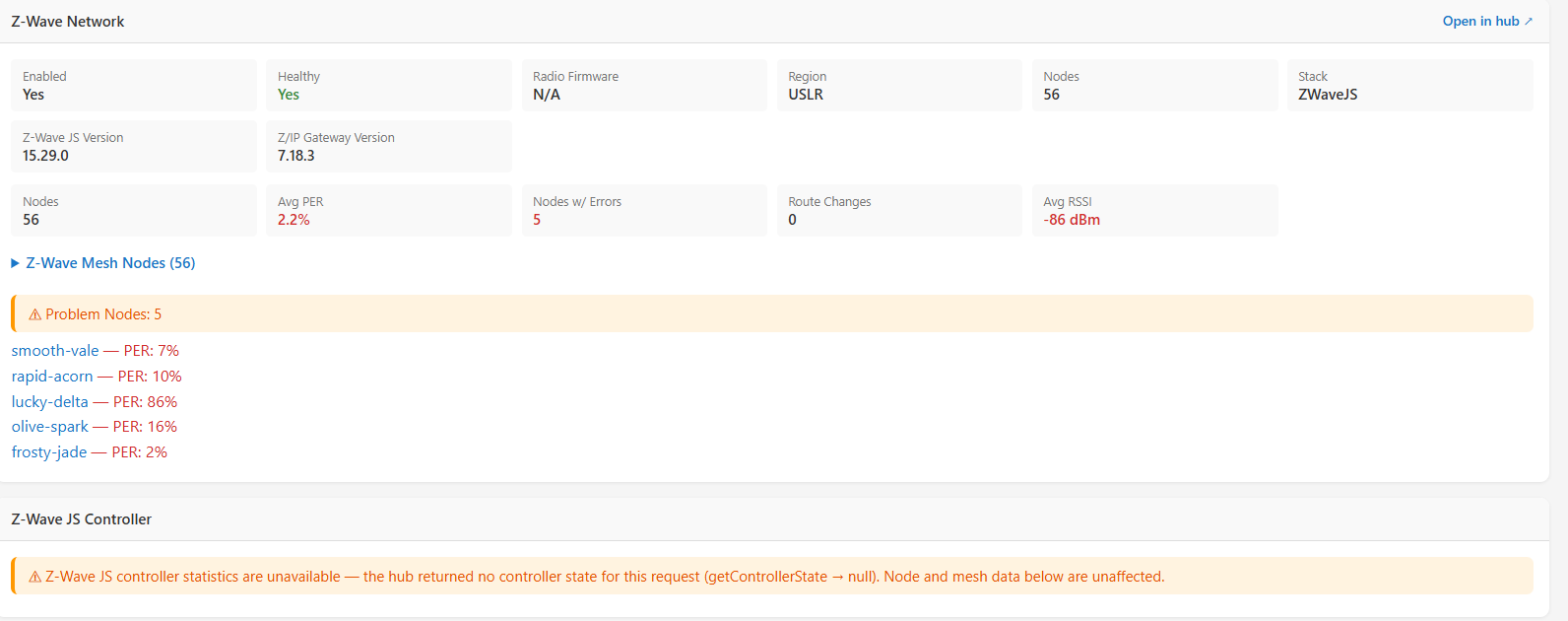
Can you grab this part of the Network tab? What it looks like with a valid controller state object (note: I don't have any Z-Wave devices on that hub).
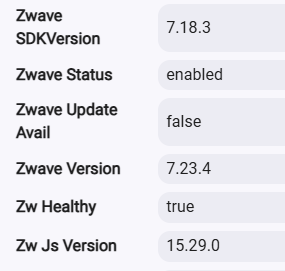
Thanks - confirms you're not getting a radio firmware version, either. Device attributes can go stale, as is sometimes the case with Hub Info Driver, which is why I asked for this screenshot.
Any chance you have never rebooted the hub since switching it to Z-Wave JS ? I had this very issue today with a C7 I just switched over, and rebooting it resolved the issue.
I would say almost zero chance, as that hub has been on Z-WaveJS for many months and I have rebooted it (at a minimum for all the hub platform updates, including lots of beta upates) and I have also shut it down/pulled power/restarted at least a couple of times.
I have no problem doing a reboot or shut down/power pull/restart if you think that will help and/or give you more info on this.
So who makes up those names?! I was pretty confused when I saw them...
Holy cow, I just want to say this is AWESOME! I'm playing with the ZigBee capture right now. I was seeing all these Illuminance and Temperature measurements from my motion sensors. Even thought they are all set to "disabled" for those features, they were sending messages. I guess the configuration got out of synch on resets. Re-configuring the 30+ devices to turn off illuminance/temp reporting, I've quieted my network chatter by a ton.
I seem to have found an anomaly with the reporting of battery devices. Under Tab = Device, Device Summary are reported the number of devices falling under each of the various categories. Although the correct number of devices appears to be reported against Total (=84), the number reported against Battery (=23) is one device short. I have three "Tuya" zigbee 4 button scene controllers, all of which have been set to use @kkossev Tuya Scene Switch TS004F driver ver. 2.9.4 2026-04-28, and all three are listed when the Total number is clicked on but only two (4 Button RC 2 & 4 Button RC 3) are listed when the Battery number is clicked on .
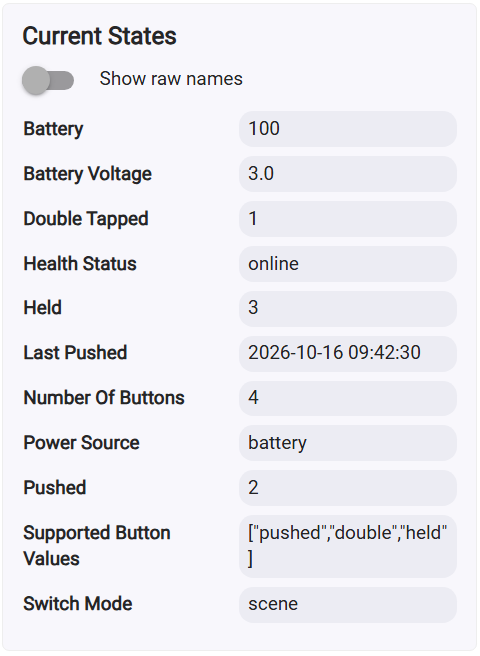
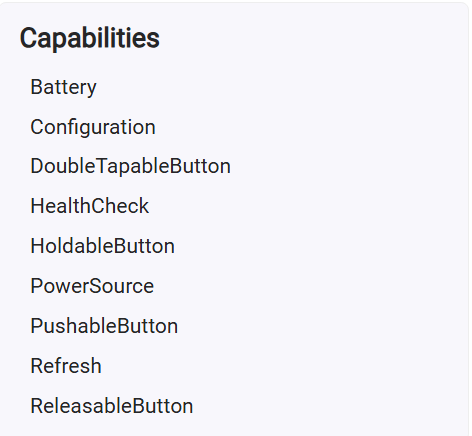
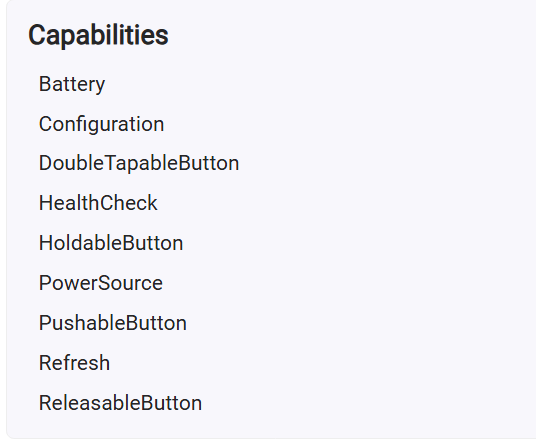
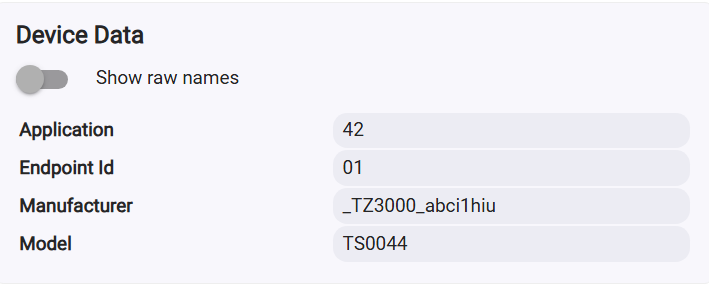
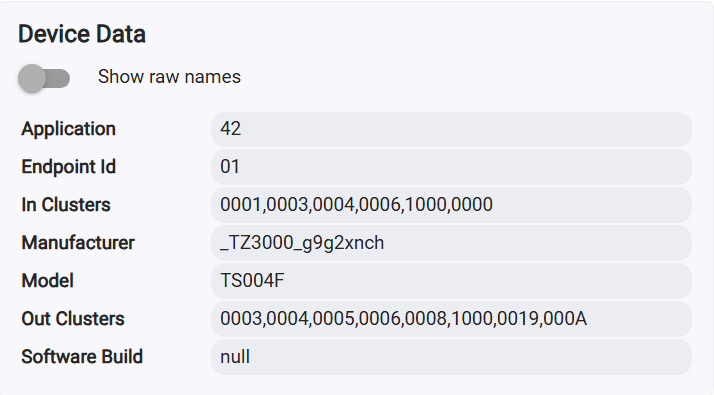
Under the Hubitat Devices Commands tab the device that is not reported as a battery device has different "Current State" reported (see below)although the "Capabilities" list for all are shown as identical as shown in the partial screen shots shown below, the ones on the left being for the scene switch not being reported as a battery device(RC1) and the ones on the right for the two that are being correctly reported (RC2 & RC 3) although all three report the "Power Source" as "battery". Also whilst all three devices correctly trigger automations/device actions the Health Status for RC1 is reported as being "offline" whilst those for RC2 & RC3 are reported as being "online"
I also noticed the under the Device Preferences tab the 4 Button RC1 does not give the option of setting the "Current Default State" to "Battery", the closest being "healthStatus" whereas both RC2 & RC3 gives options for both "battery" and "batteryVoltage" as well as "healthStatus"
Finally although I am not sure of its relevance, I had a look through @kkossev Tuya Scene Switch TS004F driver and it does not appear to identify the Manufacturer _TZ3000_g9g2xnch (as given for RC2 & RC3) nor the Manufacturer _TZ3000_abci1hiu as given for RC1 although all three work as expected.
The app version, shown on the Dashboard tab = App Version: 6.1.10 UI Version: 6.1.10
Hub model and firmware version = C8 Running: 2.5.2.135 (as luck would have it 2.5.2.139 came out whilst I was writing this post )
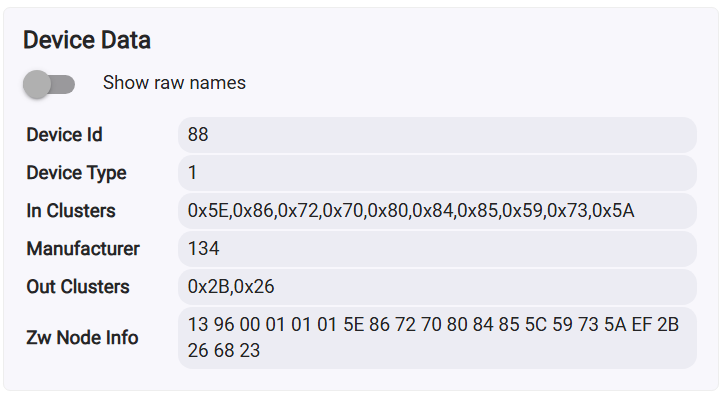
@hubitrep Further to my last post I have just noticed two other battery devices missing from those found by Device Summary - Battery. They are both Aeotec/Aeon Labs Key Fob Gen5 Model Number: ZW088 (Z wave devices) and both use the Aeon Minimote built in driver. The following is the device data from Device Info tab.
The app version, shown on the Dashboard tab = App Version: 6.1.10 UI Version: 6.1.10
Hub model and firmware version = C8 Running: 2.5.2.139 (I have just updated to confirm that the latest Hubitat firmware did not affect what I am seeing).



 )